

Plugin info
Maintenance & Compatibility
Maintenance score
Stale • Last updated 221 days ago • 13 reviews
Is 360 Javascript Viewer abandoned?
Likely maintained (last update 221 days ago).
Compatibility
Similar & Alternatives
Explore plugins with similar tags, and compare key metrics like downloads, ratings, updates, support, and WP/PHP compatibility.
Description
Features
- Full 360° view
- WooCommerce support
- Responsive design
- Zoom by wheel(mouse) or pinch(mobile)
- Unlimited presentations on a single page
- Just upload your images to your media library, no external service needed
- Variable amount of images, limit is 365 images
- Customize speed and inertia
- Reverse dragging
- Rotate to edges
- Custom frame format, no renaming of files
- Optional autorotation on start 1 is one rotation after start and 2 is 2 rotations and so on
- Reverse autorotation
- Speed autorotation otherwise it uses the speed of the viewer
- Custom start frame
- Stop at edges
- Use your own notifier
- Extra classes on images
- Float and margin for some placement control
- ShortCodes system, generate the shortcodes online for more control
- Widget
- Gutenberg block
- Elementor block
- Use ACF or WooCommerce product code for presentation
- Template function for developers
- Very lightweight (50kb)
- Support for WooCommerce Flatsome theme
Installation
- Upload the plugin files to the
your_wordpress_plugins_dir/360deg-javascript-viewerdirectory, or Install as a regular WordPress plugin - Go your Plugins page in the WordPress Dashboard and activate it
Shortcode parameters
Generate the shortcodes online
example: [360-jsv total-frames=72 speed=90 inertia=30 max-width=200]  // will take the default image
example: [360-jsv main-image-url=your/image.jpg total-frames=16 speed=90 inertia=30 image-url-format=your/image_xx.jpg]
- main-image-url is the url to the main image, that is the base for all the other frames
- total-frames is the total number of frames in the presentation
- speed is the speed of rotating
- inertia is the delay when the user stops dragging
- reverse inverts the rotation direction when dragging
- image-url-format give a format for the next frames
- auto-rotate use this setting for rotating the view at start. Rotation stops when user drags the model or another animation method is called. 0 is no rotation and 10 is 10 rotations at start
- auto-rotate-speed use this setting for changing the speed of the auto rotating
- auto-rotate-reverse use this setting for changing the direction of the auto rotating
- stop-at-edges blocks repeating images after reaching last image
- max-width sets the max-width of the presentation in px
- float use left or right to align the presentation
- margin-left set the left margin
- margin-right set the right margin
- margin-top set the top margin
- margin-bottom set the bottom margin
Frequently Asked Questions
Some people find it hard to construct a shortcode by hand, that’s why we created a tool te make it more convenient.
You need to have images in your gallery and you need the shortcode filled into the product properties.
Then the viewer will be shown in the product gallery. You can also use the shortcode in combination with a Gutenberg lock or Elementor block. In that case you must set the block to use the WooCommerce product code for presentation.
In the settings there is an options to define the ACF field what must be used by the Gutenberg block or Elementor block. In that case you must set the block to use the ACF code for presentation. You can fill the ACF field with the shortcode and it will be used by the block.
Yes, you can use global settings in the settings page. You can also use the shortcode to override the global settings.
Yes, you can call parse_jsv360_shortcode() function within your template. Use the shortcode as a parameter.
Review feed
Screenshots
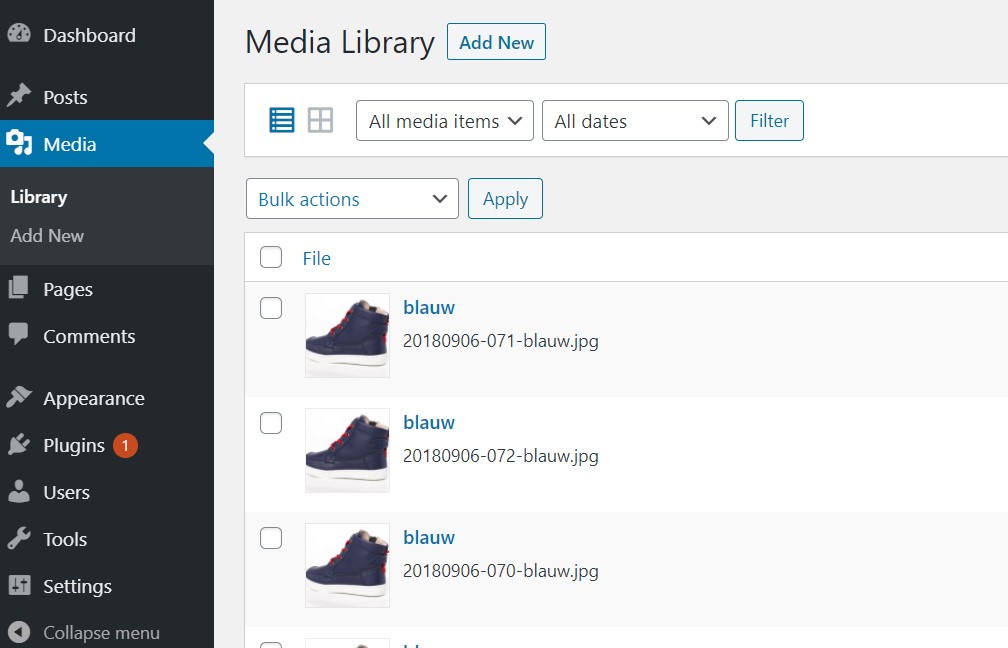
Put your 360 images in your own media library.
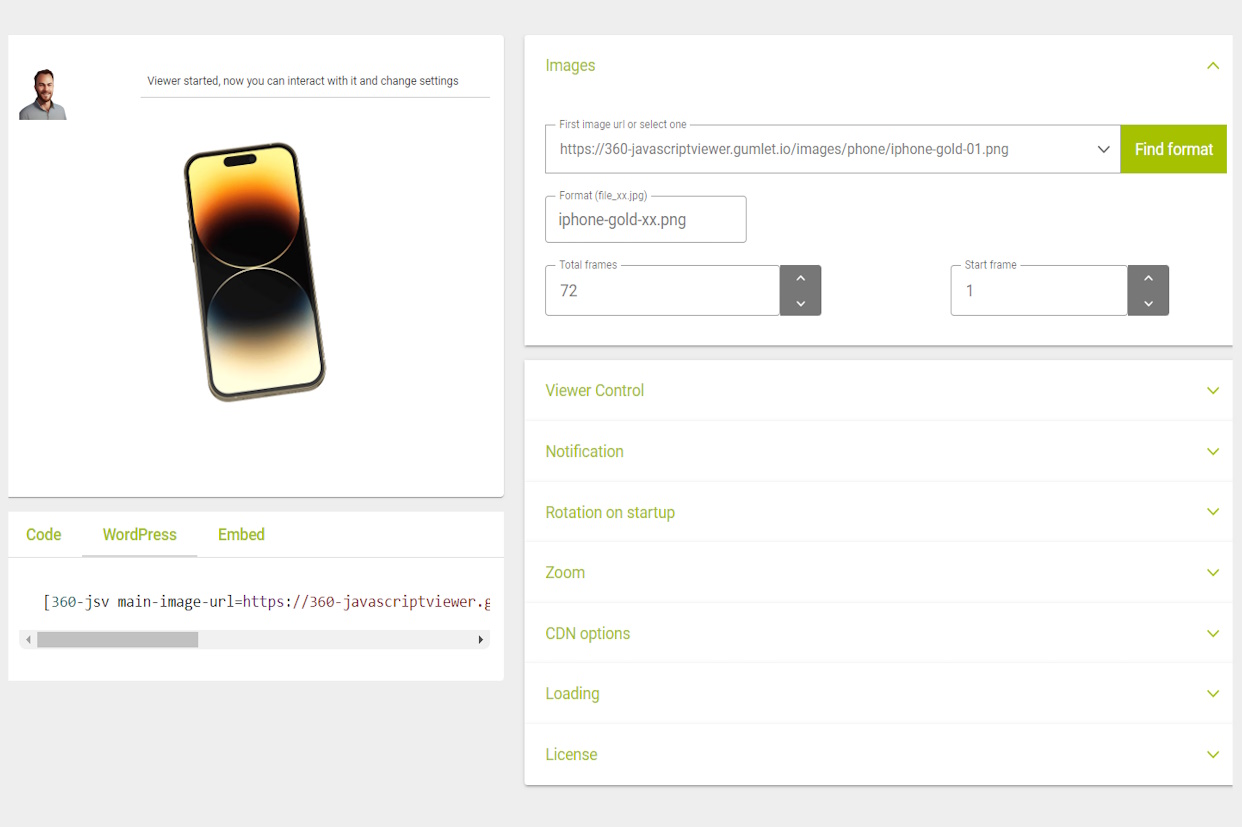
Configure the viewer and create a shortcode at 360-javascriptviewer.com
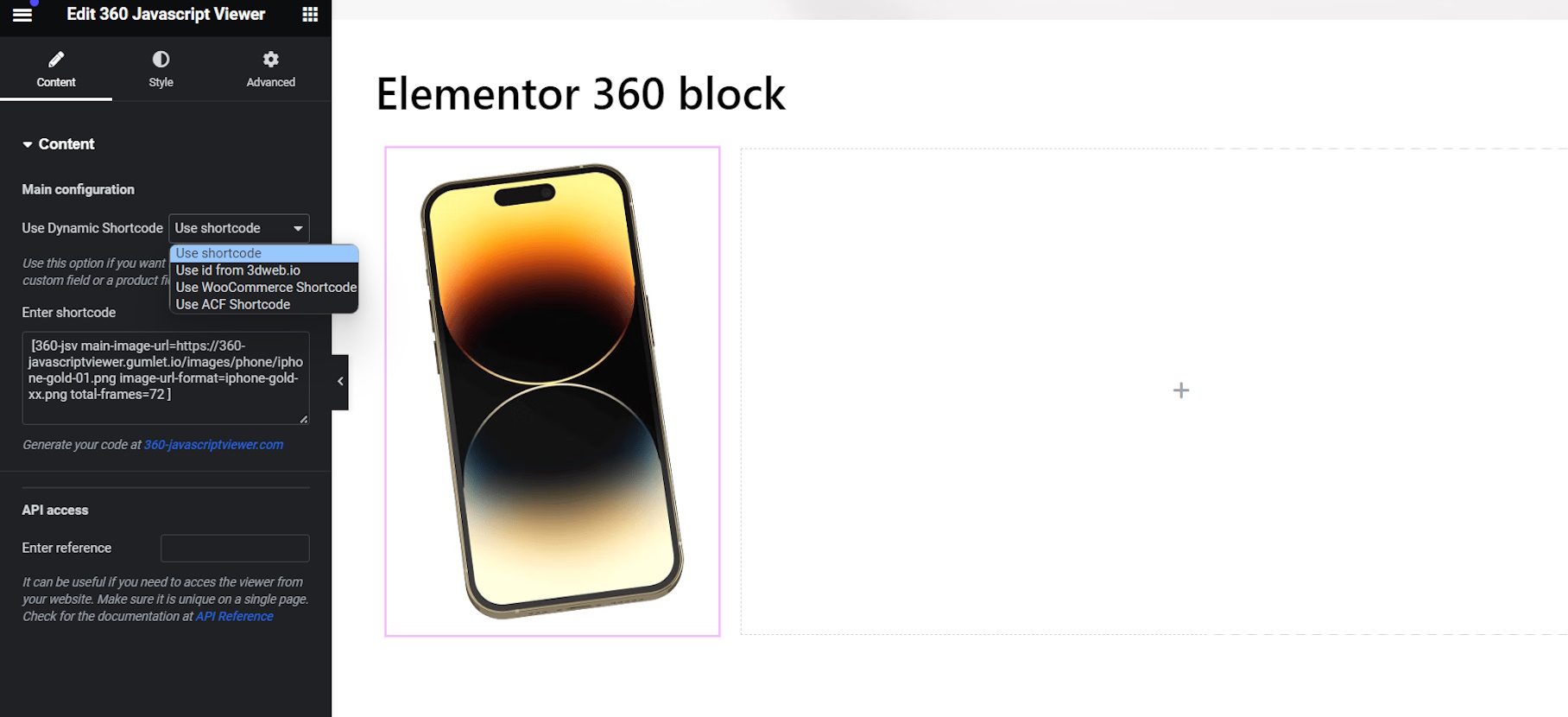
Paste the shortcode anywhere in a post, page, block or Elementor block
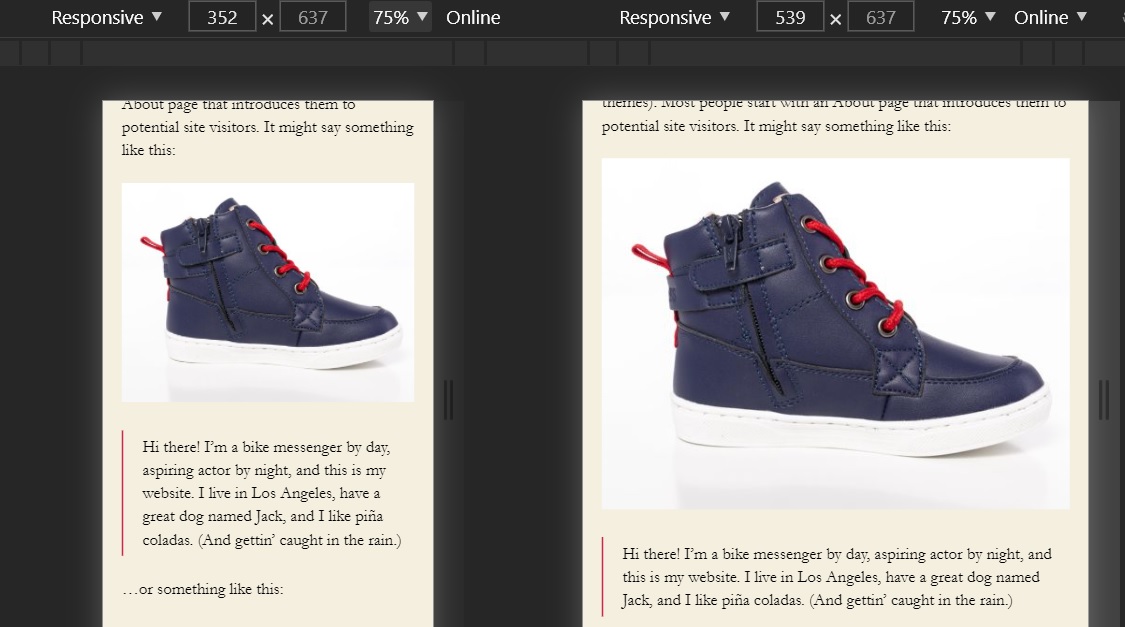
Responsive viewer integrated on a page
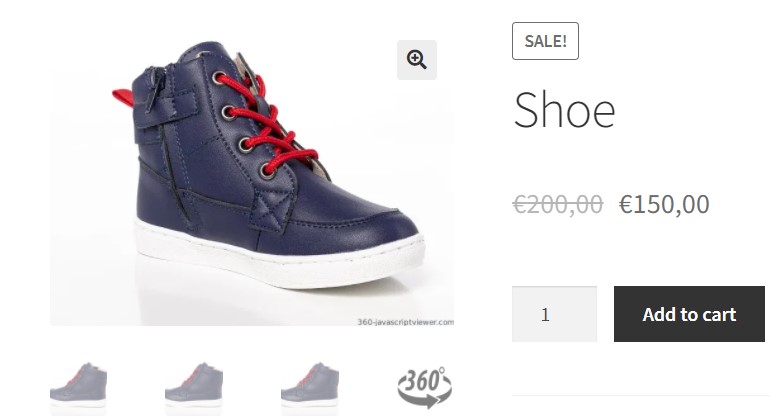
WooCommerce front in product gallery with support for photoswipe in lightbox
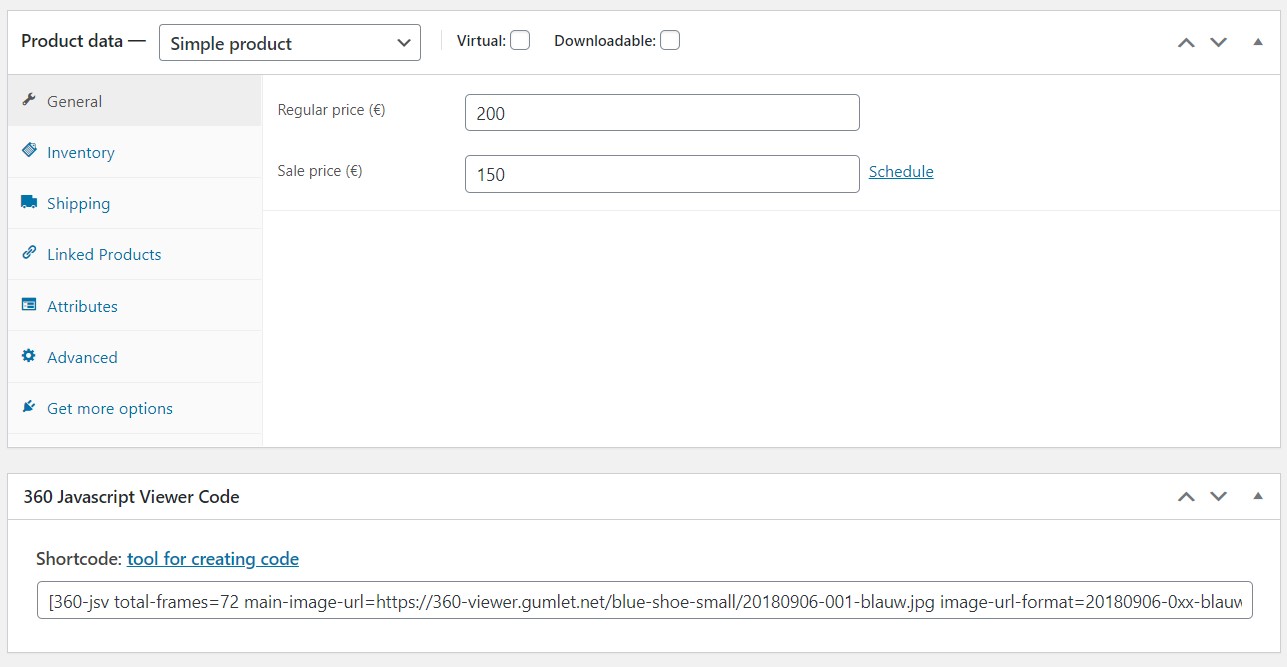
WooCommerce product admin, add shortcode to show an 360 product view
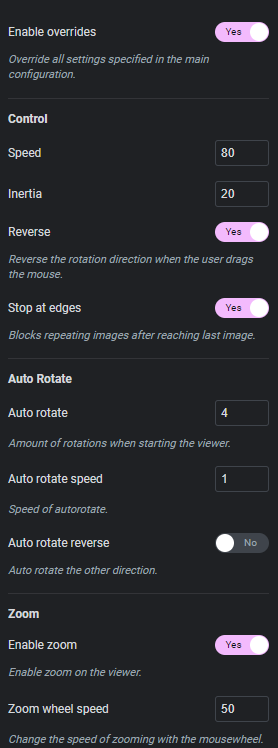
Control the viewer with the elementor widget
Changelog
1.0
- Basic version, still under development
1.0.1
- Bugfixes in viewer, update to v0.0.45
1.1.0
- Added optional autorotation on start
1.2.0
- Added zoom functions
1.2.1
- Fix scrolling bug, update jsv to v1.2.7
1.2.2
- Fix parameter bug
1.3.0
- Added rotate to edges
1.4.0
- Added widget
1.5.0
- Added WooCommerce support
1.5.2
- Added object support in bb code for notification
1.6.0
- Use your own notifier
1.6.15
- Support quotes in shortcode for translation plugins
1.6.18
- Support for extra classes on images
1.6.20
- Support for Gutenberg editor=
1.7.0
- Support for Advanced Custom Fields and WooCommerce product code for presentations in Elementor block
1.7.1
- Support for Advanced Custom Fields and WooCommerce product code for presentations in Gutenberg block
1.7.5
- Fix for woocommerce, no 360 icon when there is no shortcode
1.7.7
- Fix for icon in lightbox with swipe in woocommerce
1.7.8
- Default blank pixel for presentations without main image
1.7.9
- Added
1.7.10
- Elementor options for id and overrides on shortcode
1.7.11
- WooCommerce fix for dragged icon
1.7.15
- Added function for developers to use in templates
1.7.16
- Added option to disable WooCommerce gallery integration
1.7.21
- Added support for Elementor popups with 360 viewer in it