
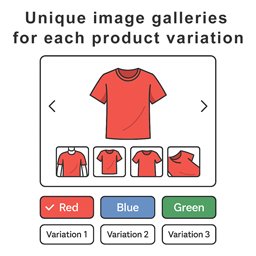
Product Variation Gallery For WooCommerce
Short Description: Give each WooCommerce product variation its own gallery to improve your store’s visuals and shopping experience.
Plugin info
Maintenance & Compatibility
Maintenance score
Stale • Last updated 201 days ago
Is Product Variation Gallery For WooCommerce abandoned?
Likely maintained (last update 201 days ago).
Compatibility
Similar & Alternatives
Explore plugins with similar tags, and compare key metrics like downloads, ratings, updates, support, and WP/PHP compatibility.
Description
Supercharge Your WooCommerce Variable Products with the Ultimate Image Gallery Plugin!
This plugin replaces WooCommerce’s default variation image handling and lets you add multiple gallery images per variation — giving your customers a more engaging and visual shopping experience.
Key Features
- Add individual image galleries to each product variation
- Seamless integration with WooCommerce and most themes
- Lightweight, optimized, and fast-loading
- Intuitive admin panel for quick setup and customization
Looking to customize even further or expand gallery capabilities?
A Pro version with advanced customization options and extended gallery functionality is available here: https://variation-gallery.3wart.ge
External services
This plugin does not connect to any external services.
Upgrade for More
Want additional functionality, more customization options, and priority support?
Check out the Pro version of Product Variation Gallery at https://variation-gallery.3wart.ge — unlock advanced gallery designs, unlimited media options, enhanced variation selectors, and more.
Installation
- Upload the plugin files to the
/wp-content/plugins/directory, or install it through the WordPress plugins screen directly. - Activate the plugin through the ‘Plugins’ screen in WordPress.
- Make sure WooCommerce is installed and activated.
Frequently Asked Questions
The plugin is compatible with most popular themes and also with themes that use the default WooCommerce image gallery.
Yes! This plugin enables individual galleries for every product variation, allowing customers to see exactly what they’re getting.
Review feed
Screenshots


Changelog
1.0 – June 11, 2025
- First release.