
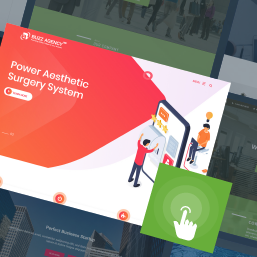
Aarambha Demo Sites
Import Aarambha Themes inbuilt themes demo content, widgets and its all settings with one click.
Plugin info
Maintenance & Compatibility
Maintenance score
Possibly abandoned • Last updated 863 days ago
Is Aarambha Demo Sites abandoned?
Possibly abandoned (last update 863 days ago).
Compatibility
Similar & Alternatives
Explore plugins with similar tags, and compare key metrics like downloads, ratings, updates, support, and WP/PHP compatibility.
Description
Aarambha Demo Sites – it is the perfect plugin to import already inbuilt theme’s demos into your business websites within a click. It shows predefined features like demo content, widgets, and theme settings within a single click. If you are having problems implementing various features available in the theme, here it will reinforce you to get all with just one tap.
Once you install and activate any of the themes from Aarambha Themes, you can download or manually install this plugin. It is compatible with WordPress 5.0 or higher version and only supports PHP 7.0 or later.
Video
Requirements
- WordPress 5.0 or Higher.
- This plugin doesn’t work with any other themes besides our official themes available @ AarambhaThemes Official Themes.
Notice
Aarambha Demo Sites uses third party service (API) at (https://demo.aarambhathemes.com) to query the demo listings, download & install the demos. In order to perform this action, the plugin only sends theme slug to our server and not any of your other details. Please check our Privacy Policy for further information. If you are not OK with this, you may uninstall this plugin and contact us through our forum to get further assistance.
Installation
- Install the plugin either via the WordPress.org plugin directory or by uploading the files to your server (in the /wp-content/plugins/ directory).
- Activate the Aarambha Demo Sites plugin through the ‘Plugins’ menu in WordPress.
Automatic installation
Automatic installation is the easiest option as WordPress handles the file transfers itself and you don’t need to leave your web browser. To do an automatic install of Aarambha Demo Sites, log in to your WordPress dashboard, navigate to the Plugins menu and click Add New.
In the search field type “Aarambha Demo Sites” and click Search Plugins. Once you’ve found our demo importer plugin you can view details about it such as the point release, rating, and description. Most importantly, of course, you can install it by simply clicking “Install Now”.
Manual installation
The manual installation method involves downloading our demo importer plugin and uploading it to your webserver via your favorite FTP application. The WordPress codex contains instructions on how to do this here.
Updating
Automatic updates should work like without any issue, ensure you backup your site just in case.
Frequently Asked Questions
- This plugin is released under a GPL license.
- The plugin currently only supports Aarambha themes.