

Accepted Payment Methods
The Accepted Payment Methods plugin is a straightforward, lightweight solution for displaying visually appealing icons on your website.
Plugin info
Maintenance & Compatibility
Maintenance score
Possibly abandoned • Last updated 450 days ago • 1 reviews
Is Accepted Payment Methods abandoned?
Possibly abandoned (last update 450 days ago).
Compatibility
Similar & Alternatives
Explore plugins with similar tags, and compare key metrics like downloads, ratings, updates, support, and WP/PHP compatibility.
Description
The Accepted Payment Methods plugin is a straightforward, lightweight solution that enhances your website by displaying visually appealing icons of the payment methods you accept.
This plugin is ideal for a variety of websites, including e-commerce platforms, service-oriented websites, and informational blogs. By integrating this plugin, you can effectively communicate to your customers the payment options available, thereby enhancing their user experience and building trust.
The easy-to-use interface allows you to customize the appearance of the icons to match your website’s design, ensuring a cohesive and professional look. Whether you are aiming to boost your online sales or simply provide clear payment information, the Accepted Payment Methods plugin is an essential tool for achieving these goals.
The image set for various payment icons can be found here
Features
1. Supports svg, jpg, png, webp and other image formats.
2. Simple settings page within the plugin dashboard for multiple options to display the icons.
3. Customizable icon size, placement, tooltip options, spacing and other settings.
4. Simple to implement and documentation within the plugin dashboard.
5. Simple drag and drop option for managing the order of the icons.
6. Popular payment svg icons like: Visa, MasterCard, American Express, Paypal, iPay, Google pay etc are included with the plugin files.
7. External resources for the other payment icons like: Amex, Amazon, skrill, Stripe, LIQPAY, Western Union, Discover.
Installation
This section describes how to install the plugin and get it working.
e.g.
- Upload the plugin files to the
/wp-content/plugins/accepted-payment-methodsdirectory, or install the plugin through the WordPress plugins screen directly. - Activate the plugin through the ‘Plugins’ screen in WordPress
- Use the Payment Icons screen to configure the plugin
Frequently Asked Questions
You can add unlimited icons unless it affects your design.
Yes you can. You don’t have to install other plugin to make the support for the svg file.
Yes you can. Its simple as drag and drop and save the options.
You can adjust the size of the icon. The shape depends upon your uploaded file.
Yes you can. There is a tooltip option to display the title with some cool css.
The plugin is developed to work with all the major themes and tested, but we cannot guarantee due to the diversity and different working methods of the developers.
Review feed
Nice to use this plugin.
Screenshots
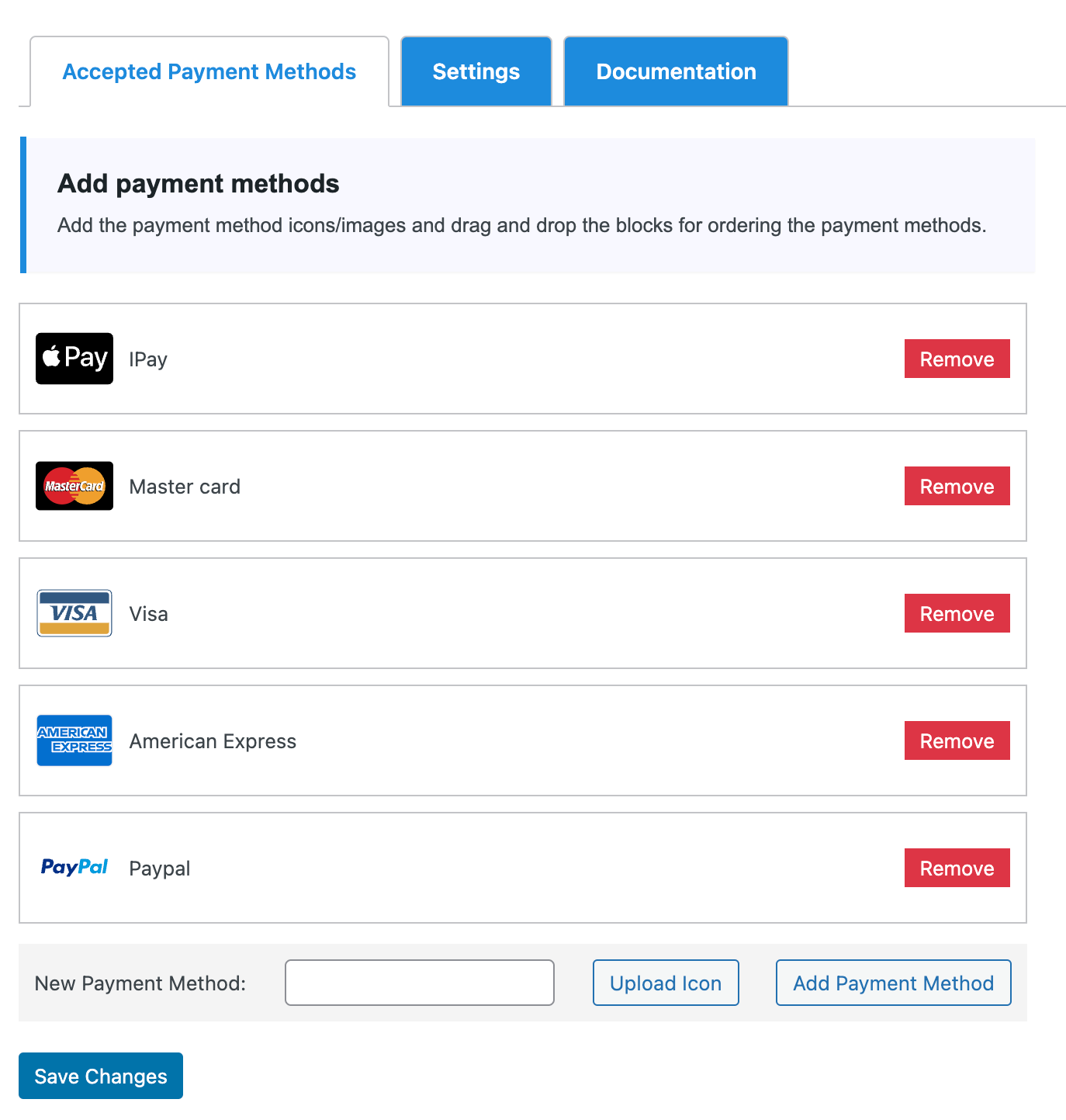
Main plugin dashboard.

Settings page.

Documentation page.

Adding shortcode.

Frontend Display.
Changelog
1.2 – Initial Release