

Web Accessibility by accessiBe
Fix accessibility issues & make your site accessible with an AI-powered accessibility service.
Plugin info
Maintenance & Compatibility
Maintenance score
Maintained • Last updated 133 days ago • 32 reviews
Is Web Accessibility by accessiBe abandoned?
Likely maintained (last update 133 days ago).
Compatibility
Similar & Alternatives
Explore plugins with similar tags, and compare key metrics like downloads, ratings, updates, support, and WP/PHP compatibility.
Description
accessWidget, accessiBe’s leading AI-powered web accessibility solution, helps make your website accessible and ADA compliant based on WCAG, allowing you to generate more business and traffic.
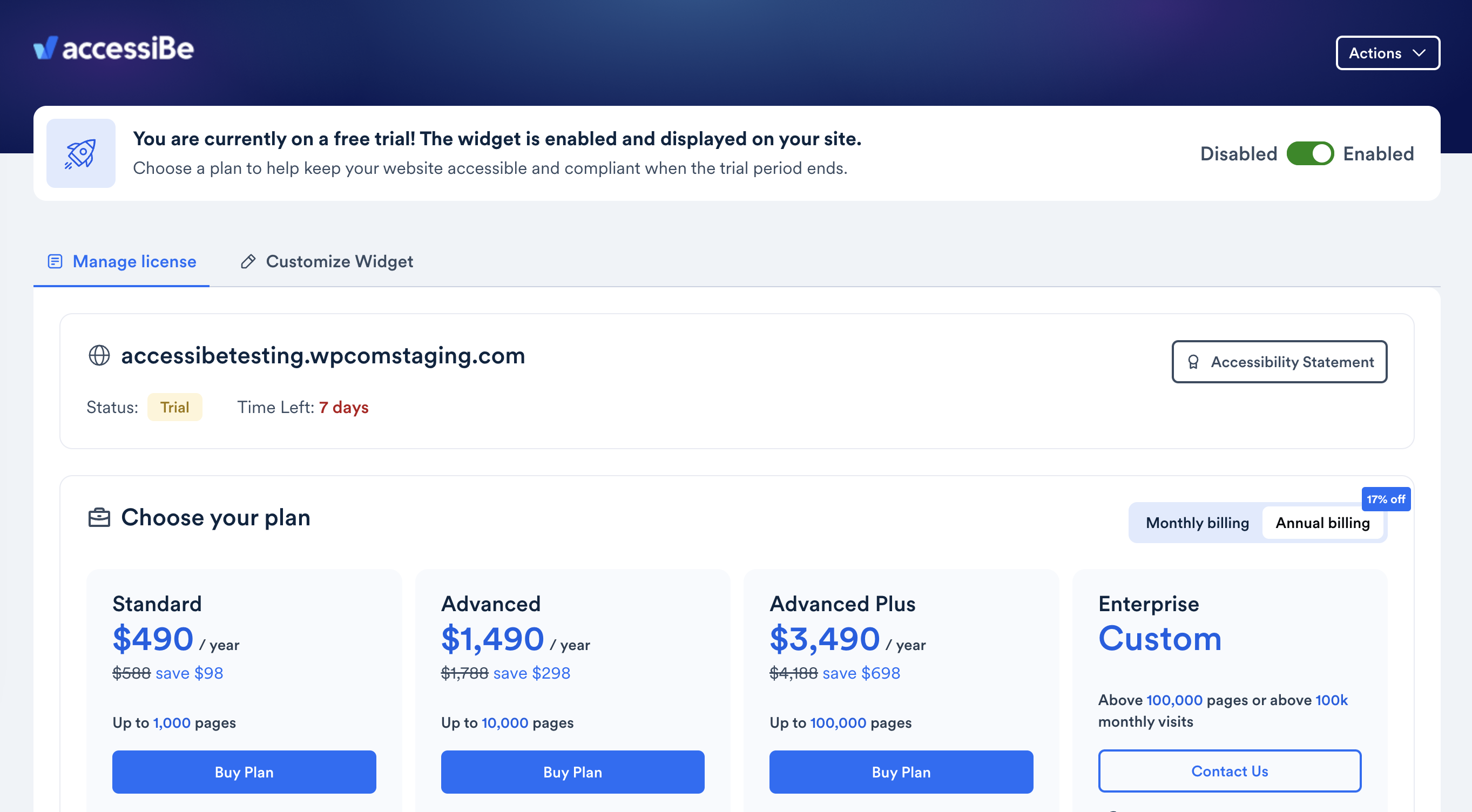
You can explore accessWidget with a 7-day free trial; no credit card required.
Meet legal requirements under the ADA and win more business
Ensuring that your WordPress website is accessible to all visitors, including individuals with disabilities, is critical for a number of reasons.
First and foremost, adjusting your website so that it is accessible is a moral and ethical imperative. There is also the matter of meeting legal obligations, under laws such as the Americans with Disabilities Act (ADA) and the European Accessibility Act (EAA).
But it’s important to realize that making your WordPress accessible and ADA-compliant greatly impacts its business potential.
An accessible website allows you to appeal to a new audience base (which commands trillions in annual expendable income), as well as to enhance your brand reputation.
How accessWidget Helps
With accessWidget, accessiBe’s accessibility plugin for ADA compliance, your website is adjusted so that it welcomes all visitors, including those with disabilities.
accessWidget leverages the power of AI to run an automated audit of your website to identify and remediate accessibility issues existing on a code level. This results in your website being compatible with assistive technology like screen readers, and fully navigable via keyboard.
accessWidget is quick and easy to install, and automatically scans and remediates inaccessible elements on your website every 24 hours, ensuring ongoing accessibility, without touching your source code.
Give website visitors a customized user experience
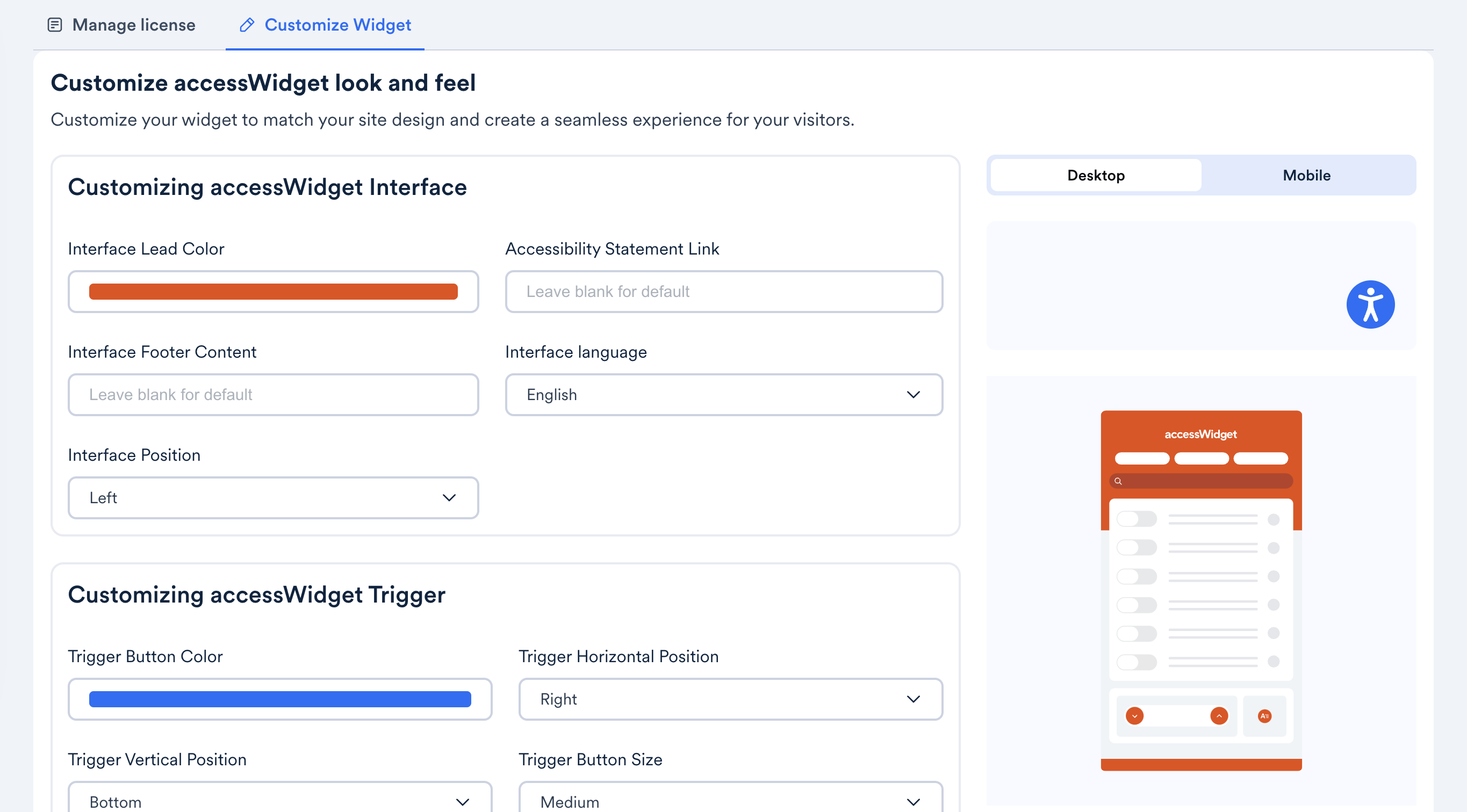
accessWidget will also present website visitors with an accessibility interface, through which they can adjust design elements to better fit their needs.
With accessWidget, website visitors can increase font size and change font types, adjust color contrasts, and stop animations, among many other options.
You can explore the accessWidget plugin with a 7-day free trial; no credit card required.
Installation
- Download the plugin file.
- In your WordPress dashboard go to Plugins > Add New > Upload Plugin and select the file you downloaded in the previous step.
- Select Install Now. Once it’s installed, the Install Now button will change to Activate.
- Select Activate.
- Sign up to accessiBe in the plugin. If you already have an account, select Log in.
- Select the domain to start your 7-day free trial.
See here for details.
Frequently Asked Questions
The Americans with Disabilities Act (ADA) is widely applied to websites. Businesses are categorized as places of public accommodation, and need to make sure they are accessible in compliance with the law.
Once installed on your website, accessWidget will audit its code and identify accessibility problems. Then, it will perform session-based remediations of many of the issues so that your website is accessible based on the Web Content Accessibility Guidelines (WCAG).
Yes. You can use accessWidget for free during a 7-day free trial.
Plans start at $490 a year (or $59/mo), and vary depending on your website’s monthly traffic.
Review feed
GREAT plugin!
The only free thing is the plugin installation
Added accessibility issues instead of solving them - Risks of lawsuits?
Screenshots
Changelog
v2.12
- 2025-11-20
- vulnerability fixes
v2.11
- 2025-10-10
- Security fixes
v2.10
- 2025-10-08
- Banner updated
v2.9
- 2025-10-08
- Banner updated
v2.8
- 2025-10-08
- Banner updated
v2.7
- 2025-04-28
- Limited Access Mode
v2.6
- 2025-02-07
- Security fixes
v2.5
- 2025-02-05
- Bug fixes
v2.4
- 2025-01-30
- Analytics and bug fixes
v2.3.3
- 2025-01-18
- Bug fixes
v2.3.1
- 2025-01-17
- Bug fixes
v2.3.1
- 2025-01-16
- Bug fixes
v2.2.1
- 2025-01-10
- Bug fixes
v2.2
- 2025-01-10
- Bug fix
v2.1
- 2025-01-09
- Banner
v2.0
- 2025-01-09
- New version of the app with a new design and the following features:
- Sign up/log in to the Customer Portal
- Install accessWidget on your site
- Customize accessWidget
- Accessibility statement
- Purchasing a plan
v1.20
- 2024-11-12
- readme update
v1.19
- 2024-10-16
- readme update
v1.15
- 2020-01-19
- readme update
v1.11
- 2020-01-19
- readme update
v1.1
- 2020-01-13
- new interface
v1.0
- 2020-06-18
- initial release