

Accessibility Widget by OneTap – Easy One-Click Accessibility Toolbar
OneTap is a multilingual WordPress plugin designed for seamless website accessibility.
Plugin info
Maintenance & Compatibility
Maintenance score
Maintained • Last updated 126 days ago • Support resolved 100% • 55 reviews
Is Accessibility Widget by OneTap – Easy One-Click Accessibility Toolbar abandoned?
Likely maintained (last update 126 days ago).
Compatibility
Similar & Alternatives
Explore plugins with similar tags, and compare key metrics like downloads, ratings, updates, support, and WP/PHP compatibility.
Description
OneTap is an accessibility plugin made in Europe that helps you make your WordPress website inclusive and easy to use for all visitors. With a simple one-click setup, it adds essential accessibility tools instantly — no account required. OneTap is multilingual, lightweight, and fully customizable, ensuring accessibility without slowing down your site.
#1 WordPress Accessibility Plugin. One Click Install
No coding, setup or account necessary install and start.
OneTap is the best WordPress plugin for accessibility and offers a stable and clean solution for your website. Our accessibility solutions empower businesses to create inclusive online experiences for all users, regardless of ability. Enhance your website’s usability and reach a wider audience by making it more accessible for everyone!
♿ Accessibility for your WordPress Website
- 1-Click Installation – Get set up in seconds with effortless, one-click installation—accessibility made easy.
- Custom Branding – Elevate your brand’s identity with personalized accessibility solutions.
- Accessibility Modules – Enable or disable specific accessibility modules based on your design needs.
- Responsive Design – Optimized for all devices, ensuring accessibility on mobile, tablet, and desktop.
- Lightweight & Fast – Keeps your site’s speed top-notch while adding powerful accessibility features.
- 40 Languages – OneTap accessibility module supports 40 languages – all of the EU and English. More coming soon.
- Modern Design – Enhance your site’s appeal with a sleek, modern design that fits seamlessly into any layout.
- Toolbar Customization – Adjust the toolbar’s position on desktop, tablet, and smartphone.
- Icon Customization – Choose your preferred accessibility icon, adjust its size, and enable or disable a border.
- GDPR-Compliant – 100% data protection: OneTap collects no user data and is fully compliant with GDPR regulations.
- Accessibility Statement Generator – Instantly generate a professional accessibility statement tailored to your site—compliance made simple.
Unlock Full Accessibility Get OneTap Pro!
Key Features:
Content Modules:
- Font Size – Enlarge text for improved readability.
- Highlight Links – Easily identify clickable links with visual enhancements for better navigation.
- Line Height – Adjust line spacing for improved clarity.
- Readable Font – Switch to a clearer, easy-to-read font.
- Big Cursor – Enhance visibility with a larger cursor for easier navigation and control.
- Text Magnifier – Magnify selected text for enhanced visibility. (Pro ♛)
- Dyslexic Font – Use a specialized font for dyslexic users. (Pro ♛)
- Text Align – Adjust text alignment for better structure and readability.
- Letter Spacing – Modify letter spacing for enhanced readability.
- Font Weight – Adjust font weight for improved readability.
Color Options:
- Dark Contrast – Adjust dark contrast for a more vivid or subdued visual experience. (Pro ♛)
- Light Contrast – Adjust light contrast for a more vivid or subdued visual experience.
- High Contrast – Adjust high contrast for a more vivid or subdued visual experience.
- Monochrome – Adjust color monochrome for a more vivid or subdued visual experience.
- Saturation – Adjust color saturation. (Pro ♛)
Orientation Options:
- Reading Line – Highlight the current line.
- Reading Mask – Focus on specific text.
- Text-to-Speech – Automatically read aloud page content. (Pro ♛)
- Keyboard Navigation – Navigate the site using only the keyboard. (Pro ♛)
- Hide Images – Remove distracting images.
- Mute Sounds – Mute website sounds. (Pro ♛)
- Highlight Titles – Emphasize titles for better recognition. (Pro ♛)
- Highlight Content – Highlight elements when hovered over.
- Stop Animations – Disable animations.
Unlock Full Accessibility Get OneTap Pro!
Multiselect and Predefined Accessibility Profiles
- Vision Impaired Mode – Enhances website’s visuals. (Pro ♛)
- Seizure Safe Profile – Clears flashes & reduces color. (Pro ♛)
- ADHD Friendly Mode – Focused browsing. (Pro ♛)
- Blindness Mode – Reduces distractions. (Pro ♛)
- Epilepsy Safe Mode – Dims colors. (Pro ♛)
40 Languages of the Accessibility Toolbar
🇺🇸 English (USA)
🇩🇪 Deutsch
🇪🇸 Español
🇫🇷 Français
🇮🇹 Italiano
🇵🇱 Polski
🇸🇪 Svenska
🇫🇮 Suomi
🇵🇹 Português
🇷🇴 Română
🇸🇮 Slovenščina
🇸🇰 Slovenčina
🇳🇱 Nederlands
🇩🇰 Dansk
🇬🇷 Ελληνικά
🇨🇿 Čeština
🇭🇺 Magyar
🇱🇹 Lietuvių
🇱🇻 Latviešu
🇪🇪 Eesti
🇭🇷 Hrvatski
🇮🇪 Gaeilge
🇧🇬 Български
🇳🇴 Norsk
🇹🇷 Türkçe
🇮🇩 Bahasa Indonesia
🇧🇷 Português (Brasil)
🇯🇵 日本語
🇰🇷 한국어
🇨🇳 简体中文
🇸🇦 العربية
🇷🇺 Русский
🇮🇳 हिन्दी
🇺🇦 Українська
🇷🇸 Српски
🇬🇧 British English
🇮🇷 فارسی (für إيران)
🇮🇱 עברית
🇲🇰 Македонски
🇹🇭 ไทย
🇻🇳 Tiếng Việt
See What Our Users Have to Say
OneTap Accessibility has greatly improved our site’s usability—super easy to install with so many helpful features!” ★★★★★ (Aisha Patel)
The user-friendly interface made setup a breeze. Our visitors love the new accessibility options” ★★★★★ (Dejan Manovic)
Fantastic plugin! The accessibility options are extensive and simple to configure. Perfect for any professional website.” ★★★★★ (Ralf Grünberger)
Love how dependable this plugin is! No issues, just consistent performance and powerful accessibility options” ★★★★★ (Rafael Silva JR)
Unlock Full Accessibility Get OneTap Pro!
24/7 Support
Our 24/7 support is always available to ensure a smooth experience with the plugin—get quick answers anytime, day or night. Support:
https://wponetap.com/support
Lifetime Packages for Agencies
Use OneTap PRO on all client projects with a single one-time payment — no recurring costs, no limits. Perfect for agencies that want full flexibility and predictable pricing.
https://wponetap.com/agency-pricing
Help Translate OneTap into your language
Your contribution helps make accessibility easier and more inclusive for people around the world.
https://translate.wordpress.org/projects/wp-plugins/accessibility-onetap
Installation
-
Open WordPress Dashboard:
Log in to your WordPress dashboard. -
Access Plugin Menu:
On the left panel, click “Plugins” and select “Add New.” -
Search for “Accessibility Widget by OneTap – Easy One-Click Accessibility Toolbar”:
On the Add Plugin page, locate the search box in the top right corner.
Type “Accessibility Widget by OneTap – Easy One-Click Accessibility Toolbar” in the search box. -
Install the Plugin:
After finding the “Accessibility Widget by OneTap – Easy One-Click Accessibility Toolbar” plugin, click the “Install Now” button below it. -
Activate the Plugin:
Once the installation is complete, click the “Activate” button that appears. -
You’re Ready to Use the Plugin:
After activation, navigate to the “Accessibility Widget by OneTap – Easy One-Click Accessibility Toolbar” section in your WordPress dashboard to start importing and exporting menus.
Frequently Asked Questions
No coding skills are necessary! The plugin is designed to operate with just a click, enabling you to easily customize colors and language as you wish.
Yes, definitely! We continuously monitor and develop the plugin to ensure compatibility with the most popular website builders. Our team regularly conducts thorough compatibility tests to guarantee that the plugin works seamlessly across various platforms. With over 500 tests completed, we can confidently say that it runs smoothly without affecting your site’s performance.
Yes, OneTap can help align your website with the guidelines of WCAG and the requirements of the EAA.
OneTap is available in the following languages: English (USA) | Deutsch | Español | Français | Italiano | Polski | Svenska | Suomi | Português | Română | Slovenščina | Slovenčina | Nederlands | Dansk | Ελληνικά | Čeština | Magyar | Lietuvių | Latviešu | Eesti | Hrvatski | Gaeilge | Български | Norsk | Türkçe | Bahasa Indonesia | Português (Brasil) | 日本語 | 한국어 | 简体中文 | العربية | Русский | हिन्दी | Українська | Српски | British English | فارسی | עברית | Македонски | ไทย | Tiếng Việt
Absolutely! Excellent customer support is vital for a quality product, and we’ll work hard to resolve any issues you encounter through our support page. Our dedicated team is available 24/7 to assist you in multiple languages, ensuring you receive timely and efficient help no matter where you are in the world. Whether you need technical assistance, have questions about our products, or require any other support, we are here for you around the clock, in the language that suits you best. Your satisfaction is our top priority.
Review feed
Excellent Accessibility Solution for WordPress
Instant Accessibility That Actually Works — Simple and Effective
Screenshots
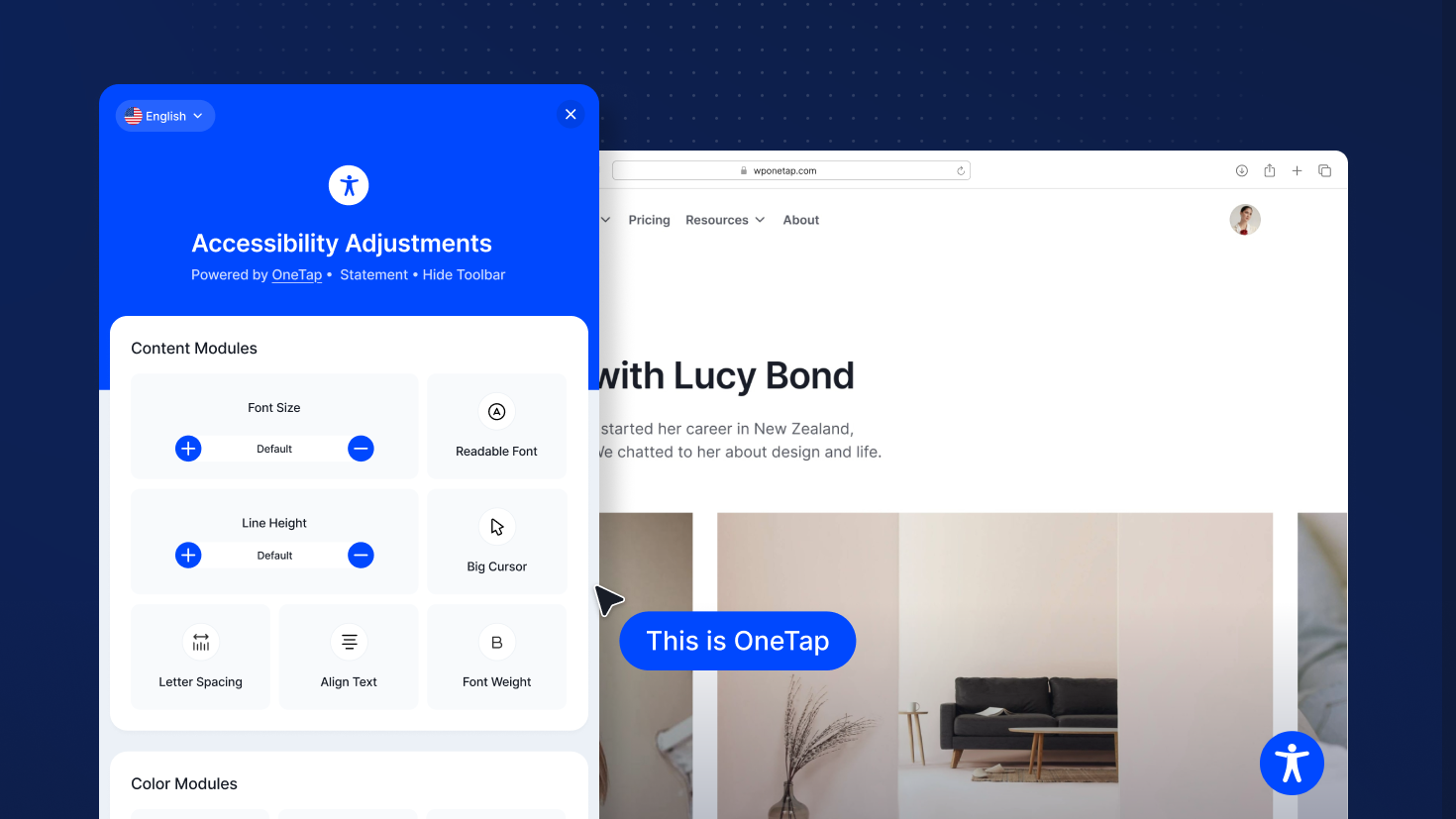
Screenshot 1.
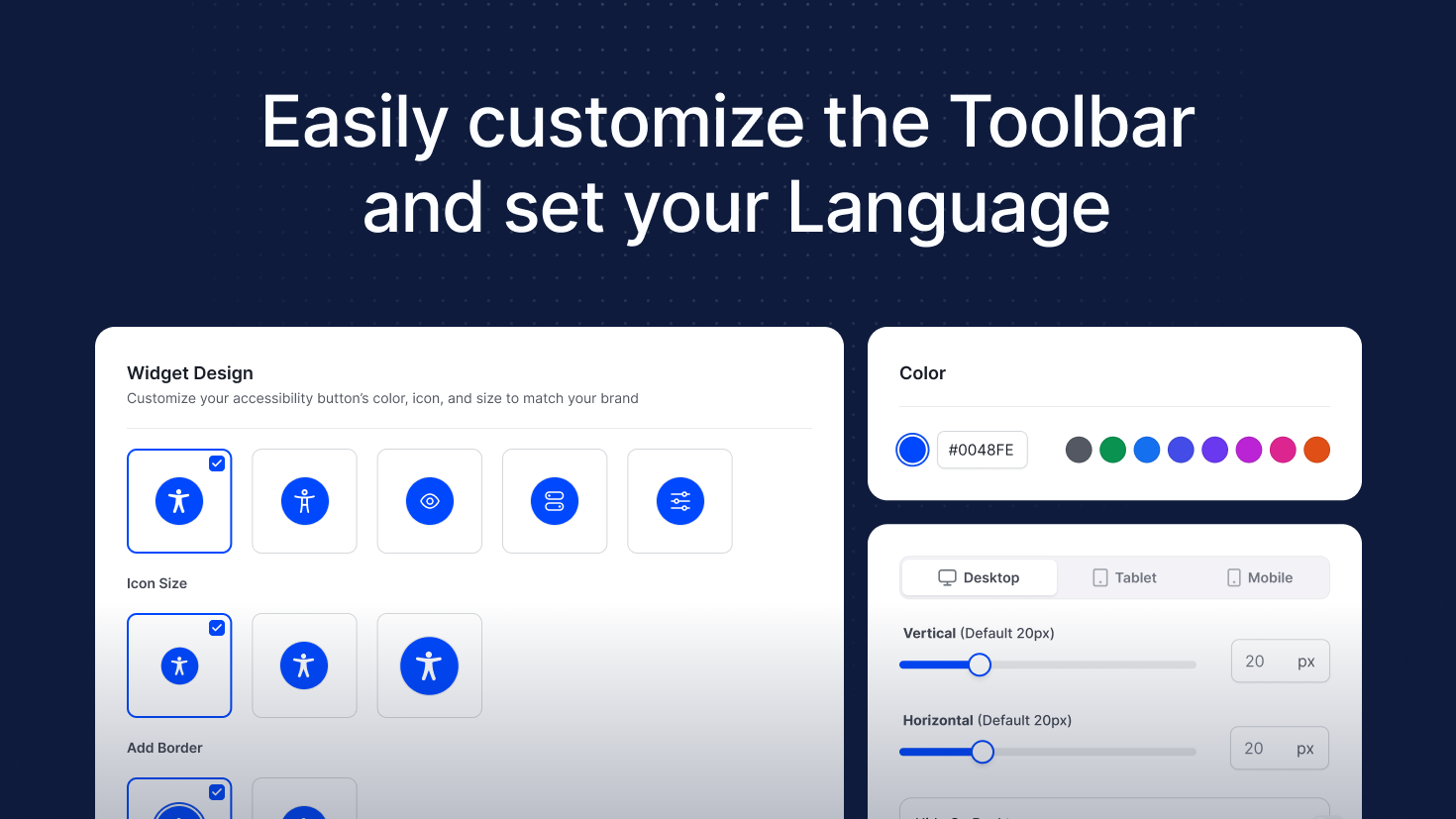
Screenshot 2.
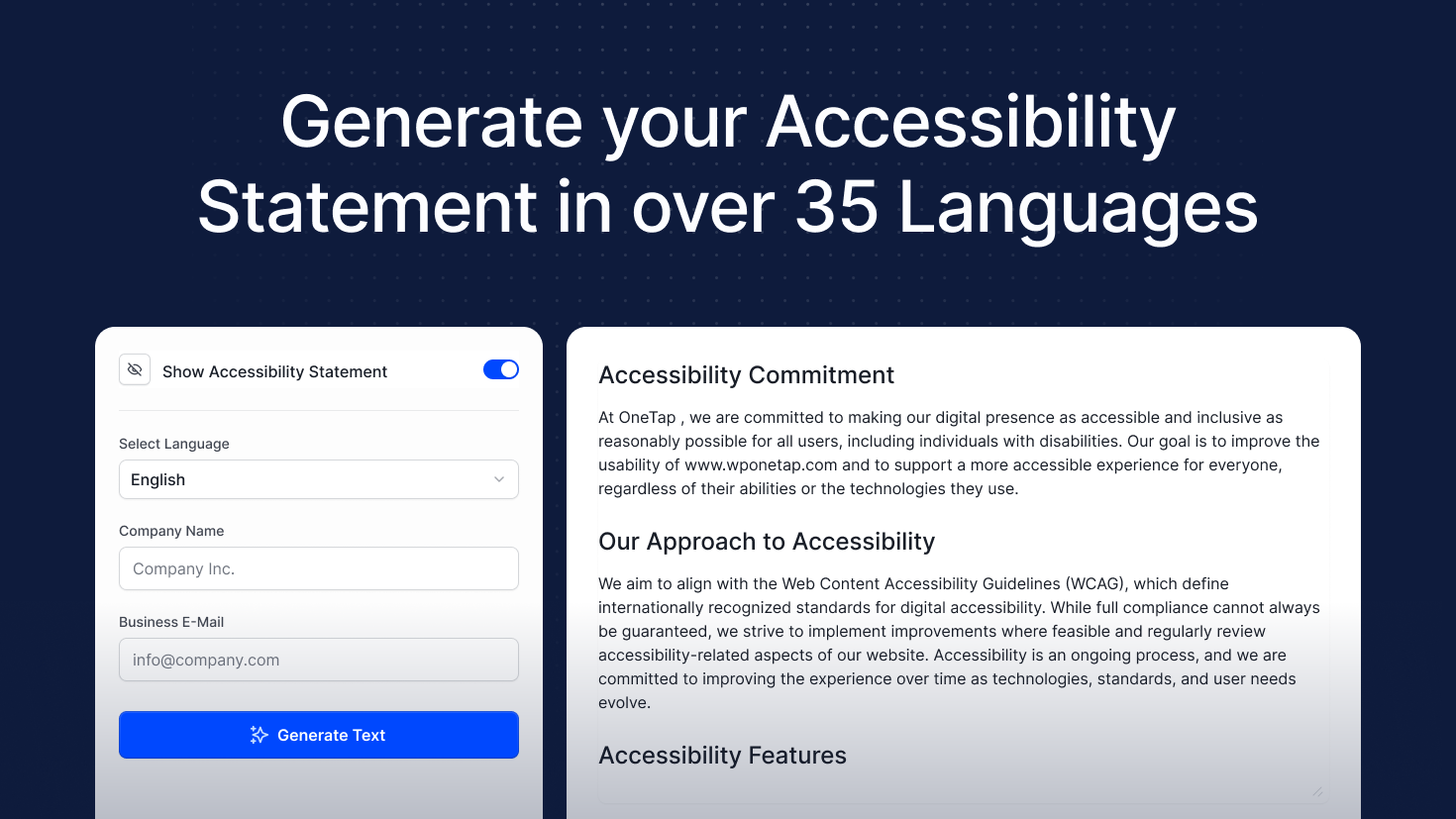
Screenshot 3.
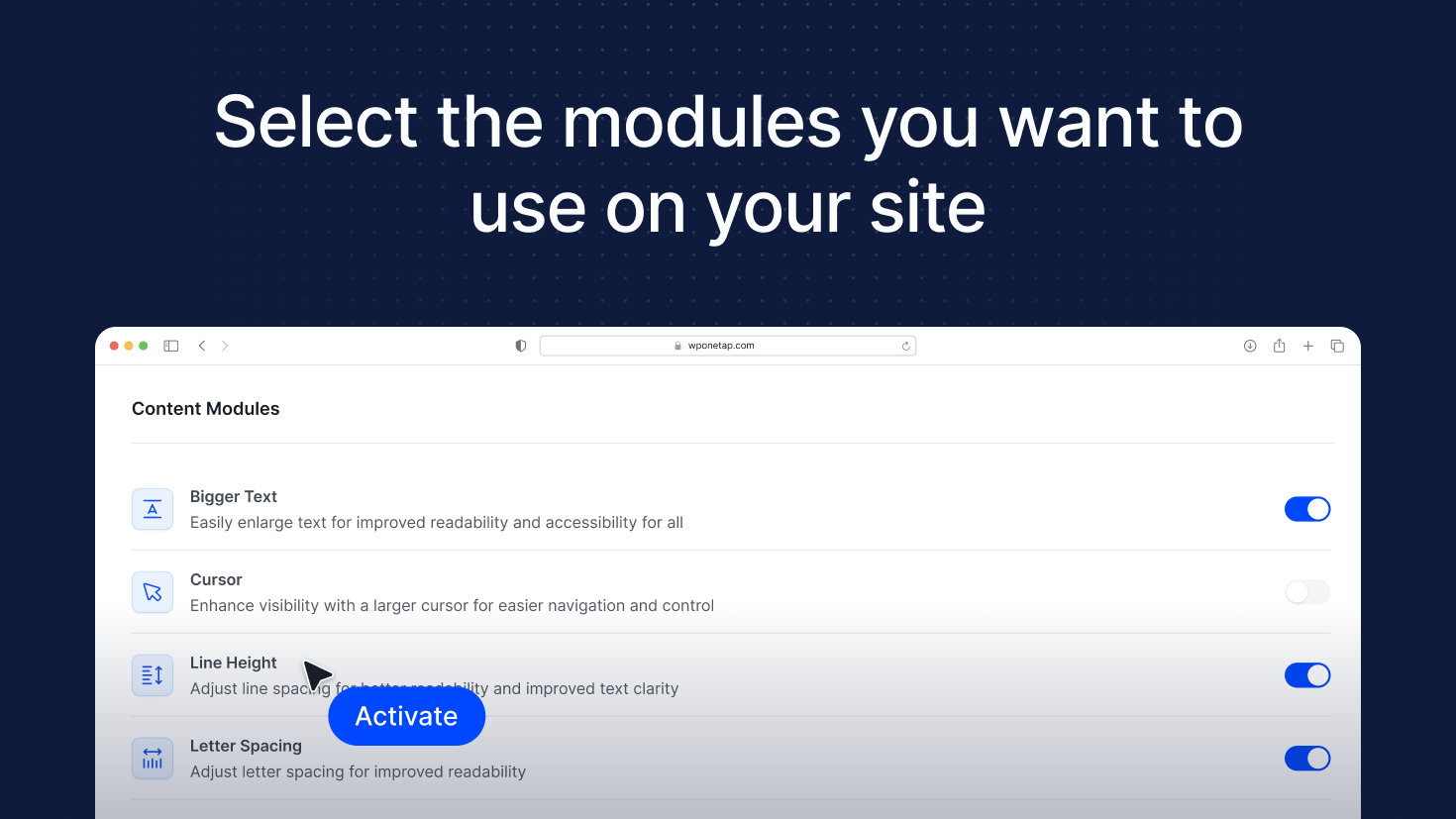
Screenshot 4.
Changelog
2.7.1
- Fix: RTL
2.7.0
- Fix: OneTap button on close
- Fix: OneTap input radio color
- Check: PHP compatibility 7.1 8.x.x
- Ensure: Feature compatibility with older browsers
- Fix: Missing translations
- Add: New languages:
British English
Hebrew (עברית)
Thai (ไทย)
Vietnamese (Tiếng Việt)
Persian / Farsi (فارسی)
Macedonian (Македонски) - Migration: OneTap features from PHP to JavaScript
2.6.3
*Fix: Onetap button on hover
2.6.2
*Fix: Reponsive mobile width
*Feat: Disable cache in wp rocket
2.6.1
*Fix: One-tap icon display.
*Fix: Accessibility issues reported by Lighthouse.
*Fix: Accessibility issues detected in ARC.
2.6.0
- Feat: new style toolbar.
- Feat: add shortcode.
- Feat: font weight.
- Feat: light contrast.
- Feat: dark contrast.
- Refactor: features onetap.
2.5.1
- Fix: Issue with CF7 forms: space cannot be entered in text fields.
- Fix: Background Styling Conflict
- Refactor: Active State Styling
- Fix: Font / Roboto Issue
- Fix: PHP 8.2 Notice
- Fix: Conflict with Automatic.css
- Fix: Layout Issue
- Fix: Tooltip Bug
2.5.0
- New dashboard
2.4.0
- Option to hide the Toolbar
- Possibility to open Toolbar with custom ID
- Adding a new Tab into the Settings Other Settings
- Hide on Desktop, Tablet and Mobile
- Review Changes
- Fix WordPress Warning
2.3.2
- Remove banner review
2.3.1
- Fix button close
2.3.0
- Minor bug fixes
- Change symbol to rounded
- Statement generator
- Design changes
2.2.0
- Add new languages
- Compatibility update
- Change OneTap Icon in Dashboard
- Fix Sticky Toolbar on Settings & Modules
- Add How-To Links in Dashboard
2.1.0
- Features Text & Line Height Scaling
- Refactor Module Settings
- General Improvements
2.0.1
- Languages Files for WordPress
- Features Dashboard
- Flaggs Image Quality
- Change the Features for PRO & Free
- Changes WordPress.org
2.0.0
- Update images on WordPress.org
- Change description on WordPress.org
- Sticky menu is displayed below the blocks
1.1.5
- Feature scripts js
- Feature Close Popup on Side-Click
- Refactor Reorder Features
- Refactor Banner CSS
1.1.4
- Fix plugin slider revolution
- Add new languages
- Refactor scripts language
1.1.3
- Add feature letter spacing
- Add feature stop animations
- Add feature highlight all
1.1.2
- Adding (on Both Versions) a banner for Review
- Change Name
- Add Tags
- Add Screenshots
- Add 4 Languiges
1.1.1
- Updated svn version
1.0.1
- Fix softreject WordPress
1.0.0
- Initial commit