Plugin info

Total downloads: 526,332
Active installs: 30,000
Total reviews: 13
Average rating: 4.2
Support threads opened: 0
Support threads resolved: 0 (0%)
Available in: 1 language(s)
Contributors: 3
Last updated: 12/2/2025 (29 days ago)
Added to WordPress: 4/7/2017 (8 years old)
Minimum WordPress version: 4.6
Tested up to WordPress version: 6.9.0
Minimum PHP version: f

Maintenance & Compatibility

Maintenance score

Actively maintained • Last updated 29 days ago • 13 reviews

72/100

Is Advanced Custom Fields: Gravity Forms Add-on abandoned?

Likely maintained (last update 29 days ago).

Compatibility

Requires WordPress: 4.6
Tested up to: 6.9.0
Requires PHP: f

Similar & Alternatives

Explore plugins with similar tags, and compare key metrics like downloads, ratings, updates, support, and WP/PHP compatibility.

Add menu separators to navigation
Rating 5.0/5 (3 reviews)Active installs 1,000
Add post thumbnail to wp-admin list view
Rating 5.0/5 (4 reviews)Active installs 400
Add post thumbnail image to RSS feed
Rating 5.0/5 (2 reviews)Active installs 100

Description

Provides an Advanced Custom Field which allows a WordPress editorial user or administrator to select a Gravity Form as part of a field group configuration.

This plugin does not have any effect on the frontend of the website. It does not output the form, nor does it modify the output of existing forms. The plugin only adds a custom ACF field type for use in an ACF field group.

Full documentation can be found in the plugin’s GitHub Repository.

Development

Version 1.3.2 added a plain HTML filter to the output of the field. This filter is not applied to fields in ACF version 4.

apply_filters('acf-gravityforms-add-on/field_html', string $field_html, array $field, string $field_options, string $multiple)

Installation

The plugin is available from the WordPress plugin repository

  1. Upload the plugin files to the /wp-content/plugins/acf-gravityforms-add-on directory, or install the plugin through the WordPress plugins screen directly.
  2. Activate the plugin through the ‘Plugins’ screen in WordPress.
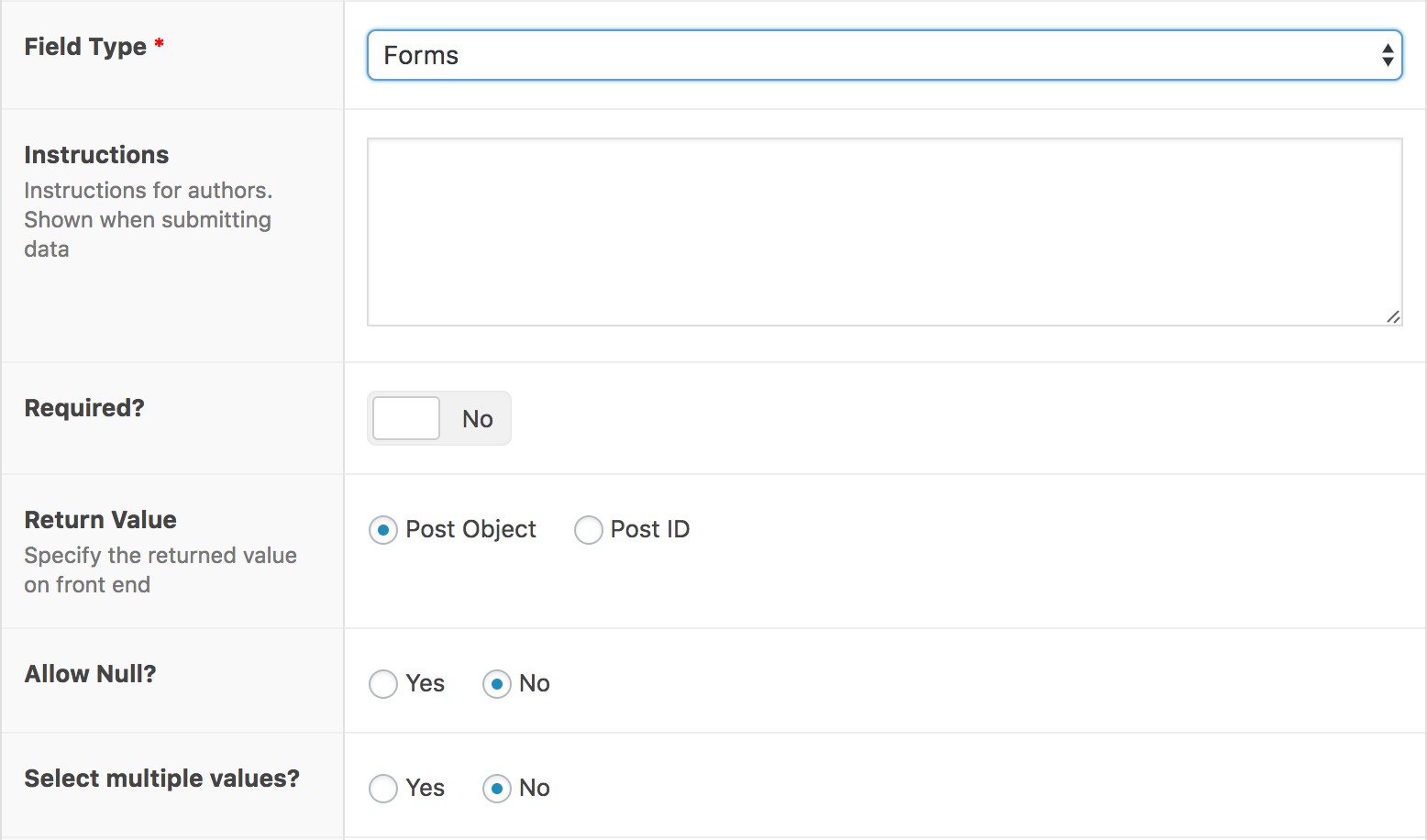
  3. Add a new field of type ‘Forms’ to the required ACF field group.

You can also install Advanced Custom Fields: Gravity Forms Add-on using Composer from WPackagist.

composer require wpackagist-plugin/acf-gravityforms-add-on

Frequently Asked Questions

No FAQ available

Review feed

Anthony Hortin
10/6/2017

Works Perfectly!

It does what it's supposed to do, and it does it well. A great plugin for selecting a Gravity Form in your ACF fields. Thanks Danny!
Giorgos Sarigiannidis
5/5/2018

Gets the job done

It does what it says.
indrek_k
9/4/2018

Finally!

Finally something we can load with Composer. Thank you @DannyvanHolten!
radgh
12/12/2019

Breaks third party Gravity Forms fields

For days I’ve been having issues with addons for Gravity Forms where they suddenly stopped showing the fields. Only title and description. The native GF fields worked fine, but any third party ones stopped working. Fields I confirmed were not compatible: Gravity Perks Nested Forms and Slim Image Cropper for Gravity Forms. I’ve been going through code looking for a solution and googling results. I identified that the fields were not using the right class. They were all using “GF_Field”, the basic class. They should have been using “GF_Field_Nested_Form” for example. The cause was that Gravity Forms was being called too early by this plugin. And that was caching forms before all the plugins have loaded and registered their fields. There’s a pull request which fixes the problem but it has not been released. That was submitted in 2018. It's the end of 2019 and has not been pushed as a release. I uninstalled this plugin and replaced the Forms ACF field with a number input where you manually enter the form id. Everything is suddenly working. Don't combine this plugin with third party GF extensions.

Screenshots

  1. You can select 'Form' as a field type while adding an ACF Field.

    You can select 'Form' as a field type while adding an ACF Field.

  2. The actual selection of the field.

    The actual selection of the field.

  3. You can select all your Gravity Forms.

    You can select all your Gravity Forms.

  4. If ACF or Gravity Forms is not added it will give a notice (Notices from <a href="https://wordpress.org/plugins/wp-growl-notifications">WP Growl Notifications</a>.

    If ACF or Gravity Forms is not added it will give a notice (Notices from WP Growl Notifications.

Changelog

A detailed list of changes to the plugin can be found in the changelog at Github.