
Sympl Repeater for ACF and Elementor
Seamlessly integrate ACF Repeater fields with Elementor widgets and sections for dynamic, repeatable content blocks.
Plugin info
Maintenance & Compatibility
Maintenance score
Maintained • Last updated 151 days ago • Support resolved 0% • 17 reviews
Is Sympl Repeater for ACF and Elementor abandoned?
Likely maintained (last update 151 days ago).
Compatibility
Similar & Alternatives
Explore plugins with similar tags, and compare key metrics like downloads, ratings, updates, support, and WP/PHP compatibility.
Description
ACF Repeater For Elementor bridges the gap between Advanced Custom Fields (ACF) Pro repeater functionality and Elementor’s visual builder. This powerful plugin allows you to create dynamic, repeatable content sections without complex coding.
Important! Doesn’t work with elementor widget cache feature (Need to be turned off)
🚀 Key Features
- Easy Integration: Connect ACF repeater fields directly with Elementor widgets
- Dynamic Content: Automatically populate Elementor elements with ACF repeater data
- Flexible Usage: Works with columns, sections, and individual widgets
- Legacy Compatible: Maintains backward compatibility with existing implementations
- Hide Widget on Empty Fields: Hide elements and containers based on empty ACF fields conditions
🎯 Perfect For
- Dynamic testimonial sections
- Portfolio galleries
- FAQ accordions
- Team member listings
- Product showcases
- Any repeatable content structure
📋 Requirements
- WordPress 5.0 or higher
- Elementor (free version)
- Elementor Pro (Optional but recommended for full features)
- Advanced Custom Fields (ACF) Pro
How To Use
Usage
- Create ACF Repeater Field: Set up your repeater field in ACF with sub-fields
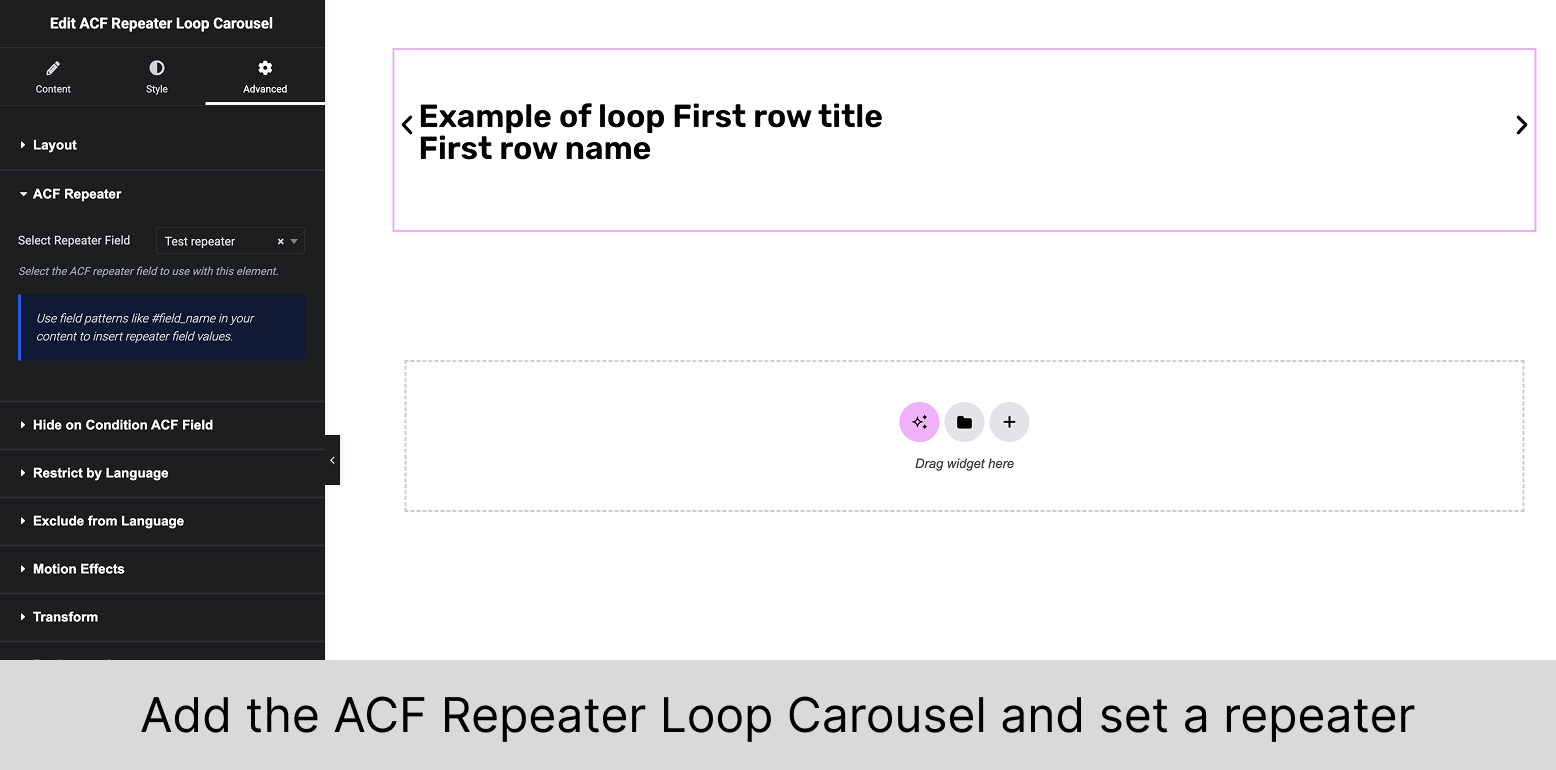
- Select the repeater: In Elementor, widget, section or ACF Repeater loop set the ACF repeater field
- You will be able to select the repeater field from ‘Advanced’ settings tab in the Elementor editor
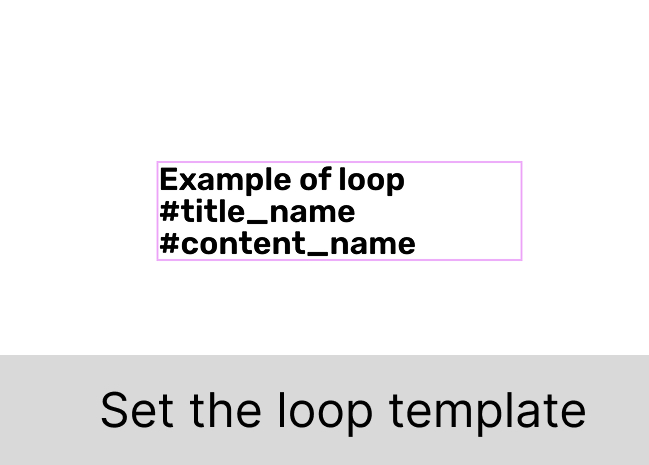
- Insert Field Placeholders: Use
#field_namesyntax within your content- Replace
field_namewith your ACF sub-field names
- Replace
- Publish: The plugin automatically replaces placeholders with repeater data
Example Implementation
ACF Repeater Setup:
– Repeater name: team_members
– Sub-fields: member_name, member_role, member_bio
Elementor Setup:
– Select the field in the Advanced settings for a container: team_members
– Content: #member_name, #member_role, #member_bio as a Heading widget or Text Editor widget
Special Features
Accordion/Toggle Support:
Add new Accordion widget to the page, set the ACF Repeater field in the widget’s advanced settings, and use the sub-field names as placeholders as described above.
The plugin will automatically structure these for accordion/toggle widgets.
Hide Widget on Empty ACF Fields
You can now hide widgets based on empty ACF fields. Follow these steps:
- Select the Widget: Choose the widget you want to hide if an ACF field is empty.
- Advanced Settings: Go to the ‘Advanced’ settings tab in Elementor editor.
- Hide on Empty Field: Enable the option to hide the widget if an ACF field is empty.
- Choose Field: Select the ACF field you want to check for emptiness.
The widget will be hidden if the selected ACF field is empty.
Legacy Usage
For backward compatibility, the old class naming convention is still supported:
– Setup by old class name: repeater_ for the widget or container
– Same placeholder syntax: #field_name
Supported Field Types
- Text fields
- URL fields
- WYSIWYG Editor content
- Accordion/Toggle content (with specific field names)
Note: Currently optimized for Elementor native elements. Third-party widgets may require additional configuration.
Support
For support, feature requests, or bug reports, please visit our support forum or contact us directly.
Pro Tip: Always test new repeater implementations on a staging site before deploying to production!
Donate
Do you enjoy using ACF Repeater For Elementor? Consider supporting the development of this plugin with a donation.
Your contributions help us maintain and improve the plugin for everyone.
Installation
- Upload the plugin files to
/wp-content/plugins/sympl-repeater-for-acf-and-elementor/directory - Activate the plugin through the ‘Plugins’ screen in WordPress
- Ensure you have Elementor, Elementor Pro, and ACF Pro installed and activated
- Start using ACF repeater fields in your Elementor designs!
Frequently Asked Questions
You need both Elementor free AND Elementor Pro, plus ACF Pro for full functionality.
Yes! The plugin works with any post type where you’ve assigned ACF repeater fields.
The element with the repeater class simply won’t display any repeated content.
Absolutely! All standard Elementor styling options apply to your repeated elements.
Yes, you can use ACF repeaters in Elementor templates, theme builder layouts, and popup templates.
Review feed
Great plugin, lack of comprehensive instructions
Screenshots
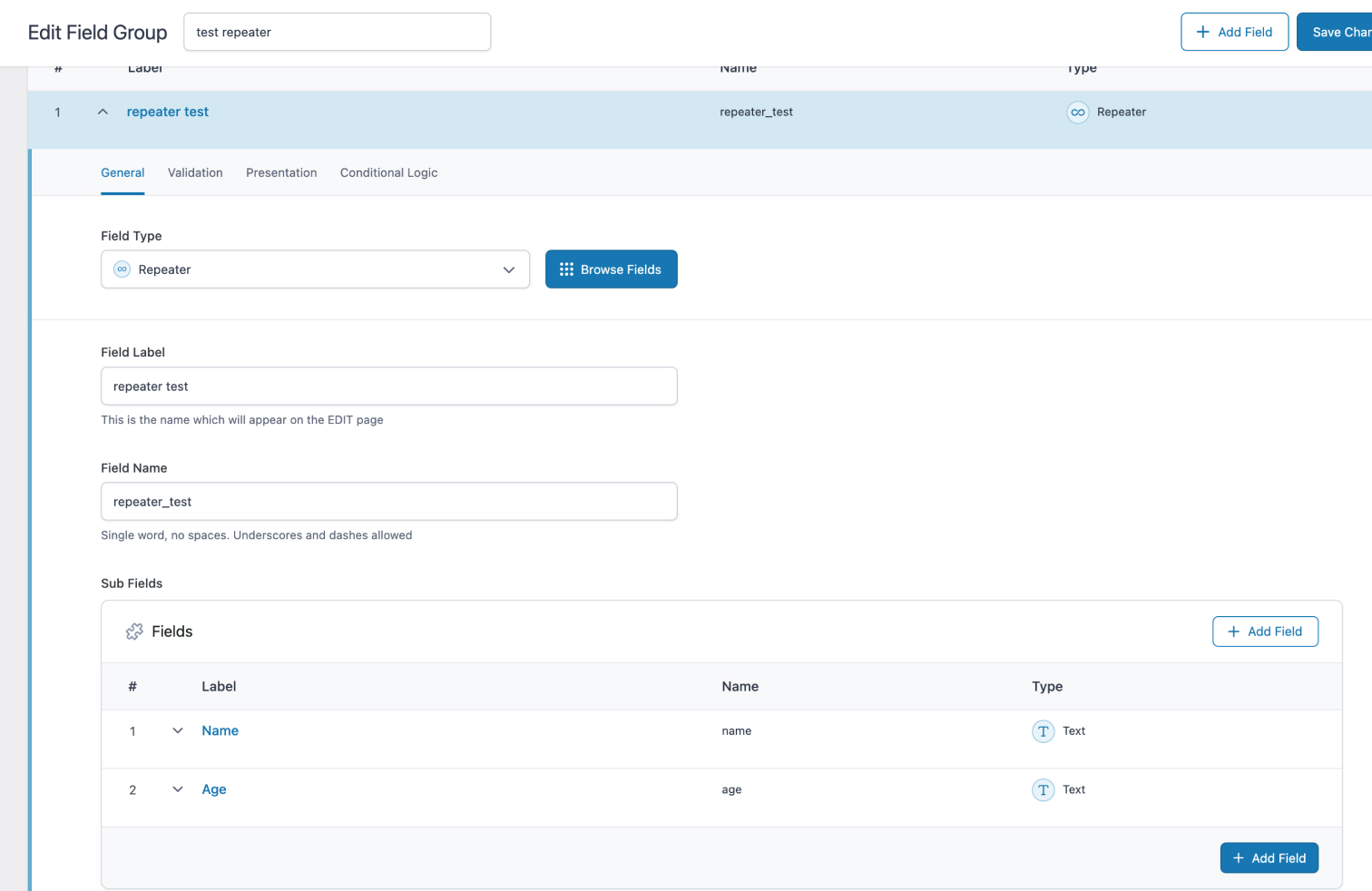
ACF Repeater field setup in WordPress admin
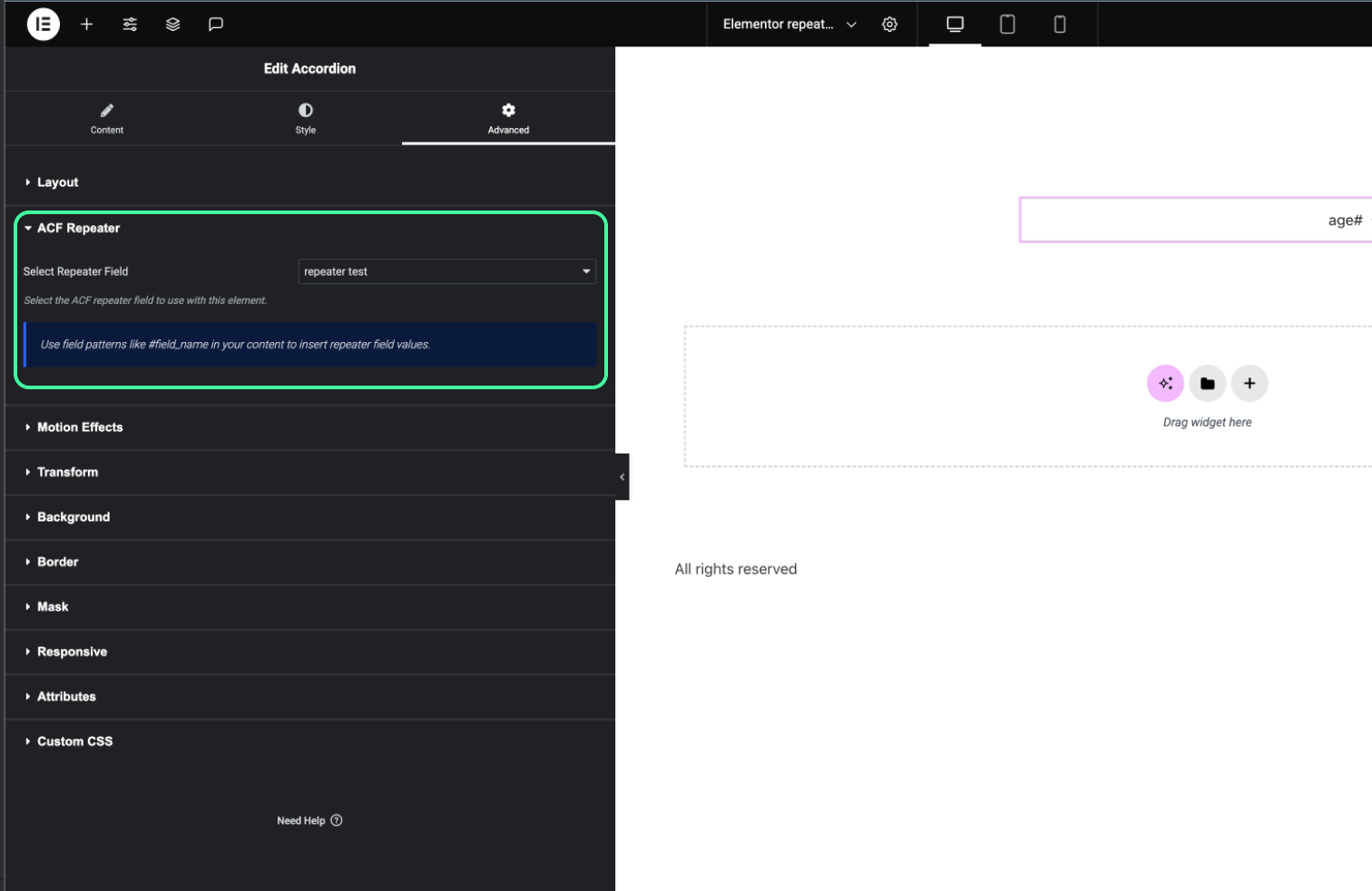
Elementor widget with repeater set
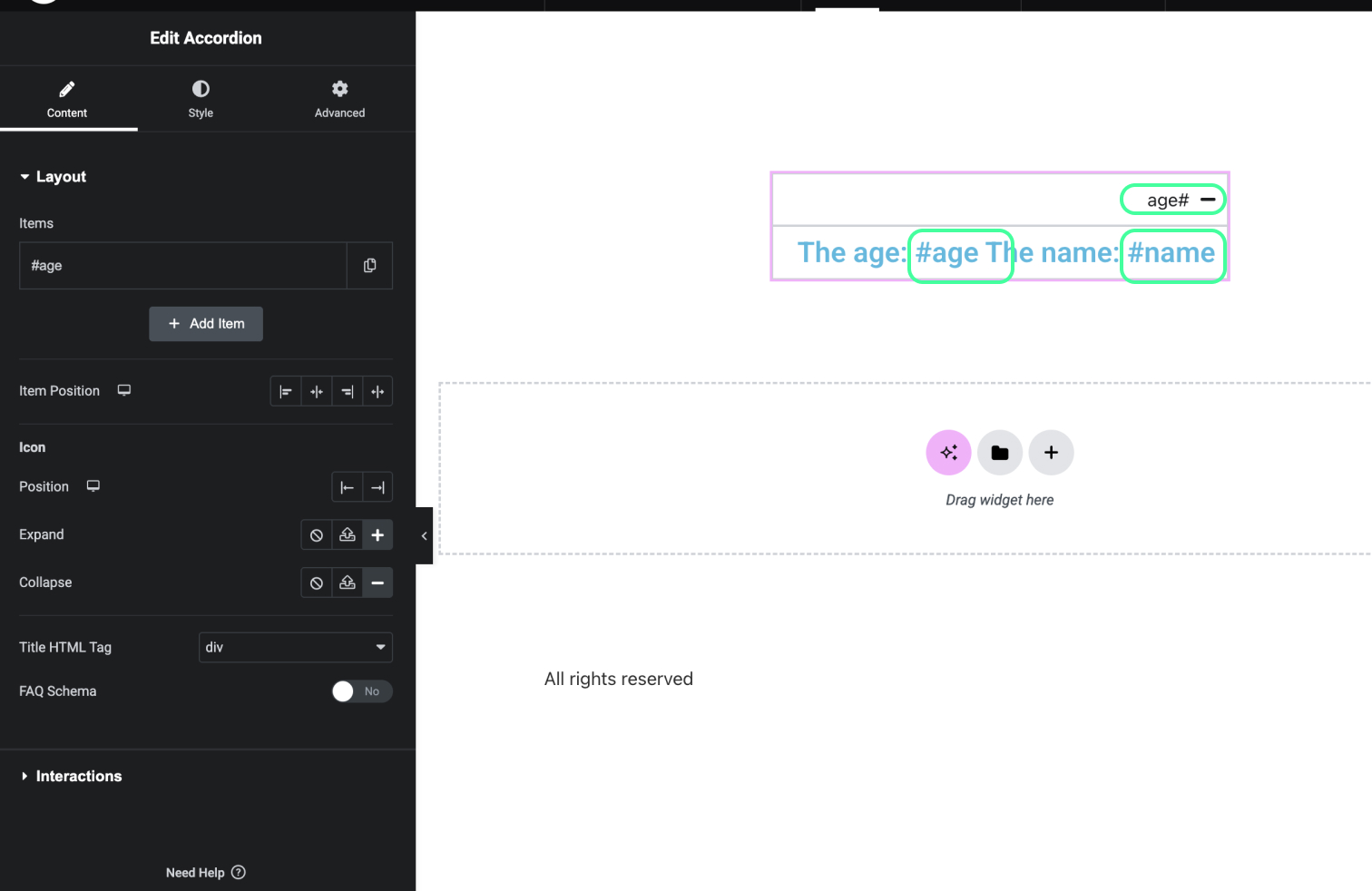
Widget repeater sub-fields in Elementor editor
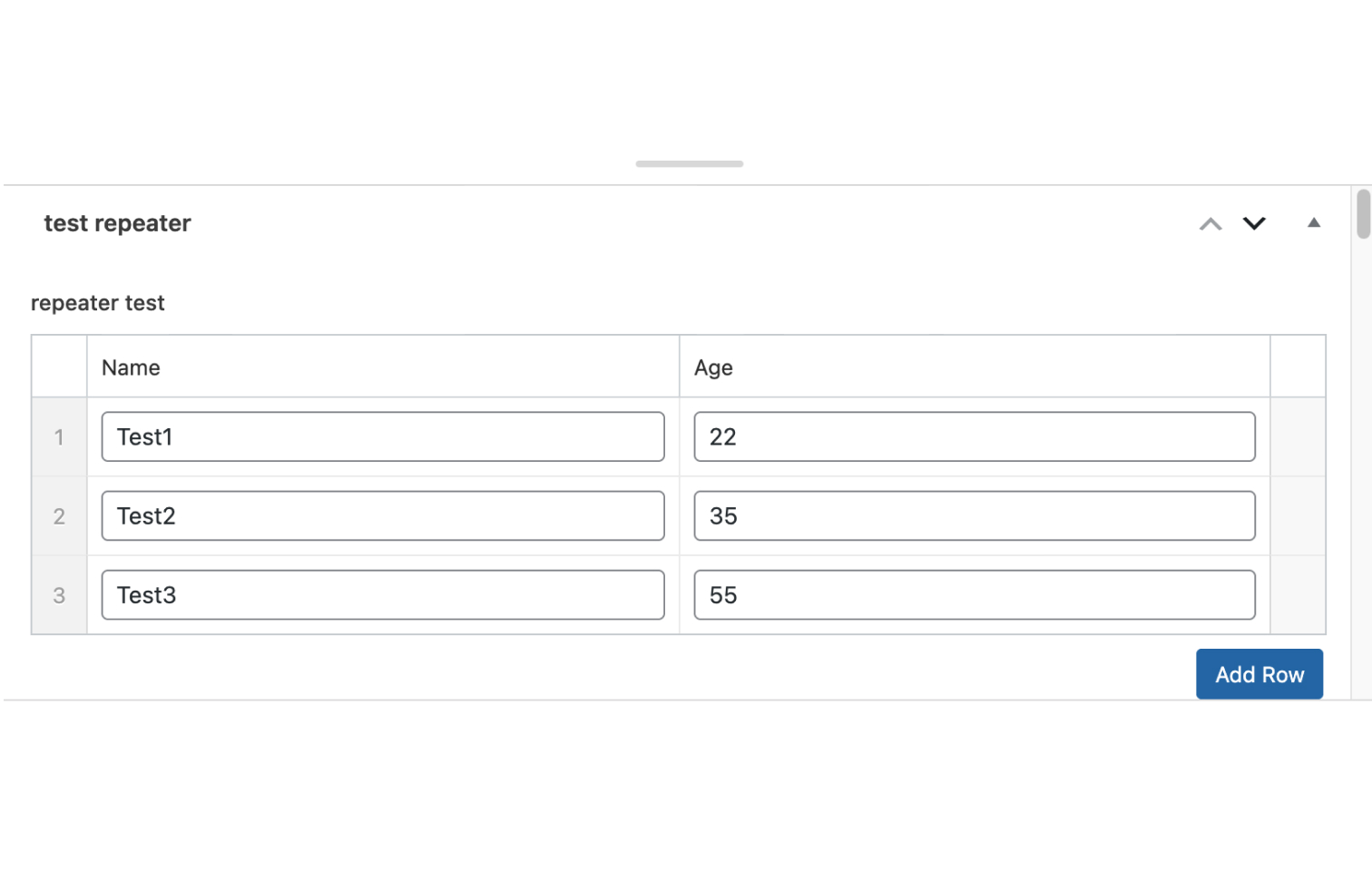
Repeater field in the page editor
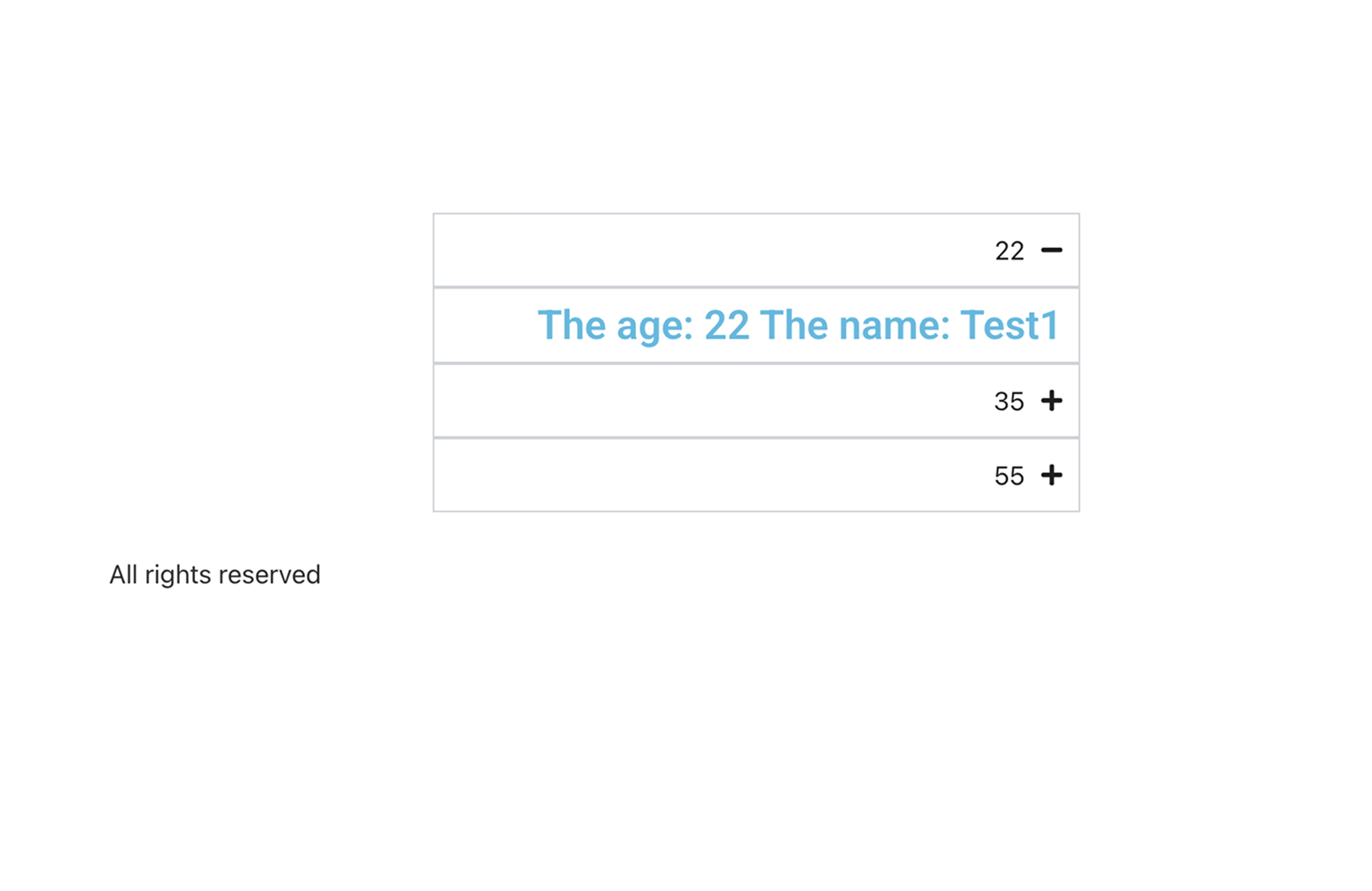
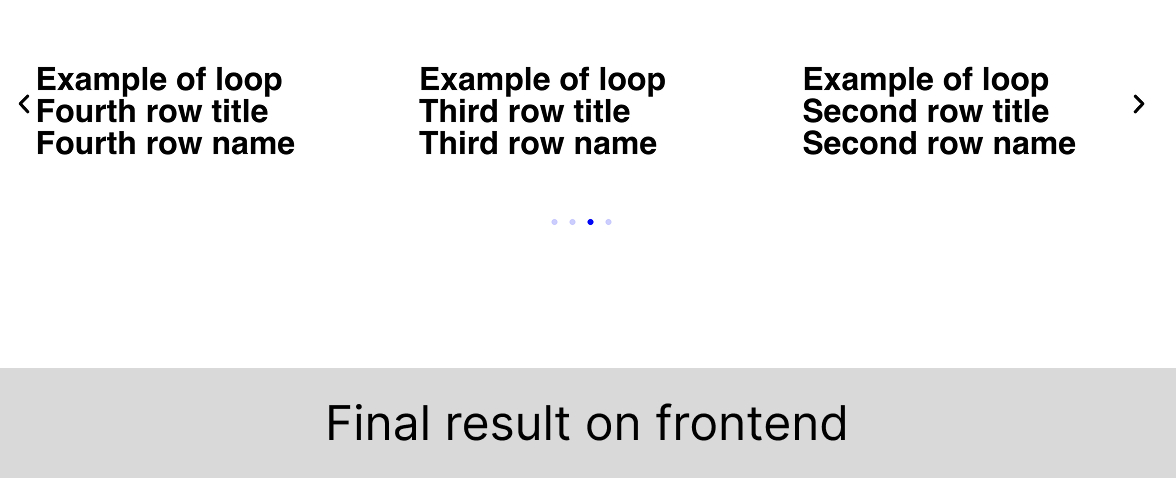
Frontend display of repeated content
Changelog
2.0
(09/05/2025) now allows the user to select the ACF Repeater field in the Elementor widget or section settings, making it easier to integrate with Elementor’s visual builder.
(09/05/2025) new widget – ACF repeater to loop, which allows you to use the ACF repeater field in a loop, making it easier to display repeated content in Elementor.
2.1
(10/01/2025) Support for old class naming convention, allowing users to continue using the previous Elementor widgets and sections.
2.2
(10/15/2025) Allow the user to hide empty fields of acf.
(10/15/2025) Field selection is now using Select2
2.3
Added support for translation using TranslatePress, making it easier to create multilingual content with ACF Repeater fields.
Attach style settings of ACF Repeater Loop Carousel to the widget.
Added instructions for ACF Repeater Loop Carousel