

Acknowledgify
Acknowledgify lets agencies, freelancers, and developers add credits to WordPress sites via humans.txt, meta tags, and footer links.
Plugin info
Maintenance & Compatibility
Maintenance score
Stale • Last updated 184 days ago
Is Acknowledgify abandoned?
Likely maintained (last update 184 days ago).
Compatibility
Similar & Alternatives
Explore plugins with similar tags, and compare key metrics like downloads, ratings, updates, support, and WP/PHP compatibility.
Description
Give credit where it’s due! Acknowledgify is a lightweight and flexible plugin that allows developers, freelancers, and agencies to showcase their contributions to a website.
Key features include:
- humans.txt Generator – Automatically create a virtual
humans.txtfile to recognize contributors such as developers, designers, and agencies. - Meta Tags for Acknowledgment – Insert author, designer, developer, and publisher meta tags dynamically into the
section. - Customizable Footer Link – Add a discreet, styled acknowledgment link in the footer with flexible placement options:
- Auto-Insert: Automatically place the link at the bottom of the site.
- Shortcode: Use
[acknowledgify_madeby_footer]in any post, page, or widget for custom placement. - PHP Snippet: Manually insert the acknowledgment via
.
- Lightweight & Compatible – Designed for performance, fully compatible with WordPress 6.0+ and PHP 8.0+.
- Built to be Translated – Includes translations and supports further multilingual setups.
- Export/Import Features – Simplify plugin setup across multiple websites with seamless export and import functionality.
With Acknowledgify, you can showcase your work in a non-intrusive way while maintaining flexibility over how and where the acknowledgment appears.
Translation-Ready & Multilingual Support:
Acknowledgify is fully translation-ready and supports multiple languages via WordPress.org’s translation system. Translations will be automatically downloaded based on your site’s language settings.
Links
Support
For documentation and support, visit:
https://acknowledgify.com
License & Credits
This plugin is licensed under GPL-2.0+.
Inspired by the humans.txt initiative.
Installation
- Upload the
acknowledgifyfolder to the/wp-content/plugins/directory. - Activate the plugin through the ‘Plugins’ menu in WordPress.
- Navigate to Settings > Acknowledgify to configure your acknowledgment settings.
Frequently Asked Questions
A humans.txt file is a simple text file placed at the root of a website to credit the people and technologies behind it.
No. Acknowledgify is lightweight and dynamically generates the acknowledgments without unnecessary database queries or file writes.
Yes! The plugin provides customizable templates for humans.txt, meta tags, and footer text.
Acknowledgify is tested with major themes and page builders like Gutenberg, Elementor, Bricks, and Divi. If your theme has custom footer structures, manual placement options are available.
Yes! Acknowledgify is fully translation-ready and supports automatic translations via translate.wordpress.org.
Acknowledgify provides three flexible options for inserting the footer acknowledgment link:
– Auto-Insert: Automatically adds the acknowledgment link at the bottom of the website.
– Shortcode: Use [acknowledgify_madeby_footer] within posts, pages, or widgets for precise placement.
– PHP Snippet: Developers can manually insert the acknowledgment link within theme files using <?php if (function_exists('acknowledgify_display_madeby_footer')) { echo acknowledgify_display_madeby_footer(); } ?>.
– These options provide full control, making it easy to integrate the acknowledgment into various layouts.
You can report security bugs through the Patchstack Vulnerability Disclosure Program. The Patchstack team helps validate, triage and handle any security vulnerabilities. Report a security vulnerability.
Review feed
Screenshots
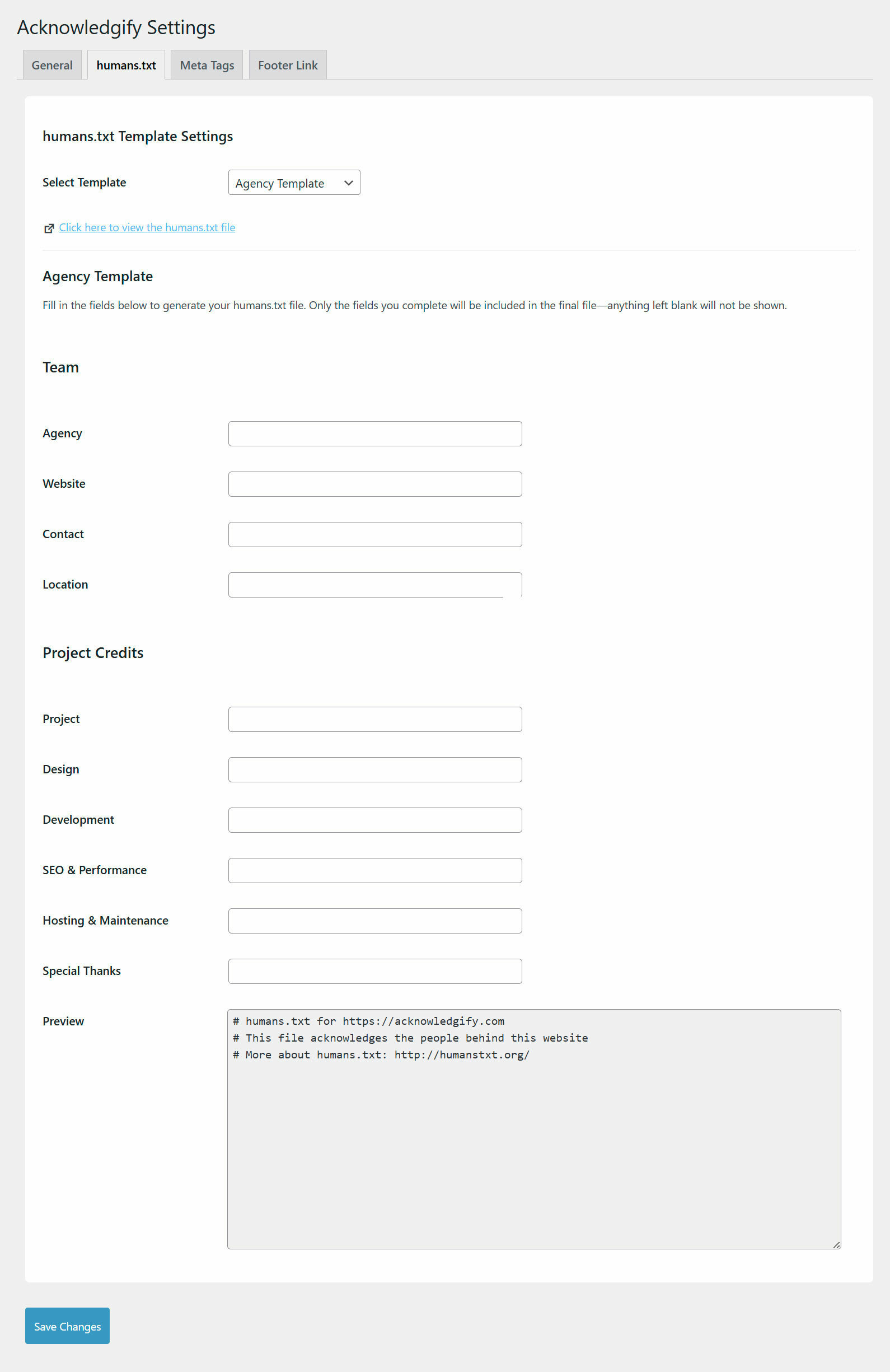
Plugin settings page - humans.txt settings for agency.
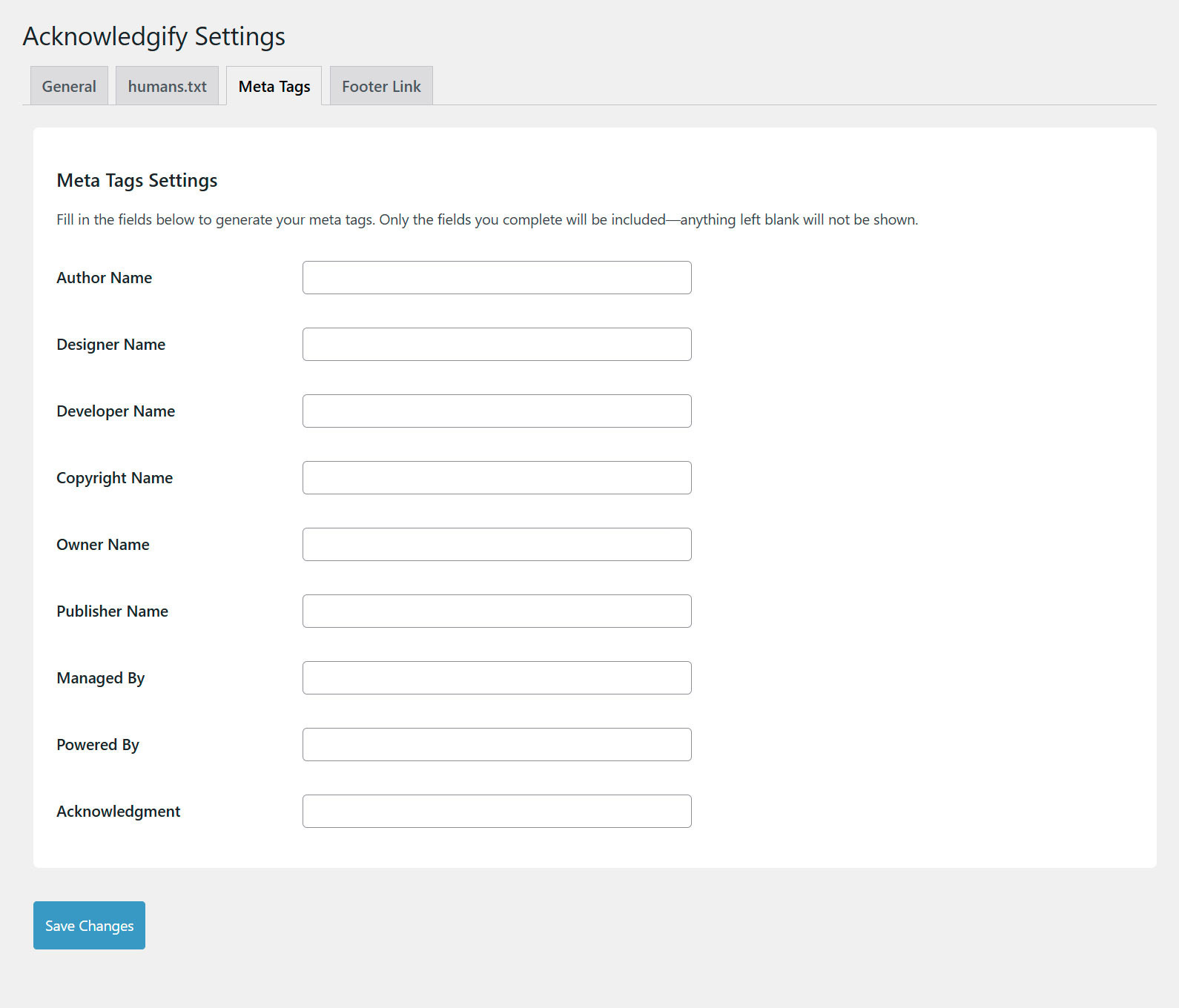
Plugin settings page - Meta tag options.
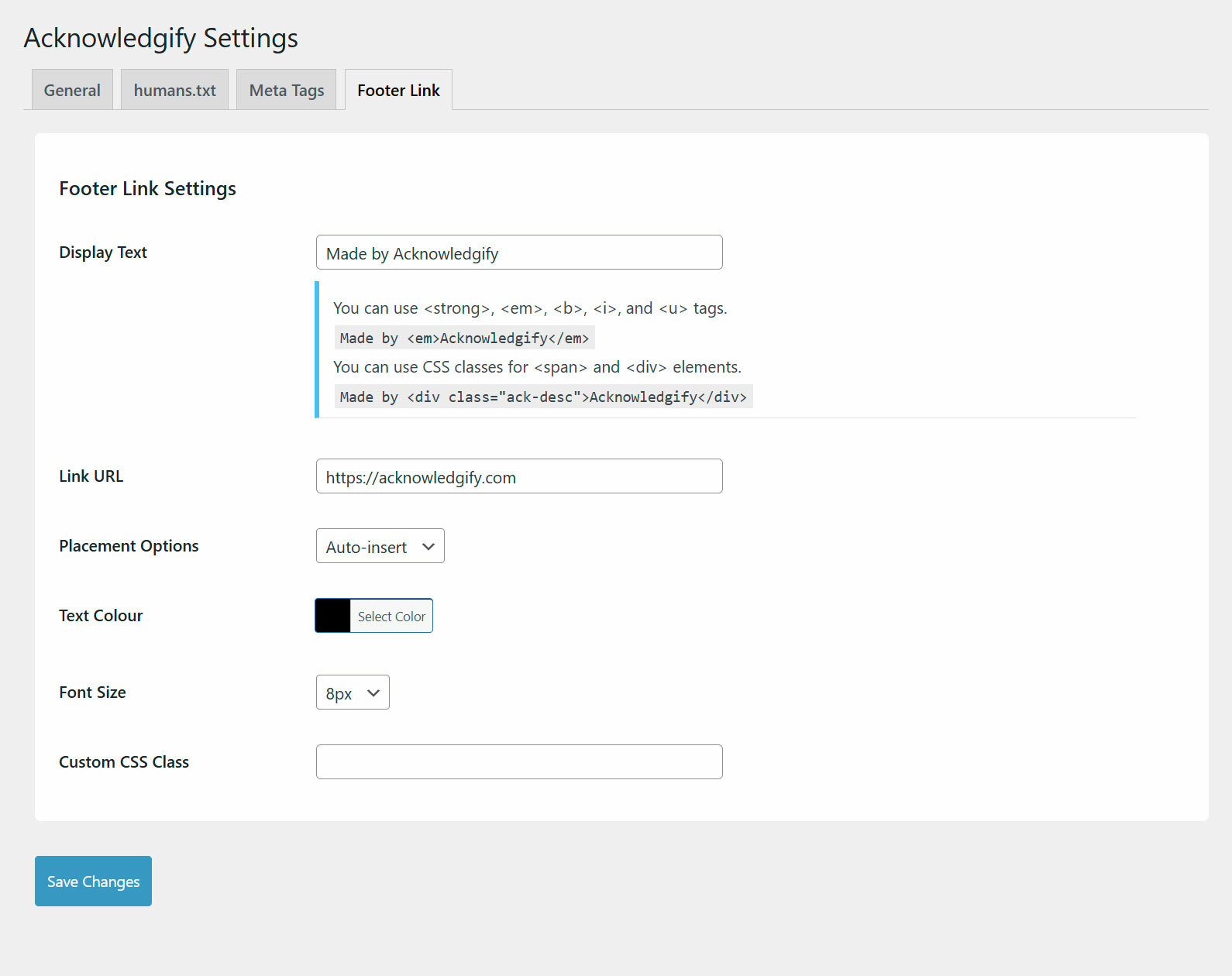
Plugin settings page - Footer link auto-insert option.
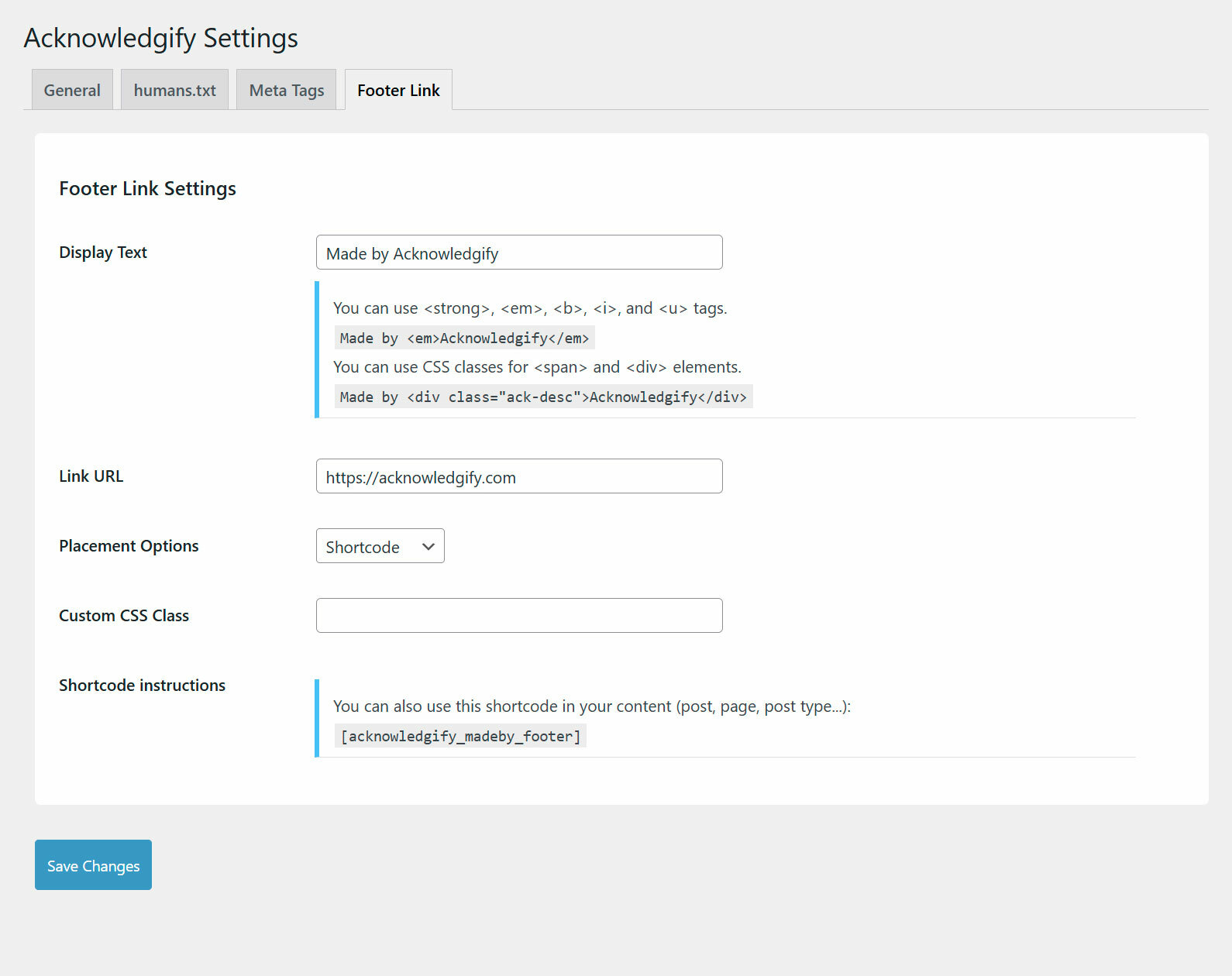
Plugin settings page - Footer link shortcode option.
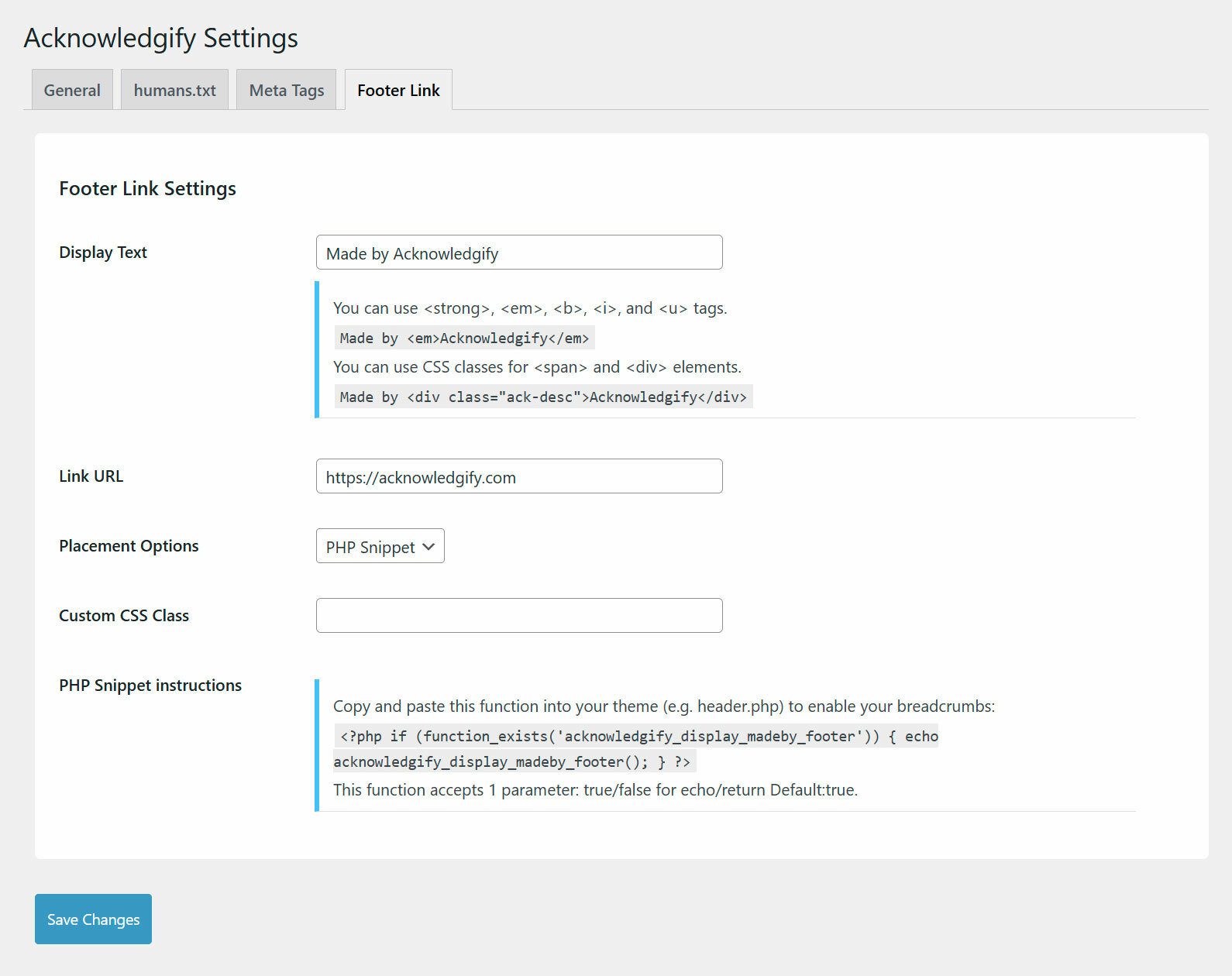
Plugin settings page - Footer link PHP snippet option.
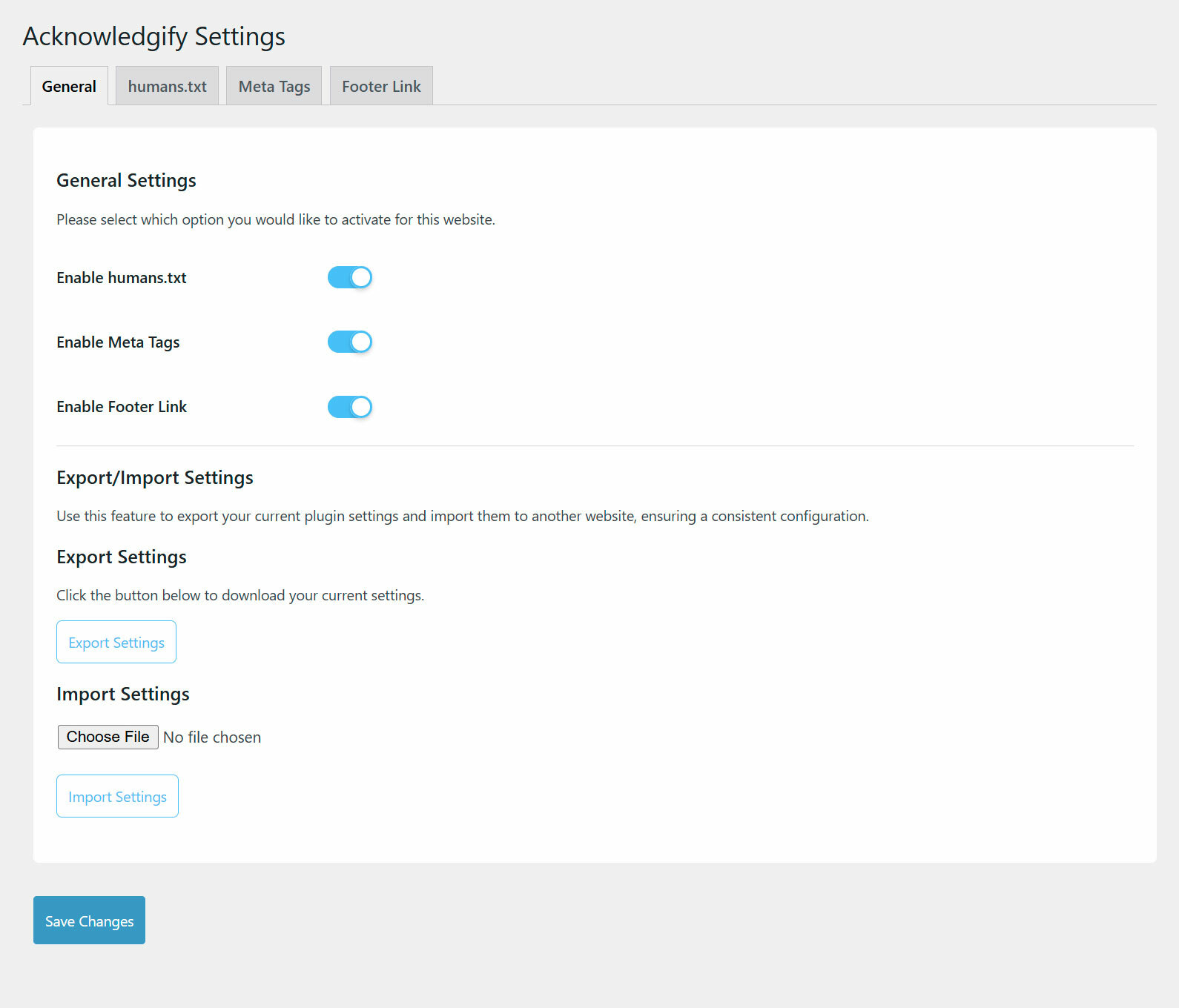
Plugin settings page - Footer link General settings Import/Export.
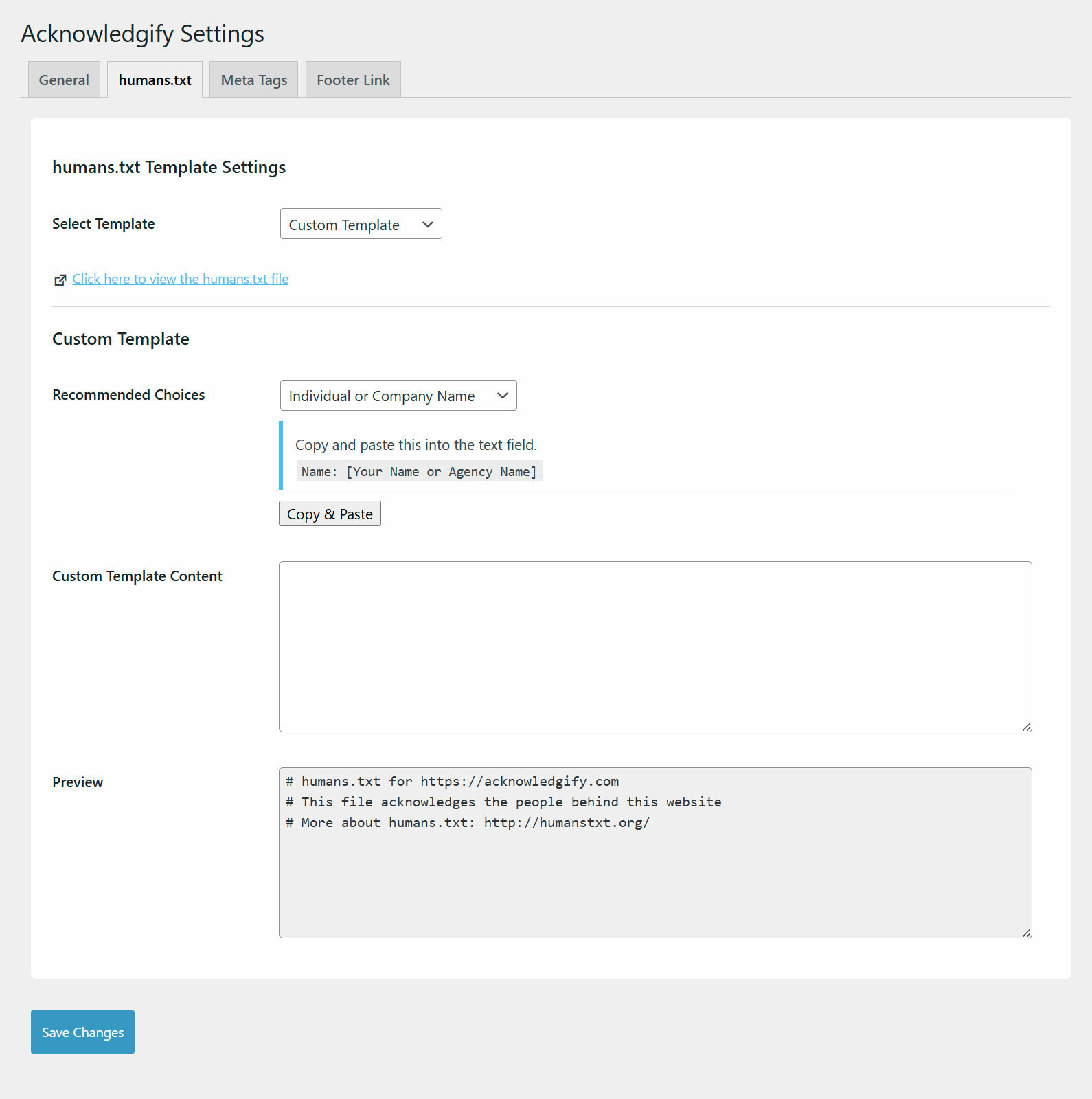
Plugin settings page - humans.txt custom settings.
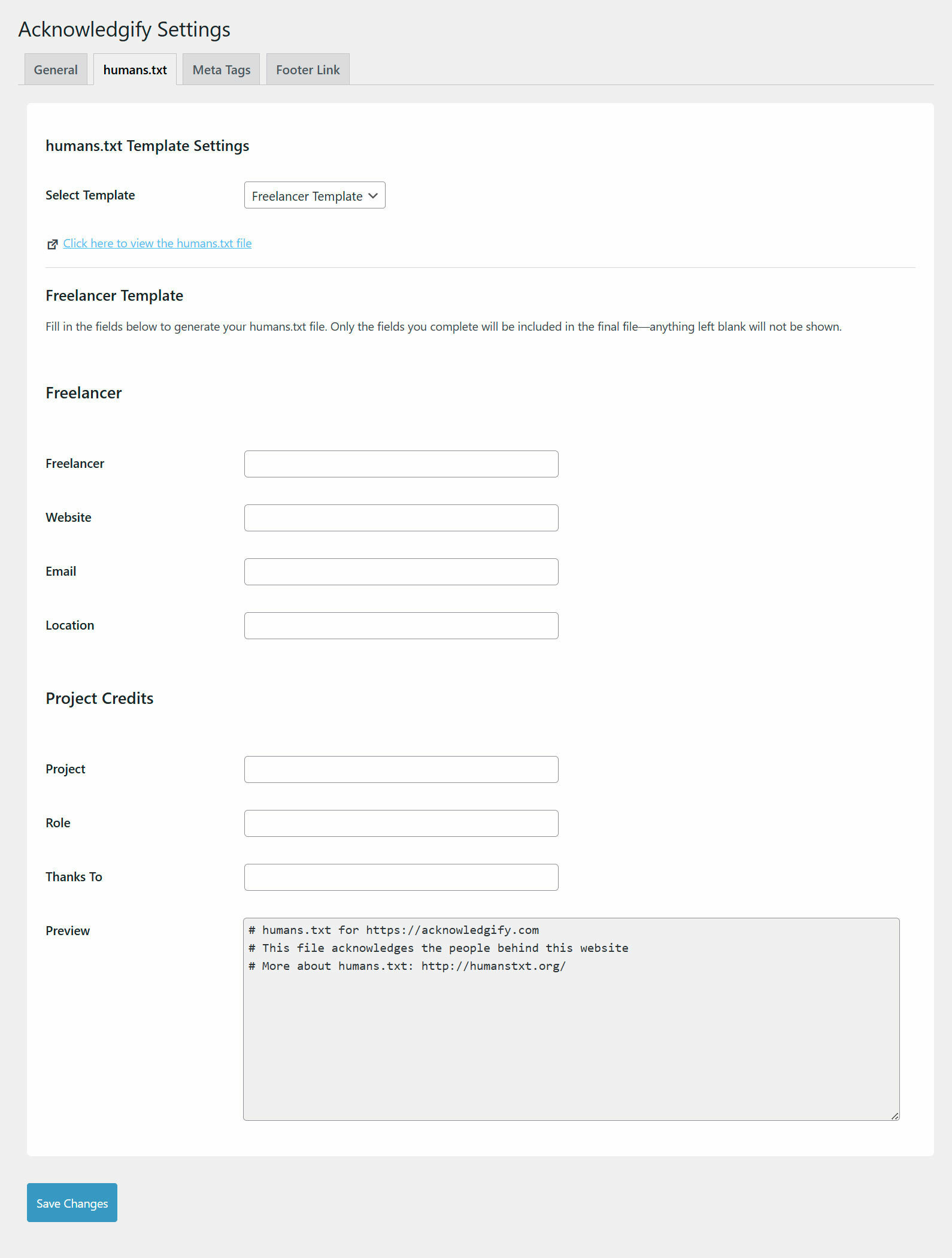
Plugin settings page - humans.txt freelancer settings.
Changelog
1.1.4
- Security patches
1.1.3
- Added VDP disclaimer
1.1.2
- Permalink redirect issue fix
1.1.1
- Minor fixes for settings import/export feature
1.1.0
- Added Export/Import feature to easily back up and restore plugin settings.
- Upgraded the plugin interface for a modern and user-friendly experience.
- Enabled basic HTML tags in the “Display Text” field for Footer Link Settings.
1.0.0
- Initial release.