

WP Activity Log for Gravity Forms
Keep a log of changes your team do in the Gravity Forms plugin, forms, entries (leads) & more.
Plugin info
Maintenance & Compatibility
Maintenance score
Possibly abandoned • Last updated 900 days ago
Is WP Activity Log for Gravity Forms abandoned?
Possibly abandoned (last update 900 days ago).
Compatibility
Languages
Similar & Alternatives
Explore plugins with similar tags, and compare key metrics like downloads, ratings, updates, support, and WP/PHP compatibility.
Description
IMPORTANT: This extension has been merged into WP Activity Log.
This WP Activity Log extension for Gravity Forms have been merged into the main plugin, WP Activity Log. This means that you no longer need to use this extension to keep a log of changes that happen on your Gravity Forms plugin.
About WP Activity Log
WP Activity Log is the most comprehensive real time activity log plugin for WordPress. It helps thousands administrators and security professionals keep an eye on what is happening on their websites and multisite networks.
WP Activity Log is also the most highly rated WordPress activity log plugin and have been featured on popular sites such as GoDaddy, ManageWP, Pagely, Shout Me Loud and WPKube.
What can WP Activity Log can keep a log of:
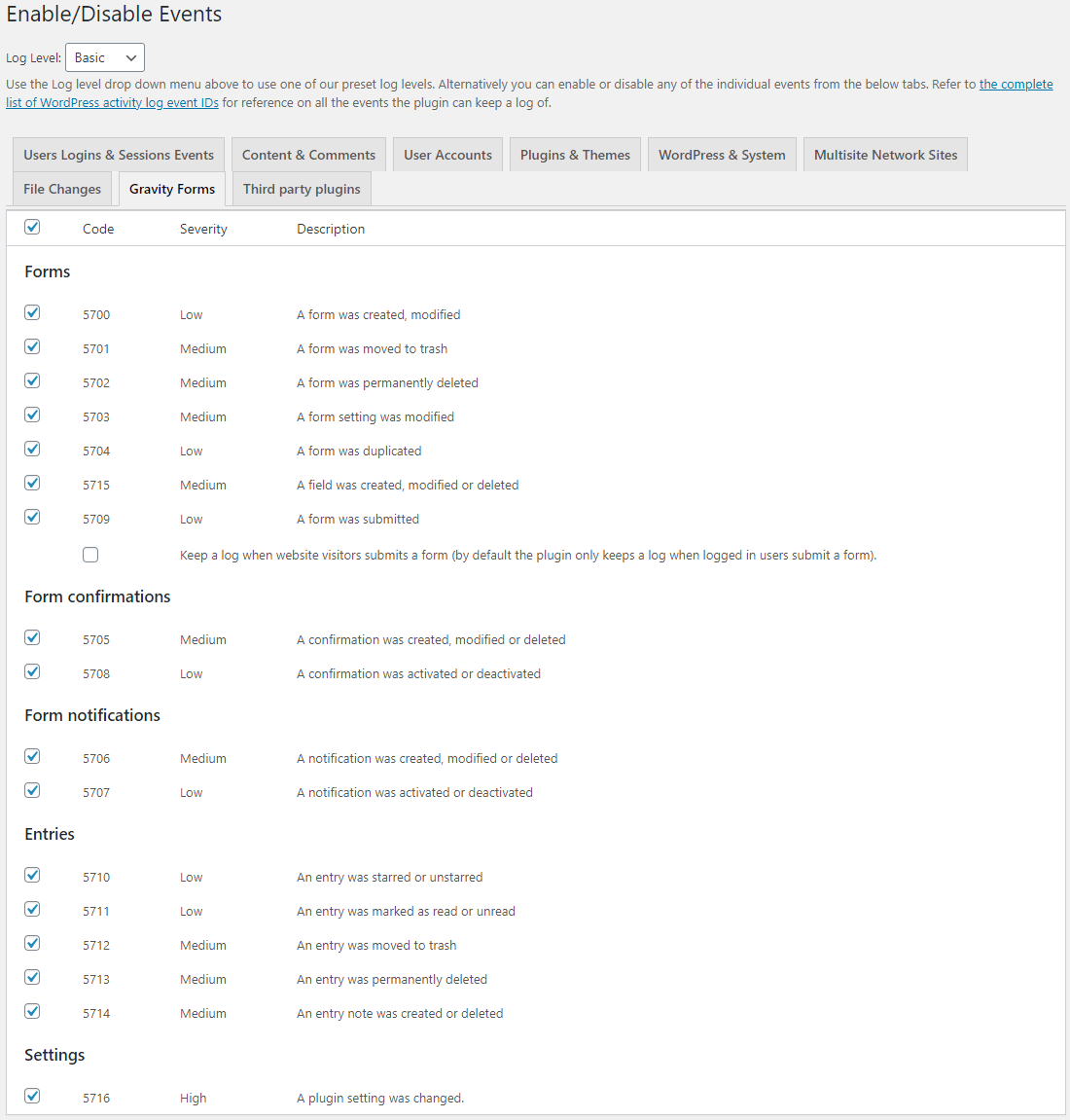
Below are some of the user and Gravity Forms plugin changes you keep a log of when you install WP Activity Log:
- Adds a new form
- Modifies, duplicates, renames or deletes a form
- Adds a new field in a form
- Modifies, or deletes a field from a form
- Deletes or modifies an entry (lead)
- Adds, enables, modifies or disable notifications in forms
- Someone submits a form (user and visitor (optional))
- Changes in the plugin’s settings
Refer to the activity logs event IDs for Gravity Forms for a complete list of the changes the plugin can keep a log of.
Install WP Activity Log from within WordPress
- Visit ‘Plugins > Add New’.
- Search for ‘WP Activity Log’.
- Install and activate the plugin.
Installation
Frequently Asked Questions
Please refer to our Support & Documentation pages for all the technical information and support documentation on the WP Activity Log plugin.
Review feed
Screenshots

Changelog
FINAL UPDATE
This extension is no longer required. It has been merged into WP Activity Log. Download WP Activity Log now to get started.