

Add Featured Image Column
This plugin adds a featured image column to any post type which supports featured images. See which posts have a featured image at a glance!
Maintenance 30/100385d since update
Active installs
3,000
Downloads
28,614
Reviews
13
Age
10.6y
Plugin info
Total downloads: 28,614
Active installs: 3,000
Total reviews: 13
Average rating: 4.9
Support threads opened: 0
Support threads resolved: 0 (0%)
Available in: 10 language(s)
Contributors: 2
Last updated: 3/13/2025 (385 days ago)
Added to WordPress: 9/11/2015 (10 years old)
Minimum WordPress version: 4.1
Tested up to WordPress version: 6.8.3
Minimum PHP version: 7.4
Maintenance & Compatibility
Maintenance score
Possibly abandoned • Last updated 385 days ago • 13 reviews
30/100
Is Add Featured Image Column abandoned?
Possibly abandoned (last update 385 days ago).
Compatibility
Requires WordPress: 4.1
Tested up to: 6.8.3
Requires PHP: 7.4
Developers
Similar & Alternatives
Explore plugins with similar tags, and compare key metrics like downloads, ratings, updates, support, and WP/PHP compatibility.
Manage Admin Columns
Rating 5.0/5 (1 reviews) • Active installs 100
RB Thumbnail Columns
Rating 0.0/5 (0 reviews) • Active installs 0
Admin Columns for ACF Fields
Rating 4.9/5 (20 reviews) • Active installs 8,000
WP Adminify – White Label WordPress, Admin Menu Editor, Login Customizer
Rating 4.2/5 (95 reviews) • Active installs 7,000
Admin Slug Column
Rating 4.9/5 (31 reviews) • Active installs 4,000
Ni WooCommerce Admin Order Columns
Rating 4.8/5 (6 reviews) • Active installs 600
Description
This is a little plugin which adds a featured image column to WordPress. It automatically adds a column to any post type which supports a featured image. The code is pulled almost directly from my plugin Display Featured Image for Genesis.
Banner/icon image credit: Lauren Mancke on Minimography.
Installation
- Upload the entire
add-featured-image-columnfolder to your/wp-content/pluginsdirectory. - Activate the plugin through the ‘Plugins’ menu in WordPress.
- Optionally, visit the Settings > Media page to change the default behavior of the plugin.
Frequently Asked Questions
No questions. Just activate and enjoy.
Review feed
Anita C
This is a great plugin!
If you have ever been like me and kept having to open up the posts to see what featured image was attached, you won't be doing that anymore. This is a "must have" download for all my installs.
Hesham Zebida
Works great!
Thanks for developing this plugin.
Santiago Becerra
It does what it says
It's a simple plugin, which does what it says and solved the need I had.
However, as it is not configurable it is limited. For example, there are plugins that add a thumbnail to their CPTs and putting this one in comes out both thumbnails.
For this and other reasons I have created a plugin based on this one that allows you to choose in which CPT the image is shown, besides customizing, shape, size and other improvements.
It is Manage admin columns
Screenshots
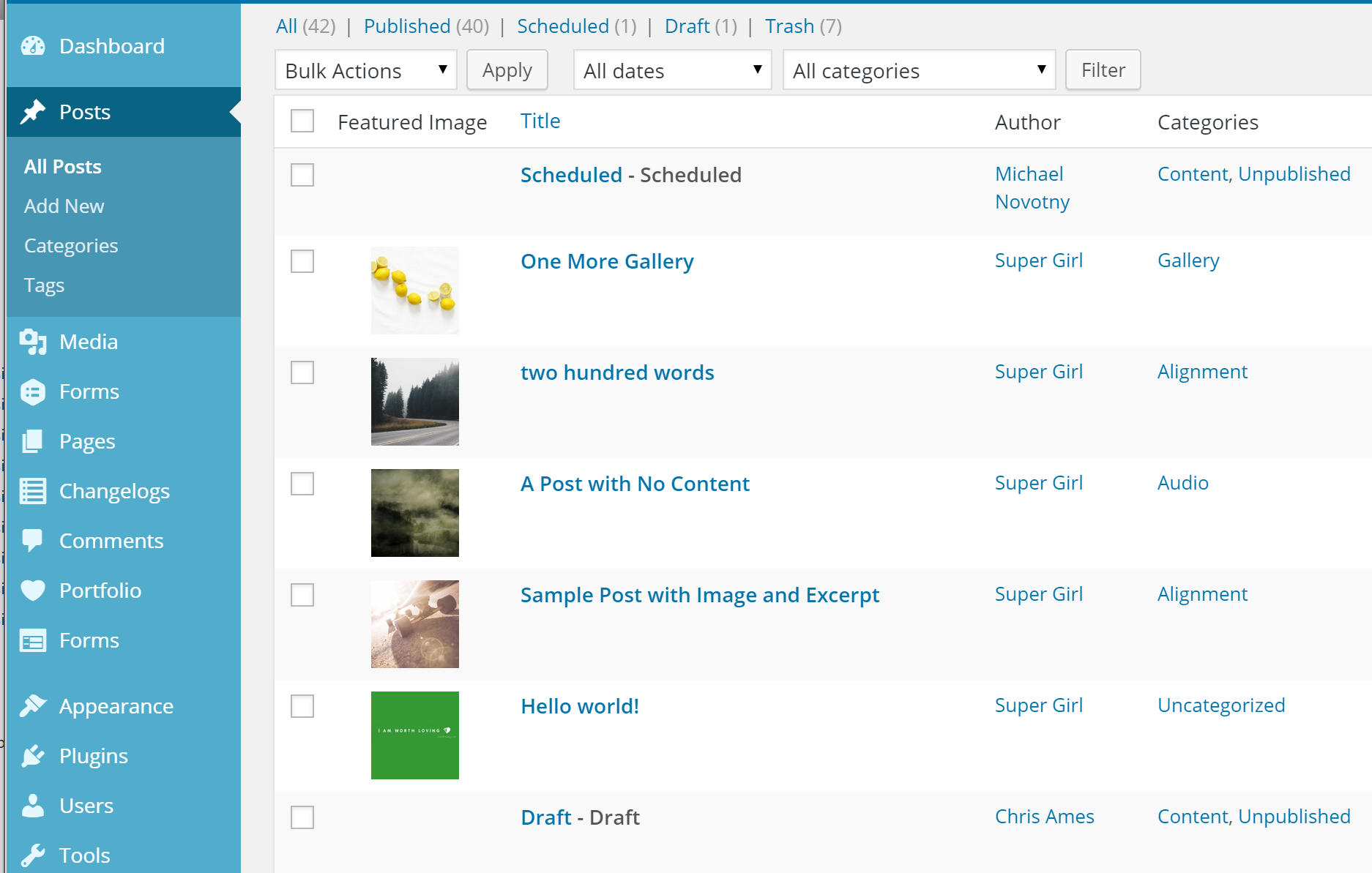
Screenshot of posts with featured images.
Changelog
1.1.6
- changed: featured image column no longer loads (duplicate) for WooCommerce products
1.1.5
- improved: output for posts with no featured image
1.1.4
- fixed: featured image column display on mobile
1.1.3
- Improved: any post type which supports featured images (including private post types) will display a featured image column
- Added: the args to get the list of post types has been added to the post types filter
- Changed: admin column heading is just “Image” instead of “Featured Image”
1.1.2
- Added: text_domain, language files
- Fixed (really): featured image column on mobile
1.1.1
- Fixed: featured image column on mobile
1.1.0
- Added: the featured image column is now sortable.
- Due to redundancy, this plugin now deactivates if Display Featured Image for Genesis is active.
1.0.1
- Added filter to exclude post types
1.0.0
- Initial release on WordPress.org
0.9.0
- Initial release on Github