

Add Old School Elements Icons Module for WPBakery Page Builder
Restore the old school icons in WPBakery Page Builder, as used before Version 8.0.
Plugin info
Maintenance & Compatibility
Maintenance score
Possibly abandoned • Last updated 440 days ago • 1 reviews
Is Add Old School Elements Icons Module for WPBakery Page Builder abandoned?
Possibly abandoned (last update 440 days ago).
Compatibility
Similar & Alternatives
Explore plugins with similar tags, and compare key metrics like downloads, ratings, updates, support, and WP/PHP compatibility.
Description
This WordPress plugin adds a module to WPBakery Page Builder plugin, bringing back the old school style of editor elements icons that WPBakery used in versions prior to 8.0.
If, like me, you fall in love with interfaces you’ve used for decades, then this plugin can be useful for you if you don’t feel comfortable with the new ‘Add Element’ popup icons in WPBakery Page Builder introduced after version 8.0.
After installing the plugin, you can enjoy the old icon style again in both the backend and frontend WPBakery Page Builder editors. You can always switch it on or off in the Module interface on the WPBakery Page Builder settings page.
Source file code you can find on our GitHub plugin page
Installation
- Upload the plugin folder to the ‘/wp-content/plugins/’ directory.
- Activate the plugin through the ‘Plugins’ menu in WordPress admin dashboard.
Frequently Asked Questions
Review feed
Awesome
Screenshots
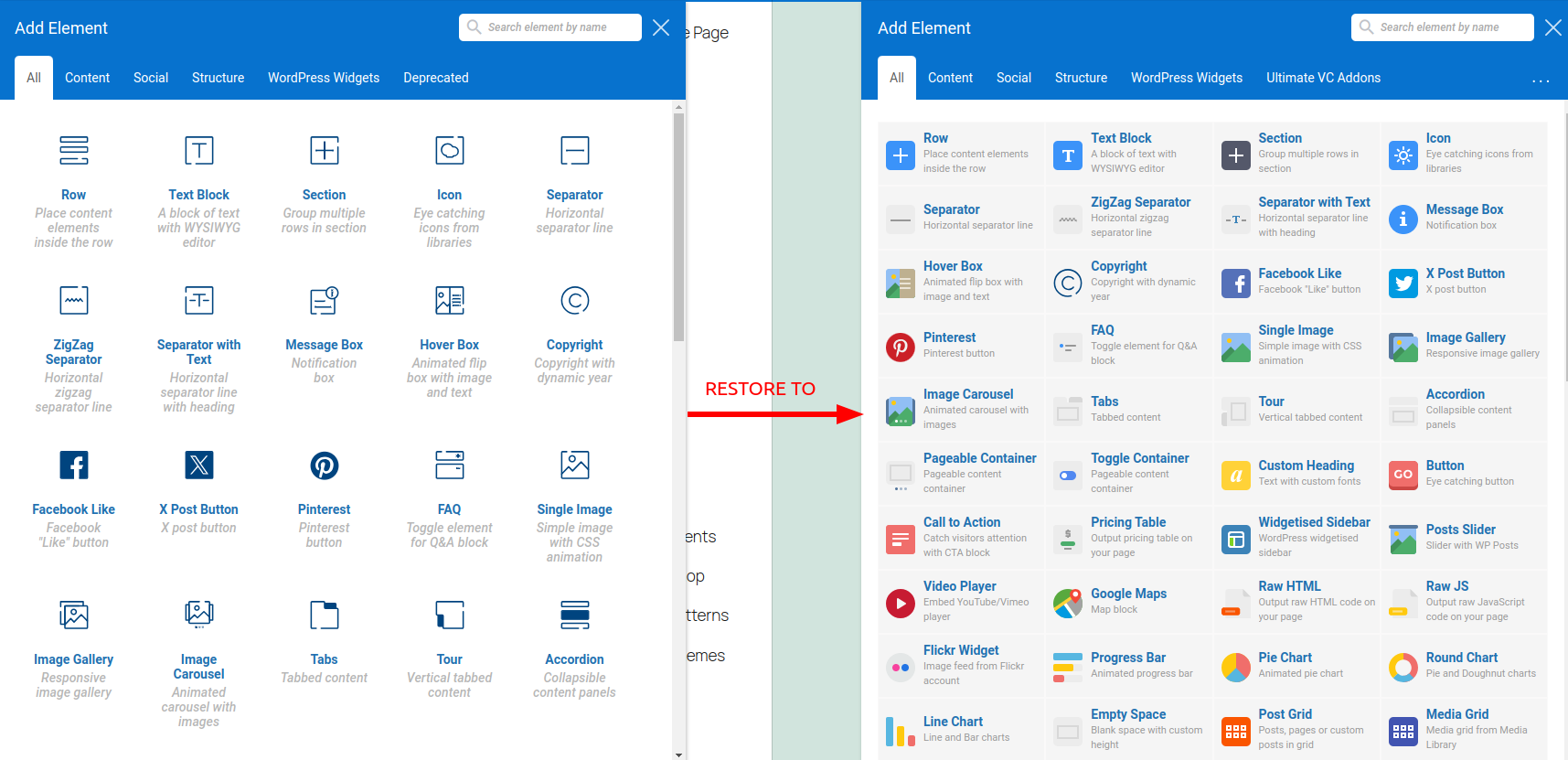
Restore old style icons of WPBakery Page Builder

Remember, as this plugin is just a regular WPBakery module you can always switch it on/off in WPBakery modules settings.
Changelog
1.0
- Initial release.