

Add to Cart links generator for WooCommerce
Generate quick links to add products to the cart and redirect to cart or checkout using custom parameters.
Plugin info
Maintenance & Compatibility
Maintenance score
Maintained • Last updated 127 days ago
Is Add to Cart links generator for WooCommerce abandoned?
Likely maintained (last update 127 days ago).
Compatibility
Similar & Alternatives
Explore plugins with similar tags, and compare key metrics like downloads, ratings, updates, support, and WP/PHP compatibility.
Description
Generate custom links to add products to the WooCommerce cart and redirect to cart or checkout based on your configuration.
This plugin allows you to create direct “Add to Cart” links for your WooCommerce products with the following features:
- Generate direct links to add products to cart
- Choose redirect destination: cart page or checkout page
- Copy links directly from the product edit screen
- Configure default redirect behavior in WooCommerce settings
- Secure links with nonce verification
- Simple and lightweight implementation
Perfect for marketing campaigns, email newsletters, social media posts, or any situation where you want to provide a direct purchase link.
Installation
- Go to WordPress Dashboard > Plugins > Add New.
- Search for “Add to Cart links generator for WooCommerce” in the plugin directory.
- Click “Install Now” and then “Activate”.
- Make sure WooCommerce is active.
- Configure default settings in WooCommerce > Settings > Cart Links.
- Edit any product to find the link generator in the sidebar.
Alternatively, you can install manually:
- Download the plugin from the WordPress repository
- Upload the plugin folder to
/wp-content/plugins/ - Activate the plugin through the ‘Plugins’ menu in WordPress
Frequently Asked Questions
Yes, WooCommerce must be installed and activated for this plugin to work.
Currently, the plugin works with simple products only. Variable products are not supported.
Yes, all generated links include nonce verification for security.
Yes, you can choose between cart page or checkout page. Set a default in WooCommerce settings or specify it per link.
Review feed
Screenshots
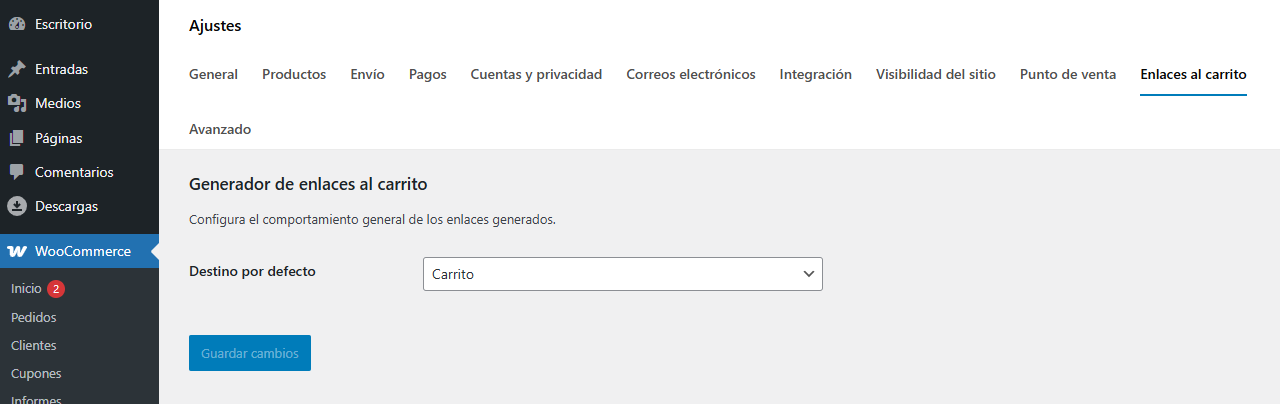
Settings page in WooCommerce settings
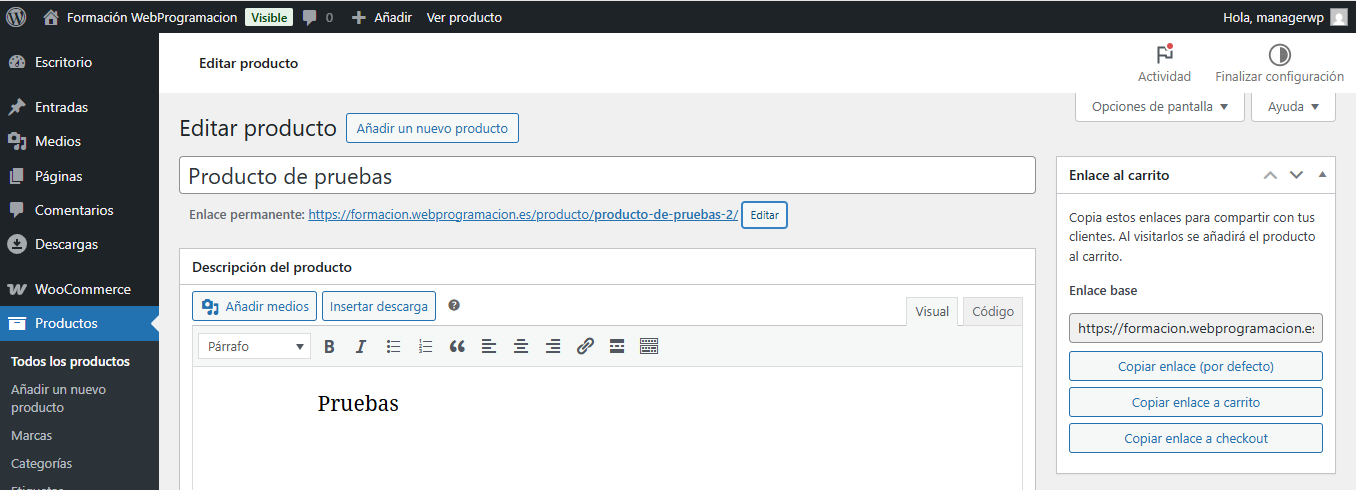
Link generator tool in product edit screen with copy buttons
Changelog
1.0.0
- Initial release.
- Generate add to cart links from product edit screen.
- Configure default redirect destination.
- Support for cart and checkout redirects.
- Nonce security verification.