

Addon Submission Blocker for Gravityforms
Block specific emails, domains, IPs, and text in Gravity Forms submissions. Also allows direct blocking from entry management.
Plugin info
Maintenance & Compatibility
Maintenance score
Stale • Last updated 215 days ago
Is Addon Submission Blocker for Gravityforms abandoned?
Likely maintained (last update 215 days ago).
Compatibility
Similar & Alternatives
Explore plugins with similar tags, and compare key metrics like downloads, ratings, updates, support, and WP/PHP compatibility.
Description
The Addon Submission Blocker for Gravityforms plugin allows you to block specific email addresses, domains, IP addresses, and custom text content from submitting forms. This helps reduce spam and unwanted submissions. You can also block problematic values directly from the Gravity Forms entry list and detail pages.
Features
- Block specific email addresses
- Block all email addresses from specified domains such as
gmail.com - Block submissions from specific IP addresses
- Block specific text content within any form field
- Custom validation messages for blocked submissions
- Settings page integrated with Gravity Forms
- Option to block IPs, emails, domains, or text directly from the entry list and detail pages
Usage
- Install and activate the plugin.
- Go to Forms Settings Submission Blocker.
- Add emails, domains, IPs, or text to block, one per line.
- Customize validation messages as needed.
- Save changes.
- To block directly from entries, go to Forms Entries. Use the Block link in the list view or Block Submission on the entry detail page.
License
This plugin is licensed under the GPLv2 or later. See https://www.gnu.org/licenses/gpl-2.0.html for details.
Support
For support, please open an issue on https://wordpress.org/support/plugin/addon-submission-blocker-for-gravityforms/
Installation
- Upload the plugin to
/wp-content/plugins/addon-submission-blocker-for-gravityformsor install via Plugins in wp-admin. - Activate the plugin.
- Navigate to Forms Settings Submission Blocker to configure.
Frequently Asked Questions
Yes. Add the domain such as gmail.com to Blocked Domains.
The form shows your custom validation message from the plugin settings.
Only Gravity Forms.
Go to Forms Settings Submission Blocker and edit the messages per type.
Yes. Add them under Blocked Text. If a submission contains any of them, it is blocked.
In Forms Entries, use the Block link in the list, or open an entry and use Block Submission. Pick the value and type to block.
Review feed
Screenshots
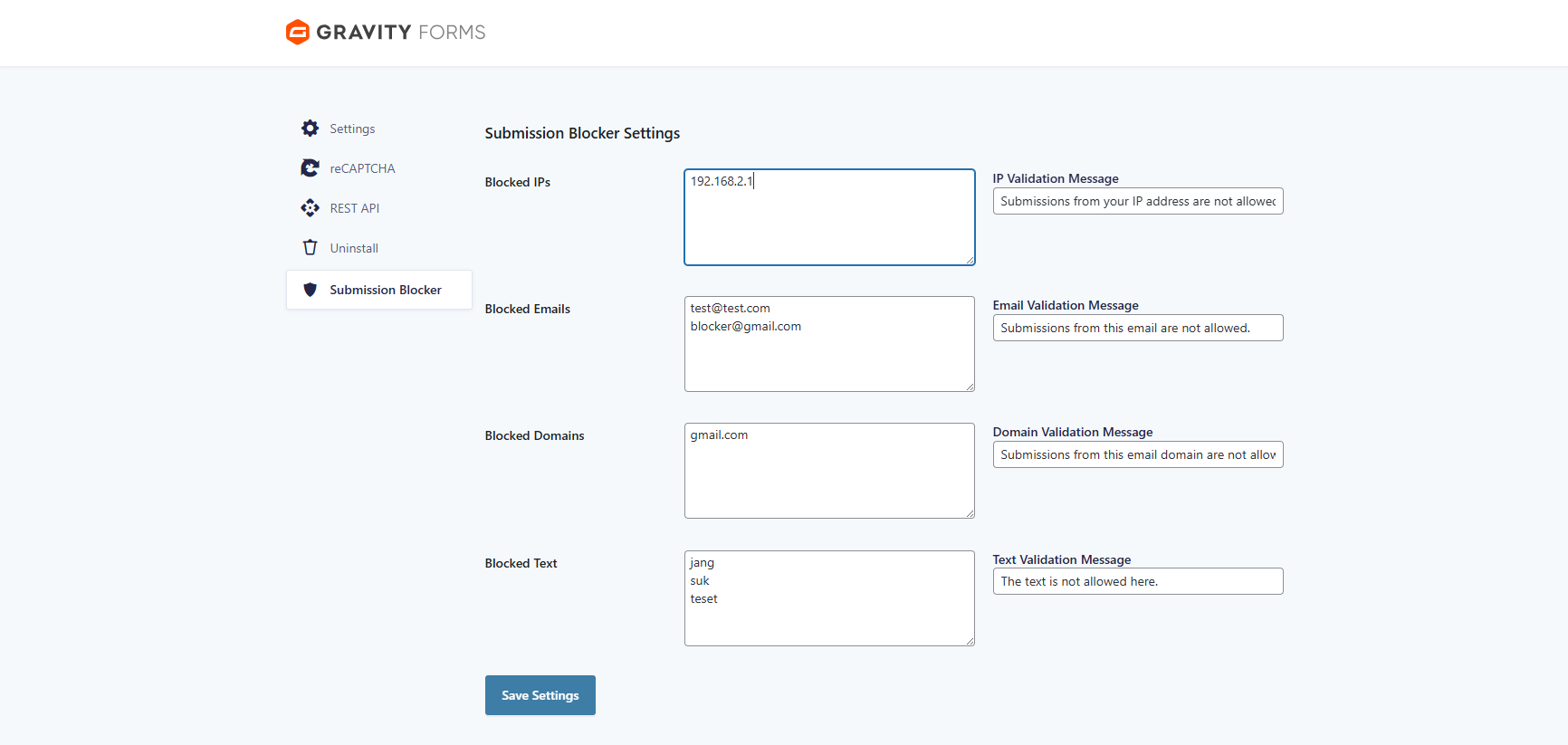
Settings Page

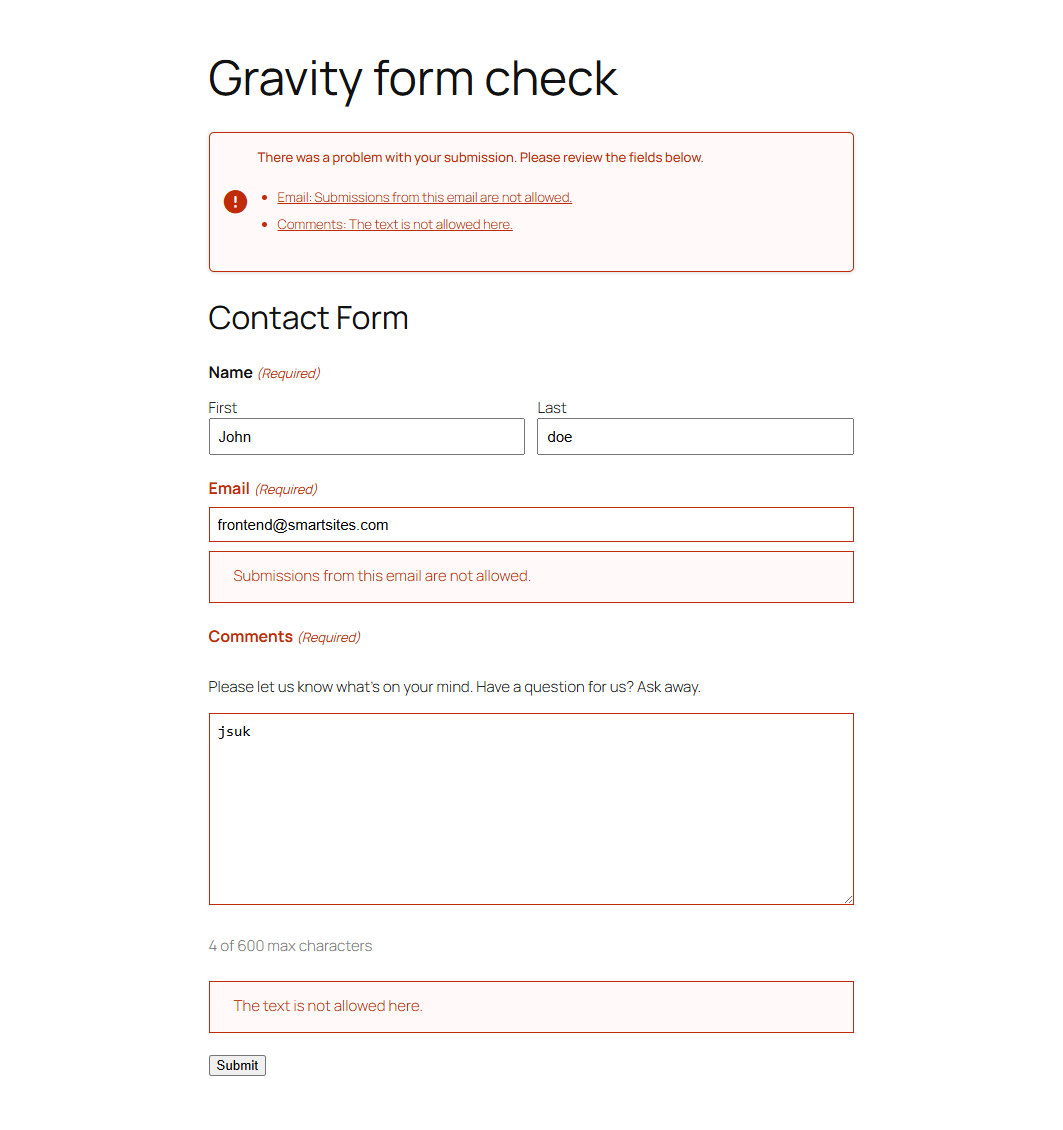
Validation Example for emails
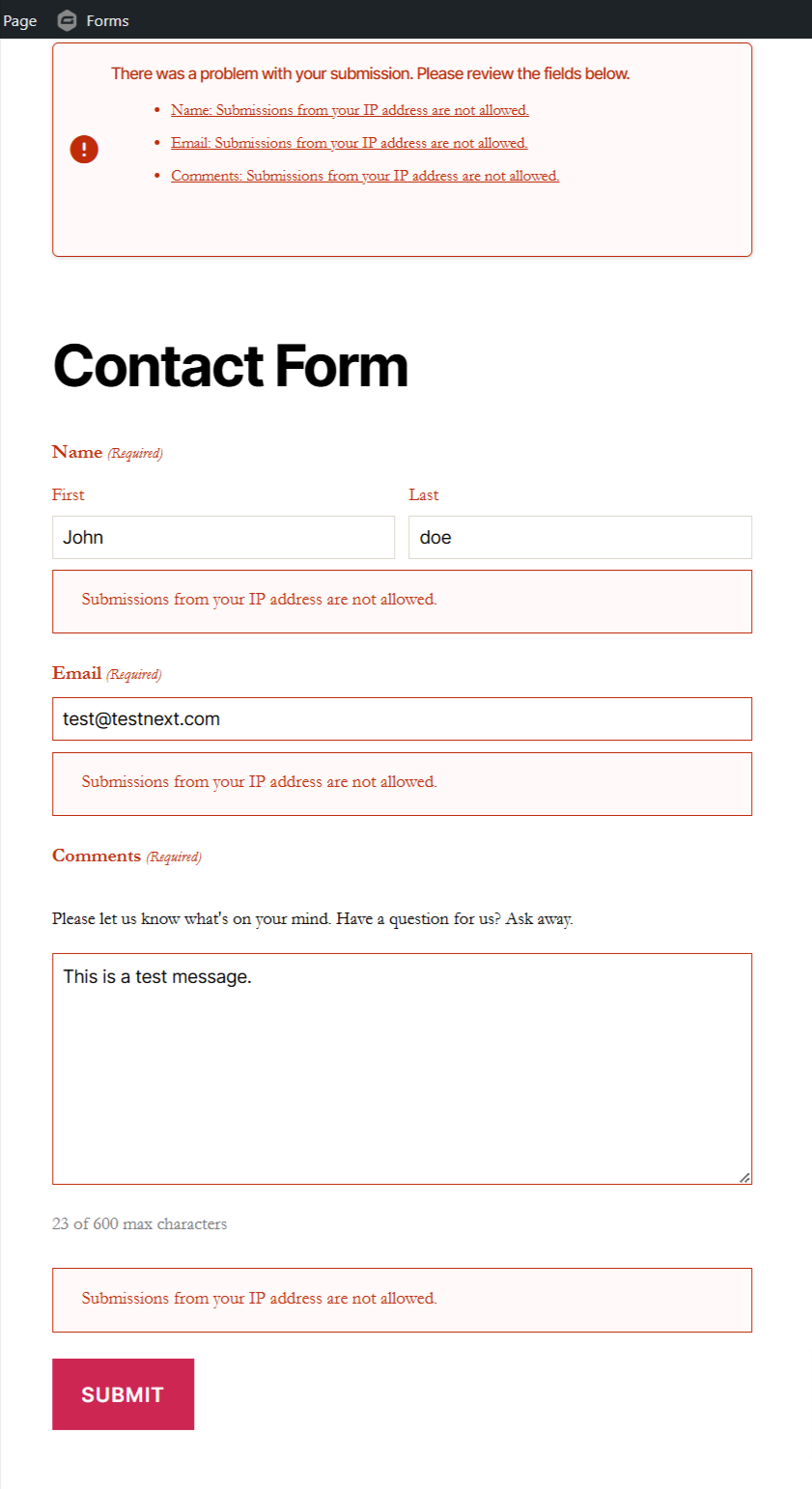
Validation Example for IPs
Entry List Block Option
Changelog
1.5.0
- New: block specific text content within form fields
- New: direct blocking of IPs, emails, domains, and text from entry list and detail pages
- Improved security and nonce verification for all processing
- Enhanced sanitization and escaping
- Added internationalization for user facing strings
1.4.0
- Modular structure with sanitized inputs
- One per line instructions in settings
- Custom validation messages for all block types
1.3.0
- Block email domains
- Block IP addresses
1.2.0
- Settings page under Gravity Forms
1.1.0
- Basic email blocking
1.0.0
- Initial plugin scaffolding