

Address Autocomplete Anything
Easily integrate Google Address Autocomplete to anything on your WordPress website!
Plugin info
Maintenance & Compatibility
Maintenance score
Stale • Last updated 245 days ago • 10 reviews
Is Address Autocomplete Anything abandoned?
Likely maintained (last update 245 days ago).
Compatibility
Languages
Similar & Alternatives
Explore plugins with similar tags, and compare key metrics like downloads, ratings, updates, support, and WP/PHP compatibility.
Description
This plugin is unique in that it allows you to add a Google Address Autocomplete to anything on your WordPress website. It is not made to be specific for any one e-commerce, form, LMS, or other WordPress plugin… is compatible with them all!
Address Autocomplete is my favorite feature on any e-commerce site or any time I need to fill out a form on a website. Originally built for our other plugin, Sunshine Photo Cart, I realized I could make this available to work for anything.
How it works
By using CSS selectors (don’t worry non-tech person, it is easier than you think and a simple help article and video is available!), you can add Address Autocomplete to Anything! Provide a selector for which input field on your page you want to trigger the address autocomplete when a user types, and then the CSS selectors to target for the address data.
What you need
You only need to get a Google Maps API key. Although billing info is required, most sites will never be charged as the free limit is quite high.
Upgrade to Premium
- Get unlimited instances on your site
- More detailed data fields (latitude, longitude, county, neighborhood, sub localities, etc) to use for population
- Automatically integrate with popular e-commerce and form plugins with one-click set up:
** WooCommerce (Shortcode and Block Checkout, My Address in Account)
** Gravity Forms (Address Field)
** LifterLMS
** Paid Memberships Pro
** …and more coming very soon!
Installation
- Upload and activate the plugin
- Get a Google Maps API key
- Go to Settings > Address Autocomplete and to enter Google Maps API key and form settings
- Get the CSS selectors for your form and put into the settings
Frequently Asked Questions
Review feed
Screenshots
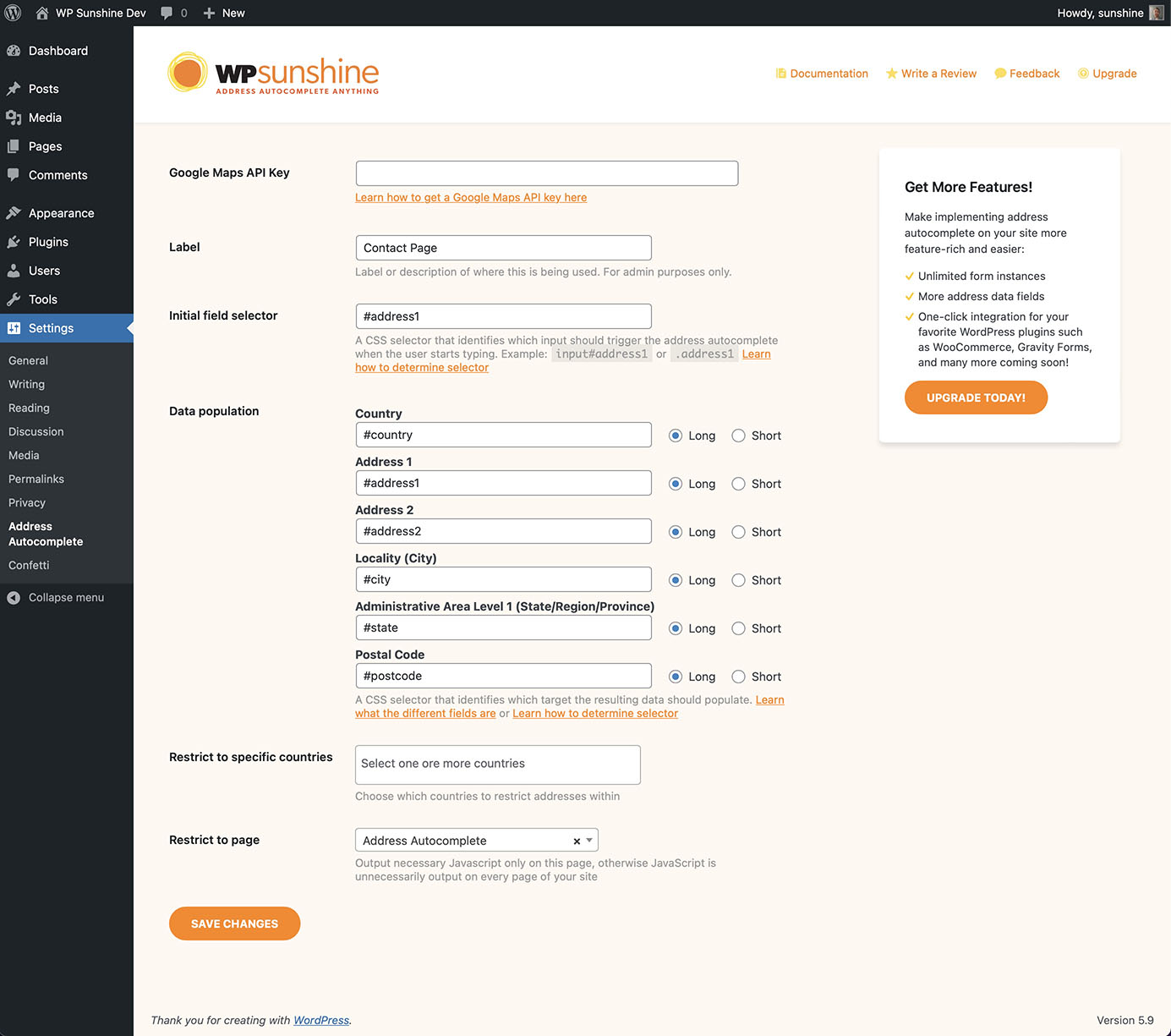
Plugin settings
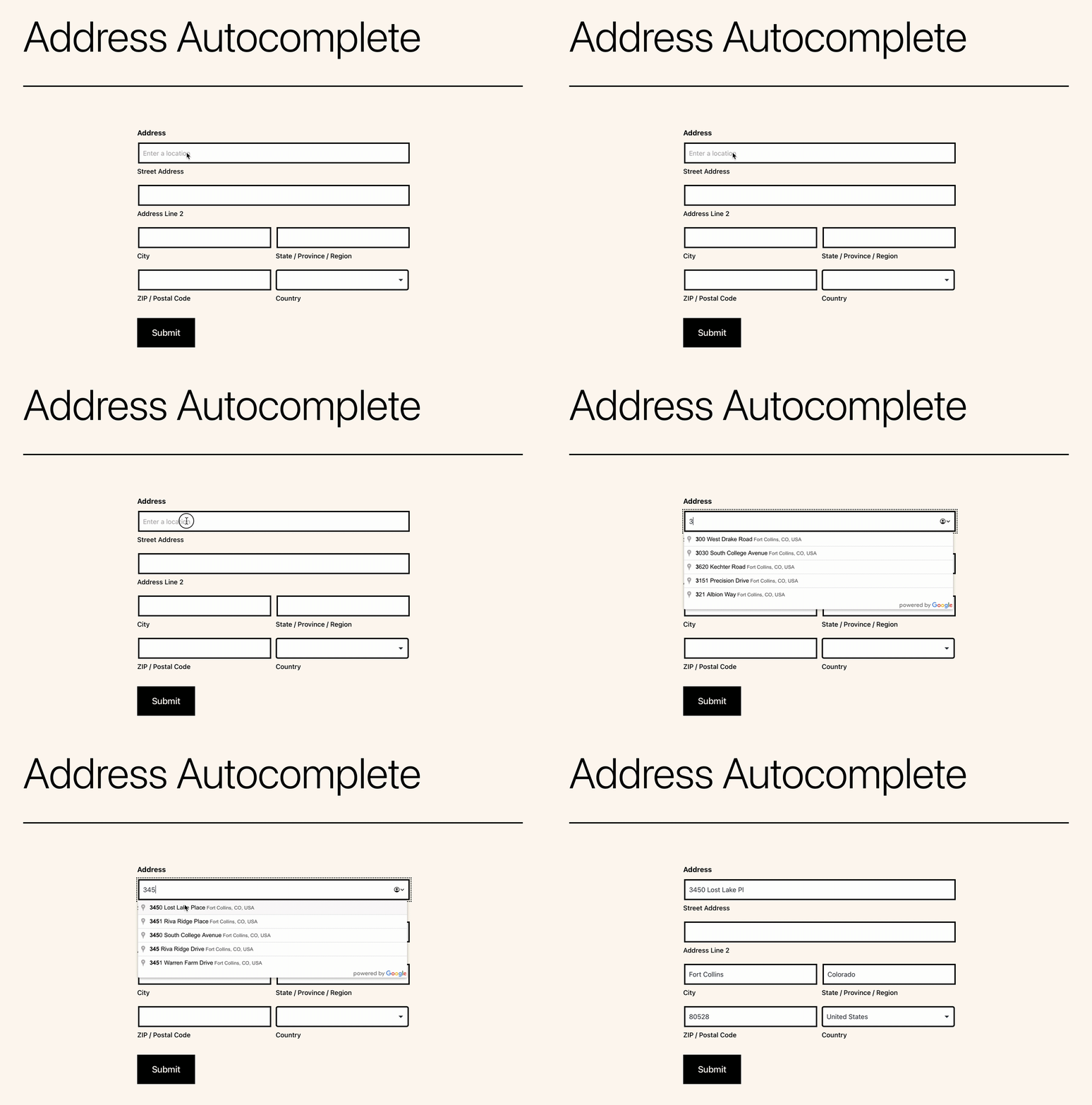
Sample form showing how address autocompletes works
Changelog
1.2.3
- Fix: Handle when the address component type had “political” as the first value
1.2.2
- Add: New option to set language for returned address results
- Add: Build address2 from premise, floor, subpremise, room values automatically
- Change: More address component fallbacks in case some data is missing from the returned result
- Fix: Handle unique cases like NY burroughs where no locality is returned, use sublocality as fallback
- Fix: Additional countries that use reverse address format
- Fix: Handle unique cases like NY burroughs where no locality is returned, use sublocality as fallback
1.2.1
- Fix: “postal_town” fallback when “locality” is not present
- Fix: Trigger jQuery change event on populated input if jQuery is used on the page just in case
- Enhancement: Look for select option label for possible match as well when setting values
1.2
- Set multiple allowed pages for each instance
1.1.6
- More console logging to help debug
- NL added to list of countries to do reverse street address format
1.1.5
- Fix – Load Google maps with async
1.1.4
- Fix – Handle address1 when there is no street number
1.1.3
- Update – Allows more than just addresses, will now accept establishment names
- Fix – Spaces causing issues in before/after attributes
1.1.2
- Fix – stripslashes on CSS selectors to handle quotes when saving settings
1.1.1
- Fix – Enqueue Google Maps requires callback function
1.1
- Update – Better input replacement method and allow for “before” and “after” attributes
- Add – Minified version of frontend.js for even smaller footprint
1.0.2
- Fix – Handle special case UK city/county things
1.0.1
- Add – “wps_aa_load_scripts” filter to allow disabling loading of JS files as requested by user for GDPR compliance
1.0
- Change – Complete redo of the way selectors and data fields are chosen for population for even more flexibility
0.3
- Update documentation links throughout and link to review
- Release to repo for the first time
0.2
- Fix – More esc_* and sanitization
0.1
- Initial submission to repo