

Admin Compass
Admin Compass provides fast, global search functionality for your WordPress admin area.
Plugin info
Maintenance & Compatibility
Maintenance score
Stale • Last updated 249 days ago
Is Admin Compass abandoned?
Likely maintained (last update 249 days ago).
Compatibility
Similar & Alternatives
Explore plugins with similar tags, and compare key metrics like downloads, ratings, updates, support, and WP/PHP compatibility.
Description
Admin Compass improves how you navigate your WordPress WP-Admin Dashboard. With a simple interface inspired by MacOS tools like Raycast or Alfred, it offers fast search capabilities, allowing you to quickly find and access posts, pages, products, settings, and more.
This is open beta which means some features still need testing, see FAQ for more details.
Key Features:
- Fast search across all your WordPress content thanks to dedicate search index
- Elegant, minimalistic interface doesn’t clutter your Admin area
- Keyboard navigation for quick access
- Searches posts, pages, settings, WooCommerce orders, and products
Whether you’re managing a small blog or a large e-commerce site, Admin Compass helps you navigate your WordPress admin area with ease and efficiency.
Installation
- Upload the
admin-compassfolder to the/wp-content/plugins/directory - Activate the plugin through the ‘Plugins’ menu in WordPress
- Use the keyboard shortcut (default: Ctrl + Shift + F) or click the “magnifying glass” icon in the admin bar to open the search palette
Frequently Asked Questions
This is currently an open beta, ready for testing. It doesn’t perform any destructive operations since it generates a dedicated search index.
You can open the search palette by using the keyboard shortcut Ctrl + Shift + F, or by clicking the “magnifying glass” icon in the WordPress admin top-bar.
I know there is already a command palette built into the WordPress editor (link). The problem is that it’s only available when editing posts or pages with default WordPress editor, so it’s not global. Also it seems the development stopped.
Currently, the keyboard shortcut is not customizable, but we’re planning to add this feature in a future update.
Yes, it supports searching and navigating to orders and products.
While the plugin should work on individual sites within a multisite installation, it has not been extensively tested in a multisite environment. Use with caution and test thoroughly.
Review feed
Screenshots
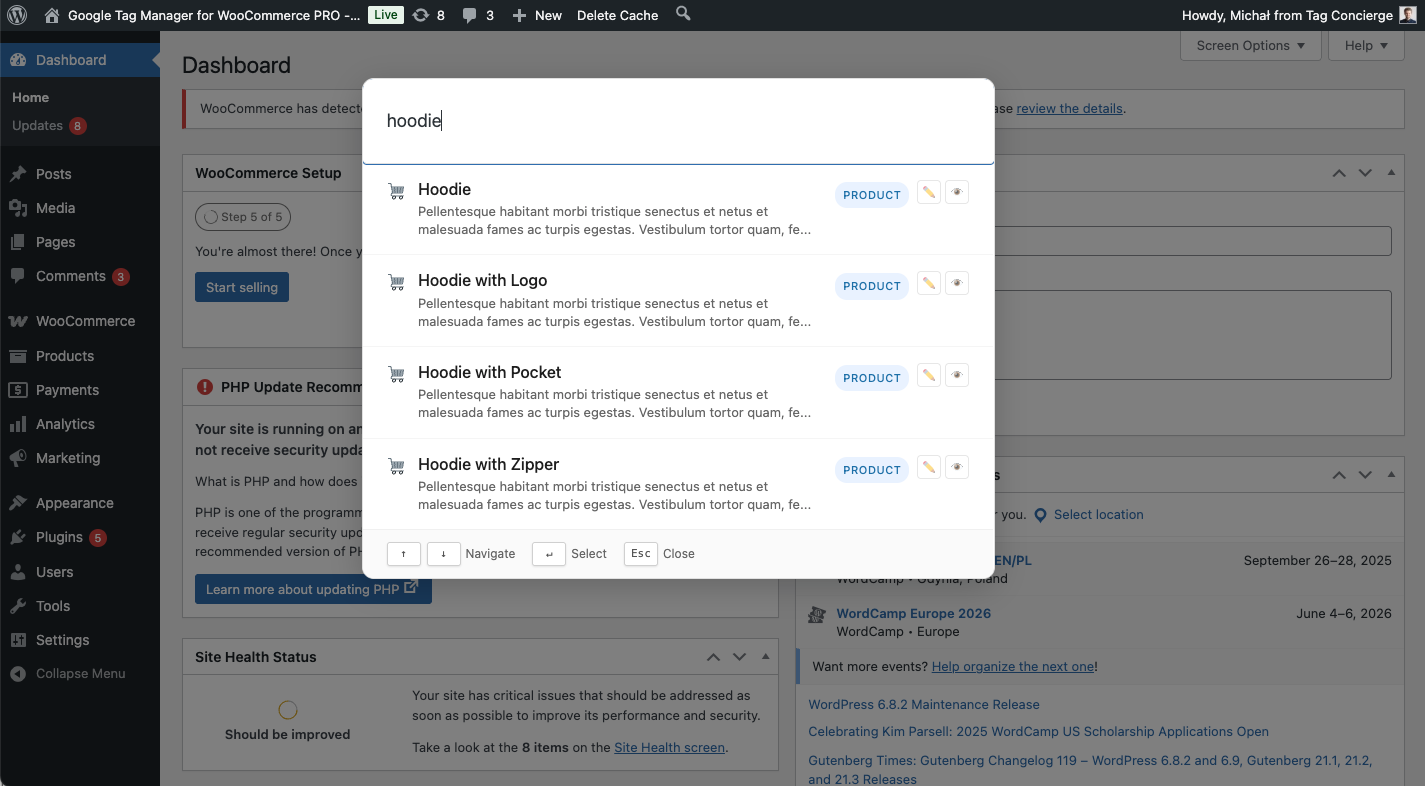
Admin Compass search palette WooCommerce products
Changelog
1.3.0
- Various UI/UX improvements
- Move from SQLite to MySQL search index
- Proper support for WooCommerce
- Ability to view or edit found items
- Recent items list
1.2.0
- Clicking outside Search Palette closes it
- Handle updates and search index recreation
- Improved admin settings naming
- Fix JS error
1.1.0
- Protect search index from public access
1.0.0
- Initial release