
Admin Dashboard RSS Feed
Admin Dashboard RSS Feed displays company news in the WordPress Admin Dashboard using an RSS feed. It provides quick access to the latest updates.
Plugin info
Maintenance & Compatibility
Maintenance score
Stale • Last updated 342 days ago • 1 reviews
Is Admin Dashboard RSS Feed abandoned?
Likely maintained (last update 342 days ago).
Compatibility
Similar & Alternatives
Explore plugins with similar tags, and compare key metrics like downloads, ratings, updates, support, and WP/PHP compatibility.
Description
Are you a web design company looking to broadcast your company’s latest news in your client’s Admin Dashboard? This plugin helps to show your latest news in the WordPress Admin Dashboard via an RSS feed.
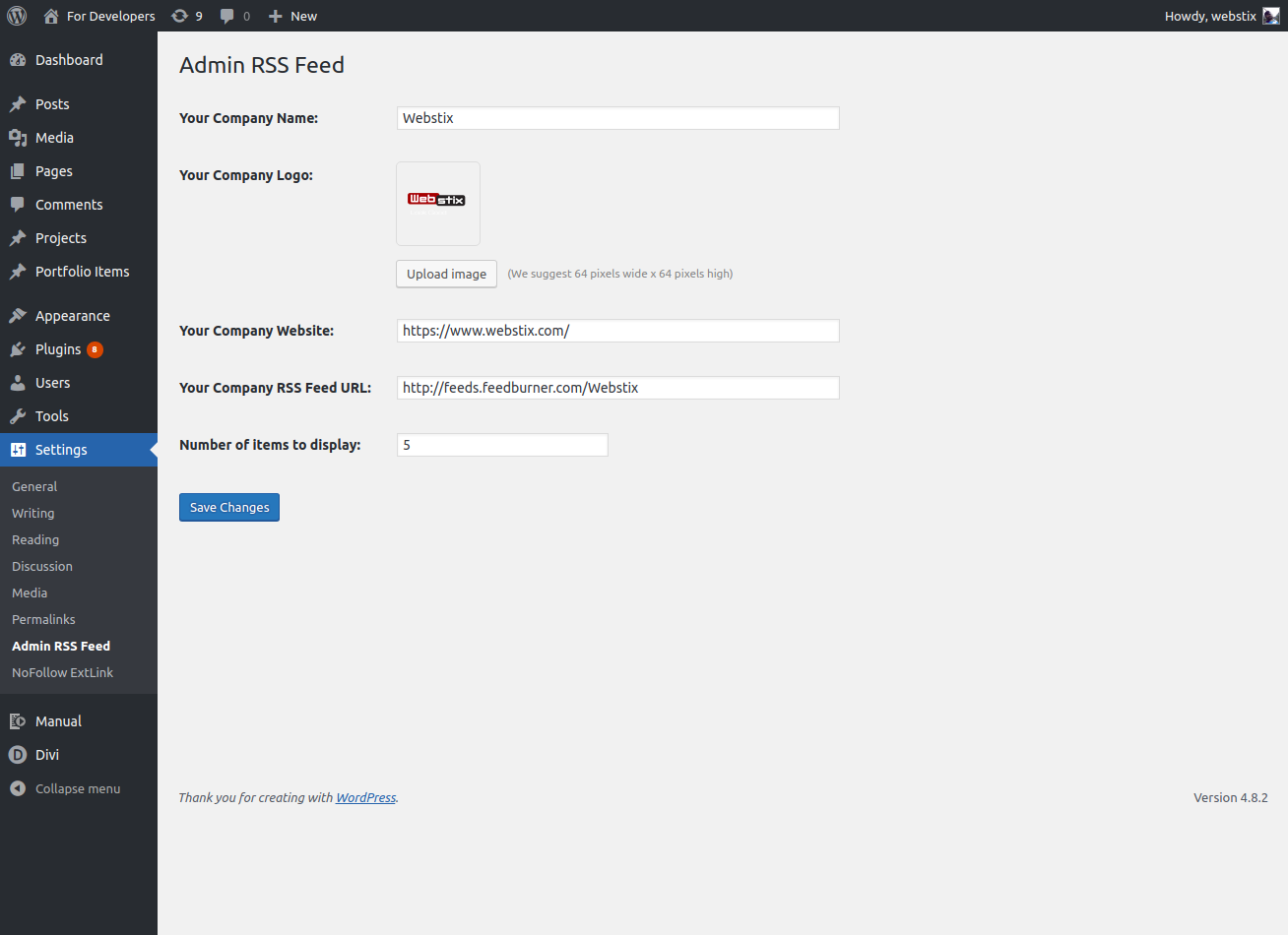
This plugin is very simple to install and configure. After successful install and activation. just provide this info and you are set:
Your company name:
Your company logo:
Your website:
Your company RSS feed URL:
Set the number of items to show:
Keep your client abreast of what’s happening.
Short Description
This plugin shows latest news in the WordPress Admin Dashboard from the RSS feed URL that you provide.
Installation
- Install the plugin in the Admin => Plugins menu => Add New => Upload => Select the zip file => Install Now
- Activate Plugin in the Admin => Plugins Menu
- On the left navigation, please go to Settings and, under that, click on the “Admin RSS Feed” page.
- Please fill the required information and save the settings.
- Once you are done with the settings, Visit your Dashboard to See the Latest News. Usually, this widget will be at the bottom, simply drag and drop to the top section.
Frequently Asked Questions
Please go to the settings screen and enter your settings to get started.
Yes, this plugin identifies a Feedburner URL and shows the news.
We suggest 64 pixels wide x 64 pixels high and preferably in .jpg or .png format.
The plugin identifies an invalid feed URL and shows error message in the Dashboard Widget. When you see that error message, you should go to the settings screen and enter a valid feed URL.
Review feed
Screenshots

screenshot-1.png.
screenshot-2.png. This is the second screenshot, which is available in '/assets/screenshot-2.png'
Changelog
1.0
- Used the latest WordPress inherent image uploader function to upload the company Logo.
1.1
- Resolved the image upload JS conflict issue in WordPress media uploader.
- Added delete option for the image upload.
- Resolved appearing apostrophe/single quote issue on feed title
1.2
- Used the latest WordPress inherent image uploader function to upload the company Logo.
1.4
- Updated the plugin to be compatible with 5.4
1.5
- Updated the plugin to be compatible with 5.4.2
1.6
- Updated the plugin to be compatible with 5.5.1.
1.7
- Updated the plugin to be compatible with 5.6.
1.8
- Updated the plugin to be compatible with 5.7.
1.9
- Updated the plugin to be compatible with 5.7.2
1.10
- Updated the plugin to be compatible with 5.8
2.0
- Updated the plugin to be compatible with 5.8
2.1
- Updated the plugin to be compatible with 5.8.1
2.2
- Updated the plugin to be compatible with 5.8.2
2.3
- Updated the plugin to be compatible with 5.8.3
2.4
- Updated the plugin to be compatible with 5.9
2.5
- Updated the plugin to be compatible with 5.9.1
2.6
- Updated the plugin to be compatible with 5.9.2
2.7
- Updated the plugin to be compatible with 5.9.3
2.8
- Updated the plugin to be compatible with 6.0
2.9
- Updated the plugin to be compatible with 6.0.1
3.0
- Fixed php warnings
- Updated the plugin to be compatible with 6.0.2
3.1
- Fixed bugs
- Updated the plugin to be compatible with 6.1.1
3.2
- Fixed bugs
- Updated the plugin to be compatible with 6.4.3
3.5
- Fixed bugs
- Fixed php warnings
- Updated the plugin to be compatible with 6.7.2
3.6
- Updated the maximum number of posts in settings
3.7
- Fixed bugs
- Fixed nonce issue
3.8
- Fixed bugs
- Updated the plugin to be compatible with 6.8