

Plugin info
Maintenance & Compatibility
Maintenance score
Stale • Last updated 336 days ago • Support resolved 0% • 4 reviews
Is Admin login URL Change abandoned?
Likely maintained (last update 336 days ago).
Compatibility
Similar & Alternatives
Explore plugins with similar tags, and compare key metrics like downloads, ratings, updates, support, and WP/PHP compatibility.
Description
Admin login URL Change is a very lightweight plugin that lets you easily and safely change the URL of the login form page to anything you want. It does not change any core files. It simply intercepts page requests and works on any WordPress website. This is great for your convenience, but it also closes the door to would-be attackers.
Why Use Admin Login URL Change?
WordPress websites are common targets for automated bots and hackers attempting to gain unauthorized access via brute-force login attempts. The default login URLs are widely known, making them easy targets. Admin Login URL Change solves this problem by letting you rename your login URL to something unique, effectively closing this security loophole.
How to use the plugin
Add New login Slug (Example: madmin)
Installation
- Install Admin login URL Change by uploading the
admin-login-url-changedirectory to the/wp-content/plugins/directory. - Activate Admin login URL Change through the
Pluginsmenu in WordPress. - Chanage your URL Slug by going to the Settings > Admin login URL Change menu.
- Now you can logout and login by new URL.(Must be a Live Server)
Frequently Asked Questions
Absolutely not.
Review feed
Screenshots
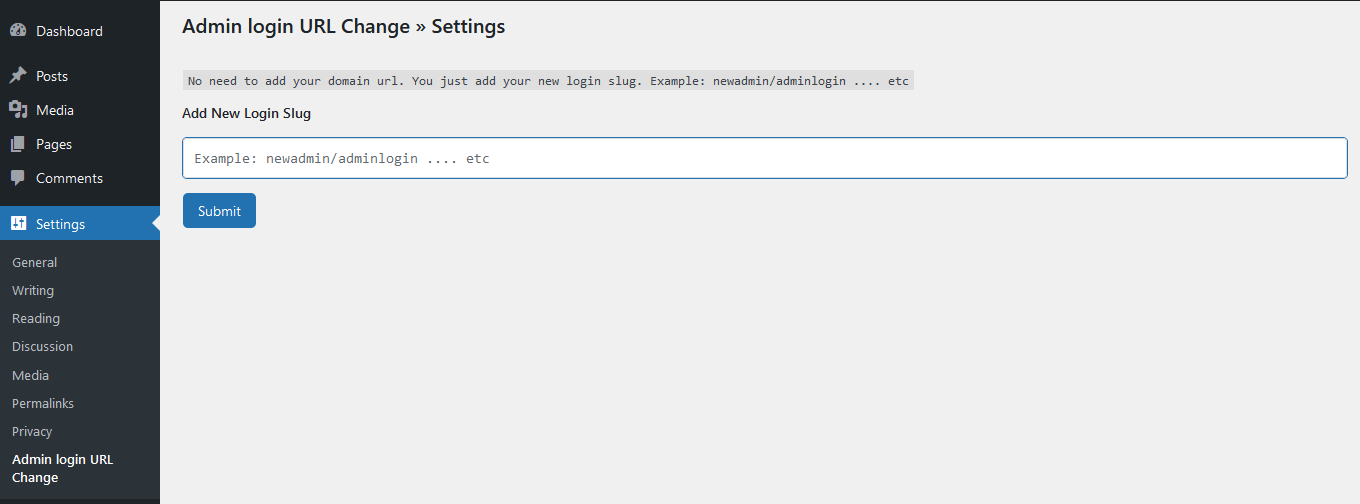
Settings
Changelog
1.1.3
- Fixed: Deprecated issue Fixed
1.1.2
- Added: Compatibility with WordPress 6.8
1.1.1
- Added: Compatibility with WooCommerce 9.8.1
1.1.0
- Added: Compatibility with WordPress 6.7
1.0.9
- Added: Compatibility with WordPress 6.6
1.0.8
- Removed: Auto Redirect to the Setting Page
1.0.7
- Added: Compatibility with WordPress 6.5
1.0.6
- Updated: Security
- Fixed: Nonce Validation and escaping issues
1.0.5
- Fixed: Redirect Issue
1.0.4
- Added: Compatibility with WordPress 6.4
1.0.3
- Added: Compatibility with WordPress 6.3
1.0.2
- Added: Compatibility with WordPress 6.2
- Removed: Unused Code
1.0.1
- Settings Page Integrate
1.0
- Initial version