
Disable Dashboard Access
Disable Dashboard Access: Only admins can access the dashboard by default. Whitelist trusted users easily, quick setup, and secure.
Plugin info
Maintenance & Compatibility
Maintenance score
Stale • Last updated 191 days ago • 1 reviews
Is Disable Dashboard Access abandoned?
Likely maintained (last update 191 days ago).
Compatibility
Similar & Alternatives
Explore plugins with similar tags, and compare key metrics like downloads, ratings, updates, support, and WP/PHP compatibility.
Description
Remove dashboard access to non-admin users and easily control who can access your WordPress dashboard with simple configuration. By default, only administrators are allowed, but you can now whitelist specific trusted users by username—perfect for developers, VAs, or contractors.
Features include:
- Whitelist specific users by username
- Session expiration controls (1-24 hours)
- Option to apply session timeout to administrators
- Custom redirect URL for blocked users
- Secure, validated, and sanitized settings
- Hide admin toolbar for non-authorized users
- Developer-friendly filters for advanced customization
Why Choose Disable Dashboard Access?
- Maximum Protection: Instantly block unauthorized users from accessing sensitive dashboard areas.
- Effortless Whitelisting: Grant dashboard access to trusted users (developers, VAs, contractors) without changing their roles. Just add their usernames!
- Session Security: Automatically log out users after a set period for bulletproof session management. Choose from multiple timeout intervals and apply to all users or just non-admins.
- Custom Redirects: Guide blocked users to a branded page or helpful resource instead of the generic homepage.
- Zero Configuration Needed: Works out of the box—only administrators can access the dashboard until you customize settings.
Perfect For:
- Website owners who want peace of mind
- Agencies and developers managing multiple sites
- Teams needing granular dashboard access
- Anyone serious about WordPress security
Protect your site, empower your workflow, and deliver a professional experience—all with one lightweight plugin.
Installation
Frequently Asked Questions
Review feed
Screenshots
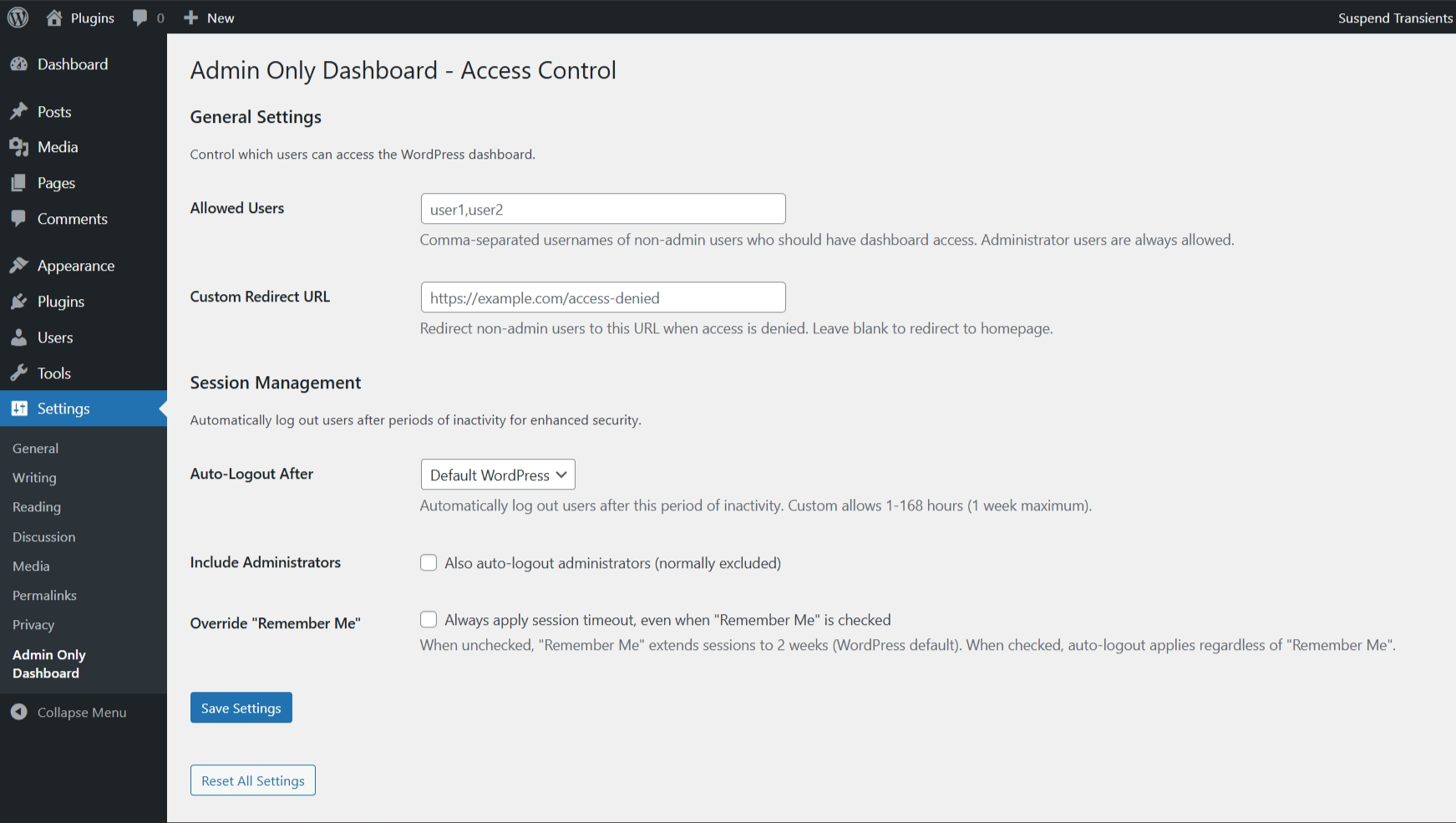
Plugin settings
Changelog
1.1.0
- Added session timeout management with configurable intervals (1-24 hours)
- Added custom timeout duration option (1-168 hours)
- Added username whitelist for granting dashboard access to specific non-admin users
- Added custom redirect URL for blocked users
- Added option to apply session timeout to administrators
- Added “Remember Me” override functionality
- Enhanced security with proper input sanitization and validation
- Improved user interface with comprehensive settings page
- Added reset to defaults functionality
- Updated to follow WordPress coding standards
1.0.0
- First version
1.0.0
- First version