

Admin Screenshots
Want to take a screenshot of any page in your admin Dashboard and share it with someone else? It couldn't be easier with Admin Screenshots!
Plugin info
Maintenance & Compatibility
Maintenance score
Stale • Last updated 344 days ago • 1 reviews
Is Admin Screenshots abandoned?
Likely maintained (last update 344 days ago).
Compatibility
Similar & Alternatives
Explore plugins with similar tags, and compare key metrics like downloads, ratings, updates, support, and WP/PHP compatibility.
Description
Summary
Admin Screenshots for WordPress will add a button to every page in the admin Dashboard, allowing you to take a screenshot of the page you’re on. The screenshot will be saved in your Media Library, and you will get a direct link to it to share. This will let you show how certain settings are, without giving them access to your backend.
If you’re on the other end (like a support agent) and you need to know how someone’s site settings without having to log in, tell your customer to install the plugin, take a screenshot of the page that you want to see, and send you the link.
Features
- Saves screenshots in Media Library: every image is saved in the /admin-screenshots/ subdirectory under /uploads.
- Gives you direct link to images: immediately after taking the screenshot, you get the link to it, easy to copy to your clipboard and share with others.
Installation
- Upload the “admin-screenshot” directory to your “wp-content/plugins” directory.
- In your WordPress admin, go to PLUGINS and activate “Admin Screenshot”.
- Go to any page in your admin Dashboard.
- Select the “TAKE SCREENSHOT” button.
- Copy the link to the screenshot and share it with anyone.
- Party!
Frequently Asked Questions
This is a known issue and is likely a bug in the original HTML2Canvas library that this plugin is built on. You can read a bit more about this library here: https://github.com/niklasvh/html2canvas
Relevant examples: https://github.com/niklasvh/html2canvas/issues/2958 / https://github.com/niklasvh/html2canvas/issues/2937
While the screenshots aren’t perfect, they should be sufficient for most cases where you’re just trying to share the settings on a page.
Working on it. Next version.
Hopefully in a future version.
Not yet, but hopefully in a future version.
Please go to the plugin’s WordPress.org support forum and let me know.
It’s very possible, or even likely, that something’s not right; I can only do so much testing and it’s impossible to test the plugin with every single setup out there, so there’s a good chance that it will have some issues. Please report any bugs on the plugin’s WordPress.org support forum.
Review feed
Lightweight and great for support.
Screenshots
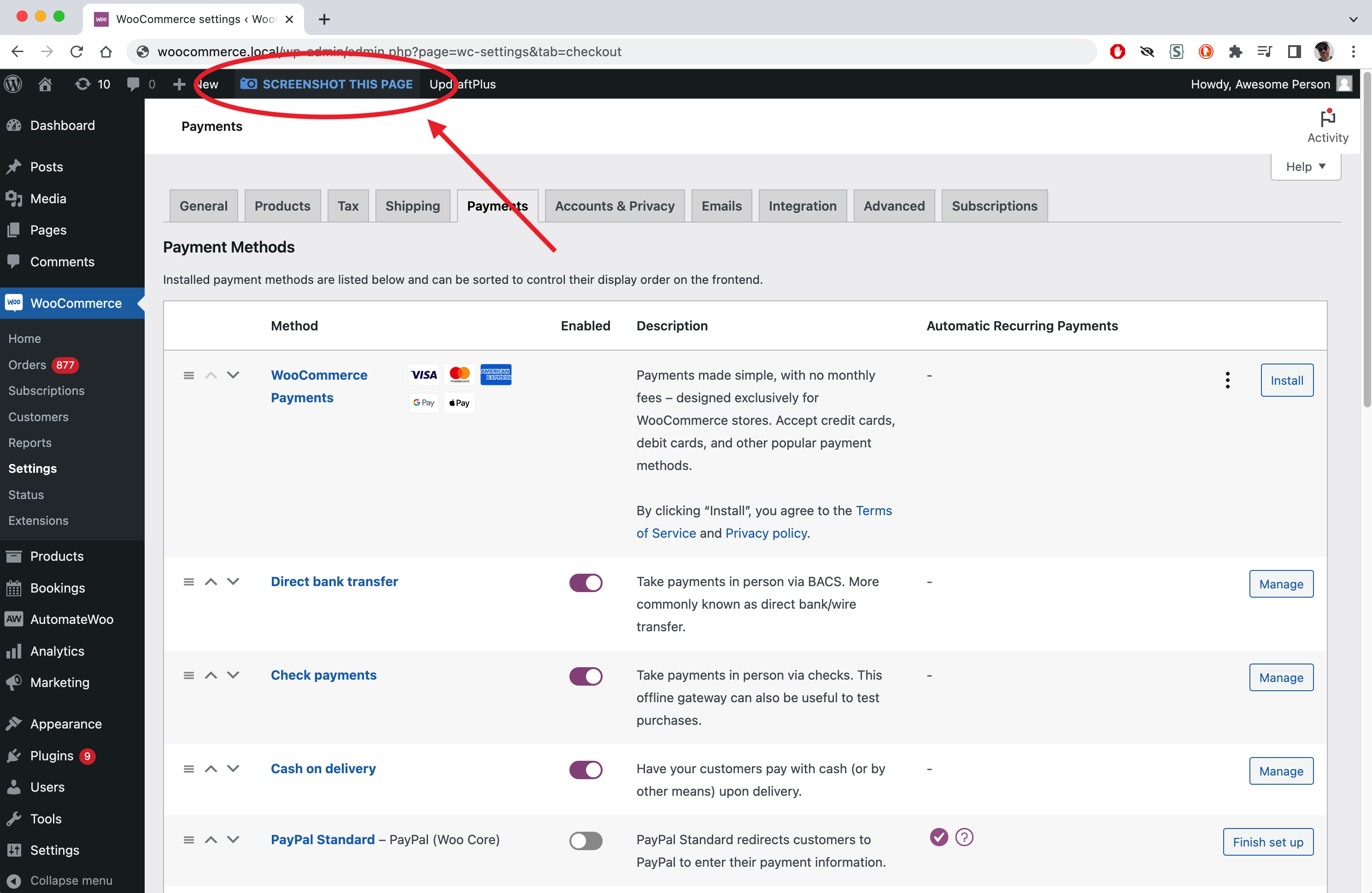
Screenshot Button

Popup with links
Changelog
1.0.5
- Adjusted some code to better adhere to plugin standards.
1.0.4
- Fix for a bug in HTML2CANVAS library that rendered text with wrong spacing: https://github.com/niklasvh/html2canvas/issues/3037
1.0.3
- Small bugfixes, typos, cleanup
1.0
- First public release