

Ads after first paragraph
This plugin includes user Ads code to post or webpage after first paragraph with additional feature of sticky Ads bar in sidebars.
Plugin info
Maintenance & Compatibility
Maintenance score
Possibly abandoned • Last updated 3124 days ago
Is Ads after first paragraph abandoned?
Possibly abandoned (last update 3124 days ago).
Compatibility
Similar & Alternatives
Explore plugins with similar tags, and compare key metrics like downloads, ratings, updates, support, and WP/PHP compatibility.
Description
“Ads After First Paragraph” is a Ads plugin that includes user Ads code to post or webpage after first paragraph. First paragraph is the most revenue generating and high impression place in a blog. This plugin also has another feature of adding sticky ads banner vertically both sides, right and left. Sticky banner is visible during complete user visit to your page or website.
Features
-
Easy to use with Google AdSense and Bing or yahoo Ads Code.
-
You can use any JavaScript or HTML codes in any of three location left sidebar, right sidebar and first paragraph of blog page.
-
You can use any Ad Networks’ code.
-
High Potential earning from your Website or Blog.
For Support Contact Us
Installation
- Download plugin and unzip it to your
/wp-content/plugins/plugin directory. - After that go to your plugin manager and activate it.
- After activation, Ads After First Paragraph one configuration link is shown in plugin manager and it is also shown in admin menu.
- Go to Ads After First Paragraph and Copy your Ads code in Ads After First Paragraph.
Frequently Asked Questions
- It is free ?
Yes.- Ads After First Paragraph is totaly free and there is no extra charges for used this plugin - It is Configurable ?
Yes.- Ads After First Paragraph is configurable from admin.
Installation Instructions
- Download plugin and unzip it to your
/wp-content/plugins/plugin directory. - After that go to your plugin manager and activate it.
- After activation, Ads After First Paragraph one configuration link is shown in plugin manager and it is also shown in admin menu.
- Go to Ads After First Paragraph and Copy your Ads code in Ads After First Paragraph.
Review feed
Screenshots

Post with advt. after first paragraph and sticky ads in sidebars

Post with advt. after first paragraph
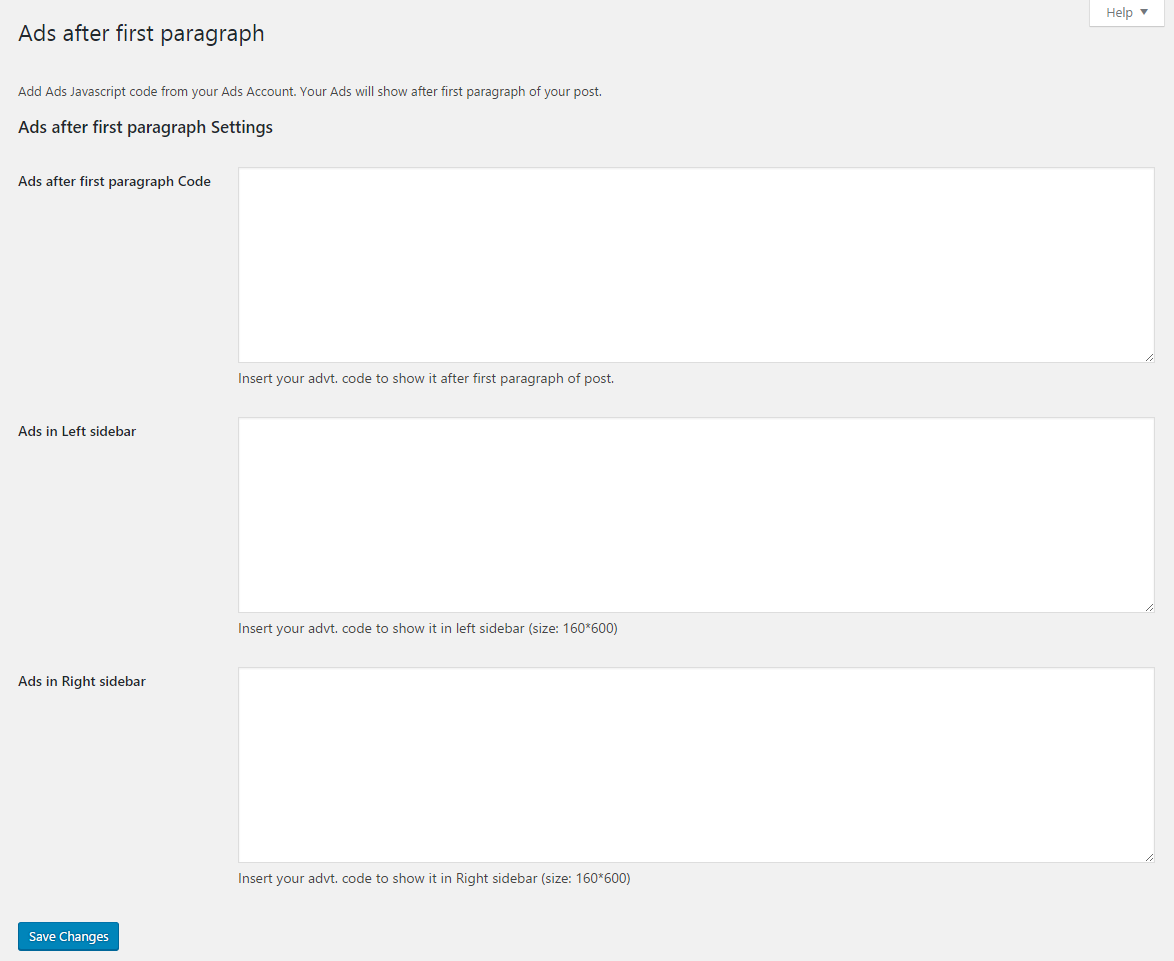
Admin backend to manage ads.
Changelog
1.0
- Ads After First Paragraph is ready for production