

Ads.txt Manager
Create, manage, and validate your ads.txt and app-ads.txt from within WordPress, like any other content asset.
Plugin info
Maintenance & Compatibility
Maintenance score
Stale • Last updated 343 days ago • 14 reviews
Is Ads.txt Manager abandoned?
Likely maintained (last update 343 days ago).
Compatibility
Similar & Alternatives
Explore plugins with similar tags, and compare key metrics like downloads, ratings, updates, support, and WP/PHP compatibility.
Description
Create, manage, and validate your ads.txt and app-ads.txt from within WordPress, like any other content asset. Requires PHP 7.4+.
What is ads.txt?
Ads.txt is an initiative by the Interactive Advertising Bureau to enable publishers to take control over who can sell their ad inventory. Through our work at 10up with various publishers, we’ve created a way to manage and validate your ads.txt file from within WordPress, eliminating the need to upload a file. The validation baked into the plugin helps avoid malformed records, which can cause issues that end up cached for up to 24 hours and can lead to a drop in ad revenue.
Technical Notes
- Requires PHP 7.4+.
- Ad blockers may break syntax highlighting and pre-save error checking on the edit screen.
- Rewrites need to be enabled. Without rewrites, WordPress cannot know to supply
/ads.txtwhen requested. - Your site URL must not contain a path (e.g.
https://example.com/site/or path-based multisite installs). While the plugin will appear to function in the admin, it will not display the contents athttps://example.com/site/ads.txt. This is because the plugin follows the IAB spec, which requires that the ads.txt file be located at the root of a domain or subdomain.
What about ads.cert?
We’re closely monitoring continued developments in the ad fraud space, and see this plugin as not only a way to create and manage your ads.txt file but also be prepared for future changes and upgrades to specifications. Ads.cert is still in the extremely early stages so we don’t see any immediate concerns with implementing ads.txt.
Can I use this with multisite?
Yes! However, if you are using a subfolder installation it will only work for the main site. This is because you can only have one ads.txt for a given domain or subdomain per the ads.txt spec. Our recommendation is to only activate Ads.txt Manager per-site.
Installation
- Install the plugin via the plugin installer, either by searching for it or uploading a .zip file.
- Activate the plugin.
- Head to Settings Ads.txt or App-ads.txt and add the records you need.
- Check it out at yoursite.com/ads.txt or yoursite.com/app-ads.txt!
Note: If you already have an existing ads.txt or app-ads.txt file in the web root, the plugin will not read in the contents of the respective files, and changes you make in WordPress admin will not overwrite contents of the physical files.
You will need to rename or remove the existing (app-)ads.txt file (keeping a copy of the records it contains to put into the new settings screen) before you will be able to see any changes you make to (app-)ads.txt inside the WordPress admin.
Frequently Asked Questions
Review feed
Great Plugin that helped both the engineering and programatic teams
Awesome plugin !!
Screenshots
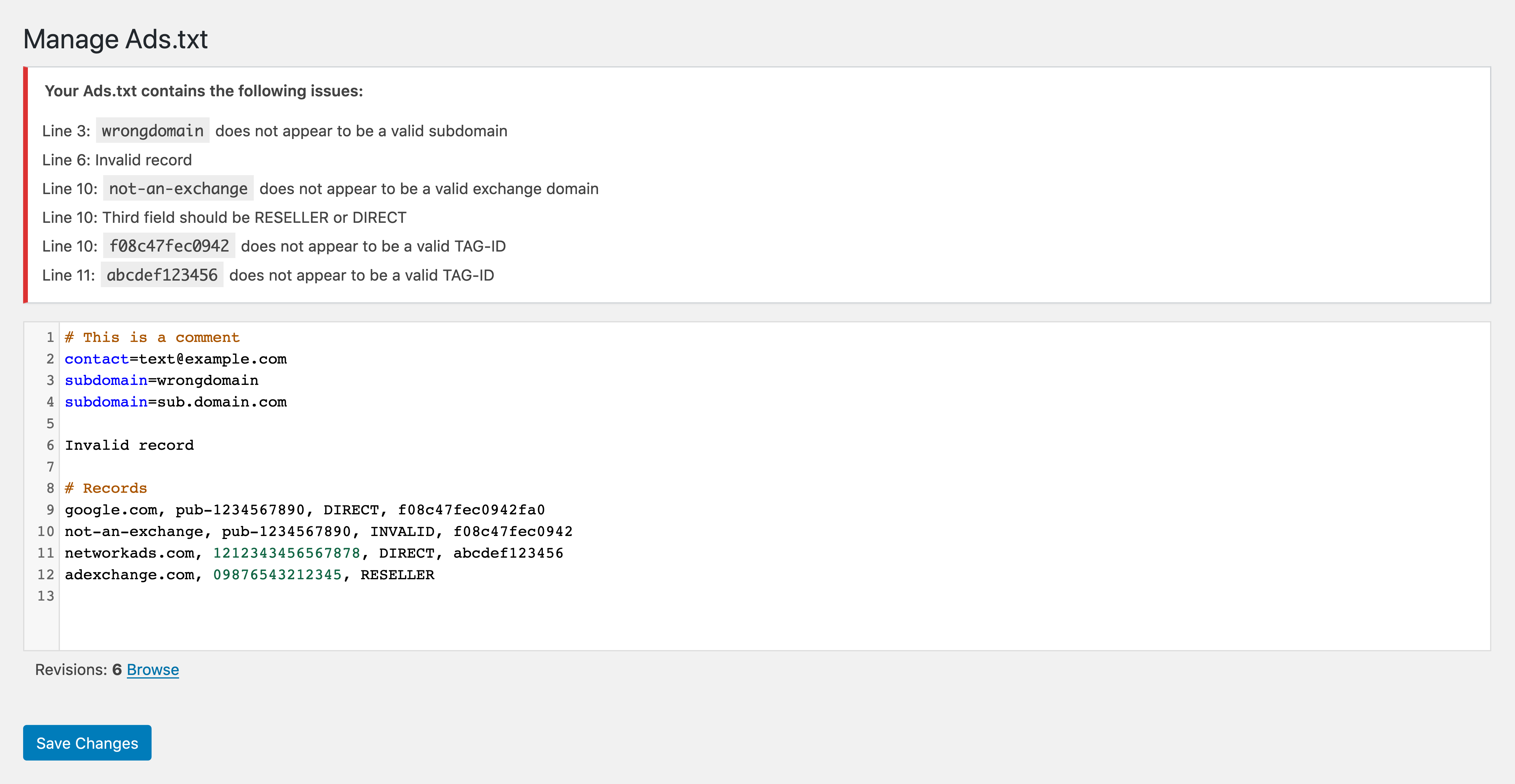
Example of editing an ads.txt file with errors and a link to browse ads.txt file revisions.
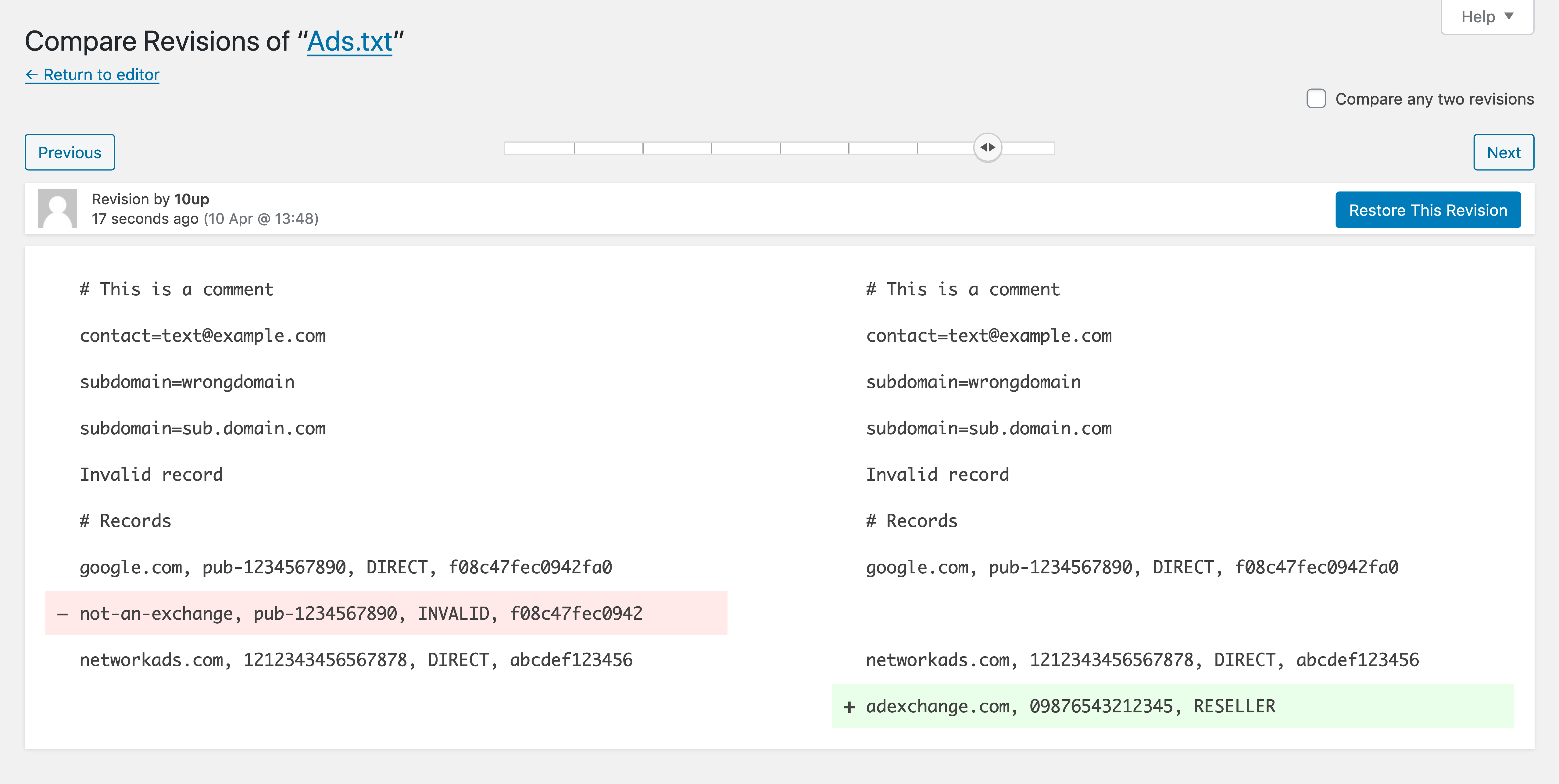
Example of comparing ads.txt file revisions.
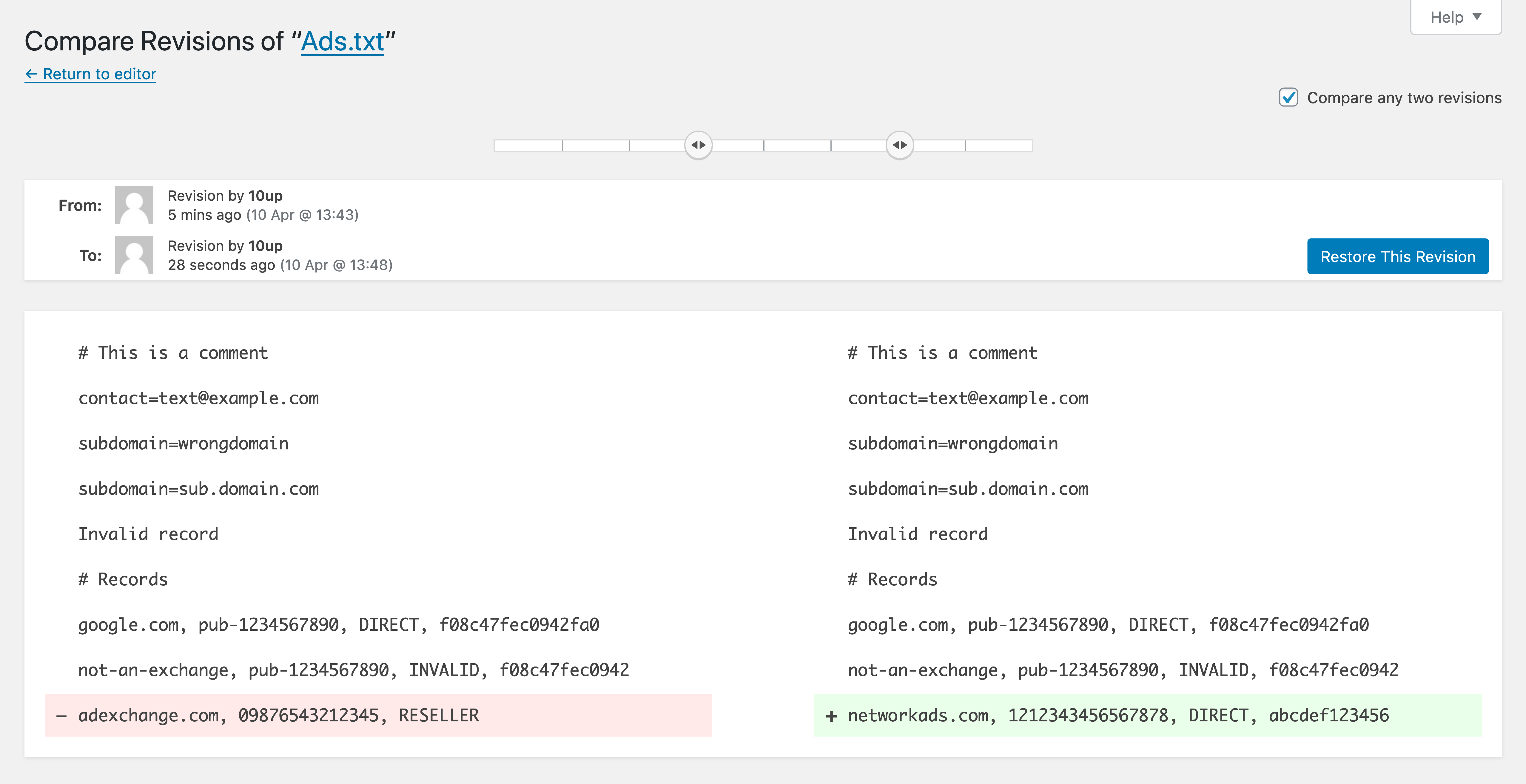
Example of comparing two disparate ads.txt file revisions.
Changelog
1.4.5 – 2024-09-26
- Changed: Bump WordPress “tested up to” version 6.6 (props @ankitguptaindia, @jeffpaul, @sudip-md via #172, #173).
- Changed: Bump WordPress minimum supported version from 6.3 to 6.4 (props @ankitguptaindia, @jeffpaul, @sudip-md via #172, #173).
- Security: Bump
bracesfrom 3.0.2 to 3.0.3 (props @dependabot, @iamdharmesh via #168).
1.4.4 – 2024-06-26
- Added: Placeholder record can be added with no authorized sellers or buyers (props @ankitrox, @peterwilsoncc via #129).
- Changed: Bump WordPress “tested up to” version 6.5 (props @zamanq, @QAharshalkadu, @jeffpaul, @qasumitbagthariya, @sudip-md via #152, #156, #162).
- Fixed: Better error handling for environments that don’t match our minimum PHP version (props @dkotter, @rahulsprajapati, @peterwilsoncc, @frankiebordone, @vikrampm1 via #149).
- Security: Bump
semverfrom 7.3.5 to 7.5.3 (props @dependabot, @peterwilsoncc via #147).
1.4.3 – 2023-06-21
- Added:
ads.txtfile exists check from the backend (props @sksaju, @peterwilsoncc, @mmcachran, @dinhtungdu, @helen, @jeffpaul via #131). - Added: Check for and delete orphan
(app-)ads.txtposts not referenced in the option (props @sksaju, @peterwilsoncc via #138). - Added: Mochawesome reporter added for Cypress test report (props @jayedul, @peterwilsoncc via #141).
- Changed: Bump WordPress “tested up to” version 6.2 (props @peterwilsoncc, @faisal-alvi via #135).
- Changed: Run E2E tests on the zip generated by the “Build Release ZIP” GitHub Action (props @jayedul, @peterwilsoncc via #137).
- Changed: Update the Dependency Review GitHub Action (props @jeffpaul, @Sidsector9 via #142).
- Fixed: Remove PHP matrix from PHP8 Compatibility action (props @Sidsector9, @peterwilsoncc via #127).
- Fixed: Corrected names for PHP Unit test suite runs (props @peterwilsoncc, @jeffpaul via #133).
- Fixed: Fatal error if the role `administrator“ does not exist (props @peterwilsoncc, @Sidsector9 via #140).
- Security: Bump
simple-gitfrom 3.15.0 to 3.16.0 (props @dependabot, @peterwilsoncc via #128). - Security: Bump
http-cache-semanticsfrom 4.1.0 to 4.1.1 (props @dependabot, @peterwilsoncc via #130).
1.4.2 – 2023-01-16
- Changed: Update Support Level from
ActivetoStable(props @jeffpaul, @peterwilsoncc via #123). - Changed: Update Cypress integration to use v11 (props @jayedul, @peterwilsoncc via #116).
- Fixed: Display
ads.txtfiles for crawlers using a cache busting query string (props @peterwilsoncc, @cadic via #118).
1.4.1 – 2022-12-14
- Added: Support for OWNERDOMAIN & MANAGERDOMAIN per version 1.1 of the spec (props @SoftCreatR, @tott, @jeffpaul, @peterwilsoncc via #108)
- Added: Unit tests (props @jeffpaul, @cadic, @faisal-alvi, @peterwilsoncc via #87)
- Added: Dependency security scanning (props @jeffpaul, @peterwilsoncc via #97)
- Changed: Bump WordPress tested up to to 6.1 (props @jayedul, @dkotter, @jeffpaul, @peterwilsoncc via #113)
- Changed: Minimum WP and PHP version requirement bumped to 5.7 and 7.4 respectively (props @jayedul, @dkotter, @peterwilsoncc, @cadic via #103, #117)
- Fixed: Base URL corrected for E2E test suite. (props @peterwilsoncc, @cadic, @dkotter via #112)
- Security: Bump got and @wordpress/env (props @jeffpaul, @peterwilsoncc, @dependabot, @dkotter via #104)
- Security: Bump simple-git and @wordpress/env (props @jeffpaul, @peterwilsoncc via #105)
1.4.0 – 2022-04-13
- Added: Support for the
INVENTORYPARTNERDOMAINvariable (props @dkotter, @faisal-alvi) - Added: End to end tests with Cypress (props @cadic, @dinhtungdu, @darylldoyle, @Sidsector9)
- Changed: Update dealerdirect/phpcodesniffer-composer-installer from 0.5.x to 0.7.1 (props @evokelektrique, @peterwilsoncc)
- Changed: Update minimist from 1.2.5 to 1.2.6
- Changed: Bump WordPress tested up to to 6.0 (props @mohitwp, @cadic, @peterwilsoncc via #85, #90)
- Changed: Automated testing code compatibility against PHP versions from 5.3 to 8.1 (props @cadic)
- Fixed: Allow admins to access revisions (props @PypWalters, @dinhtungdu)
- Fixed: Coding standards violations (props @peterwilsoncc)
1.3.0 – 2020-05-01
- Added: Support for app-ads.txt filetype (props @helen, @westi, @p0mmy)
- Removed: Stop attempting to show an error notice about an existing
ads.txtfile due to too many false positives. We will bring this back later in a better way. - Changed: Bump WordPress version support to 5.4 (props @tmoorewp, @jeffpaul)
- Changed: Switched to using GitHub Actions instead of Travis for Continuous Integration (props @helen)
- Changed: Updated plugin screenshots and FAQs (props @jeffpaul, @helen)
- Fixed: Update capability check when saving ads.txt (props @eclev91)
Further changelog entries can be found in the CHANGELOG.md file.