

Advanced Fields For Elementor Forms
It adds many extra features and advanced fields to improve your form-building experience with the Elementor form widget.
Plugin info
Maintenance & Compatibility
Maintenance score
Stale • Last updated 363 days ago
Is Advanced Fields For Elementor Forms abandoned?
Likely maintained (last update 363 days ago).
Compatibility
Similar & Alternatives
Explore plugins with similar tags, and compare key metrics like downloads, ratings, updates, support, and WP/PHP compatibility.
Description
This is an all-in-one addon for Elementor Pro forms. It adds many extra features and advanced fields to improve your form-building experience with the Elementor form widget.
Free Fields
Pro Fields
Installation
Automatic Installation from the WordPress Dashboard
- Login to your admin panel
- Navigate to Plugins -> Add New
- Search Advanced Fields For Elementor Forms
- Click install and activate respectively.
Manual Installation from the WordPress Dashboard
If your server is not connected to the Internet, then you can use this method
- Download the plugin. A ZIP file will be downloaded.
- Login to your site\’s admin panel and navigate to Plugins -> Add New -> Upload.
- Click choose file, select the plugin file and click install
Install Using FTP
If you are unable to use any of the methods due to internet connectivity and file permission issues, then you can use
this method
- Download the plugin. A ZIP file will be downloaded.
- Unzip the file.
- Launch your favorite FTP client. Such as FileZilla, FireFTP, CyberDuck etc. If you are a more advanced user, then you
can use SSH too. - Upload the folder to wp-content/plugins/
- Log in to your WordPress dashboard.
- Navigate to Plugins -> Installed
- Activate the plugin
Frequently Asked Questions
This plugin is an all-in-one addon for Elementor Pro forms. It adds extra features and advanced fields to the Elementor form widget, making it easier to build complex, dynamic forms with enhanced functionality and customization options.
Yes, this plugin is designed as an add-on for Elementor Pro. It adds features specifically to the Elementor Pro form widget, so you must have it installed and activated on your website for it to work.
This plugin includes several advanced form fields, such as color, range, and rich text Fields. Each field type is designed to improve the overall form-building experience.
This plugin is built to work seamlessly with Elementor Pro and should work well with most plugins. However, if you encounter any conflicts, please ensure both Elementor Pro and this plugin are updated to their latest versions. You may also disable other plugins one by one to troubleshoot compatibility issues.
For support, please reach out through our official support page, available from your WordPress dashboard under Plugins > Support. You can also find answers in our online documentation and user community.
Review feed
Screenshots
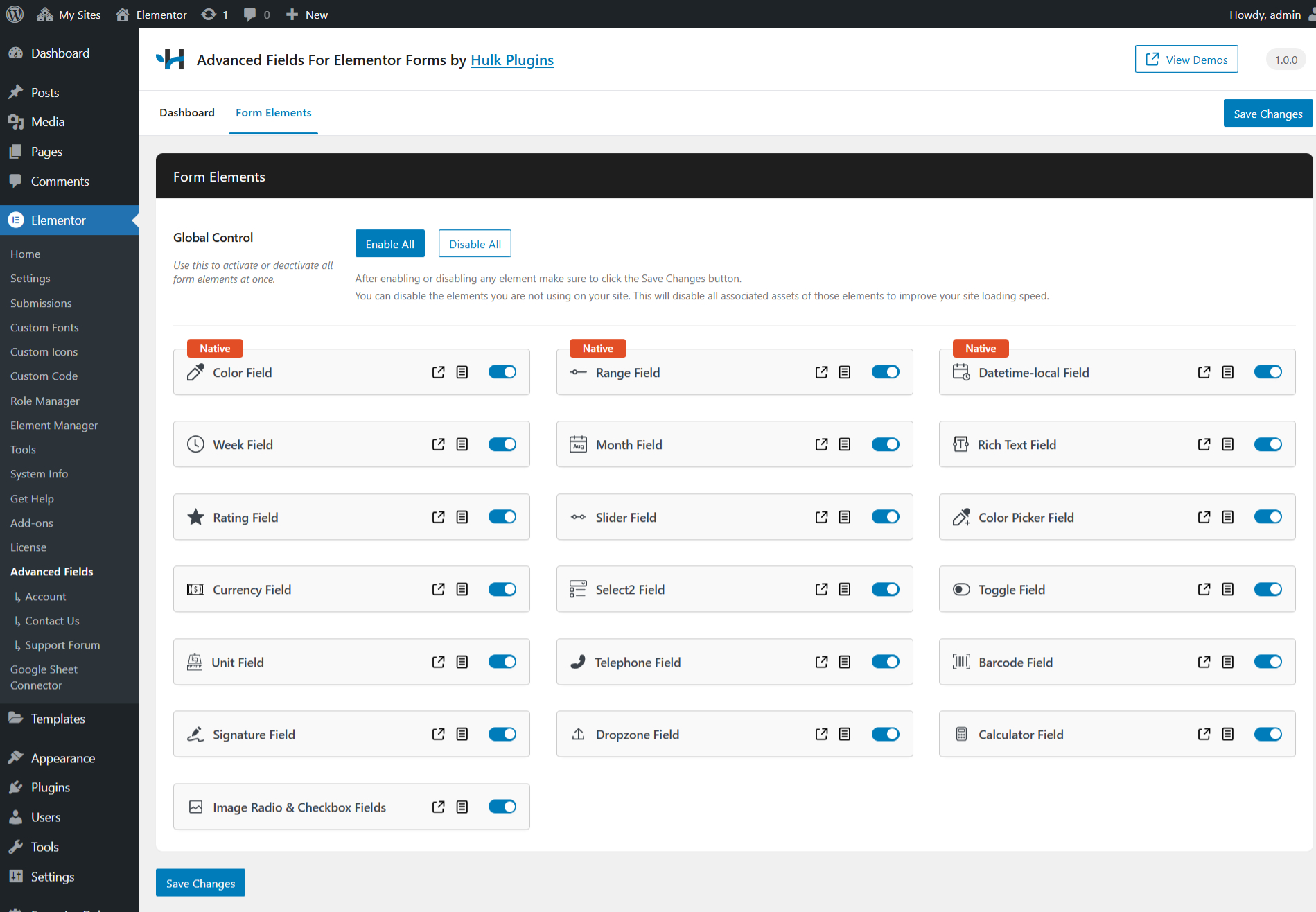
Product settings page.
Changelog
1.0.2
- Bug fixes
- Dropzone field improved
1.0.1
- Barcode field back camera added
1.0.0
- Initial release