

Advanced Image Gallery for Elementor – Grid, Carousel & Slideshow
Create stunning, responsive image galleries and media carousels for Elementor with advanced customization and video support.
Plugin info
Maintenance & Compatibility
Maintenance score
Maintained • Last updated 156 days ago
Is Advanced Image Gallery for Elementor – Grid, Carousel & Slideshow abandoned?
Likely maintained (last update 156 days ago).
Compatibility
Languages
Similar & Alternatives
Explore plugins with similar tags, and compare key metrics like downloads, ratings, updates, support, and WP/PHP compatibility.
Description
Transform your Elementor website with the most powerful and flexible image gallery plugin available!
Advanced Image Gallery for Elementor is a premium-quality, free plugin that lets you create breathtaking media displays with zero coding required. Whether you need a simple image grid, an interactive carousel, or a professional slideshow, this plugin delivers exceptional results that will make your content stand out.
🎨 Why Choose Advanced Image Gallery?
- 6 Powerful Layouts – Grid, Carousel, Slideshow, Masonry, Justified & Metro modes for every use case
- Video Support – Seamlessly integrate YouTube and Vimeo videos with custom play buttons
- Mobile-First Design – Perfectly responsive across all devices and screen sizes
- Lightning Fast – Optimized code with conditional loading for maximum performance
- Elementor Native – Built specifically for Elementor with full integration
- Zero Learning Curve – Drag, drop, and customize with intuitive controls
🚀 Key Features:
Layout Options:
- Grid Gallery – Clean, organized image grids with customizable columns (1-6)
- Carousel Slider – Smooth, touch-enabled carousels with navigation controls
- Slideshow Mode – Professional slideshows with thumbnail navigation
- Masonry – Dynamic, Pinterest-style layouts where images adjust seamlessly to fit the space
- Justified – Perfectly aligned rows of images for a balanced, professional gallery look
- Metro – Eye-catching, magazine-style layouts with varying image sizes for a modern appearance
Customization & Control:
- Responsive Breakpoints – Different settings for desktop, tablet, and mobile
- Custom Navigation – Arrows, dots, fraction, and progress bar pagination
- Autoplay Controls – Configurable speed, pause on hover, and interaction settings
- Overlay Effects – Text and icon overlays with 6 animation types
- Lightbox Integration – Full-screen viewing with Elementor’s native lightbox
Performance & SEO:
- Conditional Loading – Only loads assets when needed (50% faster page loads)
- Lazy Loading Ready – Optimized for performance and SEO
- Clean Code – Follows WordPress and Elementor best practices
- Accessibility – ARIA labels and keyboard navigation support
Video & Media:
- YouTube & Vimeo – Direct integration with custom play buttons
- Custom URLs – Link images to any destination
- File Links – Direct links to media files
- Lightbox Videos – Full-screen video playback
🎯 Perfect For:
- Photography portfolios
- Product showcases
- Team member galleries
- Event photo galleries
- Video collections
- Blog post galleries
- Landing page hero sections
- E-commerce product galleries
💡 Pro Tips:
- Use the Grid layout for portfolios and product galleries
- Carousel mode works great for testimonials and featured content
- Slideshow is perfect for hero sections and presentations
- Enable lightbox for better user engagement
- Use video integration for dynamic content
Requirements
- WordPress 6.0 or higher (tested up to 6.8)
- Elementor (Free or Pro)
- PHP 7.4 or higher (compatible with PHP 8.4)
Donate
Love this plugin? Help us continue development and add more amazing features!
Your support helps us:
- 🚀 Add new features and layouts
- 🐛 Fix bugs and improve stability
- 📱 Enhance mobile experience
- 🎨 Create more customization options
- 📚 Write better documentation
Buy Me A Coffee – ☕ https://www.buymeacoffee.com/zluck.
License
This plugin is licensed under the GPLv3 or later. For more information, see https://www.gnu.org/licenses/gpl-3.0.html.
Installation
- Download & Upload – Download the plugin and upload the
advanced-image-galleryfolder to/wp-content/plugins/ - Activate – Go to Plugins Installed Plugins and activate “Advanced Image Gallery for Elementor”
- Add to Page – In Elementor, drag the “Advanced Image Gallery” widget to your page
- Customize – Choose your layout, add images/videos, and customize settings
- Publish – Save and view your stunning gallery!
Quick Start:
1. Add the widget to your page
2. Select Grid, Carousel, or Slideshow layout
3. Upload your images or add video URLs
4. Customize spacing, navigation, and effects
5. Publish and enjoy!
Frequently Asked Questions
Simply drag the “Advanced Image Gallery” widget from Elementor’s widget panel onto your page. Choose your preferred layout (Grid, Carousel, or Slideshow), add your images or videos, and customize the settings to match your design.
Yes! The plugin supports both YouTube and Vimeo videos. Just paste the video URL in the video field, and the plugin will automatically detect and embed it with a custom play button overlay.
Absolutely! All galleries are fully responsive and look perfect on desktop, tablet, and mobile devices. You can even set different column counts for different screen sizes.
No! The plugin works with both Elementor Free and Elementor Pro. However, some advanced features like custom CSS may require Elementor Pro.
Yes! The plugin offers extensive customization options including colors, spacing, navigation styles, overlay effects, and more. Everything can be styled to match your brand.
No! The plugin is optimized for performance with conditional loading. Swiper.js and other assets only load when needed, keeping your site fast and lightweight.
Yes! The plugin is perfect for product galleries, portfolio showcases, and any visual content display. It works great with WooCommerce and other e-commerce solutions.
No! You can add as many images as you want. The plugin is designed to handle large galleries efficiently.
Yes! You can link images to custom URLs, media files, or use the lightbox feature for full-screen viewing.
Currently, the plugin is designed specifically for Elementor. However, it may work with other page builders that support Elementor widgets.
Review feed
Screenshots
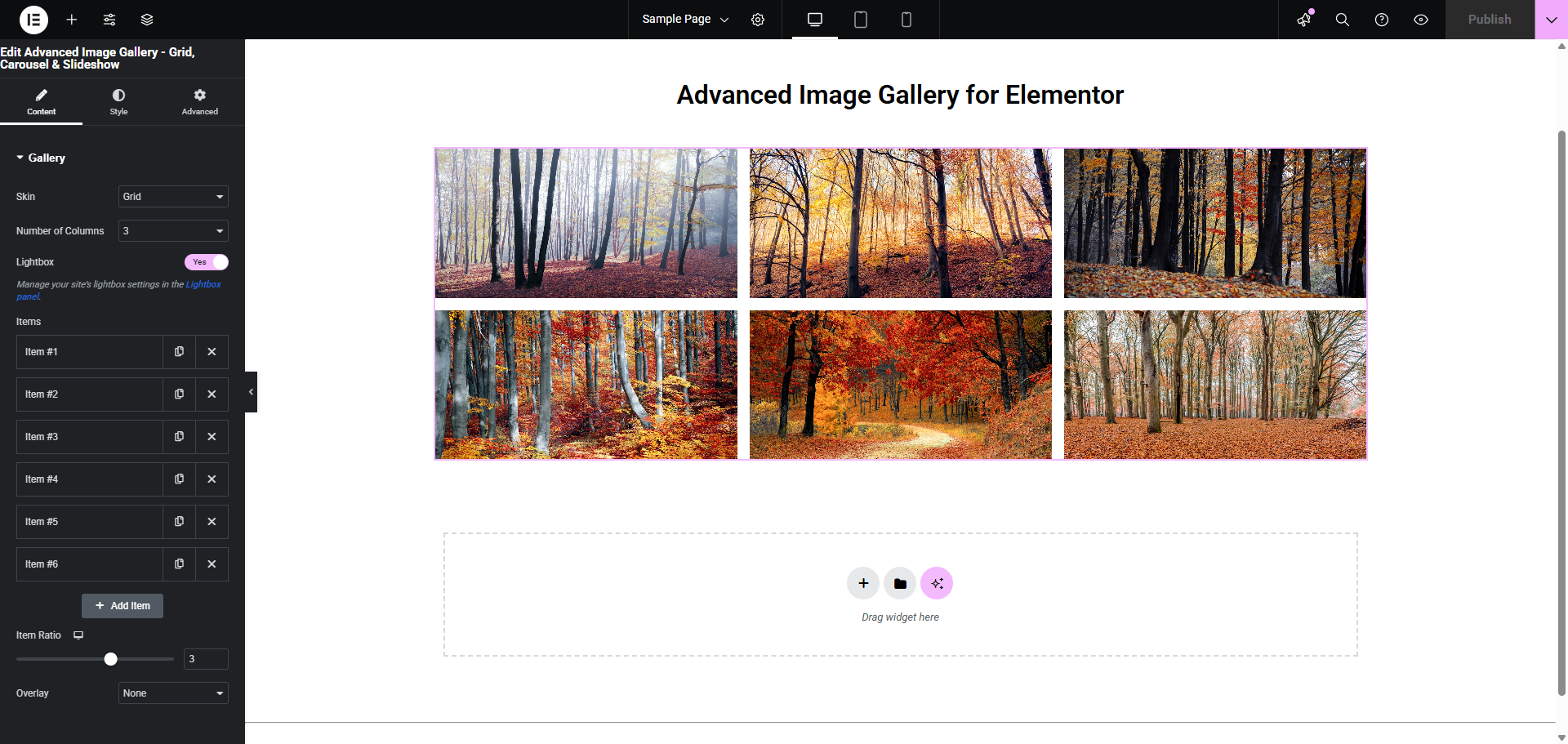
Grid Layout - Clean, organized image grid with customizable columns and spacing
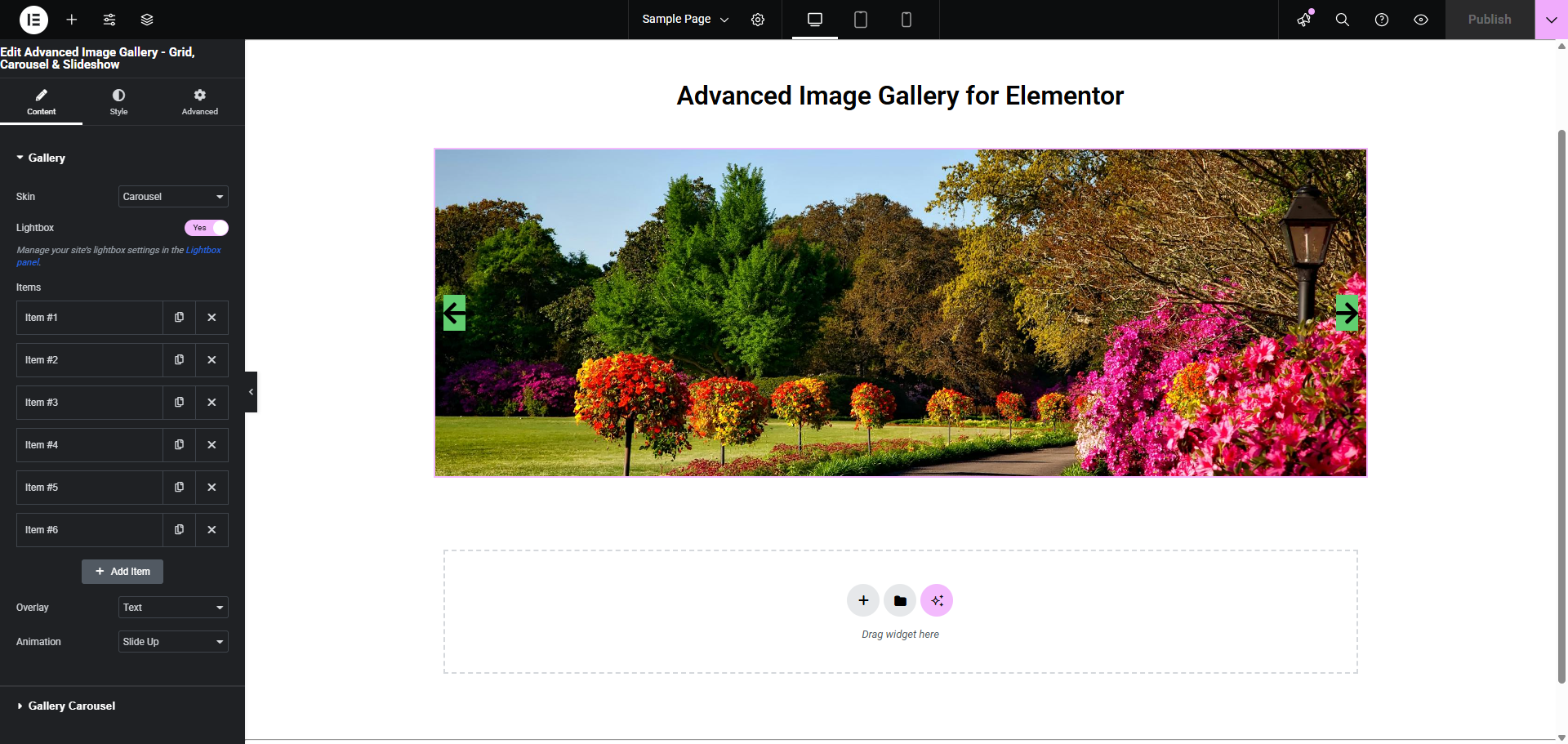
Carousel Mode - Smooth, touch-enabled carousel with navigation controls and autoplay
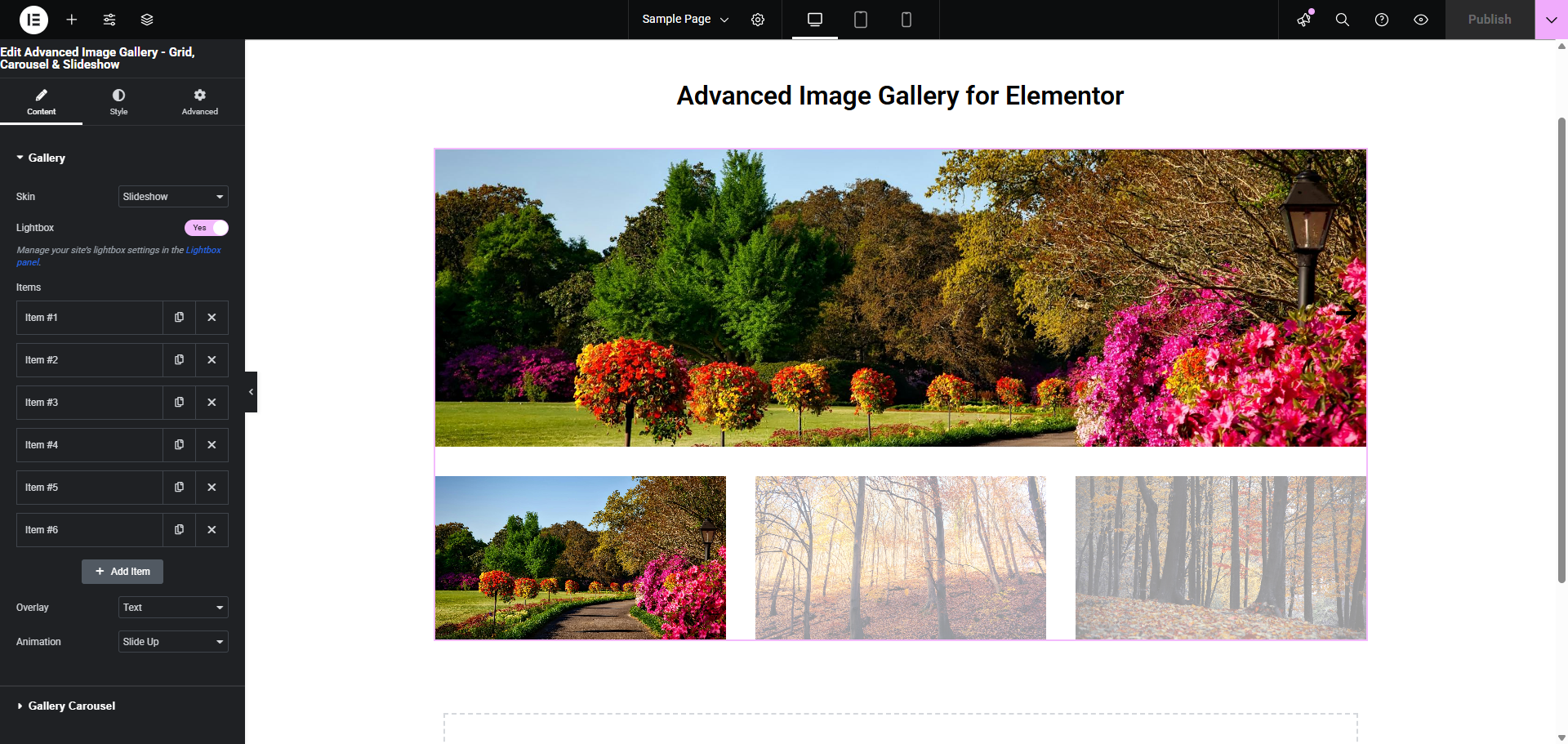
Slideshow View - Professional slideshow with thumbnail navigation and full-screen mode
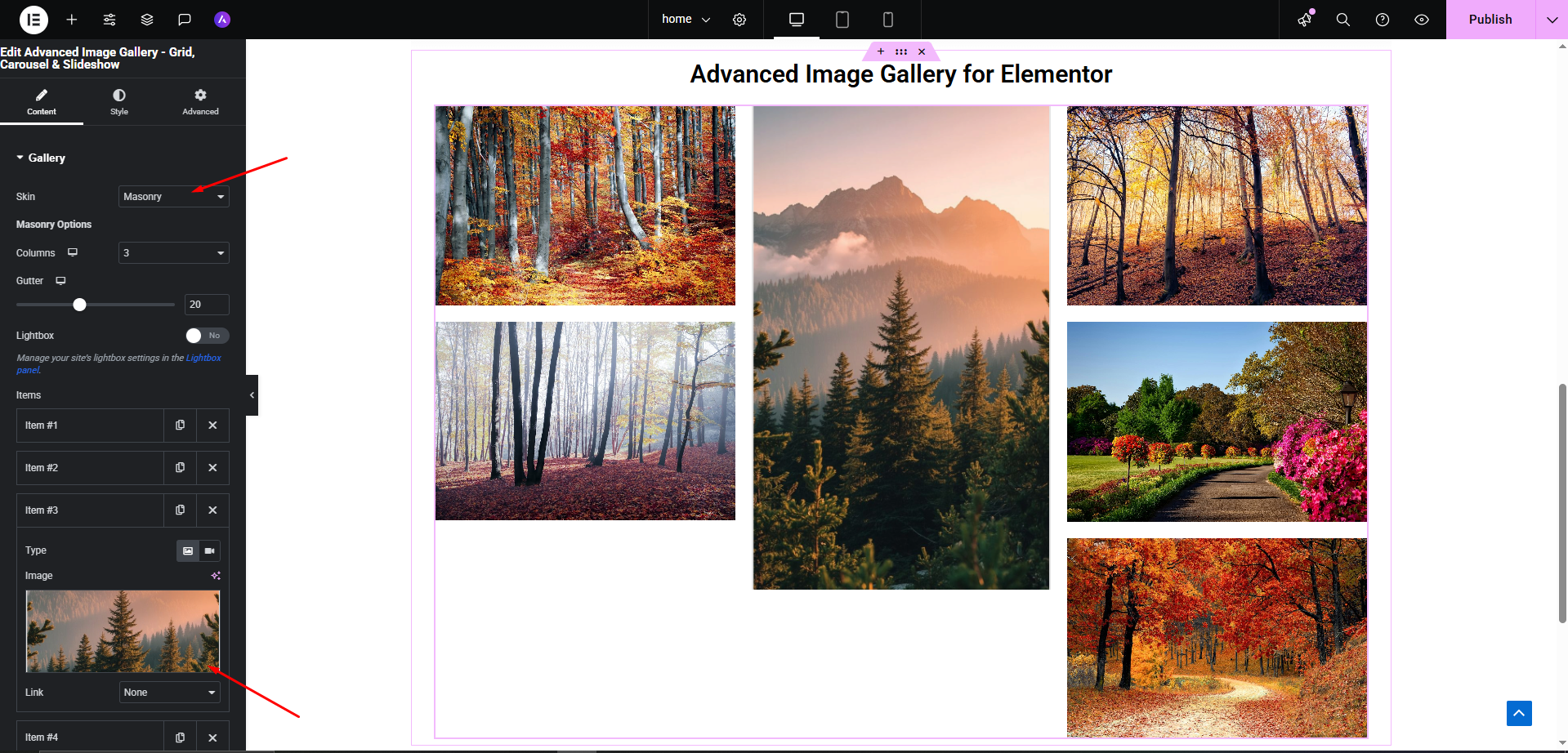
Masonry – Dynamic, Pinterest-style layouts where images adjust seamlessly to fit the space
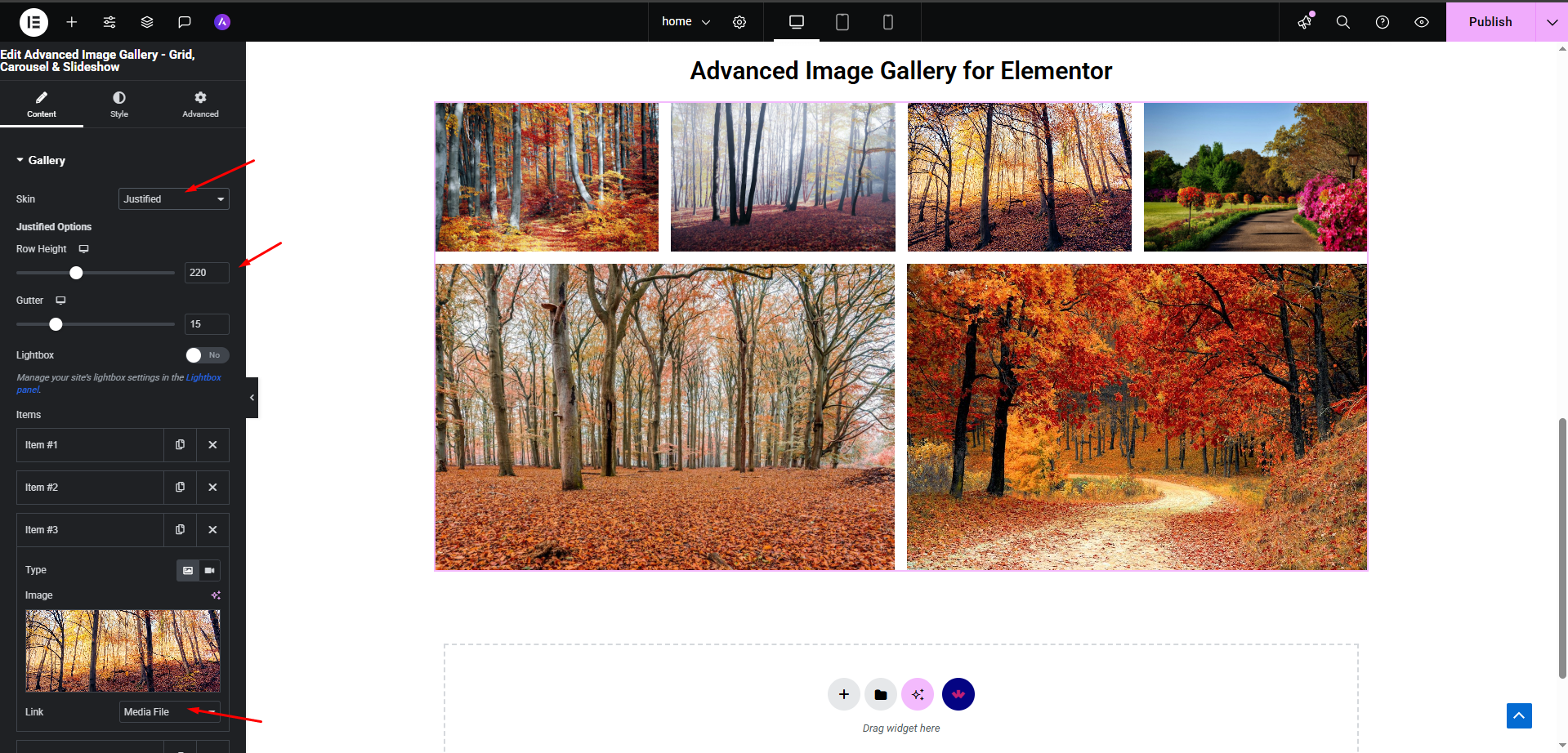
Justified – Perfectly aligned rows of images for a balanced, professional gallery look
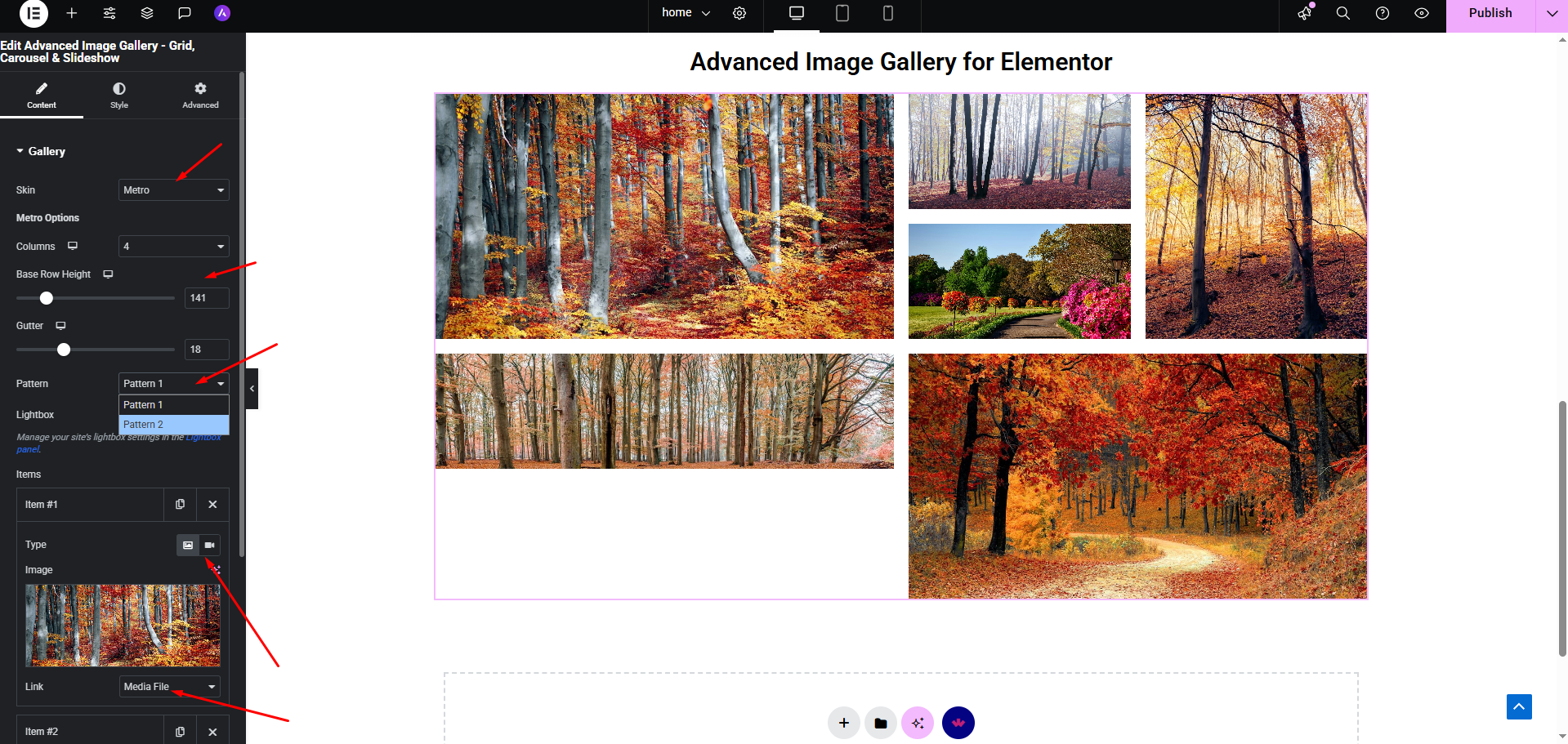
Metro – Eye-catching, magazine-style layouts with varying image sizes for a modern appearance
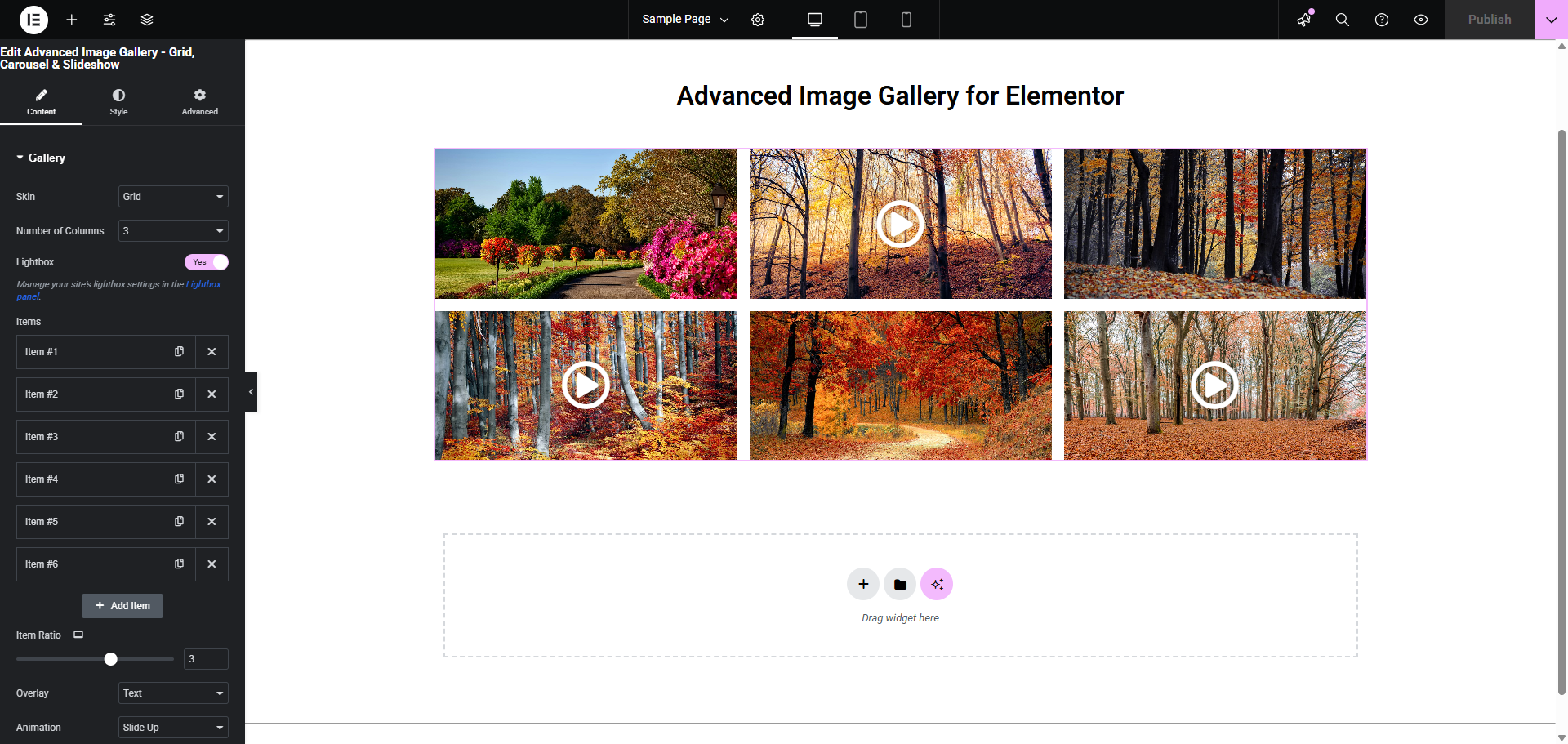
Video Integration - YouTube and Vimeo videos with custom play buttons and overlays
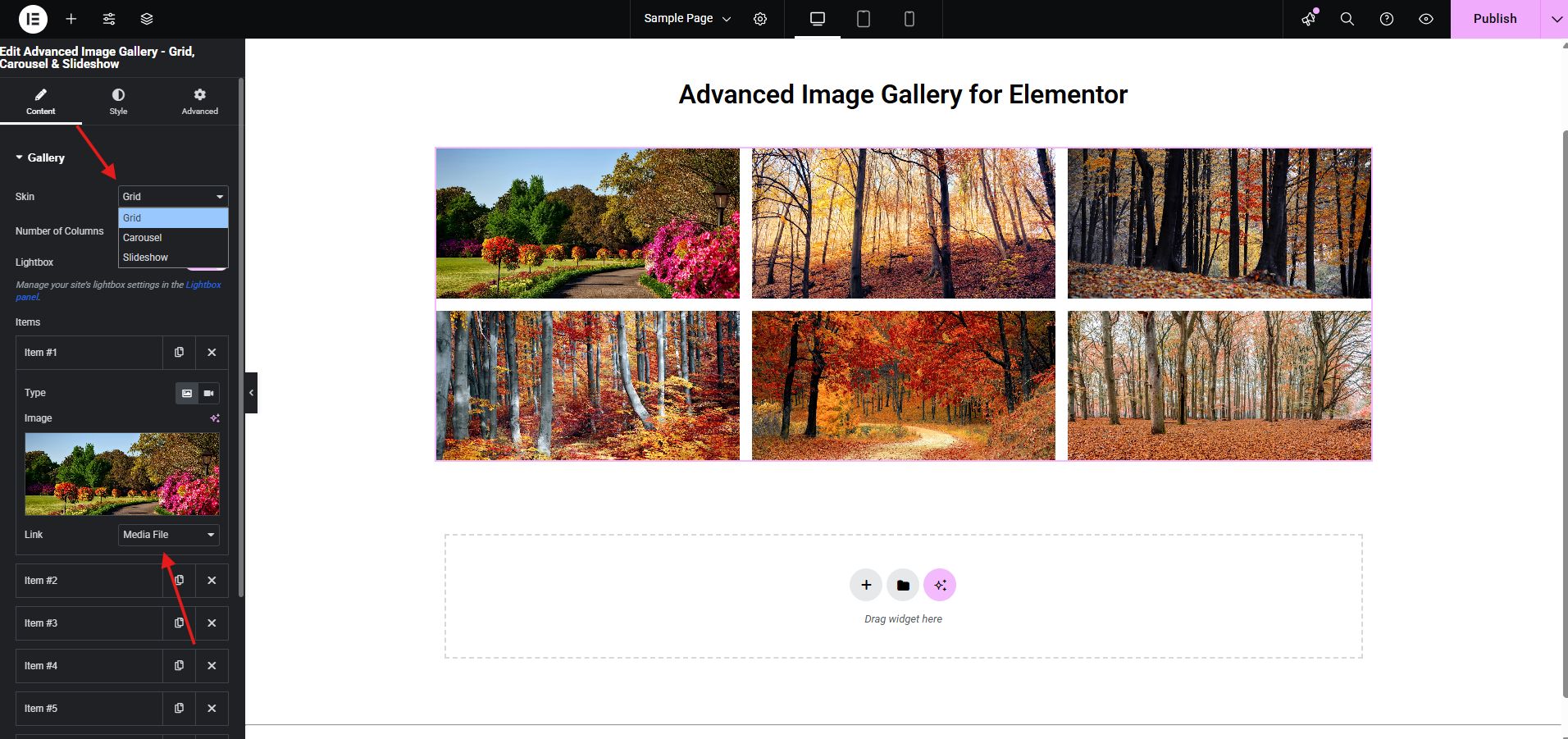
Customization Panel - Extensive settings for layout, navigation, and styling options
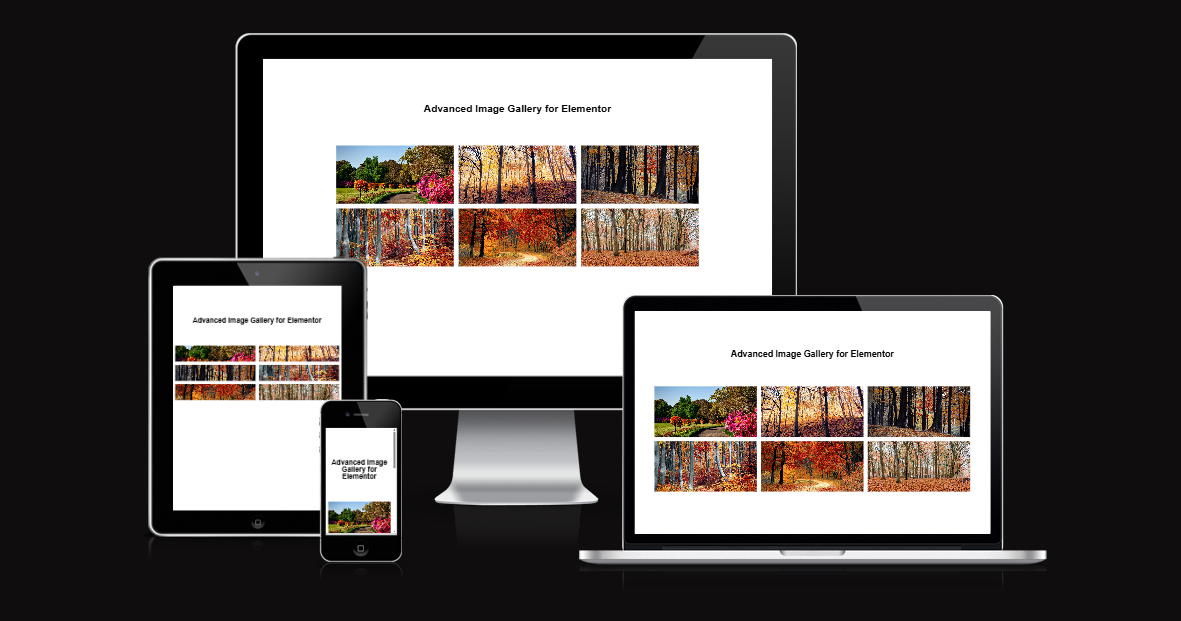
Responsive Design - Perfect display across desktop, tablet, and mobile devices
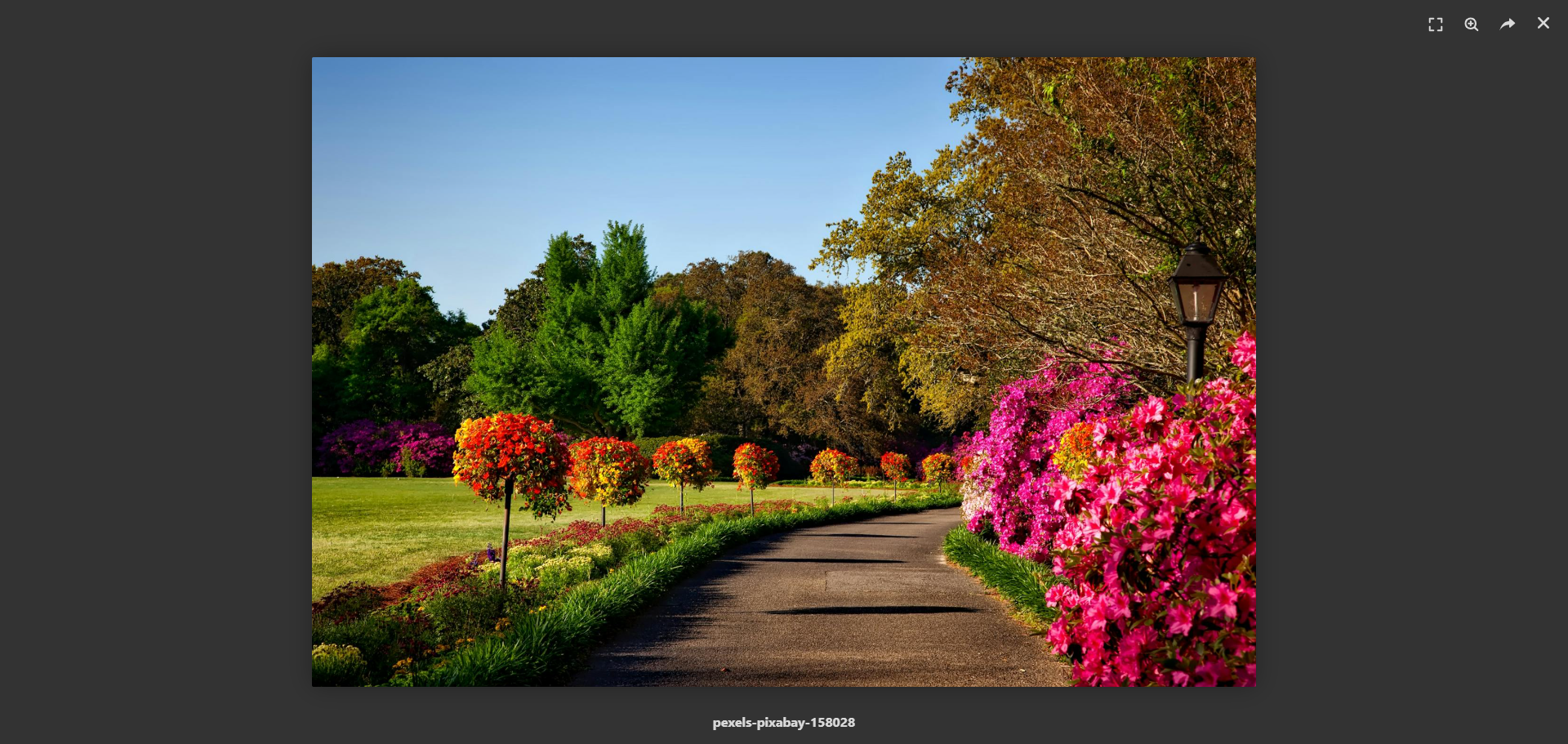
Lightbox Feature - Full-screen image viewing with smooth transitions
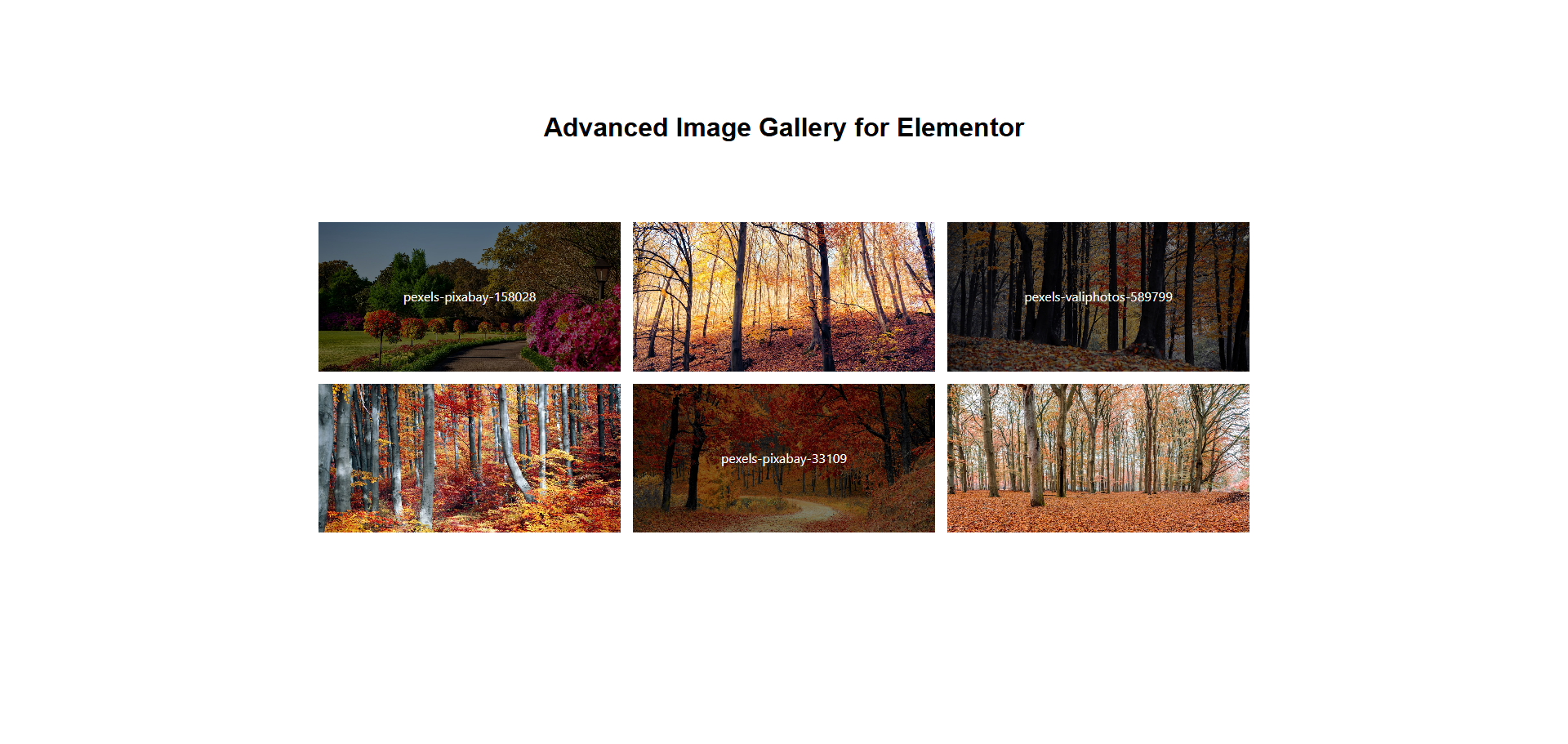
Overlay Effects - Text and icon overlays with multiple animation options
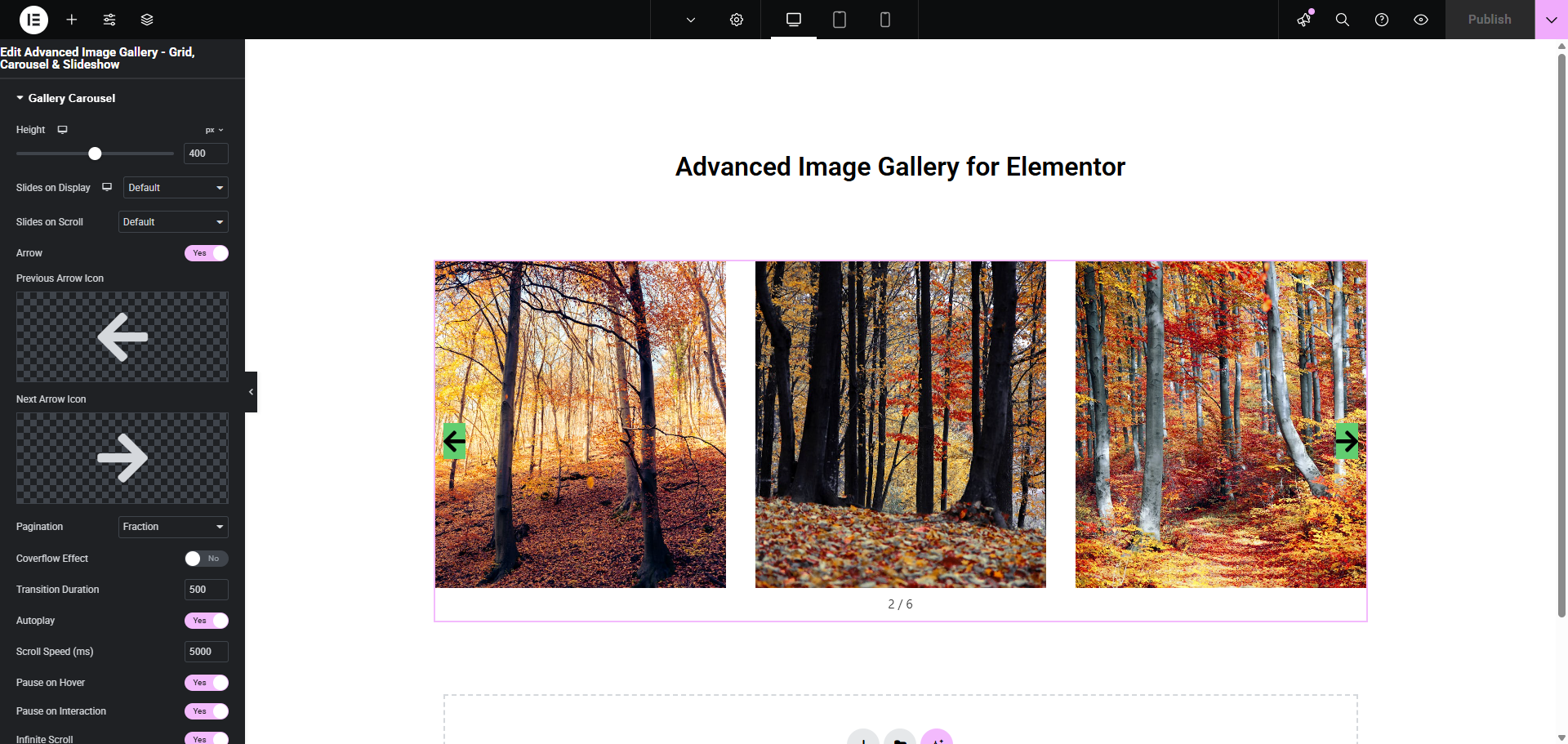
Navigation Options - Arrows, dots, fraction, and progress bar pagination styles
Changelog
1.3
- New Gallery Types – Masonry, Justified & Metro
- Code improvements for security
1.2
- Major Performance Update – Significantly faster loading times and improved user experience
- Enhanced Accessibility – Better support for screen readers and keyboard navigation
- Code Improvements – More stable and maintainable codebase
1.1
- Added deactivation popup
- Other minor bug fixes
1.0
- Initial Release – Complete gallery functionality with all core features