

Advanced Twitter Widget
Widget that will enable visitors to give you/the site a virtual beer by clicking on the widget.
Plugin info
Maintenance & Compatibility
Maintenance score
Possibly abandoned • Last updated 6041 days ago
Is Advanced Twitter Widget abandoned?
Possibly abandoned (last update 6041 days ago).
Compatibility
Similar & Alternatives
Explore plugins with similar tags, and compare key metrics like downloads, ratings, updates, support, and WP/PHP compatibility.
Description
Plugin Description:
A widget that will enable visitors to add twitter account or return search results, with a custom number of maximum results per account/search. It’s easy to use , flexible and has multiple displays by two(so far) types of content. More will be added in future versions..
Update: 1.0.1 Small design issue
Update: 1.0.2 I’ve got 1 report of a error for a code that i replaced recently with a better one.
DONATE!
DONATE HERE – (any ammount using paypal or credit card)
Installation
Upload the Advanced Twitter Widget plugin to your blog(in the wp-content/plugins directory) (be sure to upload the “advanced-twitter-plugin” directory or it will not work.
Activate it in the plugins menu in your wp-admin control panel and voila! you’re done!
Frequently Asked Questions
How do i place the widget where i want it to be?
Go in the admin panel under Appearance -> Widgets and place the widget in your desired sidebar, in a specific place.
(drag and drop if on wp 2.8) or drag and save if < wp 2.8
Review feed
Screenshots
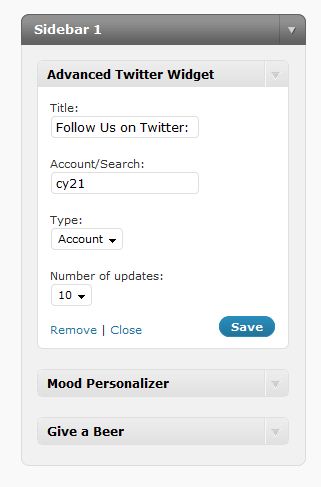
Example in Widget Admin
Changelog
1.0.3
Small Design fix – Widget compatible with all themes now=1.0.4=
Small fix of html entities and added all languages as default search for twitter
=1.1=
before widget text
– after widget text
– before title text
– after title text
– use image option
– use link option (converts text start with ‘http://’ and twitter macros (‘@’ and ‘#’) into clickable links)
+ The generated code is valid, so the SGML validator won’t alert for invalid HTML elements in JS code.
+ List item CSS classes (odd, even) intead of inline style
+ some bug fixes caused HTML validation errors
Curtesy of Gixx
=1.1.2=
fixed the reported regexp bug, and also made some code-beautification:
– RegExp fix to not include invalid characters into twitter macro links
– some more validation fixes
– a bit of code optimalization
– each part of the twitter now has its own SPAN tag, to make it easier for styling (remember: #twitter_div span{display:block;} may come in handy)
Warning: existing layout desing may break upon updating!
The new structure is the following (only when use the ?Search? option):
[div id=”twitter_div”]
[ul]
[li class=”odd”]
[span class=”icon”][img tag][/span]
[span class=”user”][a tag, link to twitter][/span]
[span class=”date”]date[/span]
[span class=”tweet”]tweet[/span]
[/li]
[li class=”even”]
[/li]
[/ul]
[/div]