

AUMP — Advanced Universal Modern Portfolio & Gallery
Create beautiful, responsive portfolios and galleries with images, video, audio, lightbox, filters, and full customization.
Plugin info
Maintenance & Compatibility
Maintenance score
Maintained • Last updated 137 days ago • 1 reviews
Is AUMP — Advanced Universal Modern Portfolio & Gallery abandoned?
Likely maintained (last update 137 days ago).
Compatibility
Similar & Alternatives
Explore plugins with similar tags, and compare key metrics like downloads, ratings, updates, support, and WP/PHP compatibility.
Description
AUMP — Advanced Universal Modern Portfolio & Gallery is a feature-rich, all-in-one portfolio and gallery plugin for WordPress. Whether you’re a photographer, freelancer, creative agency, developer, or business owner, AUMP makes it easy to showcase your work in a modern and engaging way.
Use a dedicated custom post type to create fully responsive portfolio galleries. Support for images, videos, audio, and text gives you complete creative control. Works with Elementor, WPBakery, Divi, and all major page builders.
✅ Mobile-first, SEO-friendly design
✅ Beautiful popups/lightbox with details and navigation
✅ Category filters, hover effects, and advanced layouts
✅ Blazing-fast performance with lazy loading and smart asset loading
✅ Fully translatable and RTL ready
View Live Demo | Get Customization Help
Features
🚀 Fast & SEO-Friendly
- Lazy load images for blazing fast page speeds
- Loads only essential assets on pages using the plugin
- Fully responsive and optimized for mobile (Google mobile-first indexing)
- Schema-ready markup for better SEO
🎨 Modern Layouts & Popup Viewer
- Flexible grid layouts
- Retina-ready popup/lightbox (PhotoSwipe or FancyBox)
- Captions, categories, and descriptions in popups
- Mobile gesture support: swipe, zoom, tap to close
📷 Rich Media Support
- Image gallery and portfolios
- Embed YouTube, Vimeo, TikTok, Facebook videos
- Add self-hosted MP4 or audio files directly
- Filter and sort items by category (AJAX)
🧩 Page Builder Compatibility
- Works with all major page builders: Elementor, WPBakery, Divi, etc.
- Gutenberg block + shortcode
[aump_portfolio]included - Compatible with popular SEO plugins (Yoast, Rank Math, All in One SEO)
- Compatible with caching and optimization plugins
🔧 Developer & User Friendly
- Clean, modular codebase following WordPress standards
- Template overrides for full control
- Easily customizable via settings panel or custom CSS
- Lightweight and scalable even with large portfolios
🌍 Multilingual & RTL Ready
- Fully translatable (supports WPML, Polylang, Loco Translate)
- Built-in support for right-to-left languages like Arabic and Hebrew
Use Cases
- Photographers & Videographers – Display your best shots or video reels
- Agencies & Designers – Present creative work and case studies
- Freelancers & Developers – Build a portfolio to attract clients
- Businesses & Startups – Showcase products, team, or services
- Bloggers & Content Creators – Create visual galleries inside posts
Upgrade
More layouts, animations, filters, and premium lightbox styles. Visit myexpertdev.com to stay updated.
Installation
- Upload the plugin files to the
/wp-content/plugins/advanced-universal-modern-portfoliodirectory, or install via the WordPress plugin screen. - Activate the plugin via ‘Plugins’ in your dashboard.
- Navigate to AUMP Portfolio in the admin menu.
- Add your portfolio items, configure settings, and use
[aump_portfolio]shortcode or block to display.
Frequently Asked Questions
Use the shortcode [aump_portfolio] or insert the Gutenberg block. It works on any page or post.
Ensure each portfolio item has a featured image set. Without it, the image won’t appear in the grid.
Yes. You can configure popup settings in the admin panel and override templates in your theme.
No. AUMP is optimized for speed with lazy loading, smart asset loading, and follows WordPress performance best practices.
Yes. It works with any WordPress theme and supports all major page builders.
Review feed
Feature-rich, fast, and highly customizable portfolio plugin!
Screenshots
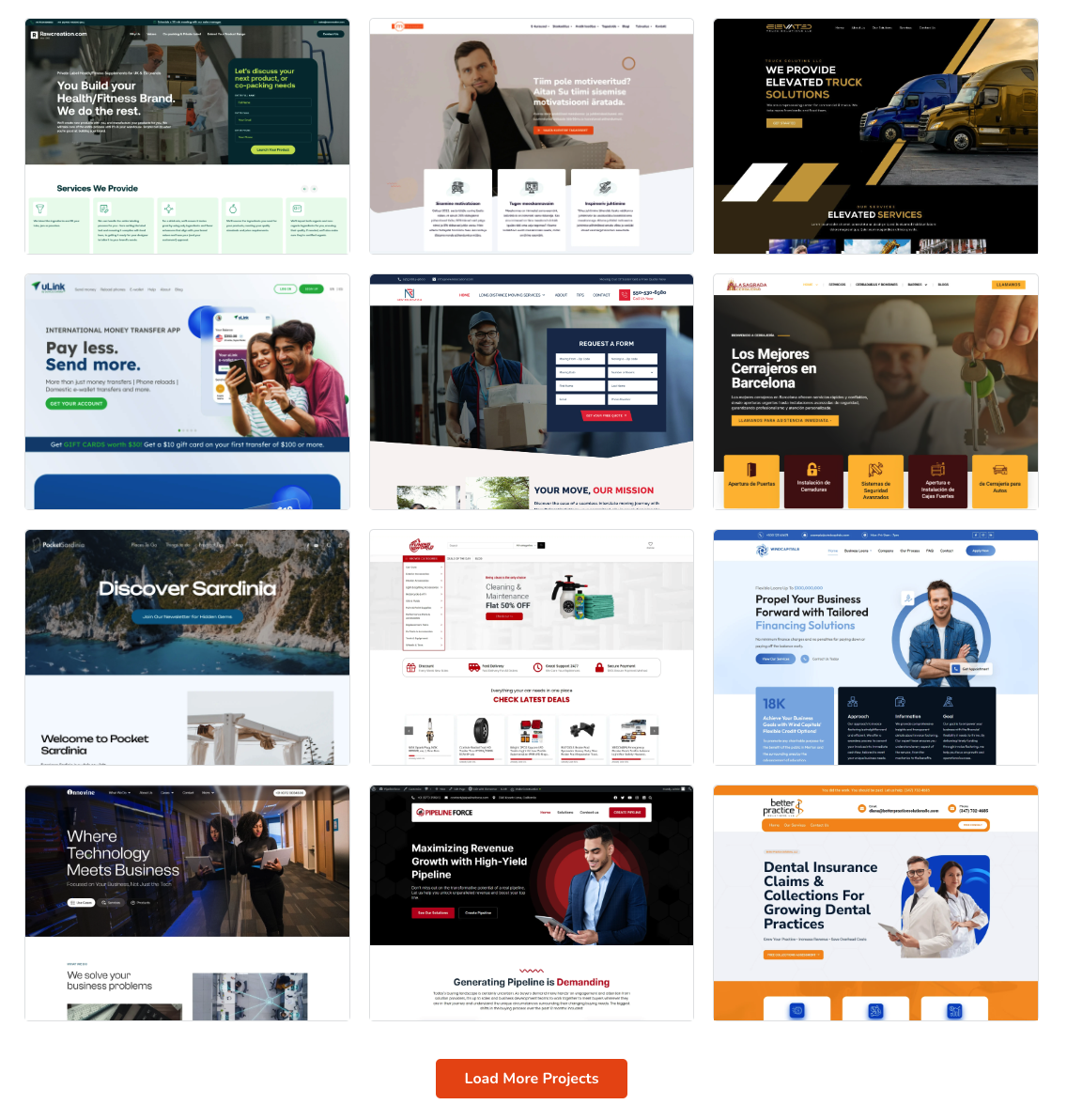
Portfolio grid view

Portfolio gallery view without title and Description

Popup view Â

Admin settings panel

Admin settings panel

Admin settings panel

Responsive mobile view

Ajax category filter

Popup view with description and details

Popup view