

Advanced User Role Manager
Advanced WordPress user role management with custom roles, temporary assignments, and OAuth2 integration.
Plugin info
Maintenance & Compatibility
Maintenance score
Maintained • Last updated 171 days ago
Is Advanced User Role Manager abandoned?
Likely maintained (last update 171 days ago).
Compatibility
Similar & Alternatives
Explore plugins with similar tags, and compare key metrics like downloads, ratings, updates, support, and WP/PHP compatibility.
Description
Advanced User Role Manager is a comprehensive solution for managing WordPress user roles and capabilities, crafted by experienced human developers. This plugin extends WordPress’s default role system with advanced features for better user access control, designed with real-world use cases in mind.
Key Features:
- Custom Role Management: Create, edit, clone, and delete custom user roles
- Temporary Role Assignments: Assign roles with automatic expiration
- Granular Capability Control: Manage specific permissions for each role
- OAuth2 Integration: Secure login with external providers
- Role-Based User Filtering: Filter and manage users by their roles
- Audit Logging: Track all role-related changes for security
- Multi-Role Support: Assign multiple roles to individual users
Use Cases:
- Membership sites requiring different access levels
- Multi-author blogs with varying permissions
- E-commerce sites with customer and staff roles
- Corporate websites with role-based access control
- Educational platforms with student and teacher roles
Compatibility:
- Works with WooCommerce and other e-commerce plugins
- Compatible with membership plugins
- Supports custom post types
- Built following WordPress coding standards
Installation
- Upload the plugin files to the
/wp-content/plugins/advanced-user-role-manager/directory, or install the plugin through the WordPress admin screen. - Activate the plugin through the ‘Plugins’ screen in WordPress.
- Use the Advanced User Role Manager menu to configure the plugin.
Frequently Asked Questions
Yes, the plugin supports assigning multiple roles to individual users.
Yes, temporary roles can be assigned with automatic expiration dates.
Yes, it’s fully compatible with WooCommerce and supports WooCommerce-specific roles.
No, the OAuth2 setup is handled through the admin interface with step-by-step guidance.
It’s recommended to use only one role management plugin at a time to avoid conflicts.
Yes, all role and capability changes are logged with user and timestamp information.
Review feed
Screenshots

Role management dashboard
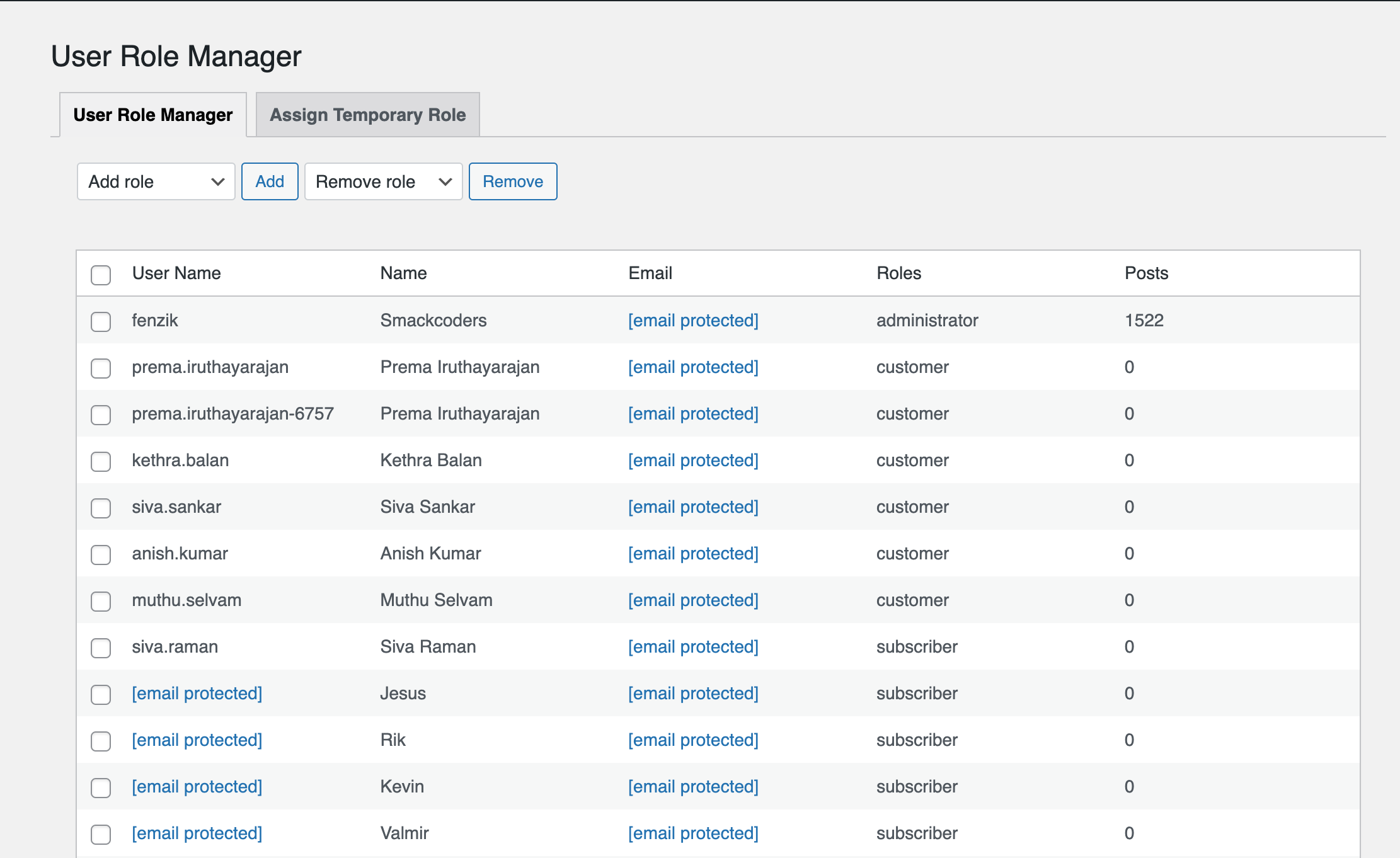
User filtering by role

OAuth2 configuration settings
Changelog
1.0
- Initial release
- Custom role creation and management
- Temporary role assignments with expiration
- OAuth2 login integration
- Comprehensive audit logging
- Role-based user filtering
- Multi-role support