

Affiliates WooCommerce Light
Grow your Business with your own Affiliate Network and let your partners earn commissions on referred sales. Integrates Affiliates and WooCommerce.
Plugin info
Maintenance & Compatibility
Maintenance score
Maintained • Last updated 150 days ago • 6 reviews
Is Affiliates WooCommerce Light abandoned?
Likely maintained (last update 150 days ago).
Compatibility
Similar & Alternatives
Explore plugins with similar tags, and compare key metrics like downloads, ratings, updates, support, and WP/PHP compatibility.
Description
Grow your Business with your own Affiliate Network and let your partners earn commissions on referred sales.
This plugin integrates Affiliates with WooCommerce.
With this integration plugin, referrals are created automatically for your affiliates when sales are made.
The plugin allows you to set a referral (commission) rate, so that your affiliates get credited with a referral, based on a percentage of each sale’s total net amount.
An advanced integration that synchronizes the referrals to their order status is available with Affiliates Pro and Affiliates Enterprise.
Affiliates is an outstanding affiliate and growth marketing platform, that helps to boost sales through your own affiliate program. Powering affiliate programs for shops since 2011, it is the ideal and proven affiliate solution especially for WooCommerce.
Requirements
- Affiliates
- WooCommerce
- Affiliates WooCommerce Light (this plugin)
Set up your shop with your own affiliate program and determine the commission rate for your affiliates. Start selling and grow your business today!
Documentation
You will find more information on setup and usage on these pages:
– The documentation pages for the Affiliates system.
– The documentation section related to Integrations.
Talk to us
Feedback is welcome!
If you need help, have problems, want to leave feedback or want to provide constructive criticism, you are welcome to post a comment on the plugin page.
Please try to solve problems there before you rate this plugin or say it doesn’t work. There goes a lot of work into providing you with free quality plugins! Please appreciate that and help with your feedback. Thanks!
Follow itthinx for updates on this and related tools.
Installation
- Install and activate the WooCommerce plugin. Configure your shop and create products.
- Install and activate the Affiliates plugin. Use the default settings or configure it to your needs.
- Install and activate the Affiliates WooCommerce Light plugin.
- A new WooCommerce Integration Light menu item will appear under the Affiliates menu in WordPress. Set the referral rate for your affiliates there.
Note that you can install the plugins from your WordPress installation directly: use the Add new option found in the Plugins menu.
You can also upload and extract them in your site’s /wp-content/plugins/ directory or use the Upload option.
Frequently Asked Questions
Please refer to these pages:
– The documentation section related to Integrations including this one.
– The documentation pages for the Affiliates system.
When a sale is made through WooCommerce, a referral is recorded for the affiliate that referred the sale.
Go to Affiliates > WooCommerce Integration Light and set the rate there.
Example: If you want to give an affiliate 10% of each net total sales amount, set the rate to 0.1.
Review feed
Screenshots

Referral rate setting - Here, a referral rate set at 0.25 credits affiliates with 25% commissions on sales.
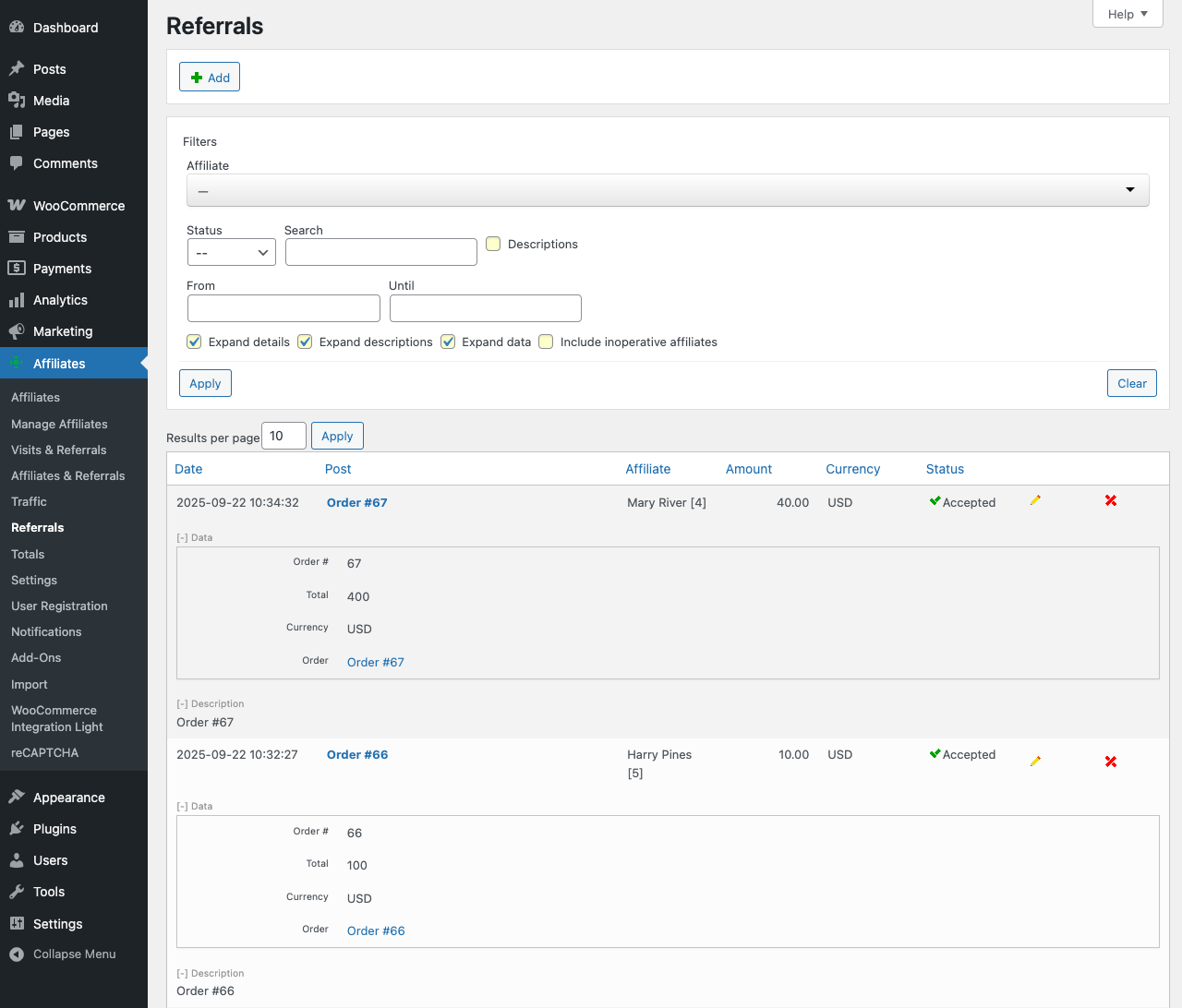
Referrals created automatically for sales - Each referral is linked to its order.
Changelog
For the complete history of changes see changelog.txt.