

Age Checkbox for-Woocommerce
This plugin adds a customisable age check to the checkout form. Customers have to tick a box in order to be able to place an order.
Plugin info
Maintenance & Compatibility
Maintenance score
Possibly abandoned • Last updated 1951 days ago • 1 reviews
Is Age Checkbox for-Woocommerce abandoned?
Possibly abandoned (last update 1951 days ago).
Compatibility
Similar & Alternatives
Explore plugins with similar tags, and compare key metrics like downloads, ratings, updates, support, and WP/PHP compatibility.
Description
This plugin adds an age check to the checkout form. Customers have to tick a box in order to be able to place an order.
You can customise the messages and enable/disable the function from the Woocommerce settings page.
Works like a charm with WordPresss 5.3 and the latest versions of Woocommerce.
Installation
- Upload the unpacked folder to the “/wp-content/plugins/” directory.
- Activate the plugin through the “Plugins” menu in WordPress.
- Go to the settings menu and activate the plugin.
Frequently Asked Questions
Where can I find the settings?
In the wp-admin bar go to Woocommerce > settings and you will find the settings just below coupon settings, in the general settings tab.
Review feed
Screenshots
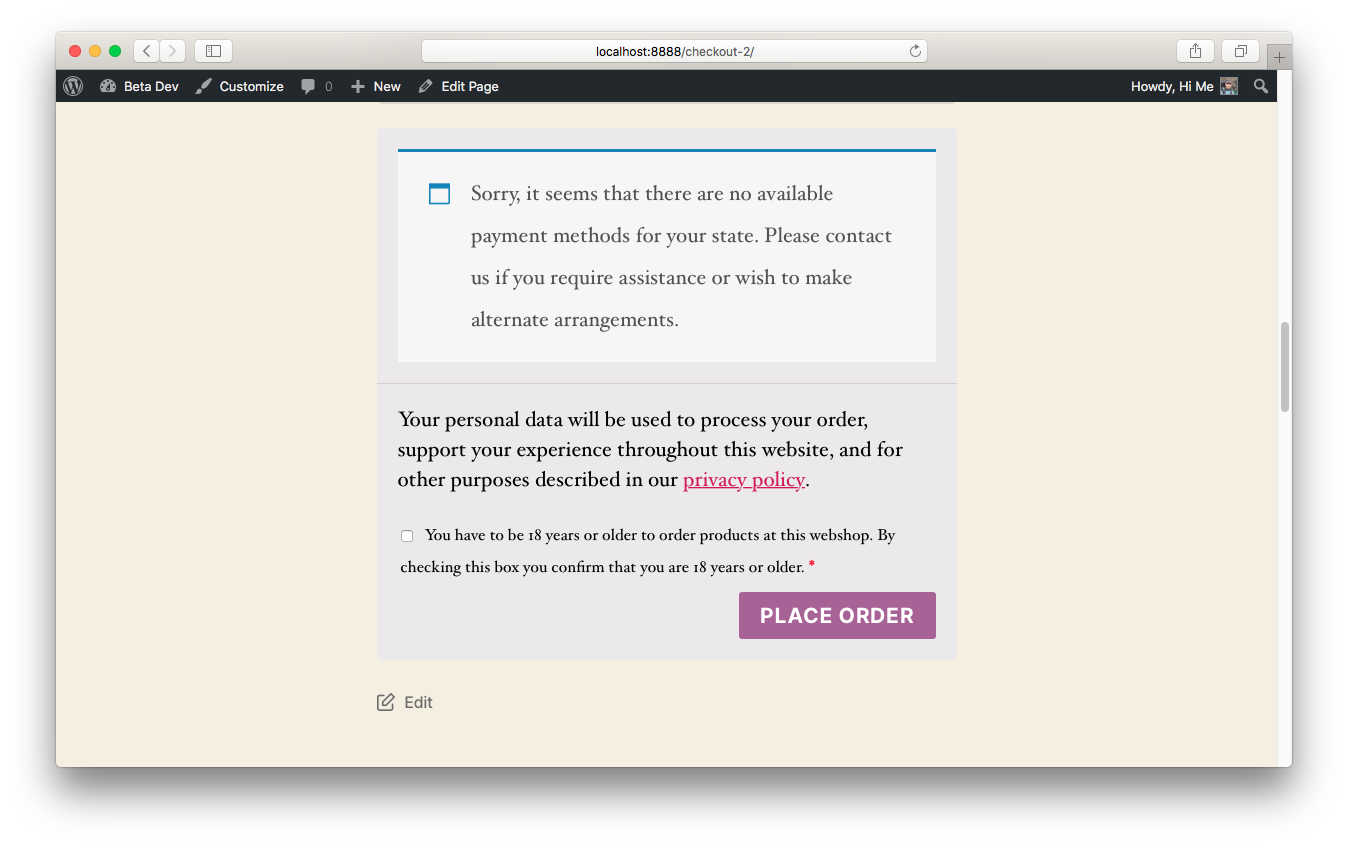
The plugin in action!

The settings page.

Oops! Tick the box!
Changelog
1.1
- Added functionality that you can also use the translations from the WP repo or a custom message. This will make the plugin more versatile for multilang-websites. Thanks @fasterboy for letting me know!
1.0
- New artwork <3
0.95
- WordPress 5.3 ready and tested
- Final version pulled from an existing website I’ve built and packaged it for the WordPress repo.