

Age Verification Screen for WooCommerce
Easily add a customizable age verification screen to your store.
Plugin info
Maintenance & Compatibility
Maintenance score
Possibly abandoned • Last updated 517 days ago • 1 reviews
Is Age Verification Screen for WooCommerce abandoned?
Possibly abandoned (last update 517 days ago).
Compatibility
Similar & Alternatives
Explore plugins with similar tags, and compare key metrics like downloads, ratings, updates, support, and WP/PHP compatibility.
Description
Age Verification Screen for WooCommerce lets you restrict your website or particular pages of it using the age-restriction screen. Easily install and configure pop-up look and texts via customizer tool.
Major plugin features
- Modal window or full-page pop-up to ask your users to verify their age when the page loads.
- Show the age restriction pop-up only on those pages where you need it. You can choose what pages, products, categories, or any other post types or taxonomies would be age-restricted.
- Select the minimum allowed age for your website.
- Multiple ways to check user age. You can choose between two methods of age verification – a simple checkbox or confirm\cancel buttons.
- Set up the look and feel of restriction pop-up via live customizer. Select background color or image, blur opacity, text color, etc.
- All texts are editable through the customizer. You are able to edit the heading, description, texts on buttons, etc.
- Redirect users on failure. Here you can find two default options – get the user to the previous page or any other page of your site (e.g., page w/ your age policy).
- Accepts your theme styling by default. No need to work hard on pop-up styling; it fits your website style perfectly right off the bat.
- Manage cookie lifetime. Age verification pop-up should not appear once more for those who previously passed the confirmation within XX days (established by you).
Additional features
- An additional method to check the age. One more way to prevent users’ age is the date of birth picker.
- Redirect to external URL. If the user doesn’t reach the minimum required age, you can redirect him to the external website instead of your internal page.
- Age-restriction for custom taxonomies and custom post types. In case you need to restrict particular custom taxonomies or post types instead of regular ones (like product categories, products, pages, etc).
- Assistance from plugin developers first hand.
Installation
- Unzip the downloaded zip file.
- Upload the plugin folder into the
wp-content/plugins/directory of your WordPress site. - Activate
Age Checker for WooCommercefrom Plugins page
Frequently Asked Questions
Nope. Age verification pop-up doesn’t interfere with crawlers to index your website.
Sure you can. Simply choose what type of content you wish to restrict, then go to this page/post/taxonomy/etc and tick the age-restriction checkbox in settings.
If the user already passed the age-check, we save cookie files in their browser, so if they come back again, they passed verification automatically.
Review feed
Screenshots
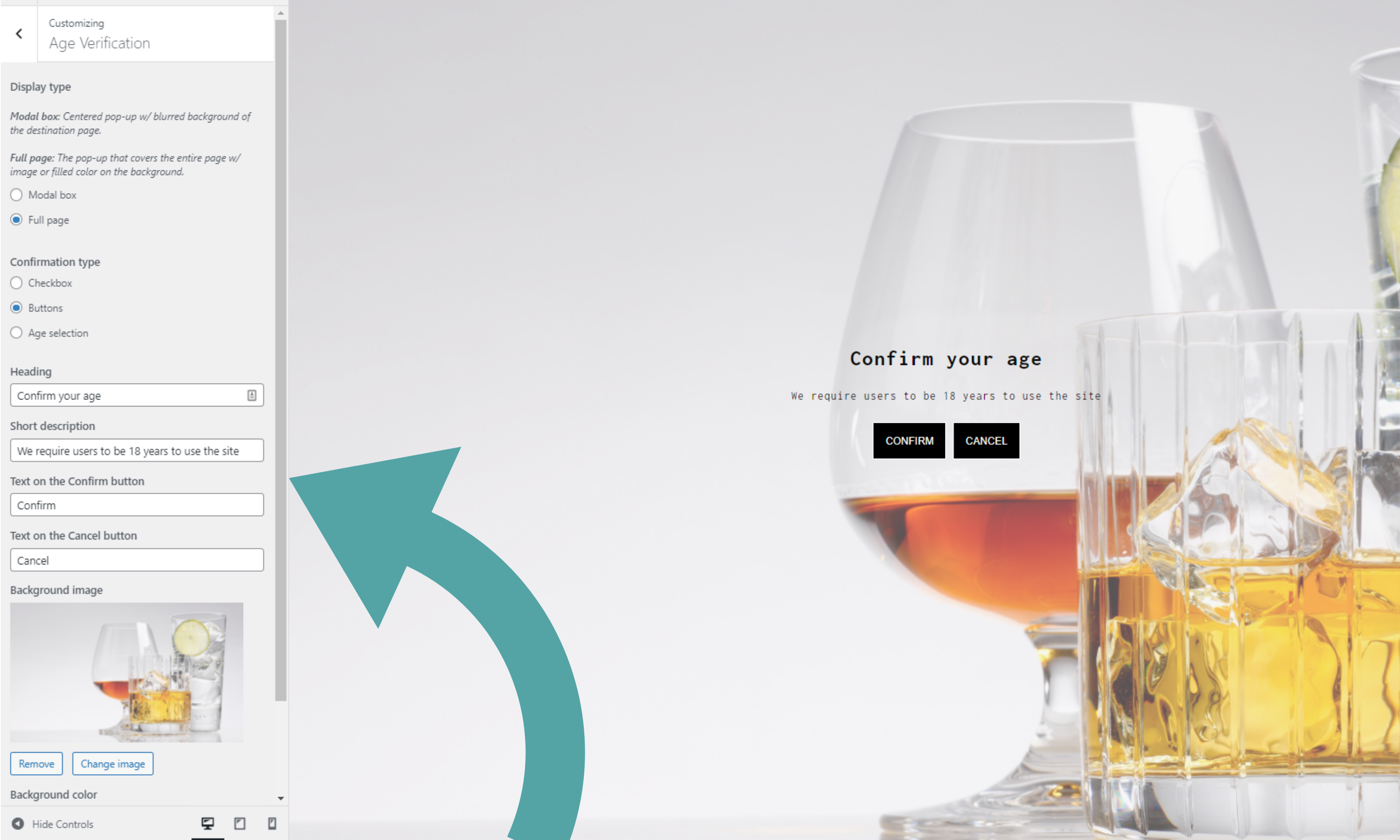
Full page restriction screen
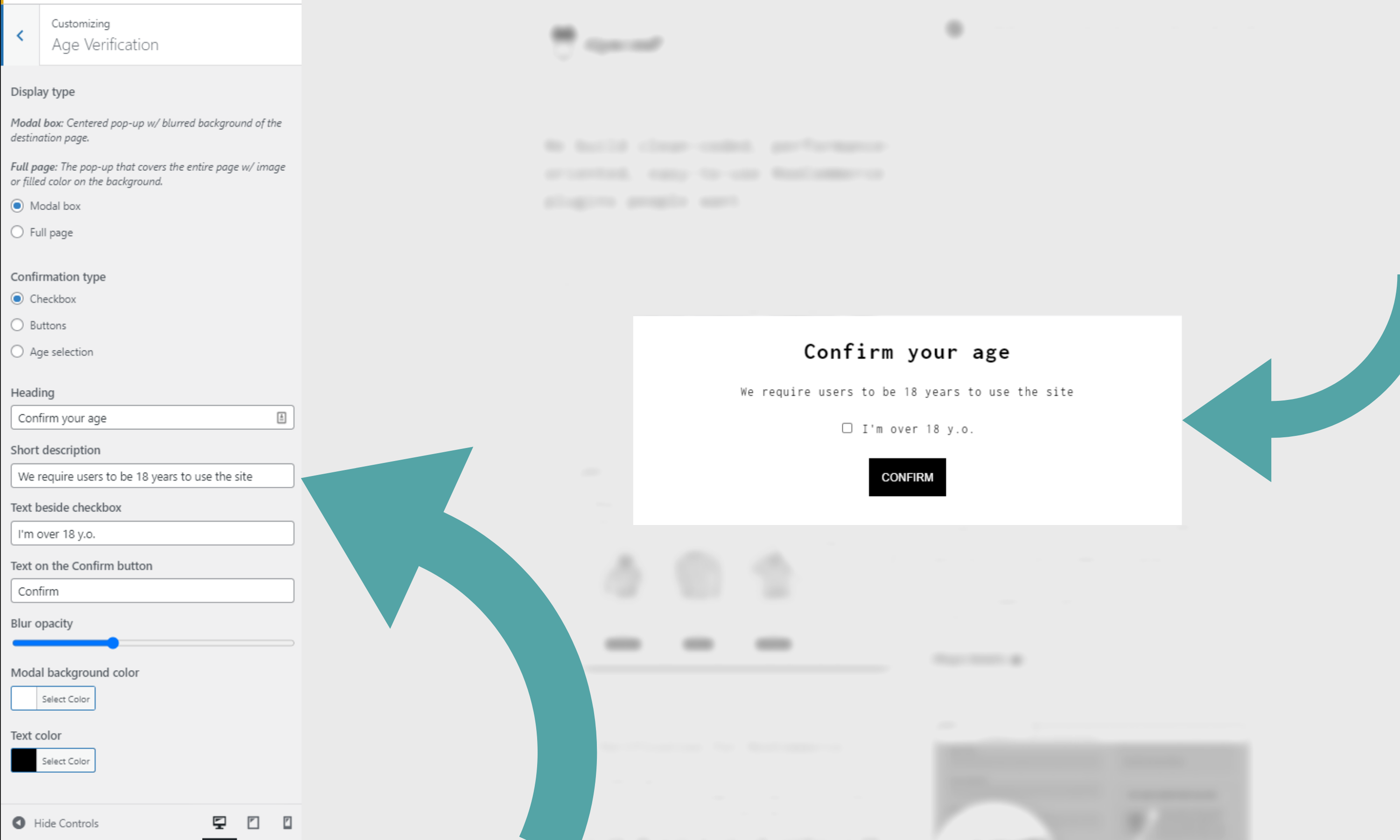
Modal Window - Checkbox
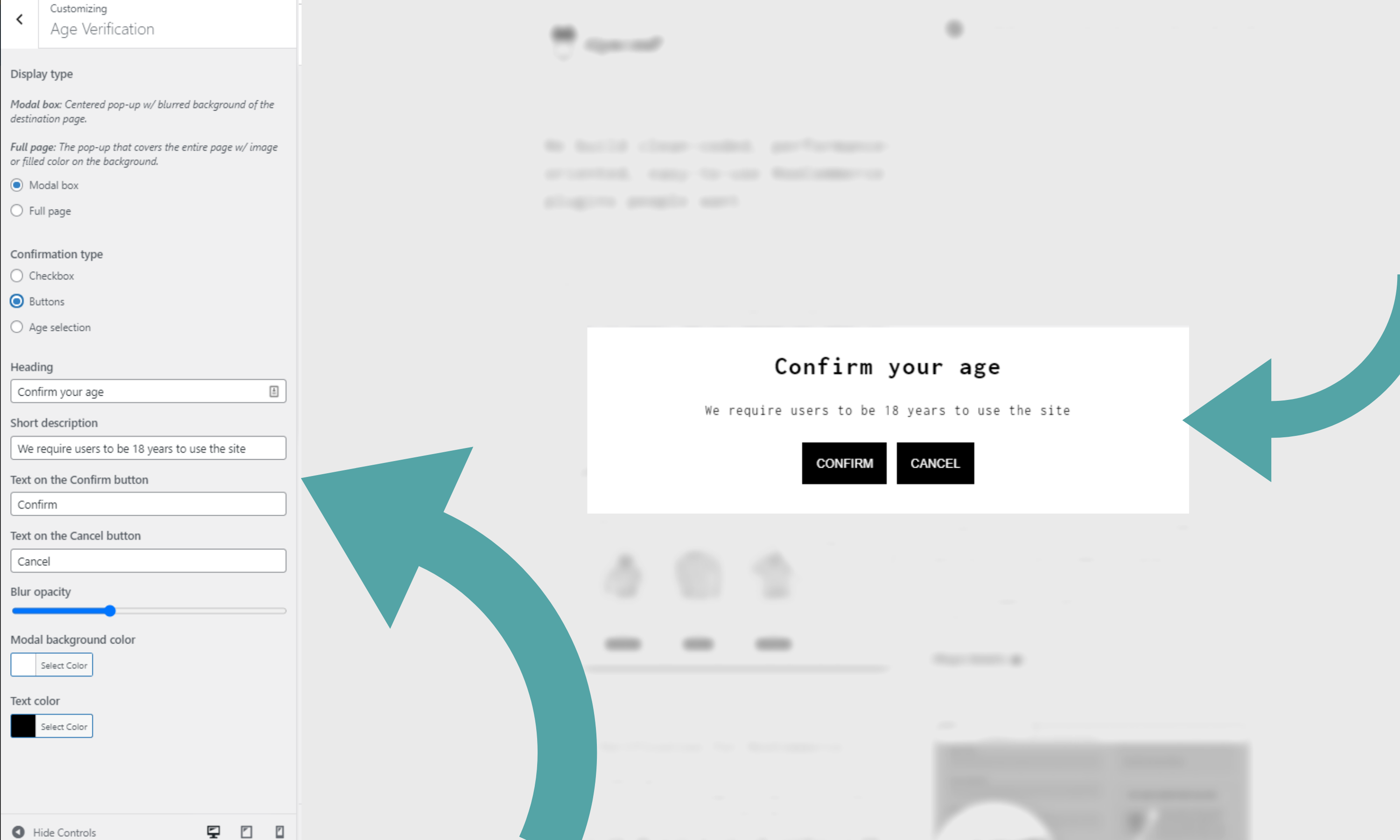
Modal Window - Confirm Buttons
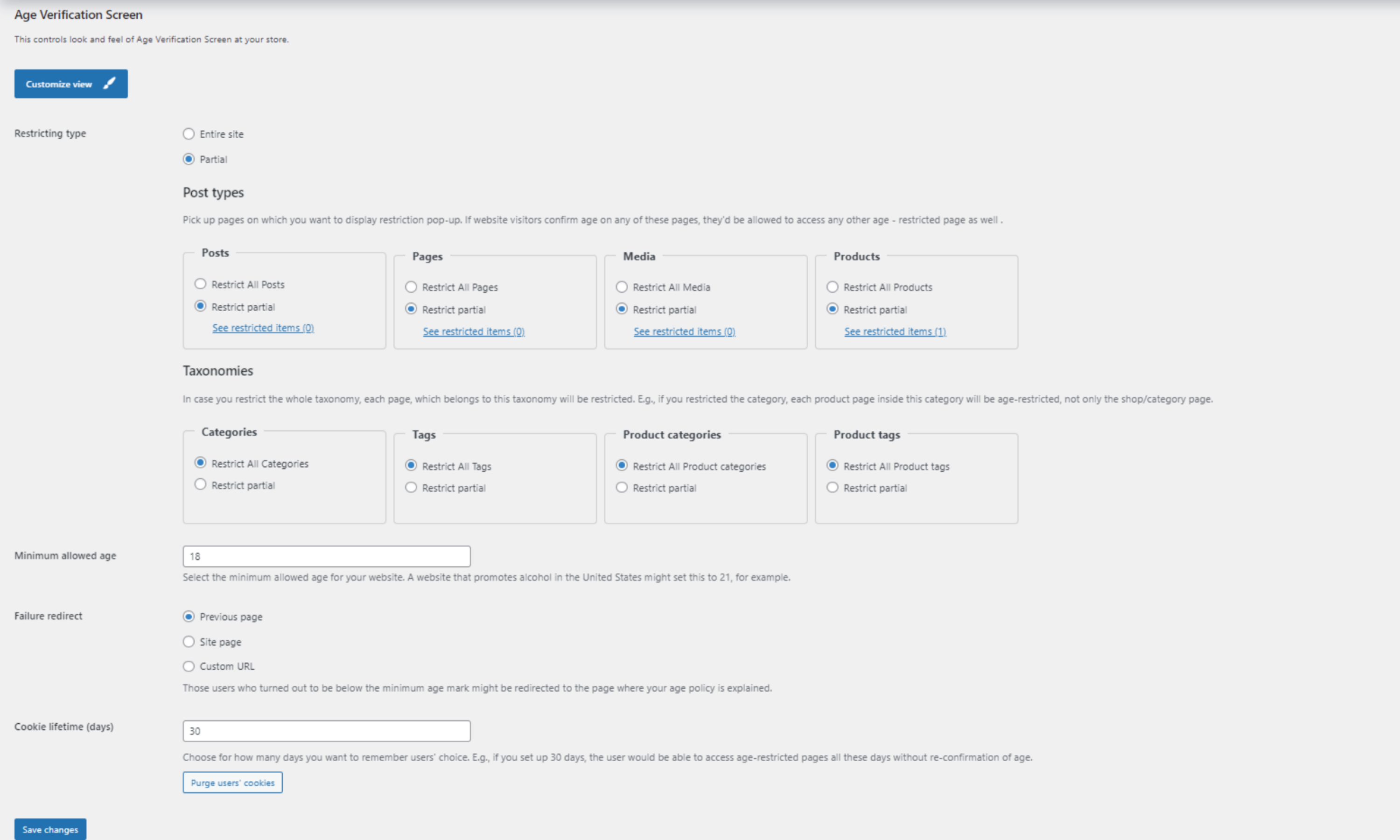
wp-admin Settings
Changelog
1.1.1
Release Date: November 1, 2024
* Update: Compatibility with WordPress 6.7
* Update: Freemius version 2.9.0
1.1.0
Release Date: May 11, 2024
* Security fixes
* Bug fixes & minor improvements
1.0.1
Release Date: Mar 29, 2022
* Security fix
* Bug fixes & minor improvements
1.0.0
Release Date: Mar 18, 2021
* Initial release