

AH Display Widgets
Simply hide widgets on specified pages. Adds checkboxes to each widget to either show or hide it on every site page.
Plugin info
Maintenance & Compatibility
Maintenance score
Possibly abandoned • Last updated 2712 days ago • 11 reviews
Is AH Display Widgets abandoned?
Possibly abandoned (last update 2712 days ago).
Compatibility
Languages
Similar & Alternatives
Explore plugins with similar tags, and compare key metrics like downloads, ratings, updates, support, and WP/PHP compatibility.
Description
Simply hide widgets on specified pages. Adds checkboxes to each widget to either show or hide it on every site page.
Change your sidebar content for different pages, categories, custom taxonomies, and WPML languages. Avoid creating multiple sidebars and duplicating widgets by adding check boxes to each widget in the admin which will either show or hide the widgets on every site page. Great for avoiding extra coding and keeping your sidebars clean.
By default, ‘Hide on checked pages’ is selected with no boxes checked, so all current widgets will continue to display on all pages.
If you’d like to contribute, you can find a development version on (GitHub).
Check out my other plugins, AH Code Highlighter – extreme simple to use Code Highlighting with 7 Highlighting-Themes, and AH Twitter Timeline Widget to show the new and shiny Twitter Timeline from your Twitter-Account.
Translations
- Arabic
- Danish
- German
- Spanish
- Finnish
- Italian
- Japanese
- Dutch
- Polish
- Romanian
- Russian
- Albanian
- Swedish
- Chinese
Installation
- Upload
ah-display-widgets.phpto the/wp-content/plugins/directory - Activate the plugin through the ‘Plugins’ menu in WordPress
- Go to the ‘Widgets’ menu and show the options panel for the widget you would like to hide.
- Select either ‘Show on Checked’ or ‘Hide on Checked’ from the drop-down and check the boxes.
Frequently Asked Questions
None at this time.
Review feed
It was very helpful. Thank you!
Screenshots
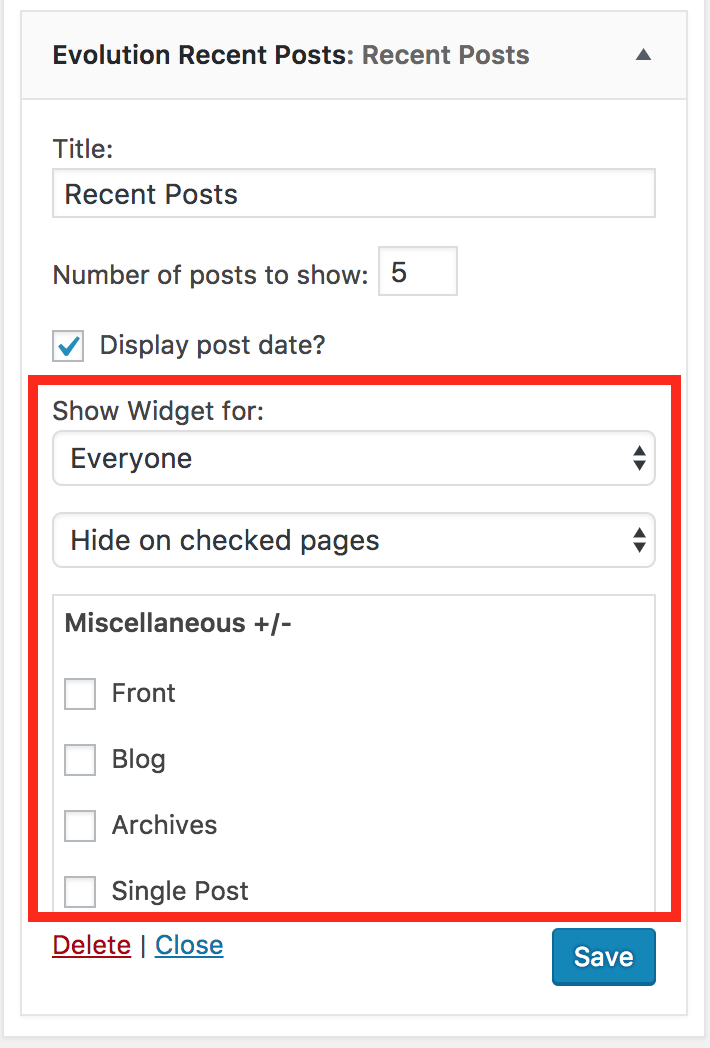
The extra widget options added.
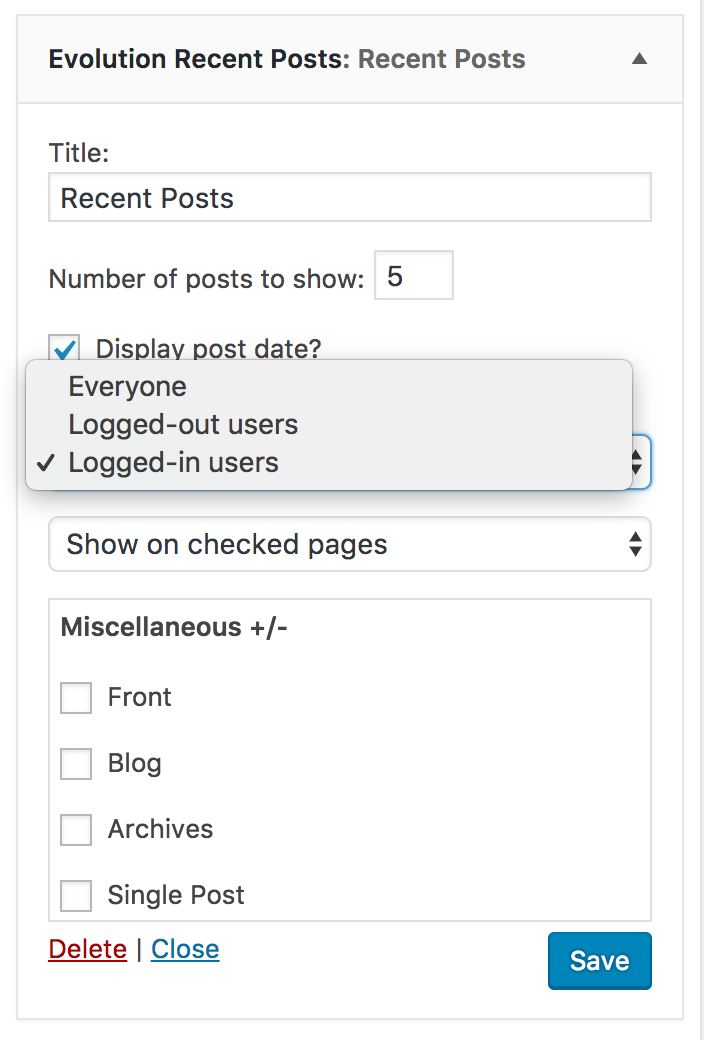
Show widget for user options.
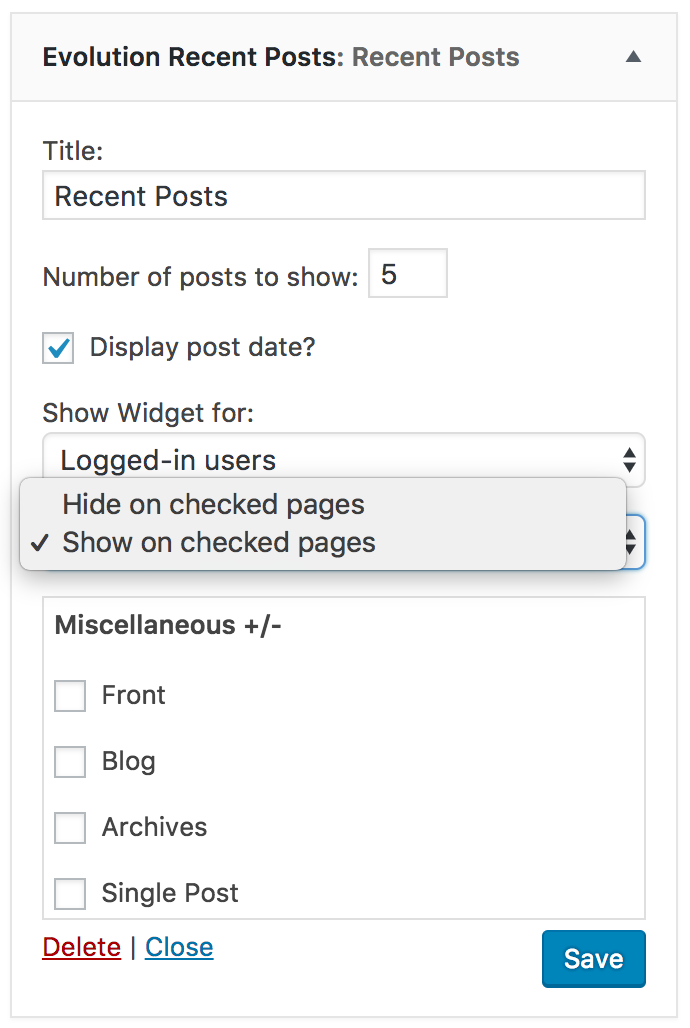
Show widget on pages options.
Changelog
1.0.2
- Fixing category bug
1.0.1
- Adding translations
1.0.0
- First release – stable version