

AI Alt-Text Generator – Generate alt text automatically to enhance SEO and accessibility.
Say goodbye to the tedious task of manually adding alt text and streamline your workflow with an intelligent, efficient solution for optimizing your W …
Plugin info
Maintenance & Compatibility
Maintenance score
Possibly abandoned • Last updated 386 days ago • 3 reviews
Is AI Alt-Text Generator – Generate alt text automatically to enhance SEO and accessibility. abandoned?
Possibly abandoned (last update 386 days ago).
Compatibility
Similar & Alternatives
Explore plugins with similar tags, and compare key metrics like downloads, ratings, updates, support, and WP/PHP compatibility.
Description
AI Alt Generator revolutionizes how you handle image alt texts on your WordPress site! 🚀 Leveraging advanced AI, this plugin automatically creates optimized, multi-language alt texts for your media assets in just seconds. Boost your site’s accessibility, improve SEO rankings, and stay compliant with accessibility standards—all while avoiding tedious manual edits.
Get the license: alt-generator.ai.
Key Features 🔑
– Seamless Multi-Language Support 🌐
Integrates with WPML and Polylang to generate alt texts in multiple languages.
– Custom Prompt Configuration 🖋️
Customize AI prompts to match your brand’s voice and specific needs.
– Approve or Deny Alt Texts ✅❌
Choose between manual or automatic workflows for AI-generated alt text approval.
– Intelligent Alt Text Utilization 🧠
Uses existing alt texts to keep things consistent and relevant across your media library.
– Dynamic Pricing Per Asset 💰
A flexible, pay-as-you-go model that charges only for images you process.
– Batch Processing with Controlled Delays ⏱️
Handles large libraries efficiently without overloading your server.
– Real-Time Progress Tracking 📊
Watch the status of alt text generation live, complete with progress bars.
Why Choose Us? ❤️
– Instant Optimization ⚡
Generate alt texts for thousands of images in mere seconds—save yourself weeks of manual work.
– Boost Accessibility & SEO 🎉
Improve your site’s accessibility for everyone and give your SEO a welcome lift.
– Smart Automation 🤖
Harness AI to ensure accurate, relevant alt texts and minimize human error.
– Flexible & Scalable 🌱
Perfect for any size site, from tiny blogs to major enterprises.
Privacy & Security 🔐
We prioritize your data security. We process your images locally, generate the necessary alt texts, and immediately delete all files, so your content remains private and secure at all times.
Third-Party / External Services
Service Name: alt-generator.ai
-
What the service is and what it is used for:
A cloud-based AI system that analyzes image information to create accurate alt text. This plugin uses alt-generator.ai for alt text generation, usage data, and customer portal access. -
What data is sent and when:
- Alt Text Generation: When generating alt texts, the plugin sends the image (or its URL), language, existing alt text, plus your Access Token to alt-generator.ai.
- Usage Requests: We send your Access Token to get usage details (e.g., processed image count).
- Customer Portal Access: Your Access Token may be used to retrieve and show account info in the portal.
No other personal data is transmitted unless you include it in the Custom Prompt. Images are processed only as long as needed to generate alt texts.
License
AI Alt Generator is licensed under the GNU General Public License v2 or later.
Support
Got questions or need help? Reach out at [email protected] or visit our website. We’d love to hear from you!
Installation
-
Download the Plugin ⬇️
- Head to the WordPress Plugin Repository and grab the latest version of AI Alt Generator.
-
Upload to WordPress 🏗️
- In your WordPress dashboard, go to
Plugins>Add New>Upload Plugin. - Select the downloaded
.zipfile and hitInstall Now.
- In your WordPress dashboard, go to
-
Activate the Plugin 🏁
- After installation, click
Activate Pluginto enable AI Alt Generator.
- After installation, click
-
Configure Settings ⚙️
- In your WordPress admin menu, navigate to
AltGen Dashboard. - Enter your Access Token from alt-generator.ai.
- (Optional) Provide Username and Password if you need basic authentication.
- (Optional) Define a Custom Prompt to guide AI-generated alt texts.
- (Optional) Switch on Auto-Approve Alt Texts for a fully automated process.
- Hit
Save Settingsto finalize your setup.
- In your WordPress admin menu, navigate to
Frequently Asked Questions
No, your data stays completely secure with us. We process images locally for optimized alt texts and immediately delete all files. We do not store or access any of your images, alt texts, or related data beyond the generation process.
We integrate seamlessly with popular multilingual plugins like WPML and Polylang, letting you generate alt texts in multiple languages. This ensures a more inclusive, global-friendly website.
Absolutely! Our Custom Prompt Configuration helps you specify guidelines and instructions for the AI when generating alt texts, so it perfectly matches your style and needs.
You can manually approve each AI-generated alt text or enable Auto-Approve to overwrite existing alt text automatically. This flexibility keeps everything aligned with your standards.
We use a Dynamic Pricing Per Asset approach, meaning you only pay for images actually processed. This pay-as-you-go model suits websites of all sizes—no wasted credits!
Yes! Our Batch Processing handles large libraries with controlled delays, preventing server overload for a smooth experience.
We provide Real-Time Progress Tracking with progress bars and live updates. Stay informed every step of the way!
Review feed
Screenshots
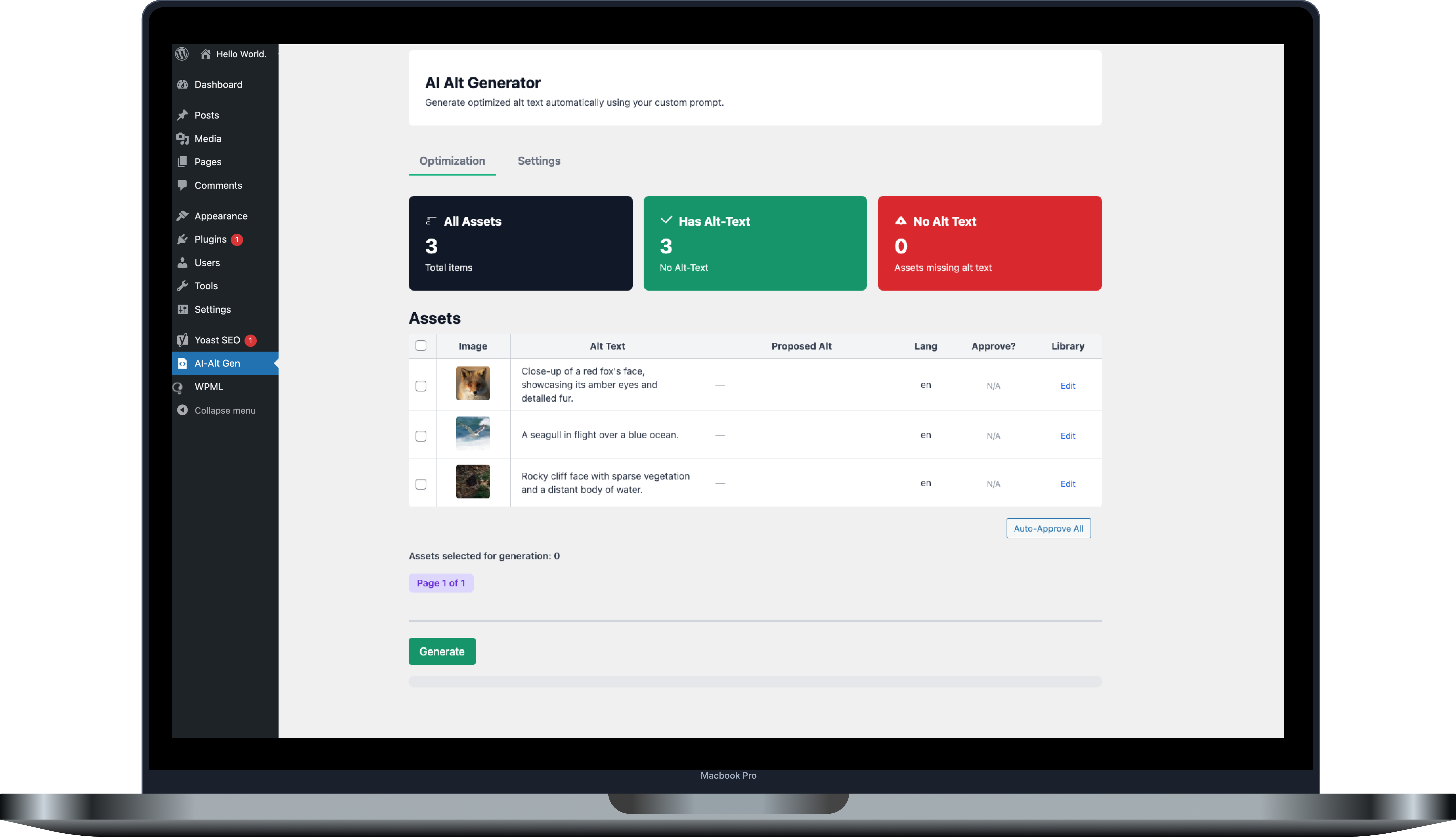
Dashboard: Overview of media assets and their alt text status.
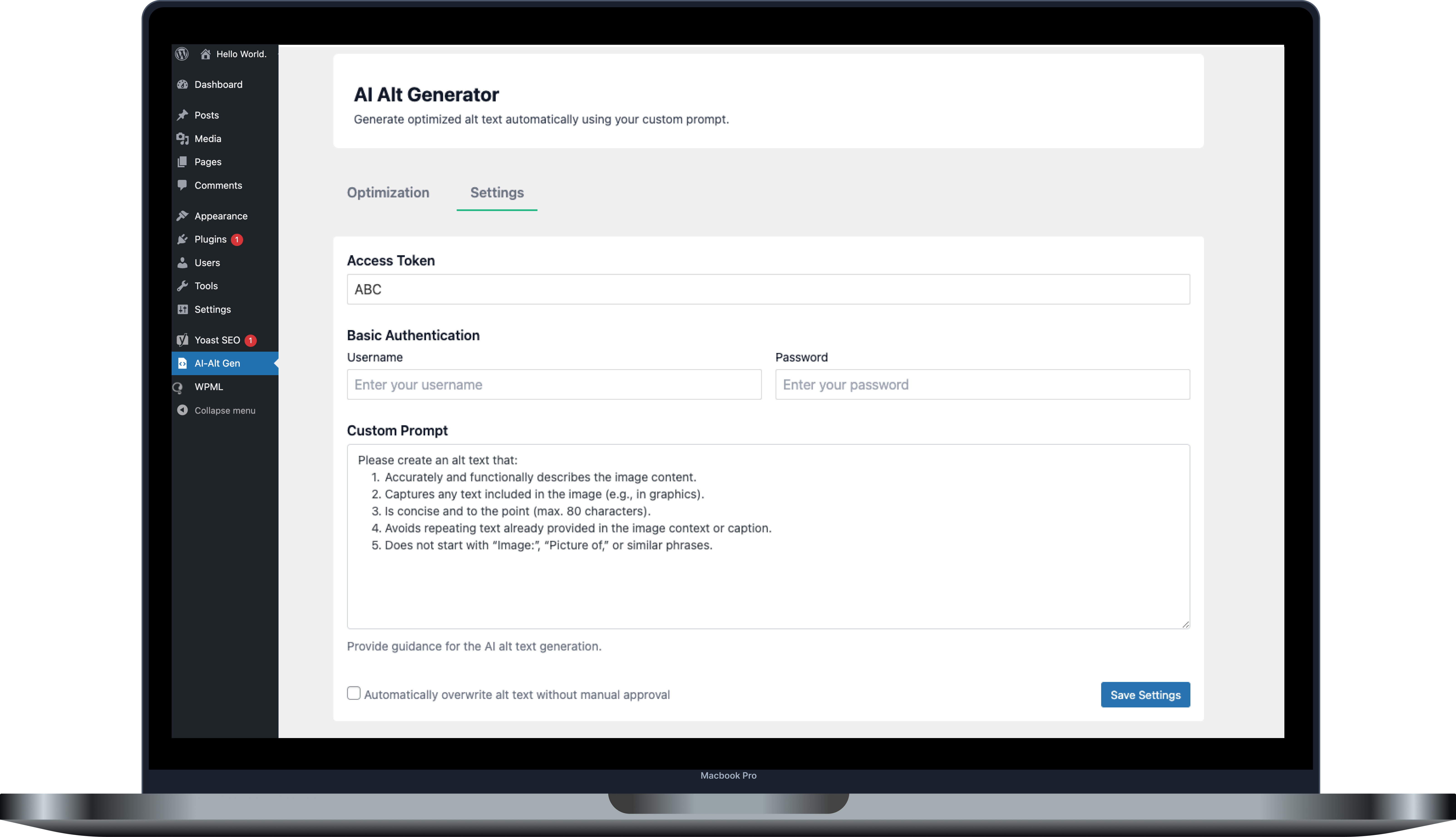
Settings Page: Set up your Access Token, Custom Prompt, and Auto-Approve.