

AI Content Forge
Gutenberg block that allows users to generate content using OpenAI's API
Plugin info
Maintenance & Compatibility
Maintenance score
Possibly abandoned • Last updated 398 days ago
Is AI Content Forge abandoned?
Possibly abandoned (last update 398 days ago).
Compatibility
Similar & Alternatives
Explore plugins with similar tags, and compare key metrics like downloads, ratings, updates, support, and WP/PHP compatibility.
Description
AI Content Forge is a Gutenberg block that allows users to generate content using OpenAI’s API. This block can be added to posts or pages to automatically generate content based on a prompt.
Usage
- Open the block editor (Gutenberg).
- Add the AI Content Forge block to your post or page.
- Enter a prompt (e.g., “Write a blog post about WordPress”) in the settings panel.
- Click “Generate Content” to automatically generate content based on your prompt.
- The generated content will appear in the block’s editor, and you can edit it as needed.
Privacy Policy
We do not store or process any content generated by the AI. All content generation takes place via the OpenAI API, and the OpenAI terms of service apply to the use of the API.
License
AI Content Forge is open-source software, licensed under the GPLv2 or later license.
External Services
This plugin uses the OpenAI API, an external service provided by OpenAI, to generate AI-powered content. The following details apply:
- Service Name: OpenAI API
- Service Provider: OpenAI (https://openai.com/)
- Data Sent to the Service:
- User-provided input, such as text prompts, may be sent to OpenAI’s servers for processing.
- This input is necessary for generating the AI responses.
- Data Stored by the Service:
- OpenAI may temporarily store data to improve service quality, as per their privacy policy. No permanent storage of user data occurs without explicit user consent.
- Required API Key:
- An API key from OpenAI is required to use this plugin. Users must obtain their API key by creating an account with OpenAI.
- Privacy Policy:
- Users can review OpenAI’s privacy policy here: https://openai.com/policies/privacy-policy
- Terms of Use:
- Users must comply with OpenAI’s terms of use: https://openai.com/policies/terms-of-use
Please ensure you have reviewed and agreed to the terms and privacy policy of OpenAI before using this plugin.
Installation
- Upload the plugin files to the
/wp-content/plugins/ai-content-forgedirectory, or install the plugin through the WordPress plugins screen directly. - Activate the plugin through the ‘Plugins’ screen in WordPress
Frequently Asked Questions
You can get your OpenAI API key from the OpenAI website. After signing up, go to the API section to generate your key.
The token limit depends on the model you are using. For GPT-3 models, the typical limit is 2048 tokens, while GPT-4 can support up to 8,000 tokens depending on the model variant.
Review feed
Screenshots

/assets/screenshot-1.png
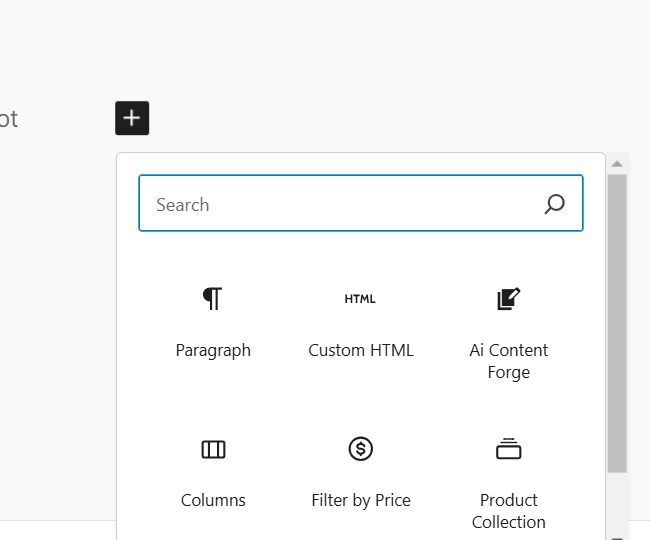
/assets/screenshot-2.png
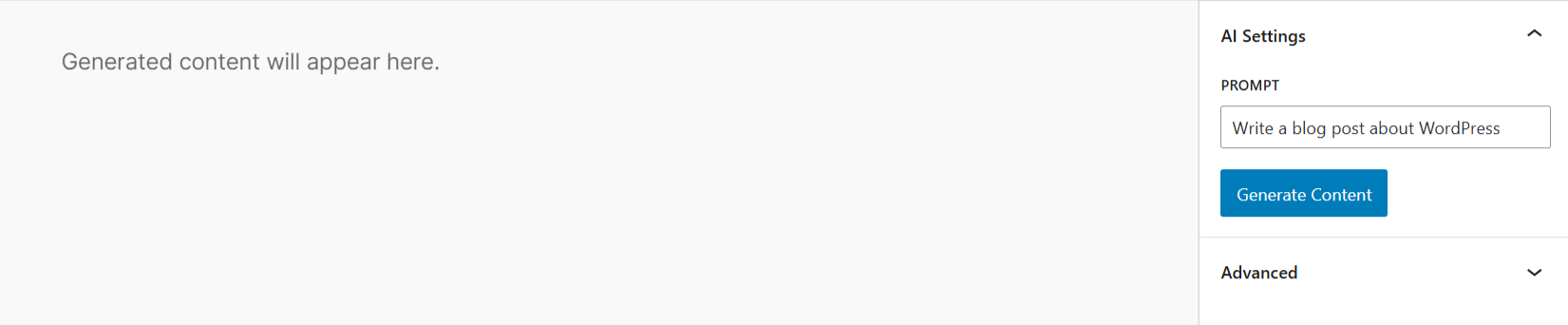
/assets/screenshot-3.png
Changelog
1.0.0
- Release