

AI Featured Image Generator for Posts
Automatically generate AI featured images for your WordPress posts based on the title and content, Powered by Together API.
Plugin info
Maintenance & Compatibility
Maintenance score
Possibly abandoned • Last updated 419 days ago
Is AI Featured Image Generator for Posts abandoned?
Possibly abandoned (last update 419 days ago).
Compatibility
Similar & Alternatives
Explore plugins with similar tags, and compare key metrics like downloads, ratings, updates, support, and WP/PHP compatibility.
Description
AI Featured Image Generator for Posts is a powerful tool that allows WordPress users to automatically generate AI-generated featured images for their posts based on the title and content. Utilizing state-of-the-art AI models, such as Stable Diffusion via Together AI, the plugin provides a seamless integration into the WordPress editor. Users can generate images and set them as the post’s featured image with ease, improving content visual appeal. The plugin also includes settings for custom API keys and offers flexibility for image generation.
External Services
This plugin connects to the Together API to generate AI images for posts. The API is used to generate images based on the post title and content.
The following data is sent to the Together API:
- Post title
- Post content
- Image size
- API key (provided by the user)
The API is used to generate images in the following conditions:
- When the user clicks the “Generate AI Image” button
- When the user saves the post
Please note that the Together API has its own terms of service and privacy policy, which can be found at Terms and Conditons and Privacy respectively.
Installation
- Upload the
ai-image-generator-for-postsfolder to the/wp-content/plugins/directory. - Activate the plugin through the ‘Plugins’ menu in WordPress.
- Navigate to Settings > AI Image Generator to enter your API key.
Frequently Asked Questions
This plugin integrates with Together free, decentralized API.
This plugin supports all post types, including posts, pages, and custom post types.
This plugin supports various image sizes, including 1:1,3:2,16:9.
Review feed
Screenshots
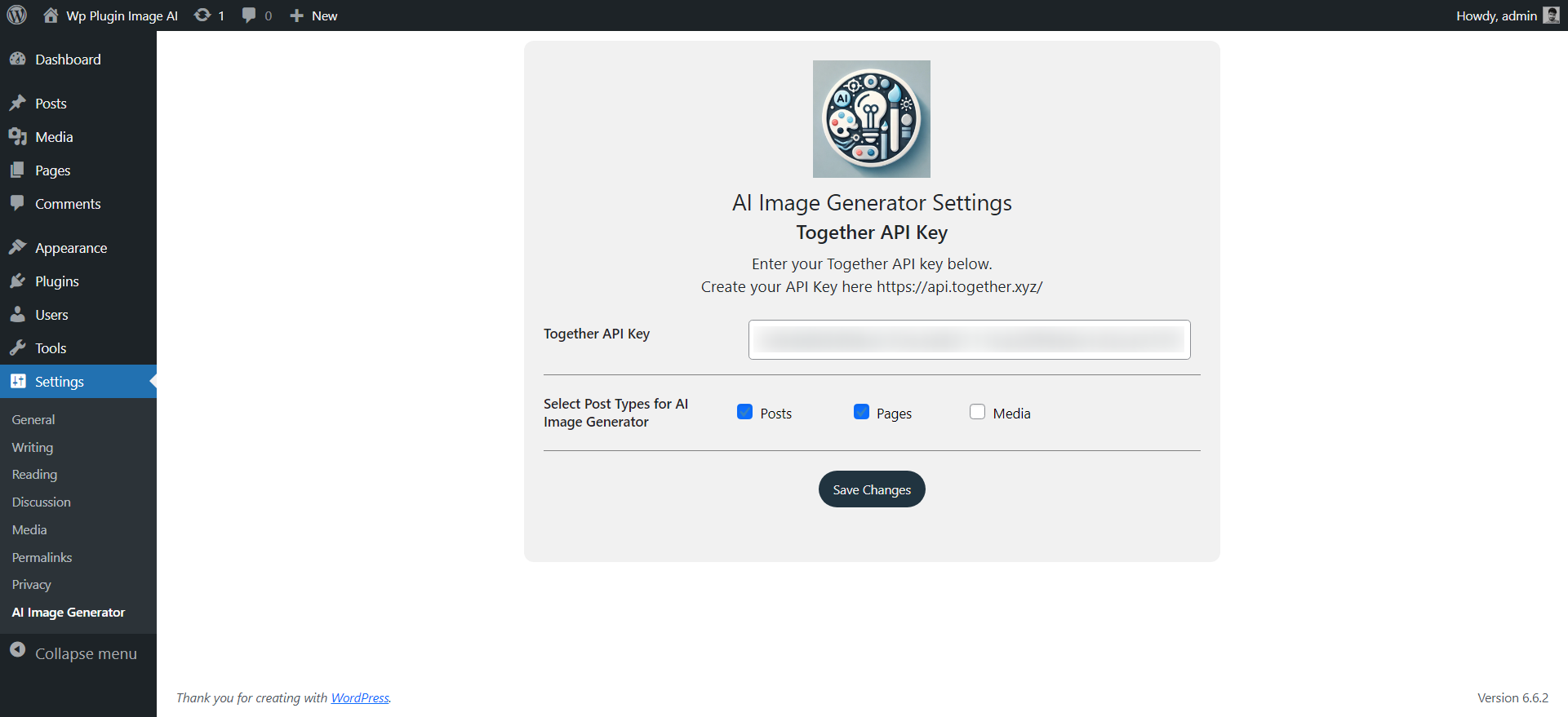
AI Image Generator settings page.

Click Generate Image to create image
Changelog
2.1
- added compatibilty with WP 6.7.1
2.0
- added support for image sizes
- added support for custom post types
1.0
- Initial release.