
AI Product Tools – AI Toolkit & Automation for WooCommerce
Complete AI Suite for WooCommerce. Automate bulk product content: descriptions, titles, tags & FAQs via OpenAI, Gemini & OpenRouter.
Plugin info
Maintenance & Compatibility
Maintenance score
Maintained • Last updated 122 days ago • Support resolved 100% • 14 reviews
Is AI Product Tools – AI Toolkit & Automation for WooCommerce abandoned?
Likely maintained (last update 122 days ago).
Compatibility
Similar & Alternatives
Explore plugins with similar tags, and compare key metrics like downloads, ratings, updates, support, and WP/PHP compatibility.
Description
AI Product Tools is a comprehensive AI suite designed to automate and enhance your WooCommerce operations. While it excels at high-volume bulk product content generation, the plugin serves as a complete AI infrastructure, enabling store owners to manage product descriptions, titles, tags, and customer support content (FAQs) through a unified system.
The plugin offers versatile workflows to suit any store management style:
* AI Bulk Product Content Generators: Trigger immediate, mass updates for Descriptions, Titles, Tags, and FAQs on selected products.
* Automation Jobs: Schedule fully automated background product content tasks to run continuously (“set and forget”).
* Single Product Metabox: Generate or fine-tune content for individual products directly inside the WooCommerce edit screen.
Instead of manual writing, the system utilizes robust background processing (via WP-Cron) to handle massive catalogs efficiently without server timeouts. It integrates seamlessly with leading AI providers, giving you full control over model selection (OpenAI, Gemini, OpenRouter), prompts, and generation strategies.
🤖 Key Features
- Unified AI Dashboard: Centralized control center to manage all generation tools from a single interface.
- Mass Product Content Generation: Bulk process Descriptions, Titles, Tags, and FAQs for thousands of products simultaneously.
- Multi-Provider Support: Connect with leading AI models including OpenAI (GPT-5, o1, o3), Google Gemini (3 Pro, 2.0 Flash), and OpenRouter with +300 models.
- Smart Context Analysis: The AI analyzes product categories, attributes, prices, and stock status to create factual, relevant content.
- SEO & HTML Formatting: Automatically structures content with HTML markup and strategic keywords to improve search engine visibility.
- Custom Prompts: Available in all generators, allowing you to tailor the output to your specific needs.
- Multi-Language Support: Generate content in any language supported by the selected AI model.
- Generation History: Keep a detailed record of every generated item and track your usage history.
🚀 AI Automation Jobs
Transform manual work into automated workflows using the built-in job scheduler.
* Set & Forget: Configure your prompt settings and start the bulk process.
* Smart Filtering: Filter by price range and specific product IDs.
* Resilient State Management: Tracks job status with auto-resume functionality.
* Real-time Monitoring: View accurate progress bars and estimated completion times.
* Cost Control: Options to auto-pause generation to manage API usage effectively.
* Safety: Automatic Content Backup before generation (Pro).
* Advanced Filtering: Filter by category, stock status, product status, and tags (Pro).
⚡ Dual Bulk Description System
The toolkit offers two distinct bulk modes for product descriptions:
1. Standard Bulk Generator (Basic)
* Unlimited usage (subject to provider limits).
* Generates clean, plain text output.
* Fast and efficient for simple bulk operations.
* Edit Before Approve: Review and modify content before saving.
* Supports Tone/Style settings and Custom Prompts.
2. Advanced Bulk Generator (Professional)
* Rich Output: Generates SEO-focused HTML output with structured markup.
* External Optimization Service: Advanced generation is powered by AI Smart Parameters™ technology, an external product content optimization service that fine-tunes settings. Operates on a credit system (250 free monthly credits).
* AI Smart Parameters™: Automatically configures model settings based on content type.
* Custom Fields Integration: Map existing custom fields to variables (e.g., {custom1}).
* Edit Before Approve: Review and modify content in bulk before it goes live.
* Content Improvement: Option to enhance existing descriptions (rewrite/expand) rather than overwriting them.
🎯 Specialized Bulk Tools
Bulk AI Product Title Generator
Create SEO-friendly product titles for thousands of products at once.
* Generation Mode: Default “Rewrite” mode using product data.
* Length Control: Set custom character or word limits.
* Tone Selection: Standard SEO-optimized tone.
* Data Sources: Uses product descriptions as the source.
* Advanced Modes: “Improve Title” mode and Specialized Tones (Professional, Urgent, Luxury) (Pro).
* Keyword Targeting: Enforce specific focus keywords in titles (Pro).
* Custom Sources: Custom data source integration (Pro).
* Customization: Additional System Prompt options (Pro).
Bulk AI Product FAQ Generator
Automatically generate Questions and Answers based on product data.
* Output: Generates complete “Question + Answer” pairs.
* Quantity Control: Set custom number of FAQs per product.
* Write Mode: Appends FAQs to existing content.
* Contextual Analysis: Uses product descriptions as the reference source.
* Targeting: Saves to Description field.
* Advanced Modes: Separate “Question Only” / “Answer Only” modes and “Rewrite” mode (Pro).
* Advanced Context: Advanced source selection (Pro).
* Custom Targeting: Saving to specific Custom Fields (Pro).
* Customization: Additional System Prompt options (Pro).
Bulk Smart Product Tag Generation
Analyze product data to generate relevant tags for better internal search and discoverability. Includes bulk generation and history tracking.
🛠 Toolkit Dashboard & Integration
Centralized Control Center
Access all tools (Automation, Bulk Generators, Title, FAQ) from a single dashboard. Includes quick settings access and store insights.
Large Catalog Support
Includes a custom pagination system allowing users to jump to any page instantly and control the number of products displayed per page (10, 25, 50, 100+).
📺 Checkout a quick overview of AI Product Tools 2.1.0:
Acknowledgments
Thank you for choosing AI Product Tools to enhance your WooCommerce store with AI-powered solutions. We appreciate your trust in us and are committed to helping you streamline your workflow 😊🙏
🔒 Privacy & Third-Party Services
This plugin utilizes external services to provide AI content generation and optimization features.
1. AI Content Providers
Product data (titles, descriptions, attributes, categories, etc.) is sent to your selected provider solely to generate content.
* OpenAI: Terms | Privacy
* Google Gemini: Terms | Privacy
* OpenRouter: Terms | Privacy
2. AI Smart Parameters™ (Advanced Generator Only)
Connects to our external service to optimize AI generation settings and manage credit allocations.
* Data Sent: Site URL, admin email, plugin version, and usage statistics.
* Policies: Our Privacy Policy | Terms
Security Note: Your third-party API keys are stored encrypted locally in your WordPress database and are never shared with us.
Installation
- Upload ‘ai-product-tools.zip’ to your ‘/wp-content/plugins/’ directory
- Activate AI Product Tools from the ‘Plugins’ menu
- Complete the onboarding wizard by selecting your preferred AI provider (OpenAI, Gemini AI or OpenRouter) and entering your API key (you can also configure these later via Settings)
- Visit the Toolkit Dashboard to explore available tools
- Customize your prompt settings and generation preferences
- Start using the plugin to generate and enhance your product content
Frequently Asked Questions
The plugin offers extensive functionality in the free version:
* Standard Bulk Generator: Unlimited plain text generation with custom prompts.
* Title Generator: Free generation with custom length controls and SEO tone.
* FAQ Generator: Free generation with quantity control (up to 3 per product) and append mode.
* Automation Jobs: Free scheduling with price filtering and specific product targeting.
* Advanced Bulk Generator: Operates on a credit system (250 free monthly credits).
Some advanced features (specific tones, custom fields target, category filtering on Automation Jobs, advanced optimization etc.) require a Pro plan.
- Standard: Unlimited usage, plain text output, supports tone settings and custom prompts. Ideal for quick, simple descriptions.
- Advanced: Generates HTML-rich content with structured markup. It features custom fields integration, history tracking, content improvement mode, and utilizes the external AI Smart Parameters™ system for automatic optimization (credit-based).
Yes. All generation tools (Standard, Advanced, Title, and FAQ) include an “Edit Before Approve” workflow. This allows you to review, modify, and polish the AI-generated content in bulk before saving it to your live products.
You can map existing WooCommerce custom fields (compatible with Advanced Custom Fields / ACF plugin) to variables like {custom1}. These variables can be inserted into your prompt templates, allowing the AI to include specific data points (materials, dimensions, internal codes) in the generated text. Note: Custom Field mapping is available in Advanced Generator, Title, and FAQ tools.
Available in the Advanced Generator, this external optimization service automatically configures technical AI settings (temperature, top_p, presence penalty) based on the specific model and content type being generated. This eliminates the need for manual configuration to achieve optimal results.
Yes. The plugin includes a custom pagination system for navigating thousands of products and uses WP-Cron for background processing. This prevents server timeouts and ensures stability even when processing massive product lists.
OpenRouter is an AI gateway that allows you to access hundreds of models beyond just OpenAI. It includes many free-to-use models (like Llama, Mistral, etc.) which allow you to generate content at zero cost. It also supports premium models like Claude 3.5 Sonnet. You can connect your OpenRouter key directly in the plugin settings.
Yes. We prioritize security and privacy:
1. Local Storage: Your API keys are stored encrypted in your local WordPress database.
2. Direct Transmission: Product data is sent directly from your WordPress server to the selected AI Provider (OpenAI, Gemini, or OpenRouter). It never passes through our servers.
3. Zero Access: We (the plugin developers) have absolutely no access to your product content, catalog data, or generation prompts.
Review feed
Screenshots
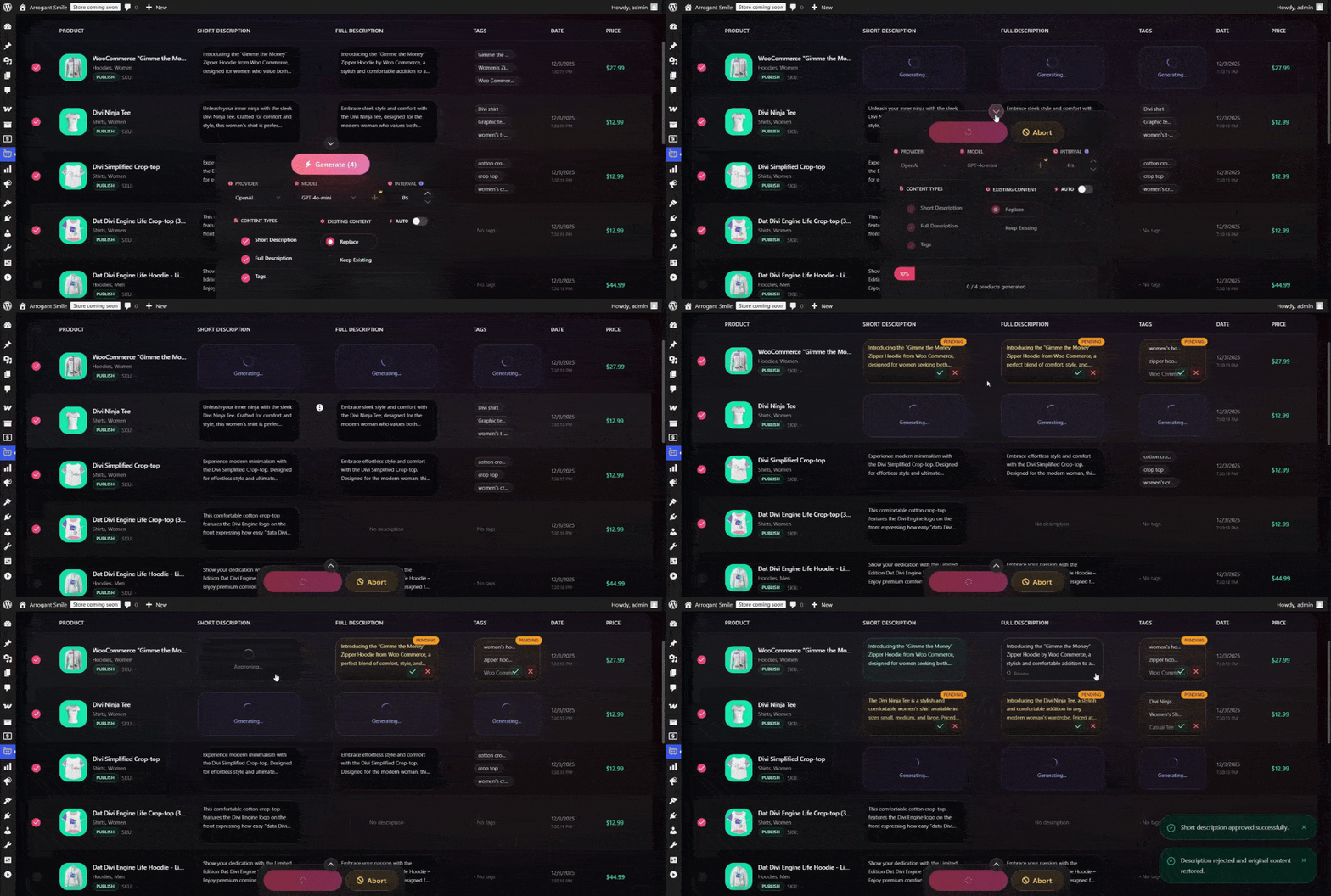
AI Content Generation Process in Action
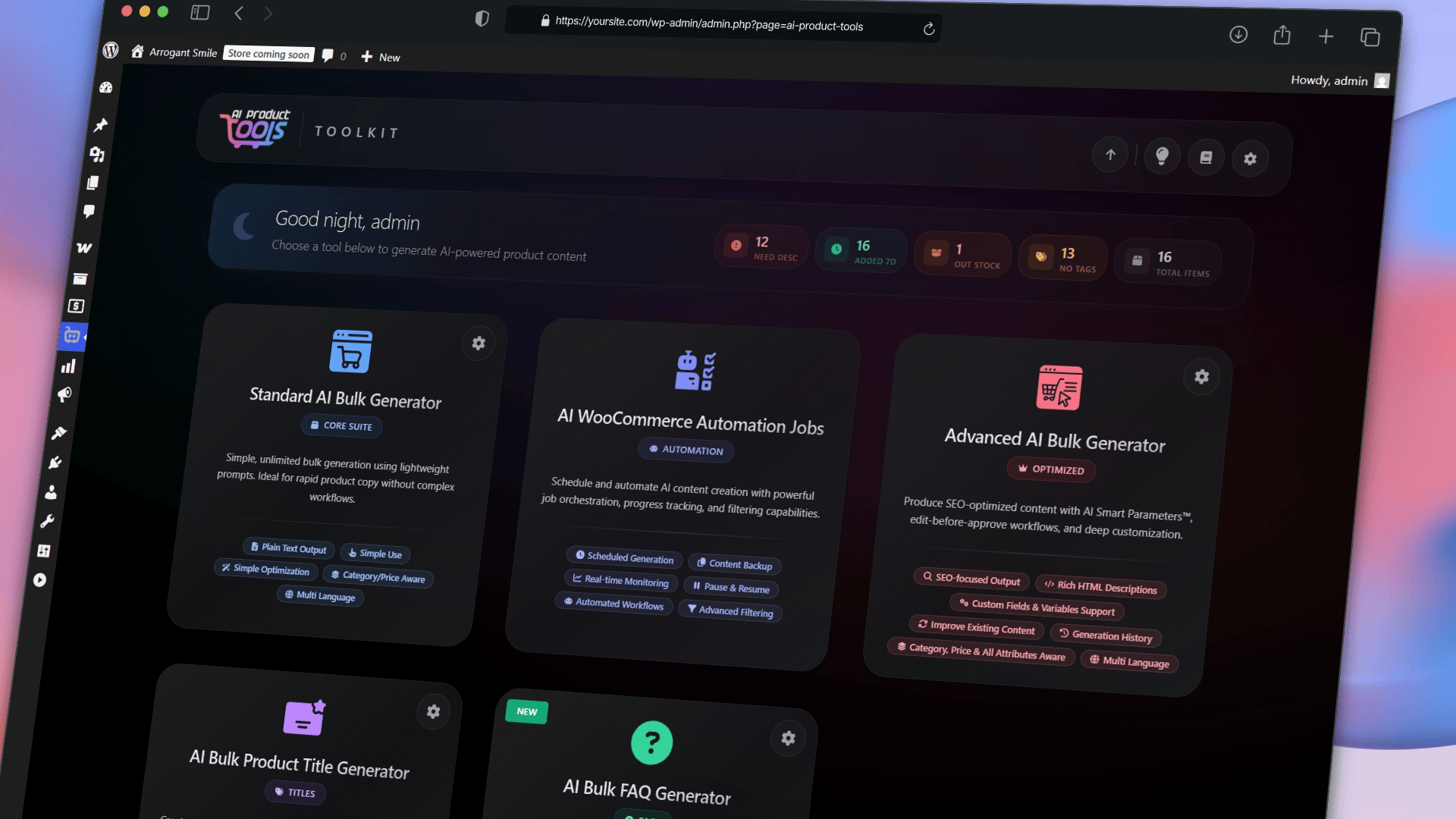
Unified AI Toolkit Dashboard
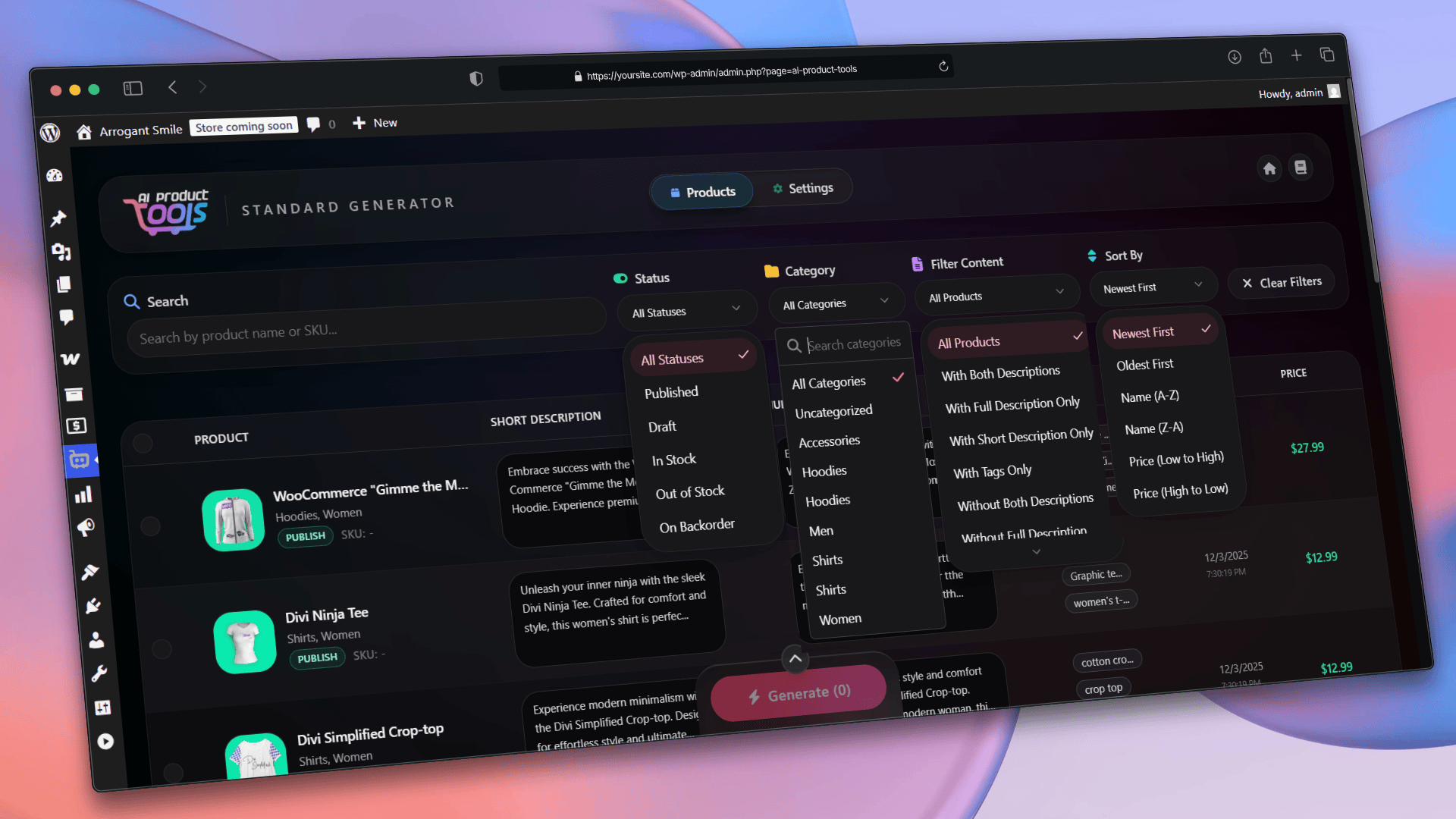
Advanced Product Filtering Options
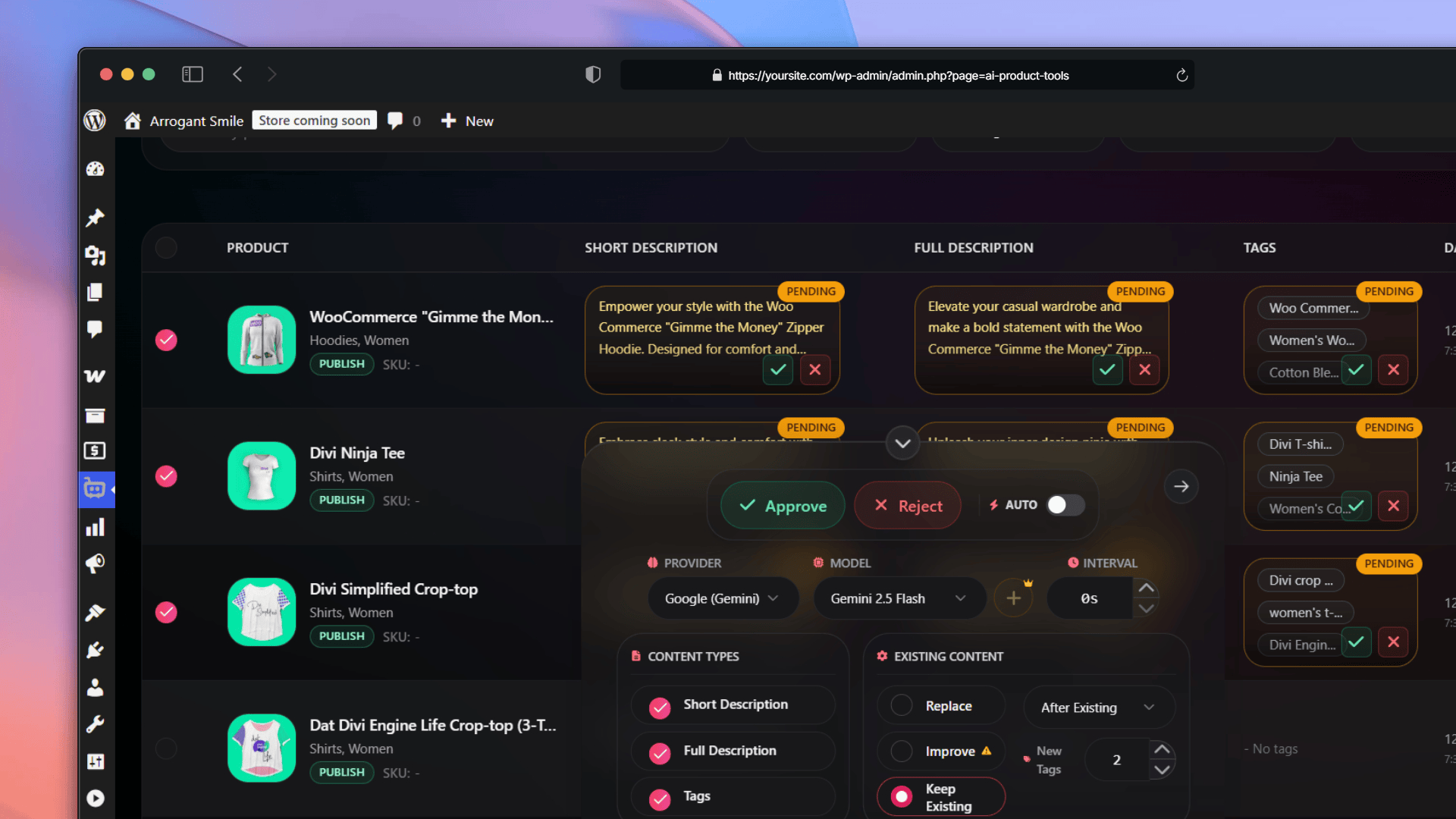
Standard Description Generator: Content Pending Approval
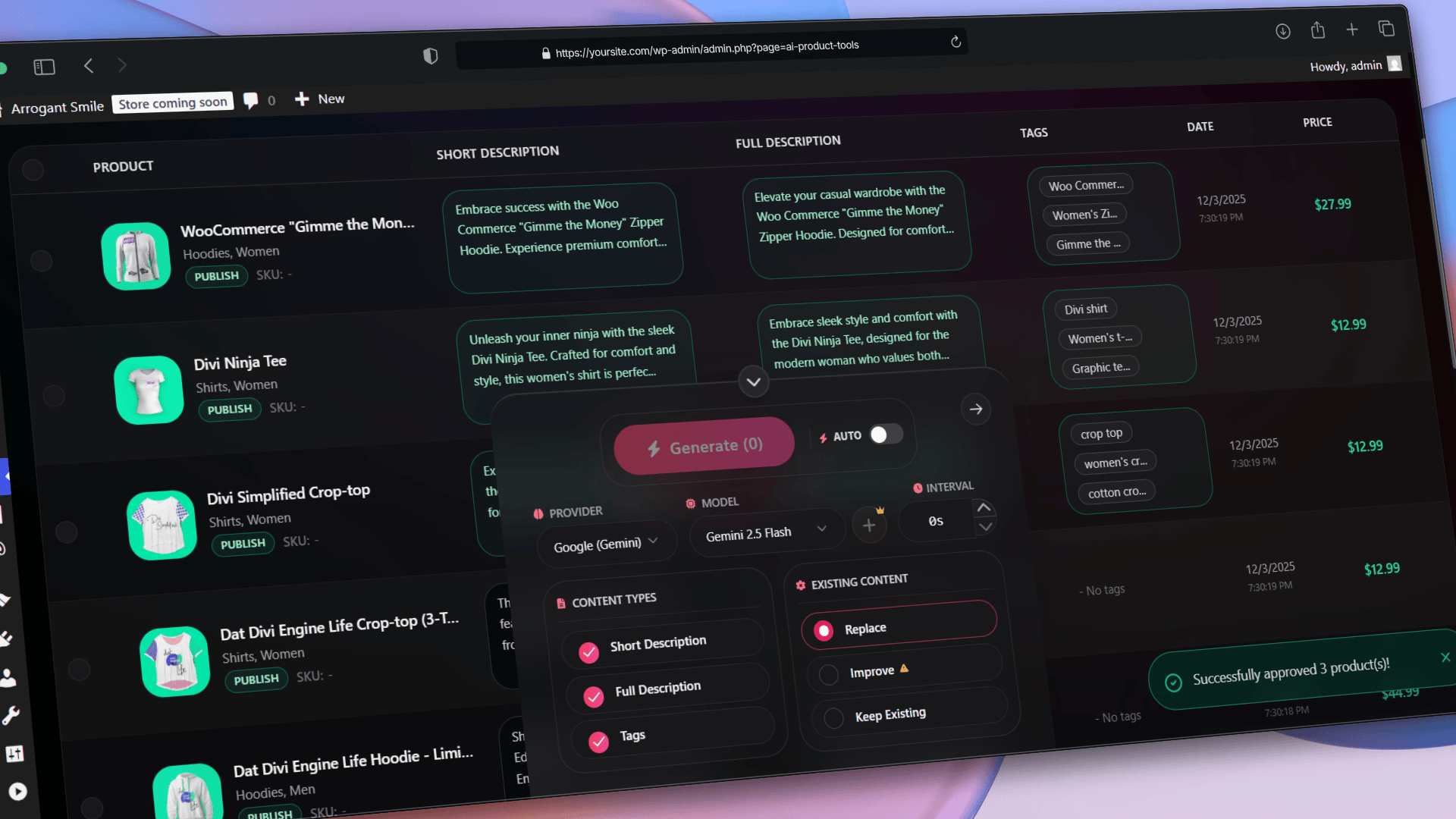
Standard Description Generator: Bulk Approval Action
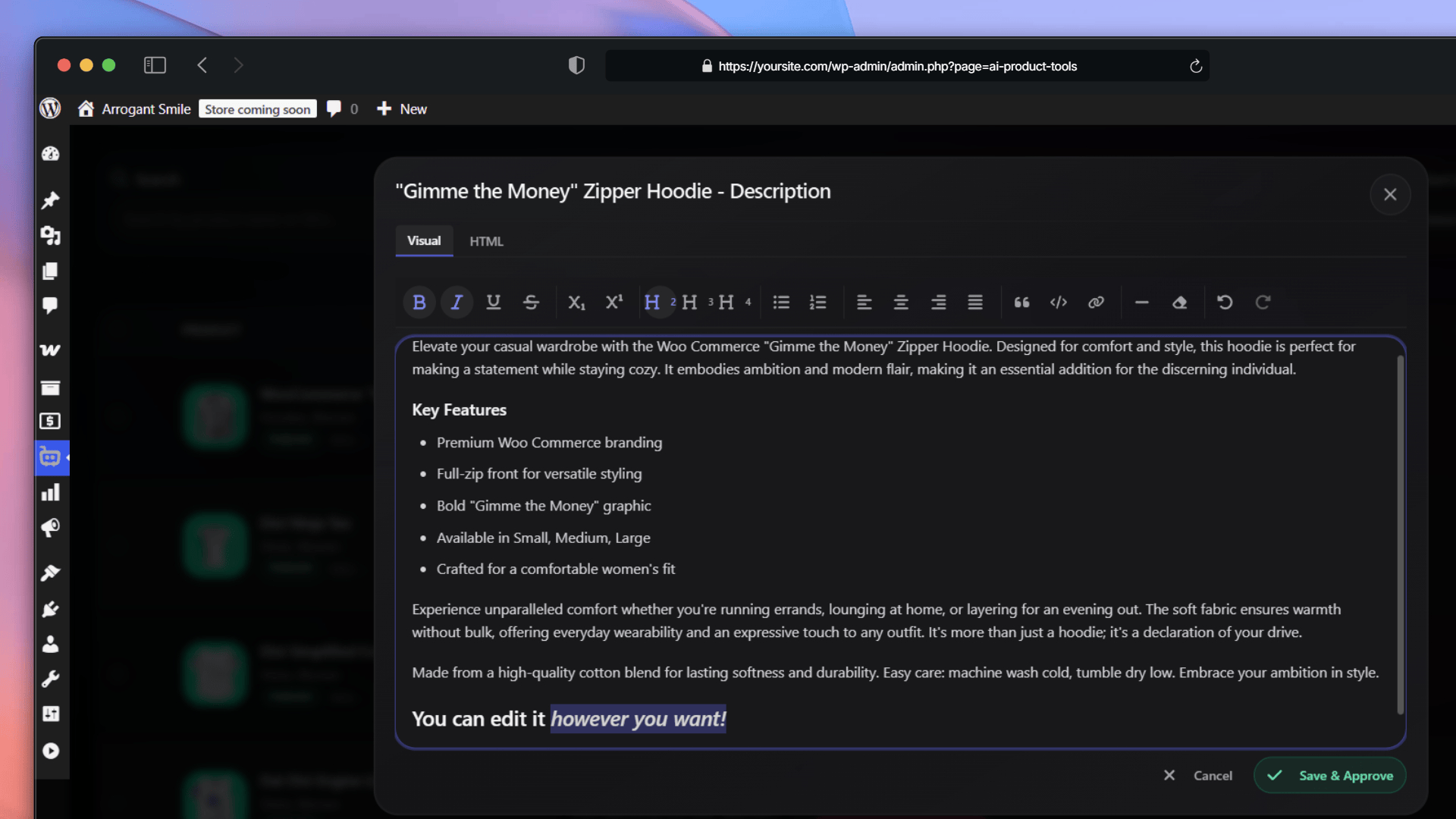
Standard Description Generator: Edit Before Approve Interface
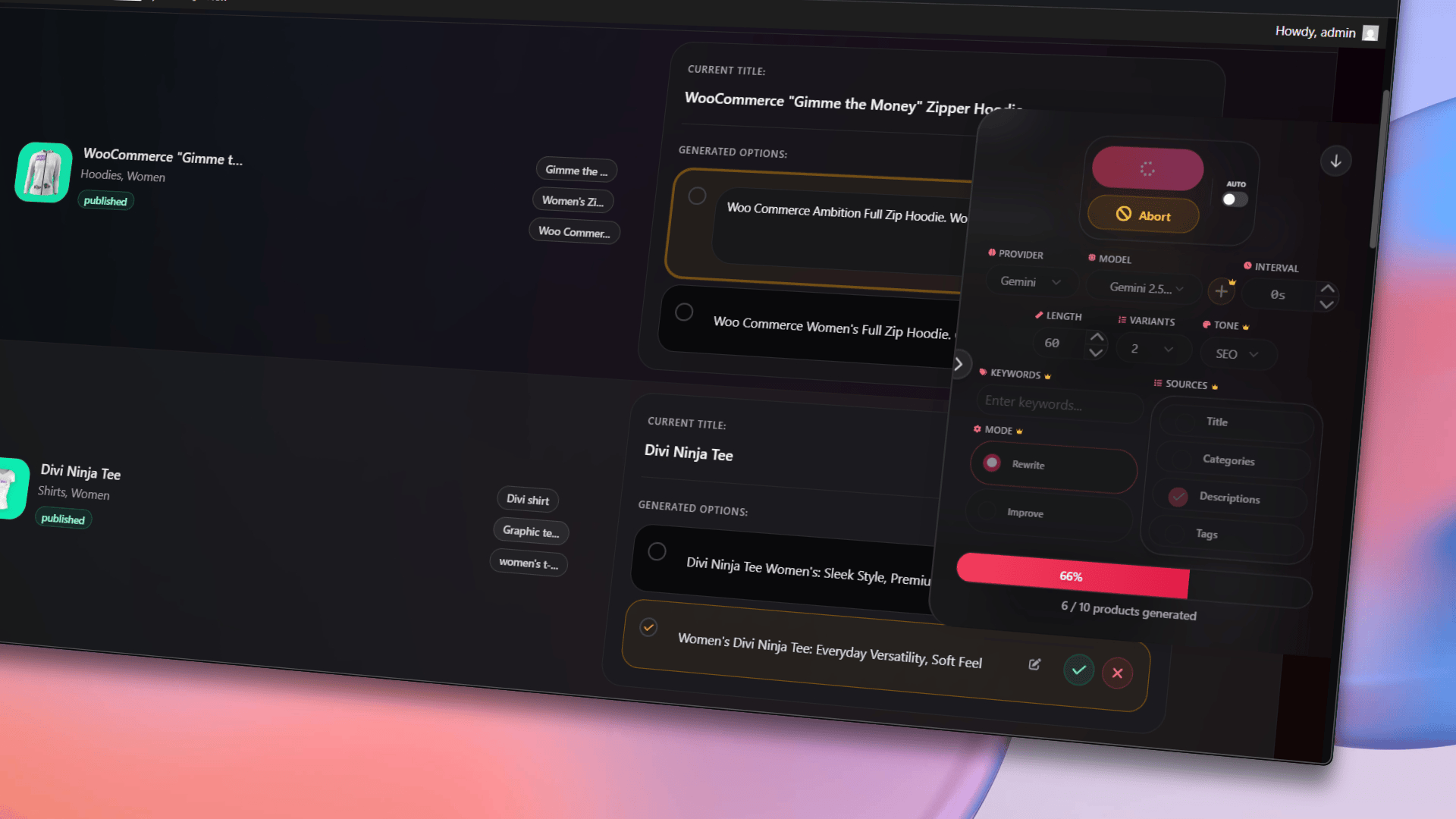
Bulk AI Product Title Generator: Generation and Editing
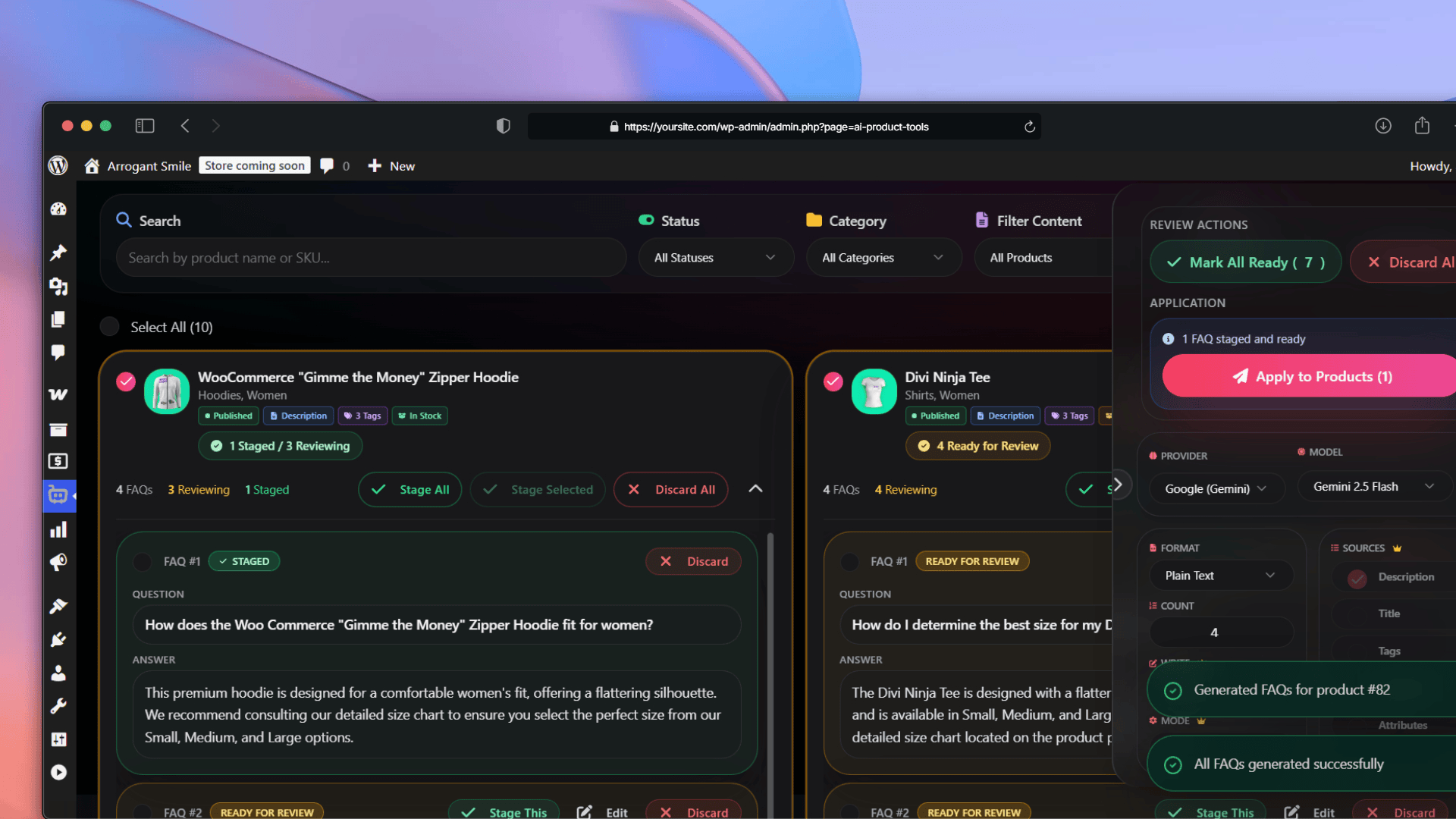
Bulk AI Product FAQ Generator Interface
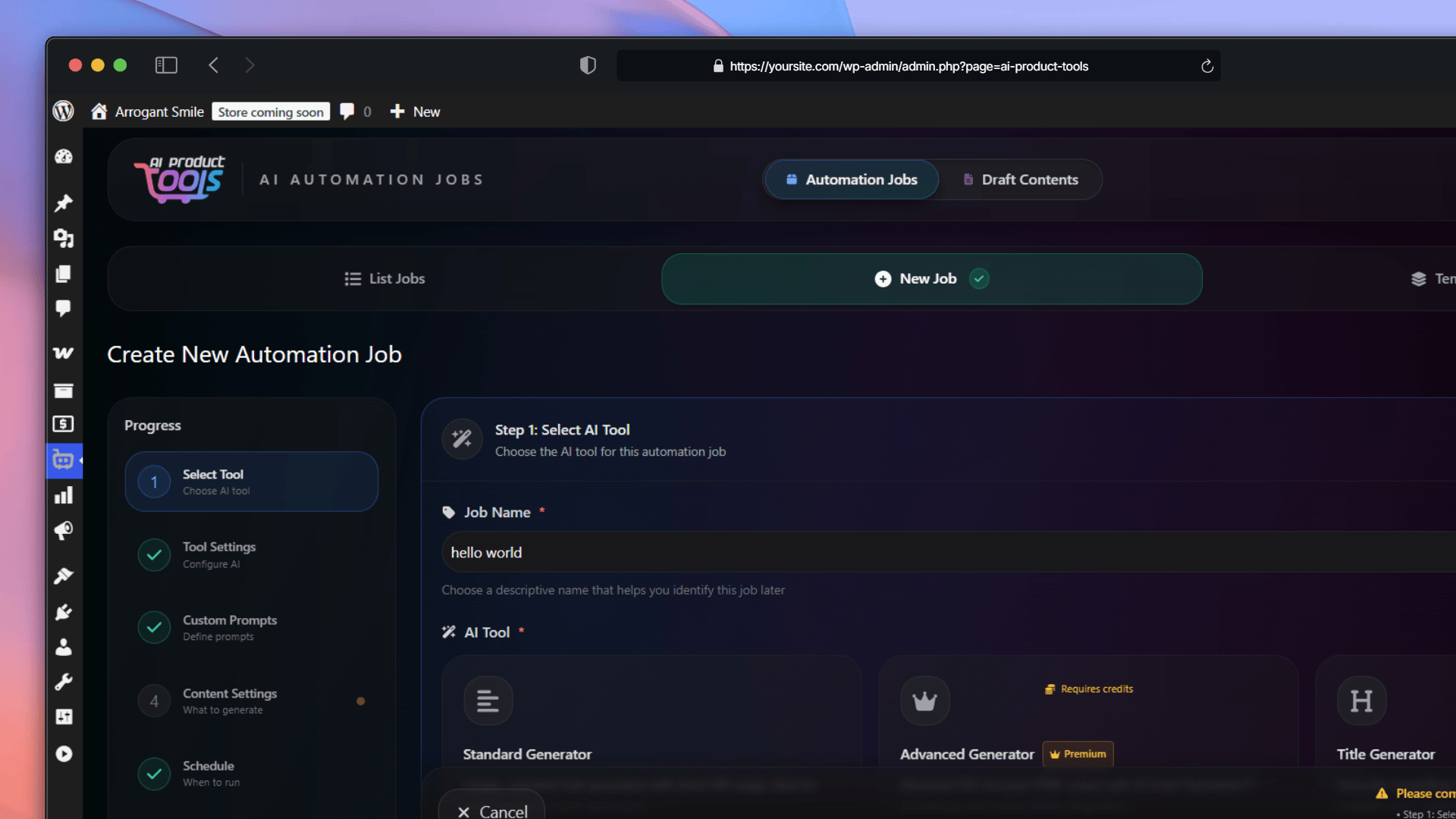
Automation Jobs: Selecting the AI Tool
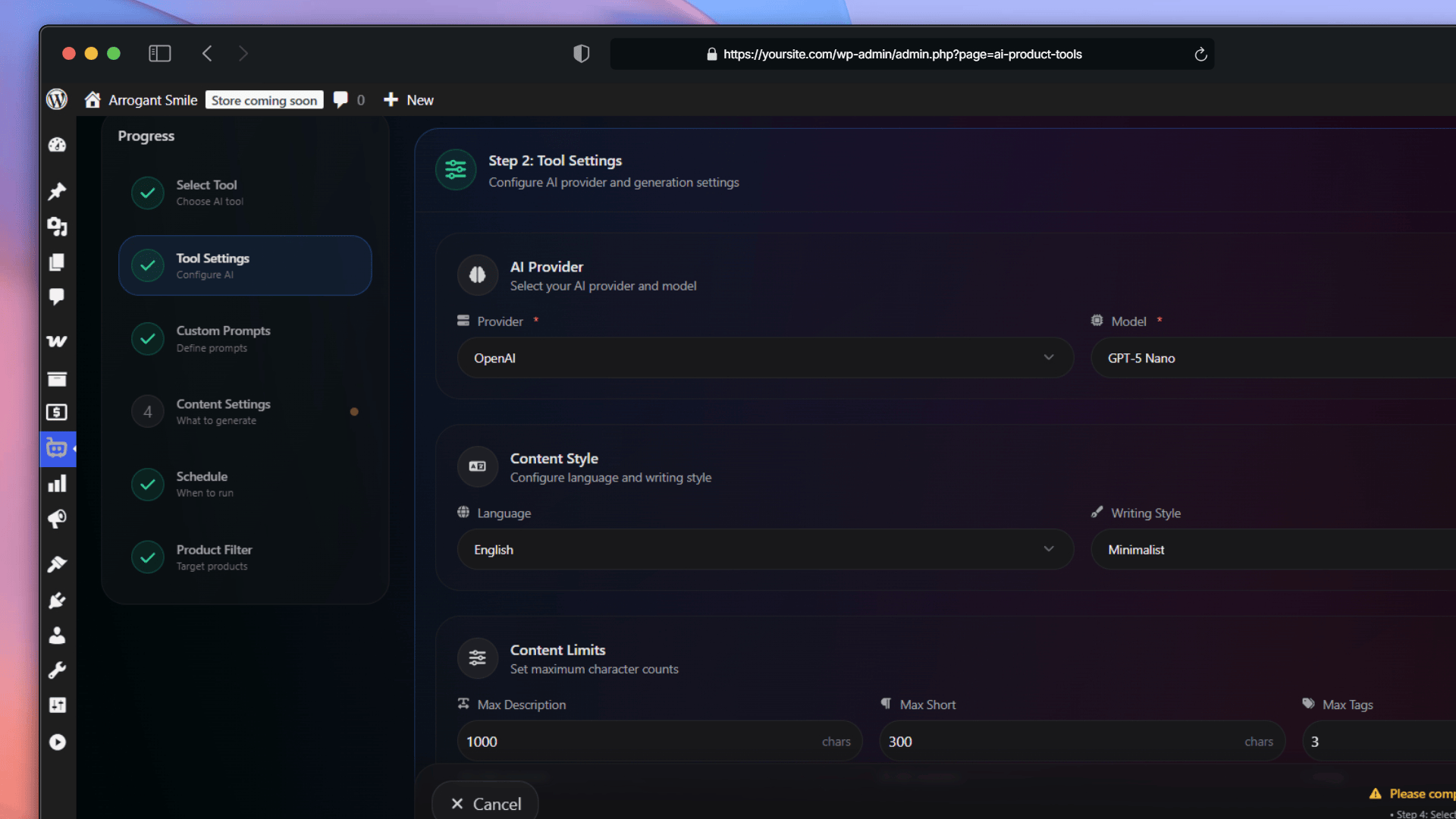
Automation Jobs: Configuring AI Tool Settings
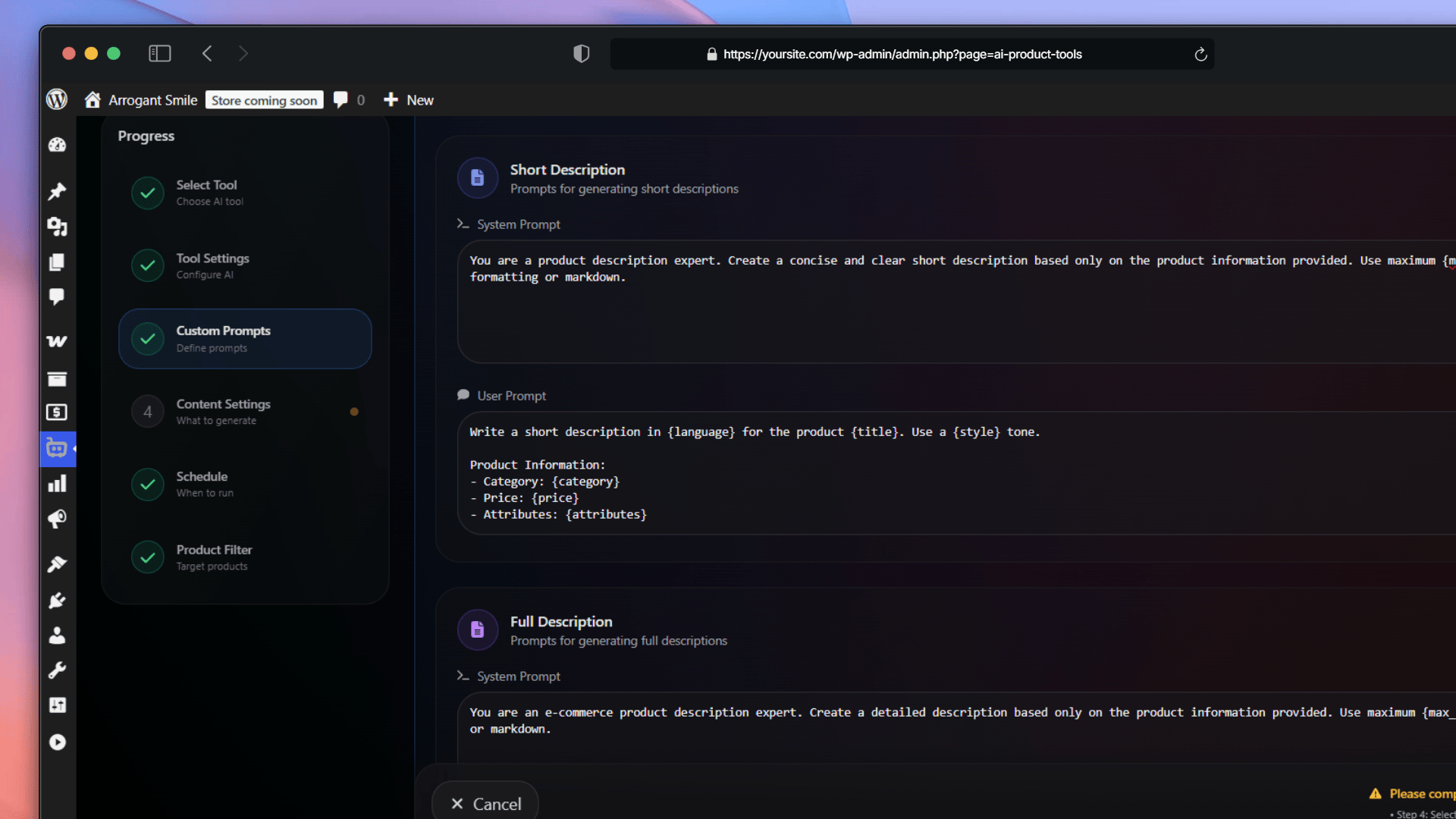
Automation Jobs: Configuring Custom Prompts
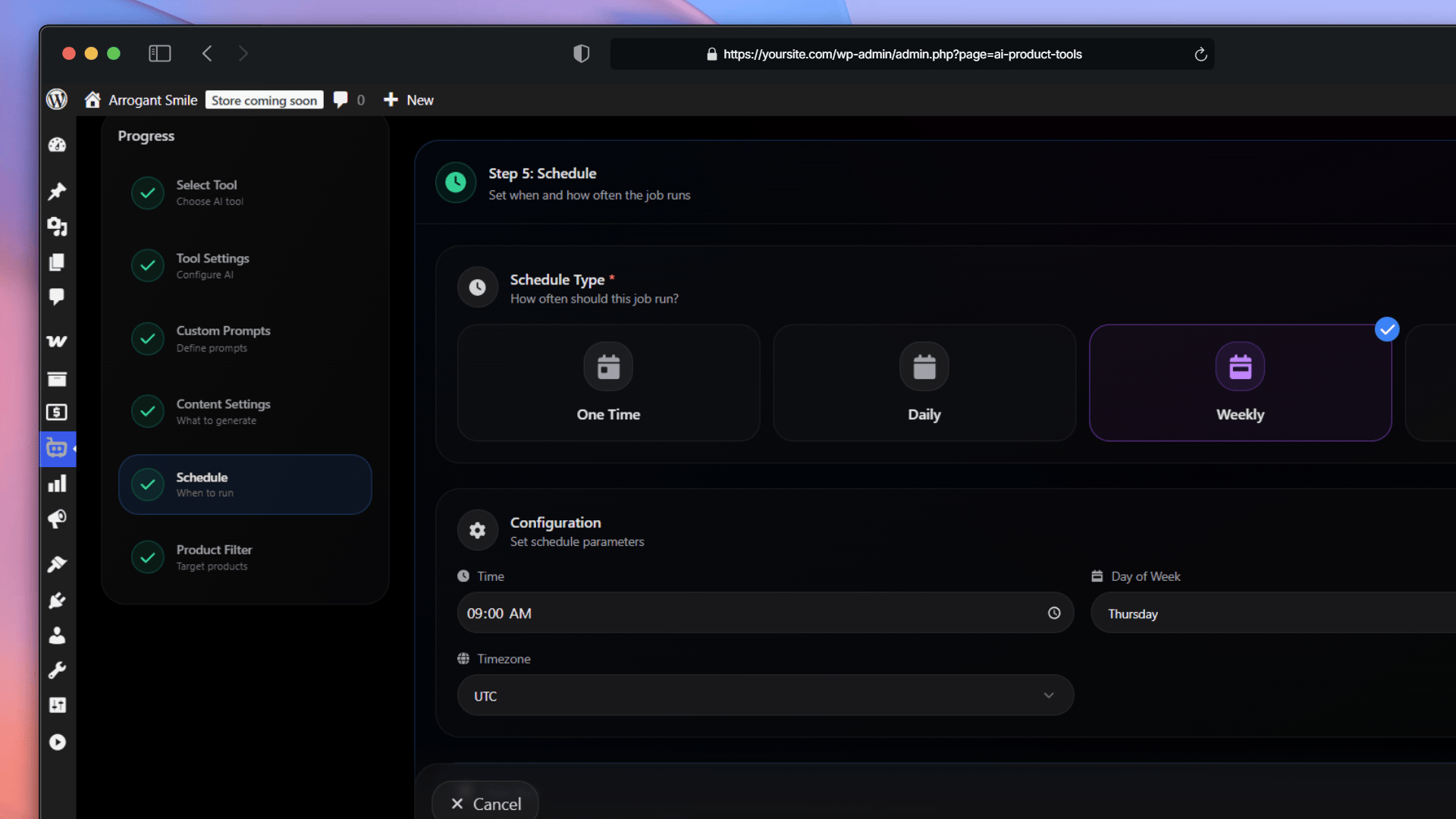
Automation Jobs: Scheduling Settings
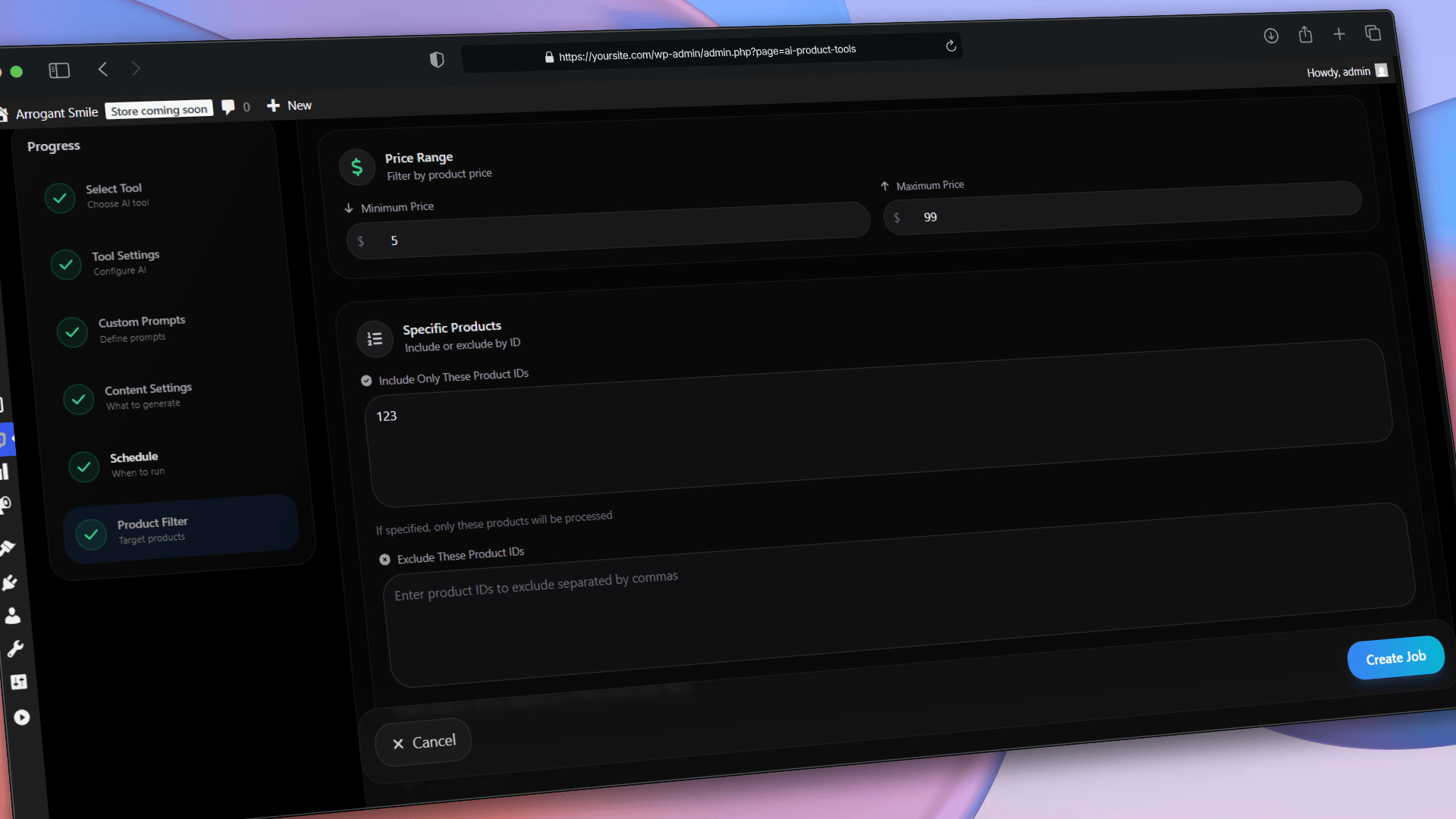
Automation Jobs: Smart Product Filtering
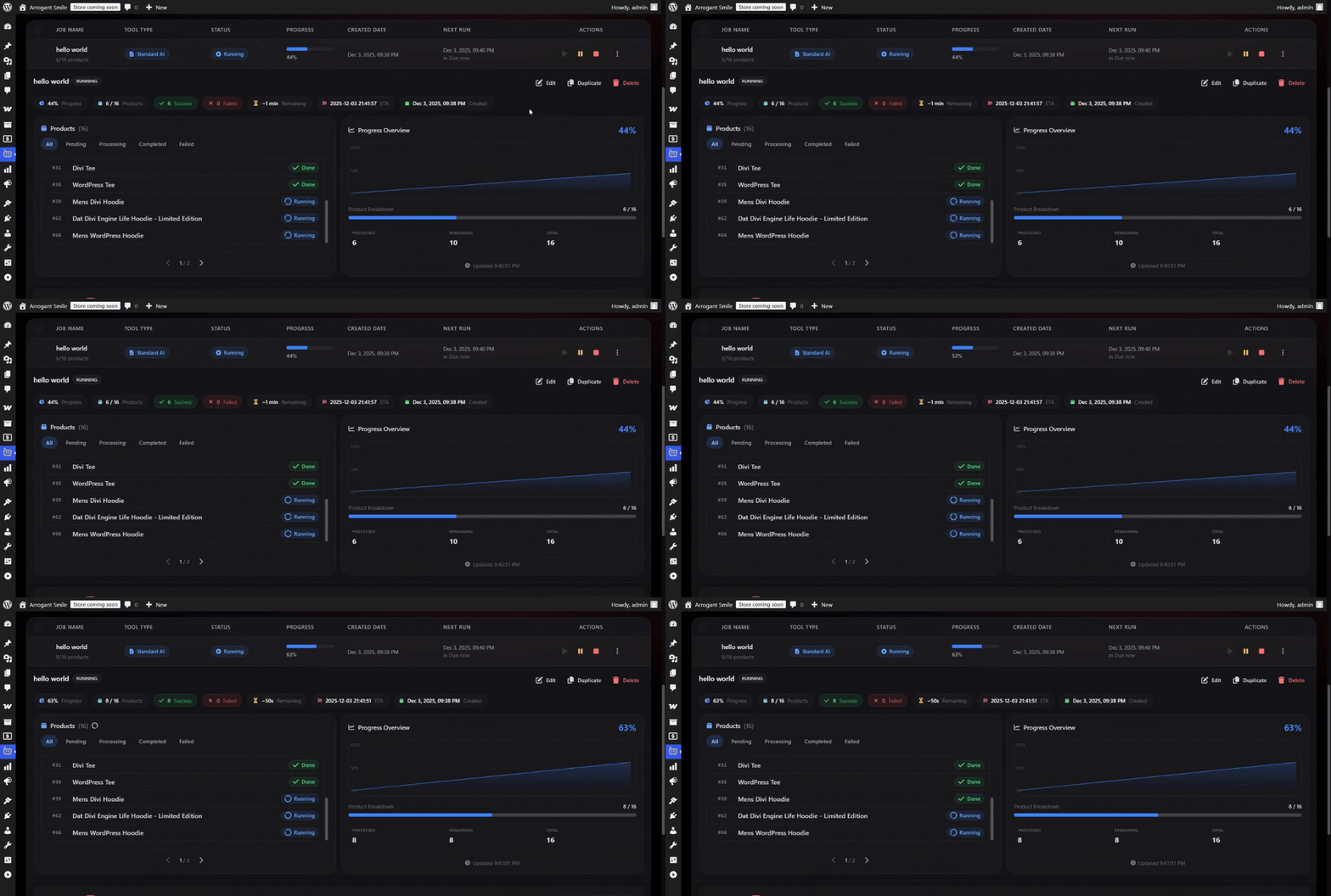
Automation Jobs: Real-Time Progress Monitoring
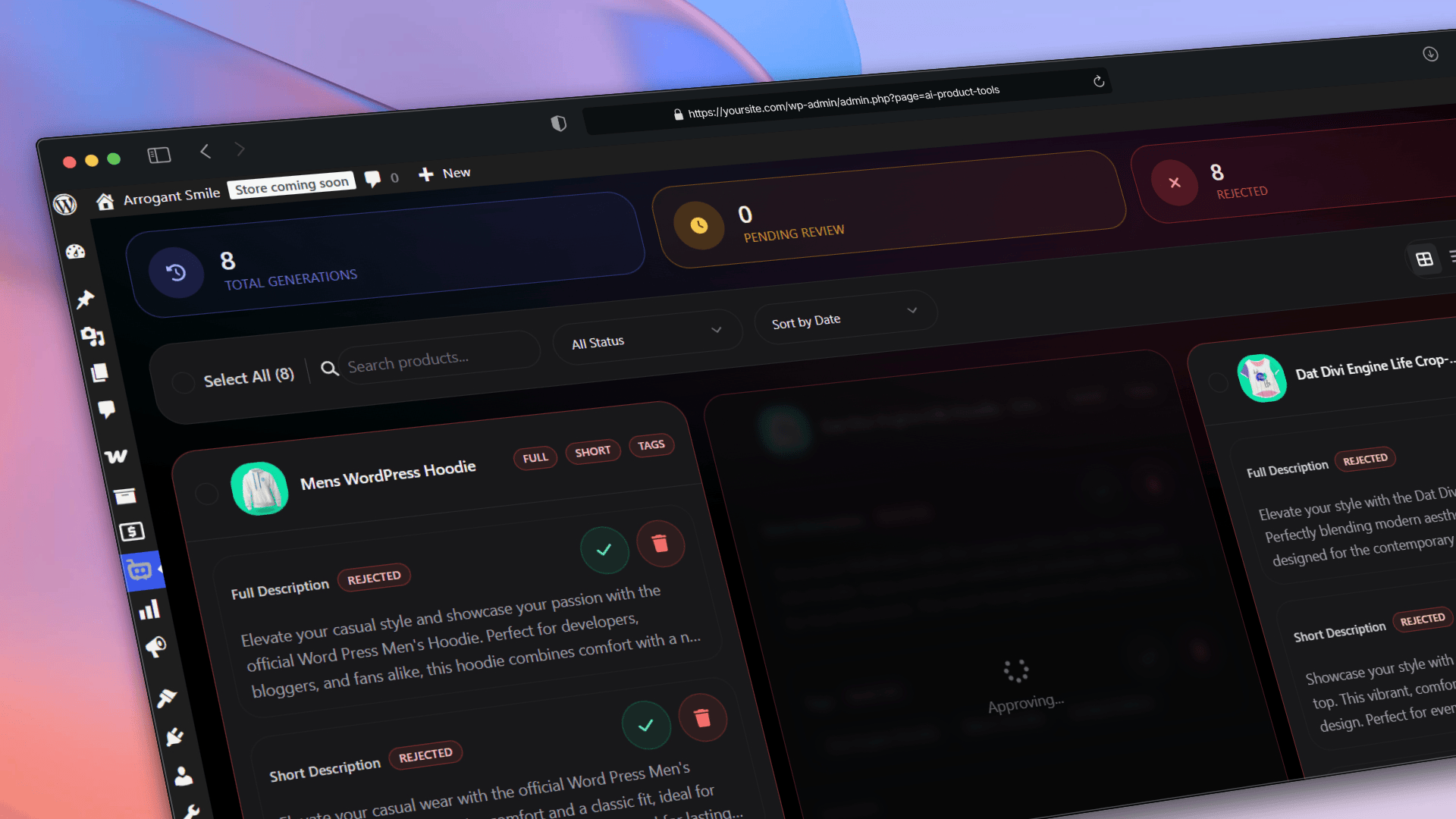
Advanced Generator: Generation History Log
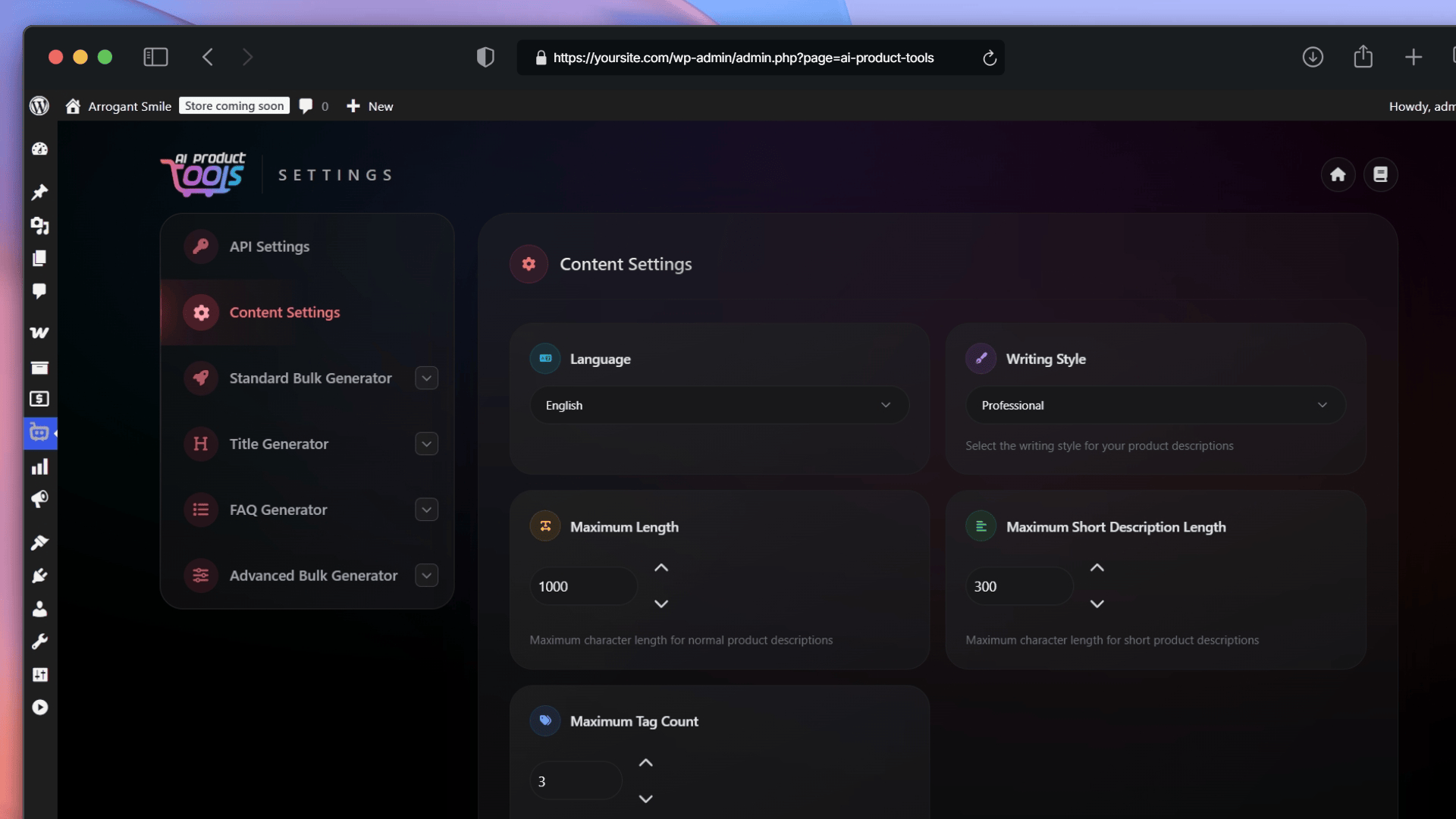
General Content Settings
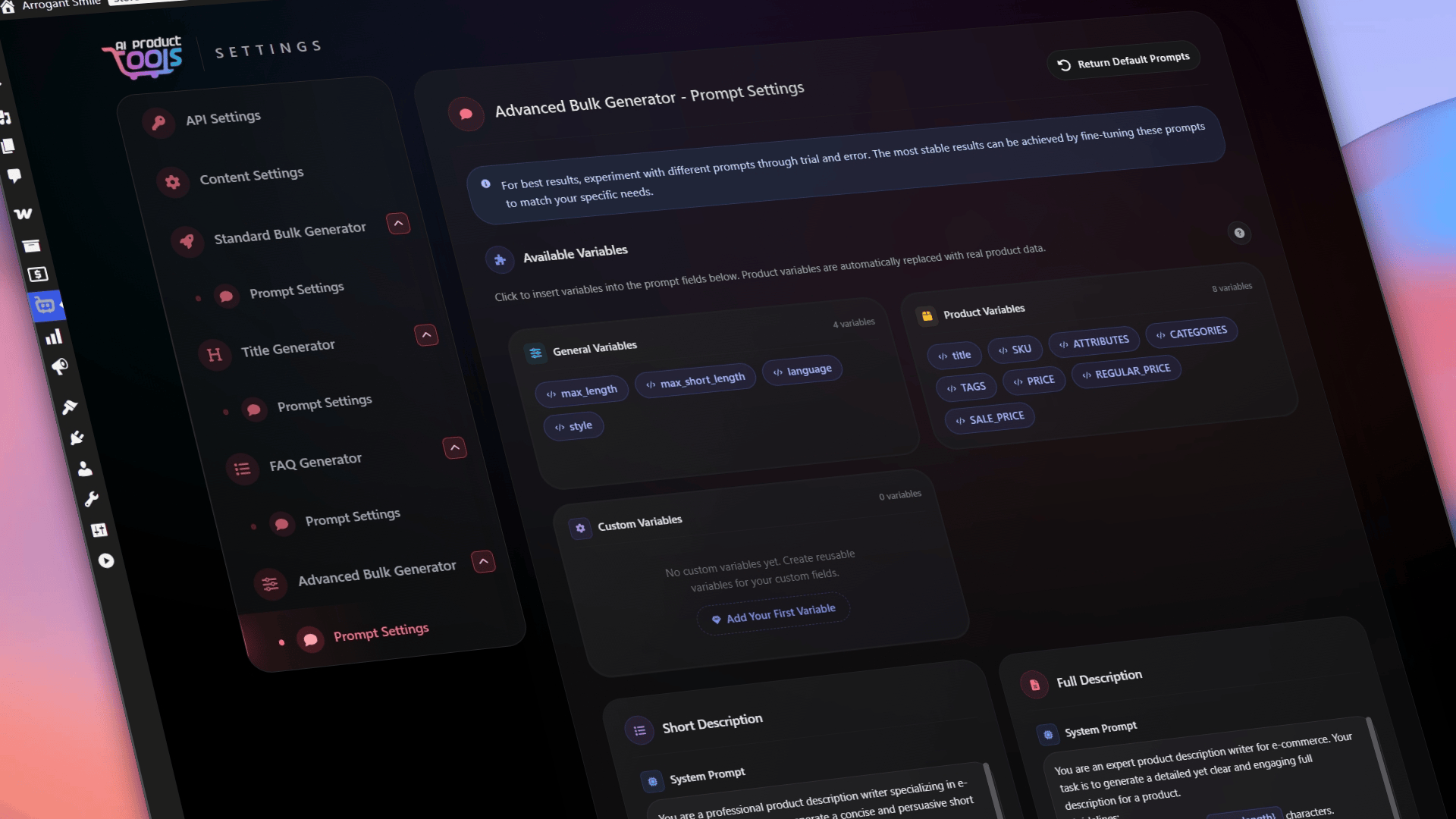
Prompt Customization Settings
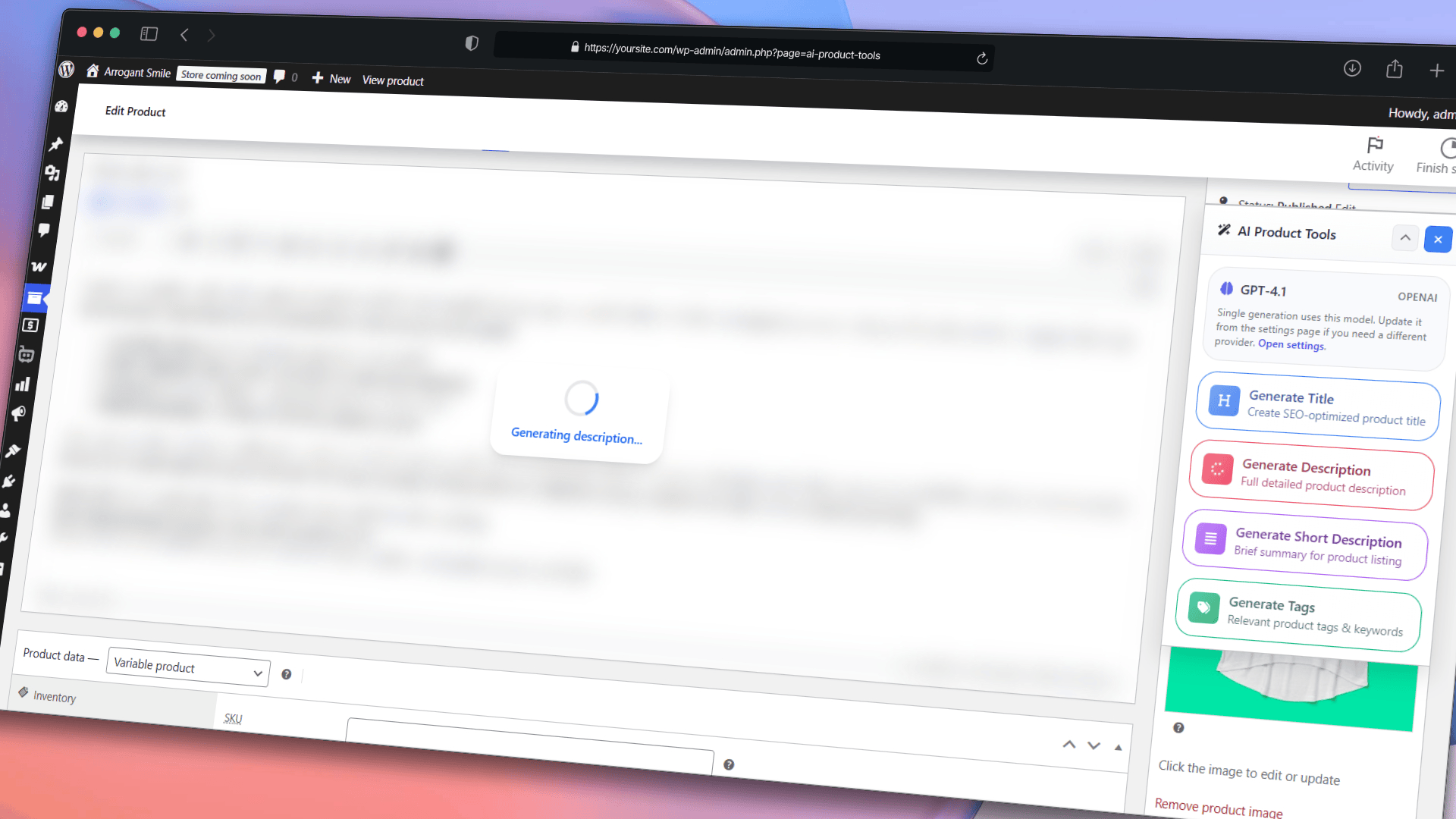
Single Product Metabox: Content Generation
Changelog
2.4.5
- IMPROVED: Settings infrastructure improvements.
2.4.4
- ADDED: Search functionality for category filters.
- ADDED: Metabox collapse and toggle feature.
- IMPROVED: Internationalization (i18n) updates.
- IMPROVED: Version separation and compatibility handling.
- IMPROVED: Backend stability and performance.
- FIXED: Security vulnerabilities patched.
- FIXED: Opt-in modal display issues.
- UPDATED: Plugin documentation and readme files.
2.4.3
- ADDED: Google Gemini 3 Pro model support.
- IMPROVED: FAQ Generator usability and interface.
- IMPROVED: Performance optimizations across all modules.
- IMPROVED: AI Automation Jobs creation flow.
- IMPROVED: Onboarding API key setup flow.
- FIXED: Single generator HTML product content generation issues.
- FIXED: Opt-in modal display issues.
2.4.1
- ADDED: AI Bulk FAQ Generator.
- ADDED: Toolkit welcome dashboard.
- ADDED: Store insights panels.
- ADDED: Modern notification system.
- ADDED: Foundation for upcoming features.
- IMPROVED: Complete UI/UX overhaul.
- IMPROVED: AI Automation Jobs reliability.
- IMPROVED: Product Metabox redesign.
- IMPROVED: Frontend architecture.
- IMPROVED: Admin notice positioning.
- FIXED: Critical user experience issues across all tools.
- FIXED: Automation job processing stability and timeout handling.
- FIXED: Various UI inconsistencies and interaction bugs.
- FIXED: Toolkit notice display positioning and overlap issues.
2.3.1
- IMPROVED: AI Automation Jobs performance optimizations.
- IMPROVED: UI & style refinements.
2.3.0
- ADDED: AI Automation Jobs with scheduling and state management.
- ADDED: Real-time Monitor (Low-Impact).
- ADDED: Secure, auditable logs.
- ADDED: Complete theme overhaul.
- IMPROVED: Performance & stability.
- IMPROVED: Smarter Custom Variables & Attributes.
- IMPROVED: UX polish.
- FIXED: Minor bug fixes and stability improvements.
2.2.9
- ADDED: GPT-5 integration.
- ADDED: Feature request system.
- ADDED: Auto-apply feature to title generator.
- FIXED: Title generator bulk approval UI update issue.
- FIXED: Setup wizard flow issue.
- FIXED: Minor bug fixes and stability improvements.
- IMPROVED: New style structure arrangements implemented.
2.2.8
- FIXED: Critical fix, API keys not saving error.
2.2.7
- IMPROVED: Setup Wizard refactored and converted to enhanced onboarding system.
- IMPROVED: Auto-approval feature enhanced.
- FIXED: Minor bug fixes and stability improvements.
2.2.6
- FIXED: OpenRouter integration compatibility issues.
- FIXED: Multi-provider selection bug resolved.
- ADDED: Complete Setup Wizard redesign.
- FIXED: Minor UI/UX improvements and bug fixes.
2.2.5
- FIXED: AI model connection stability issues.
- FIXED: Memory optimization bugs in bulk operations.
- FIXED: UI consistency improvements.
- FIXED: Mobile responsiveness issues.
- FIXED: Error handling improvements.
2.2.4
- FIXED: Hotfix for minor bugs.
2.2.3
- ADDED: OpenRouter Integration.
- ADDED: Custom AI model support.
- ADDED: AI Title Generation.
- ADDED: Premium Title Features.
- ADDED: Enhanced Metabox.
- ADDED: Custom pagination.
- ADDED: Advanced page navigation.
- ADDED: FREE model showcase.
- IMPROVED: Multi-provider AI support.
- IMPROVED: Large catalog management.
- IMPROVED: User experience with flexible product display options.
- IMPROVED: Workflow efficiency.
- IMPROVED: Premium title generation.
- FIXED: Performance optimizations for large product collections.
- FIXED: Enhanced navigation for massive catalogs.
2.2.2
- IMPROVED: UI/UX design with minor changes.
- FIXED: Hot fix for minor bugs.
2.2.1
- IMPROVED: Enhanced stability and performance optimizations.
- FIXED: Minor UI consistency improvements.
- FIXED: Important Bugs.
2.2.0
- ADDED: Centralized Toolkit Dashboard.
- ADDED: Standard Bulk Generator.
- ADDED: Tool comparison cards.
- ADDED: Auto-approval system.
- ADDED: Interactive terms modal.
- ADDED: Quick settings access.
- ADDED: Advanced cache management.
- IMPROVED: Mobile-responsive design.
- IMPROVED: Accessibility compliance.
- IMPROVED: Error handling.
- IMPROVED: Security with multi-layer validation.
- FIXED: Memory optimization.
- FIXED: UI consistency.
- FIXED: Cache-first approach.
2.1.6
- FIXED: Case-sensitivity path issues.
- FIXED: Optimized Product Content Generation.
- ADDED: New PostCSS configuration and CSS optimization.
- ADDED: New dependencies.
- IMPROVED: Enhanced Freemius SDK integration.
- IMPROVED: Updated dependency versions.