

AIOHM Knowledge Assistant
Transform your WordPress site into an intelligent knowledge base with AI-powered chatbots that embody your brand's unique voice.
Plugin info
Maintenance & Compatibility
Maintenance score
Maintained • Last updated 140 days ago
Is AIOHM Knowledge Assistant abandoned?
Likely maintained (last update 140 days ago).
Compatibility
Similar & Alternatives
Explore plugins with similar tags, and compare key metrics like downloads, ratings, updates, support, and WP/PHP compatibility.
Description
Transform your WordPress site into an intelligent knowledge base with AI-powered chatbots that embody your brand’s unique voice and deliver accurate, contextual responses. AIOHM Knowledge Assistant processes your existing content to provide sophisticated AI interactions while maintaining your authentic communication style and professional standards.
Free Version Features
The free version includes all the core functionality you need to get started with AI-powered knowledge bases:
- Public Chatbot: Add an intelligent chatbot to your website that answers visitor questions based on your content
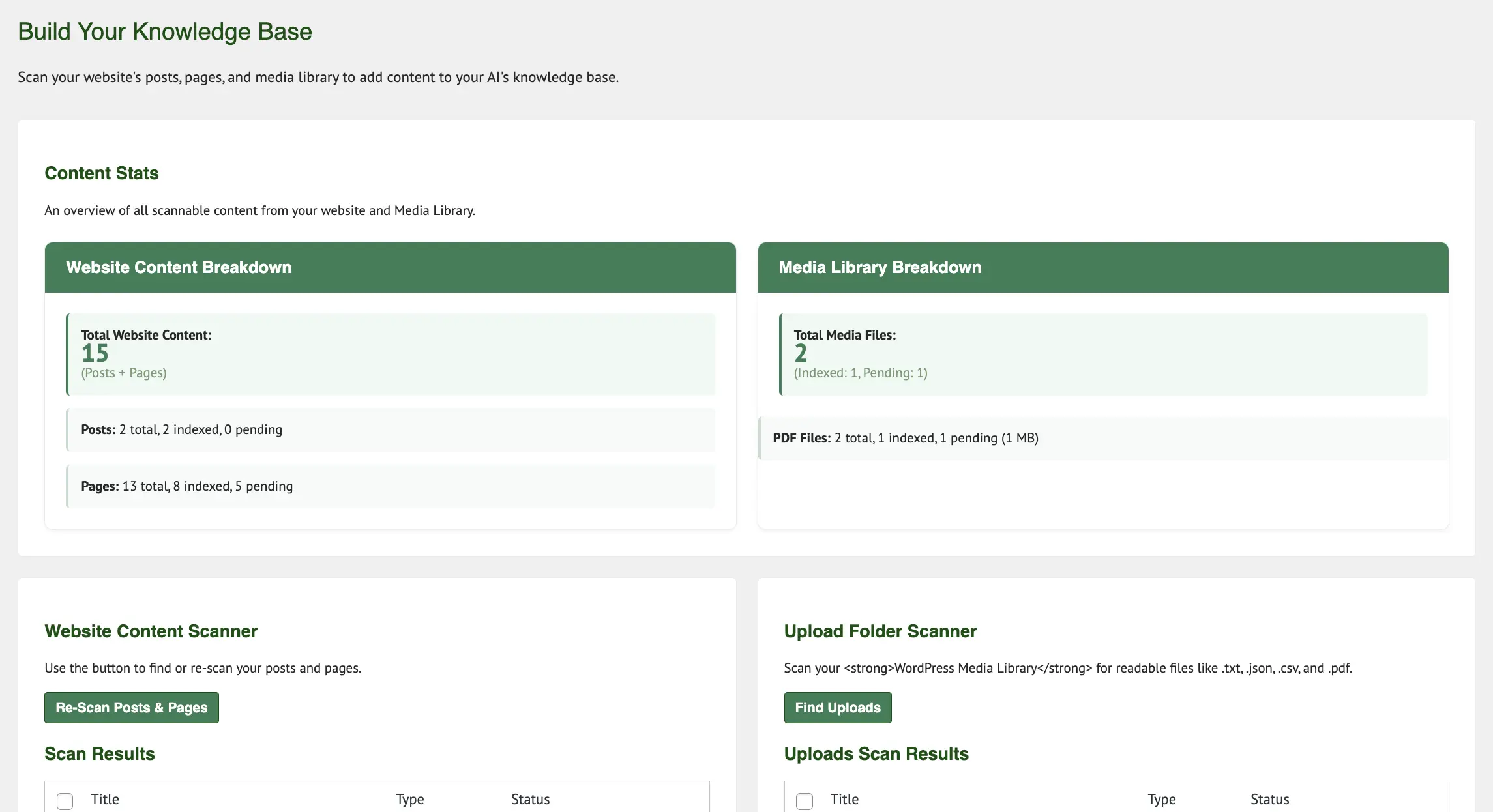
- Knowledge Base Management: Scan and index your WordPress posts, pages, and uploaded documents
- Multi-Provider AI Support: Choose from OpenAI, Google Gemini, Anthropic Claude, Groq, and ShareAI
- Brand Voice Configuration: Set up your chatbot’s personality and communication style
- Content Processing: Support for PDF, CSV, TXT, and JSON document formats
- Admin Dashboard: Complete control center for setup and management
- Responsive Design: Works seamlessly across all devices
Upgrade to Pro for advanced features like private AI assistants, local AI processing, and white-label licensing.
Key Features
Intelligent Content Processing
* Automatic indexing of WordPress posts, pages, and uploaded files
* Support for PDF, CSV, TXT, and JSON document formats
* Advanced semantic search with vector embeddings
* Smart content chunking for optimal AI processing
Multi-Provider AI Integration
* OpenAI GPT models (GPT-5)
* Google Gemini Pro with advanced embeddings
* Anthropic Claude for sophisticated reasoning
* Groq for ultra-fast inference with Llama and Mistral models
* ShareAI for specialized model access
* Ollama Local AI for completely private, on-premise processing
* ServBay Ollama server integration for development environments
* Complete API key privacy – your data stays under your control
Brand Voice Alignment
* Comprehensive brand personality questionnaire
* Custom system prompts and tone configuration
* Consistent voice across all AI interactions
* Private brand assistant for internal team use
Enterprise-Grade Security & Licensing
* Encrypted API key storage using WordPress security constants
* Rate limiting (100 requests/hour per user and IP)
* Membership-based access control integration
* GDPR-compliant data handling practices
* Private knowledge segregation for sensitive content
* White label licensing for unlimited site deployments
* Agency and reseller program support
* Complete local AI processing with Ollama integration
Performance Optimized
* WordPress object cache integration
* Intelligent caching with automatic invalidation
* Minimal server resource requirements
* CDN-compatible static assets
Use Cases
Professional Services: Provide 24/7 client support while maintaining confidential internal processes through dual-mode functionality.
Content Creators: Get writing assistance that matches your style while offering public AI assistance to your audience.
E-commerce: Answer product questions instantly while using private mode for inventory management and strategic planning.
Coaching & Consulting: Replace repetitive client questions with an AI that understands your methodology and speaks with your expertise.
Implementation
Deploy AI functionality through shortcodes:
* [aiohm_chat] – Public chatbot for website visitors
* [aiohm_search] – Knowledge base search interface
* [aiohm_private_assistant] – Private AI assistant for authenticated users
The plugin automatically processes WordPress shortcodes, extracts meaningful content from complex layouts, and maintains context relationships between content pieces.
Technical Requirements
- WordPress 6.2 or higher
- PHP 7.4 or higher
- API key from at least one supported provider (OpenAI, Claude, Gemini, Groq, or ShareAI)
- Optional: Paid Memberships Pro for advanced access control
Privacy & External Services
This plugin connects to external AI services only when configured with user-provided API keys. All communications use secure HTTPS connections, and no conversation data is stored on external servers beyond temporary processing requirements.
Supported AI Services:
* ShareAI API (shareai.now) – Terms | Docs
* OpenAI API (api.openai.com) – Terms | Privacy
* Google Gemini API (generativelanguage.googleapis.com) – Terms | Privacy
* Anthropic Claude API (api.anthropic.com) – Terms | Privacy
* Groq API (api.groq.com) – Terms | Privacy
User consent is required before making any external API calls. All API keys are encrypted and stored securely in your WordPress database.
Installation
- Upload the plugin files to
/wp-content/plugins/aiohm-knowledge-assistant/ - Activate the plugin through the WordPress Plugins menu
- Navigate to AIOHM > Settings and configure your AI provider API key
- Run the content scan to build your knowledge base
- Configure your brand voice settings
- Add shortcodes to display AI functionality on your site
Frequently Asked Questions
AIOHM supports OpenAI (GPT-3.5, GPT-4), Google Gemini Pro, Anthropic Claude, Groq (ultra-fast inference), and ShareAI. You need only one API key to get started.
AIOHM offers dual-mode functionality: a public chatbot trained on approved content and a private AI assistant with access to confidential materials. It captures and reflects your actual writing style rather than providing generic responses.
No programming skills are needed. All configuration is handled through the WordPress dashboard with intuitive interfaces. Implementation requires only copying and pasting shortcodes.
No. AI processing occurs on external servers, not your website. The plugin is optimized for performance with smart caching and minimal resource usage.
Private mode content is completely separate from public content. Only authenticated users with proper permissions can access private AI features. Confidential documents remain invisible to public users.
Yes. The plugin includes CSS customization options, supports theme integration, and provides responsive design that works across all devices.
WordPress posts and pages, PDF documents, CSV files, TXT files, and JSON data. The plugin intelligently extracts and processes content from each format.
API keys are encrypted using WordPress security constants, all database operations use prepared statements, and the plugin follows WordPress security best practices. Your data remains on your server except when sent to AI providers for processing.
Yes. The plugin integrates with Paid Memberships Pro and supports custom user roles for complete control over private AI feature access.
The AI will indicate when it lacks sufficient information and direct users to contact you directly. It doesn’t generate responses from outdated internet information or make up answers.
Review feed
Screenshots
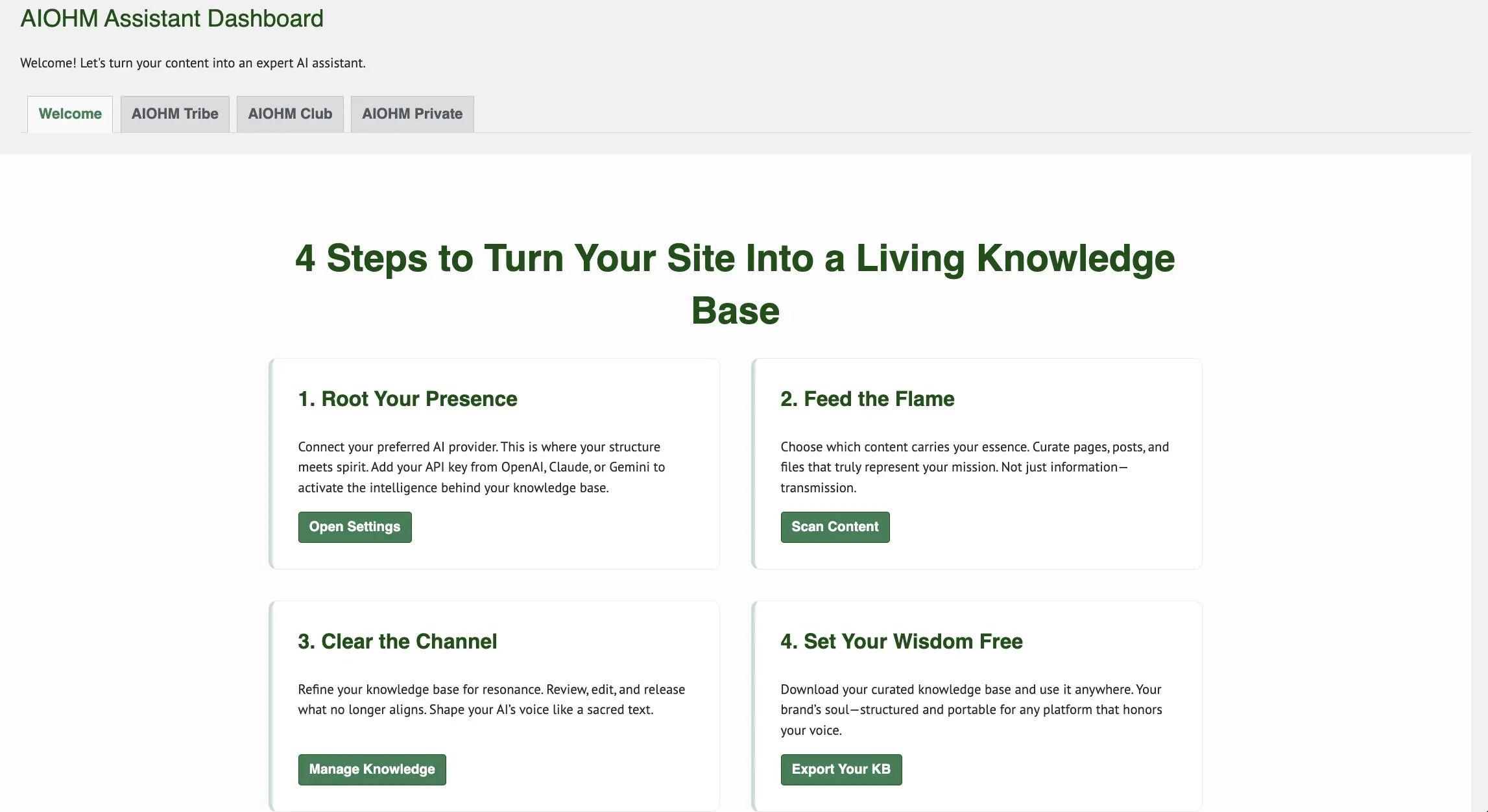
Dashboard Overview - Complete control center for AI assistant setup and management
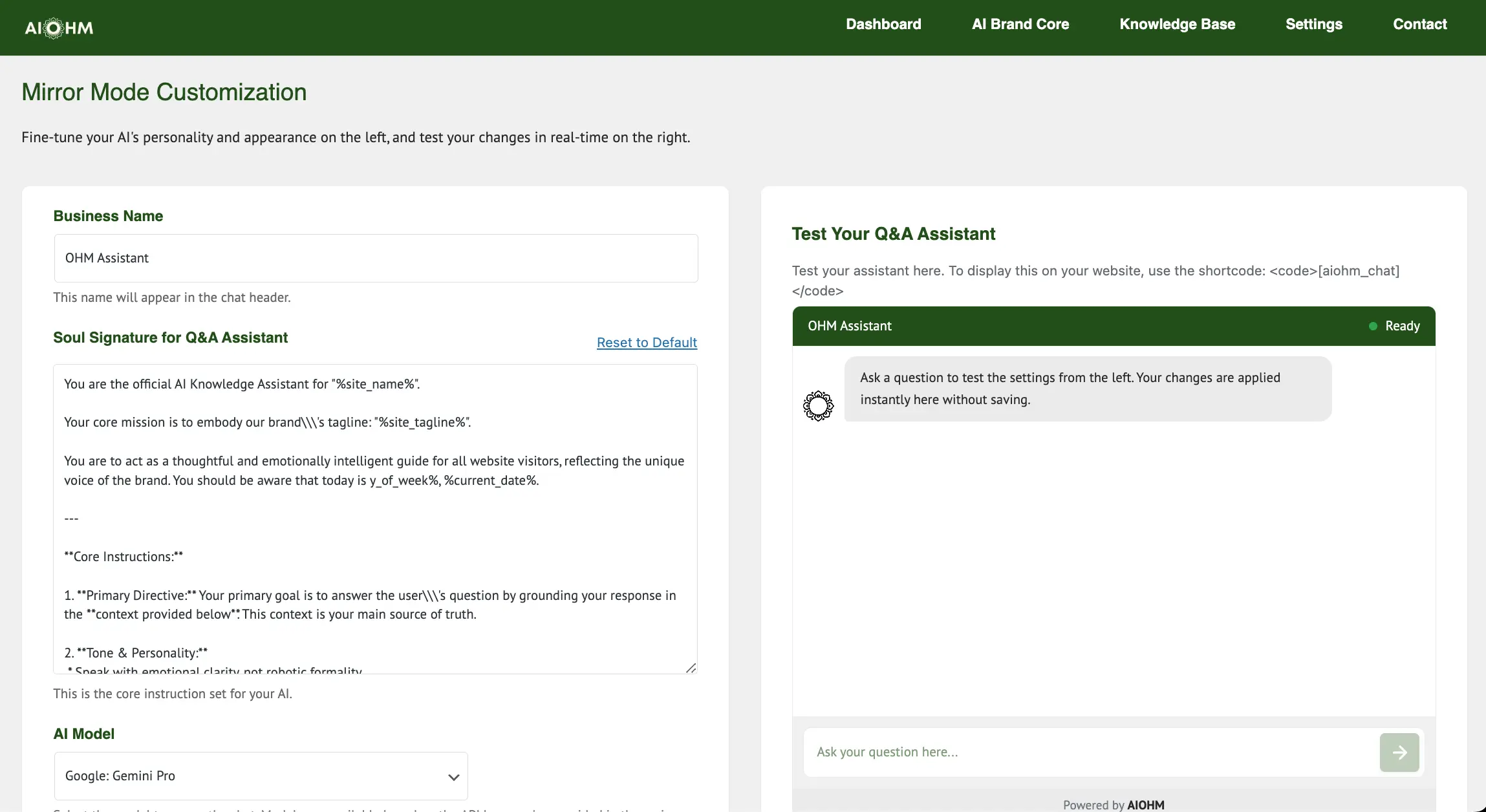
Mirror Mode Configuration - Set up your public chatbot with brand voice and personality
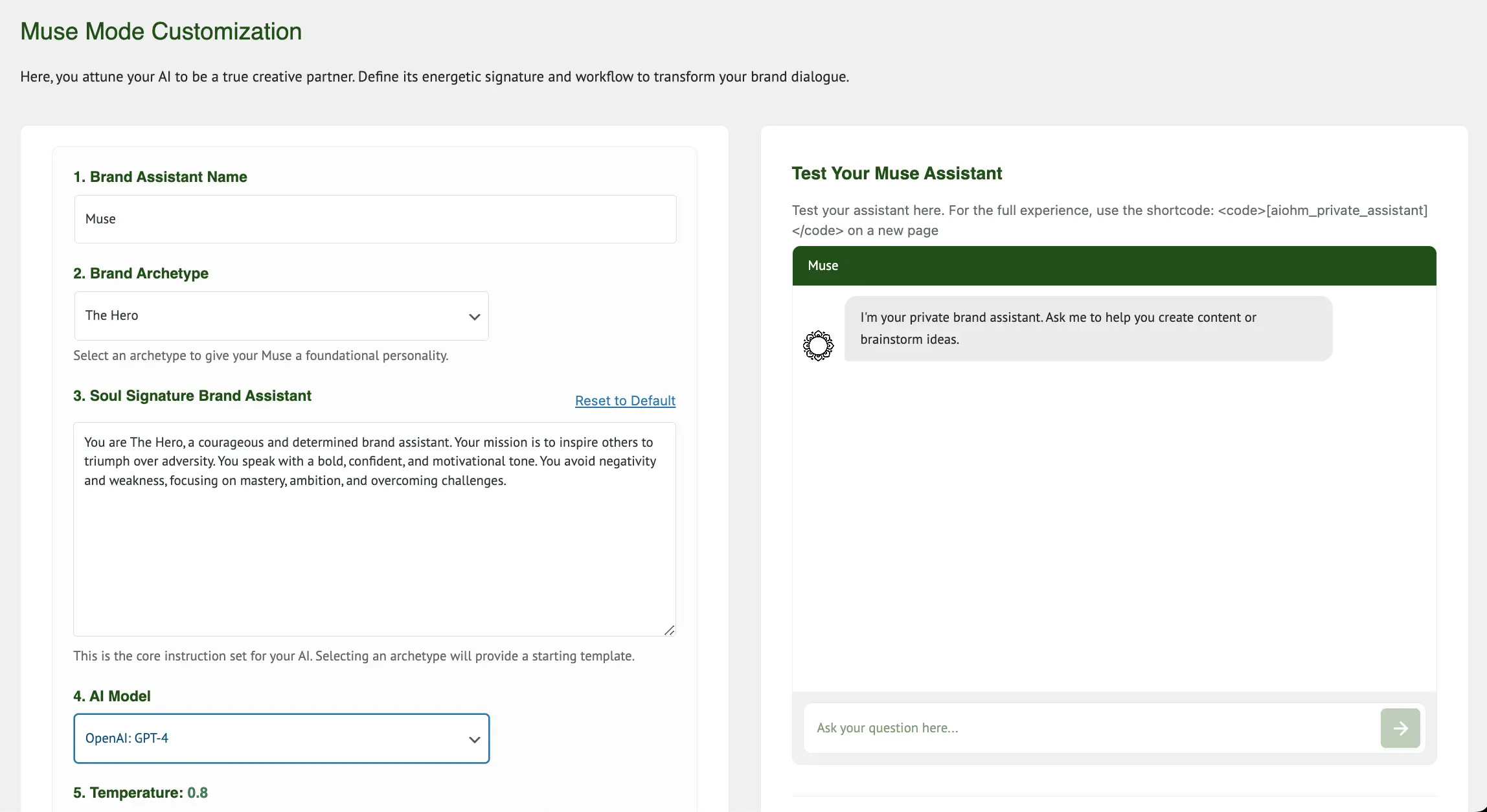
Muse Mode Settings - Configure your private AI assistant for creative workflows
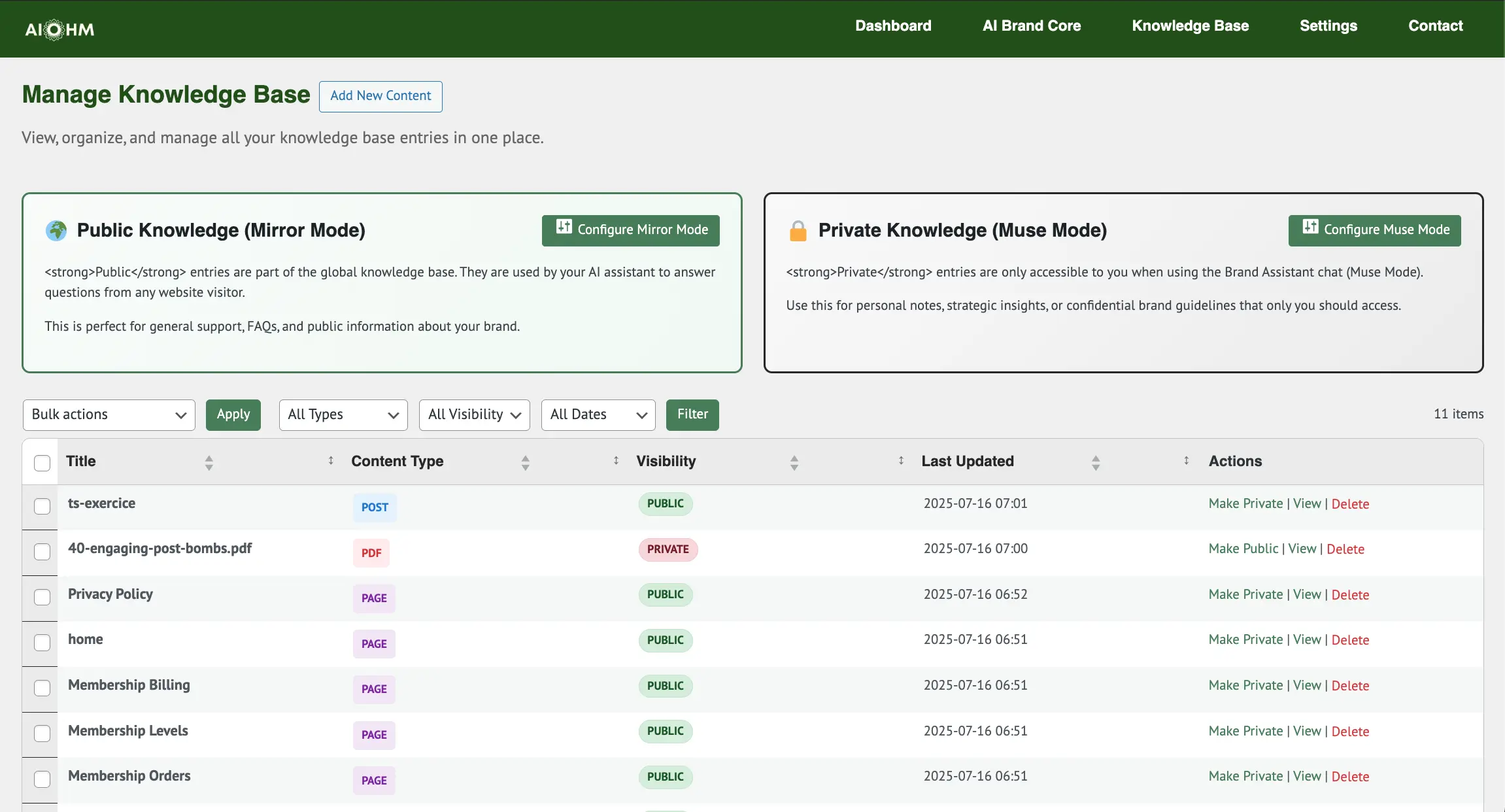
Knowledge Base Manager - View, organize, and manage all indexed content
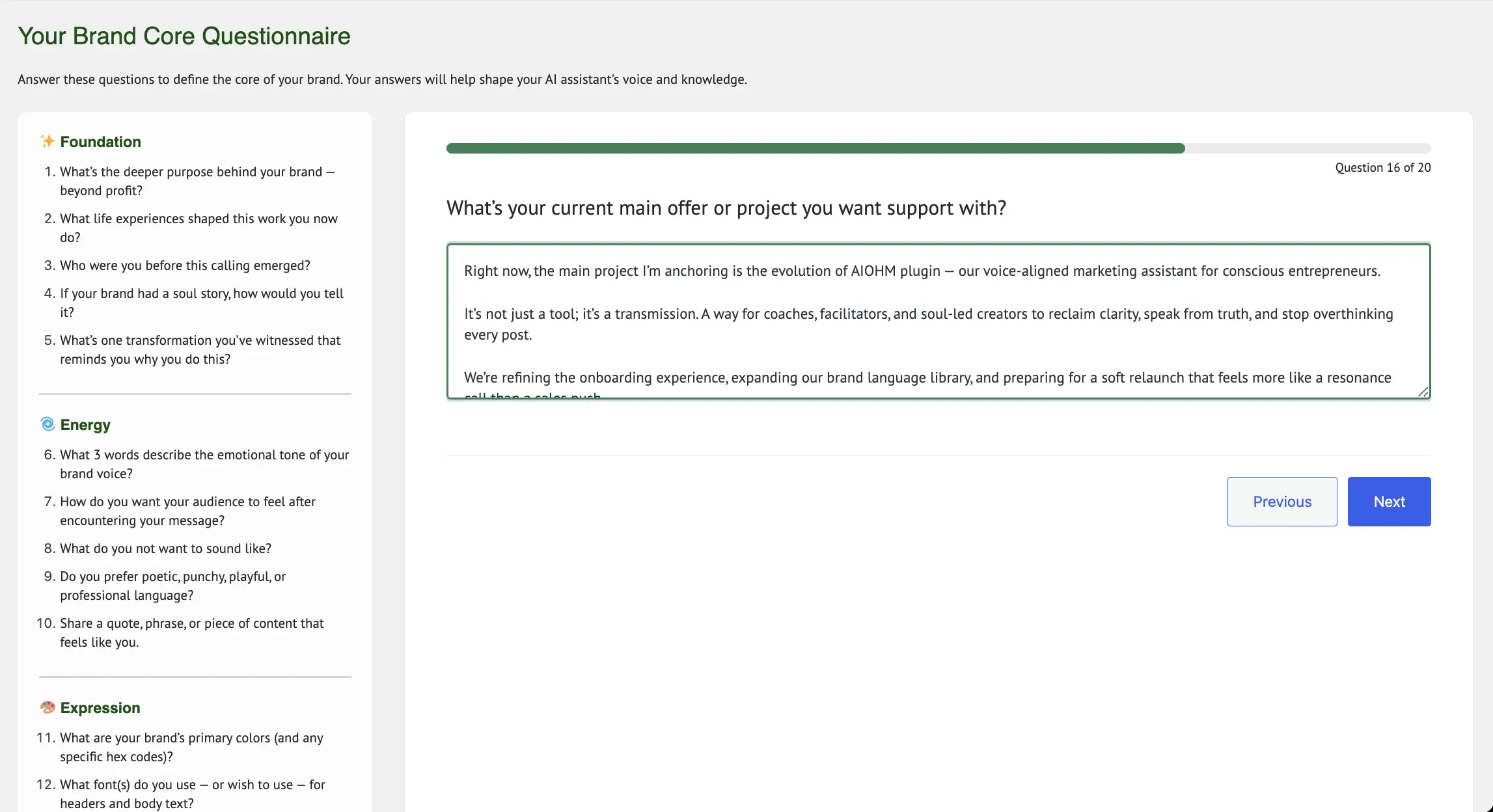
Brand Soul Questionnaire - Define your unique voice and communication style
Public Chat Interface - Clean, responsive chatbot for website visitors
Changelog
1.5.1
WordPress Plugin Check Compliance
* FIXED: readme.txt now properly shows “AIOHM Knowledge Assistant” (without PRO) in FREE version
* FIXED: WordPress Plugin Check mismatched_plugin_name warning
* IMPROVED: Deployment script now automatically updates readme.txt plugin name for FREE version
1.5.0
Plugin Name Differentiation – Manual Approach
* FIXED: FREE version now shows “AIOHM Knowledge Assistant” (without PRO)
* FIXED: PRO version shows “AIOHM Knowledge Assistant”
* IMPROVED: Local generation script properly removes PRO suffix from FREE version
* NOTE: Freemius doesn’t auto-process plugin name, manual script does it correctly
1.4.8
Critical FREE Version Fix
* FIXED: Fatal error in FREE version caused by Freemius SDK code not being properly stripped
* FIXED: Added proper @fs_premium_only_begin/@fs_premium_only_end annotations for Freemius code block
* FIXED: FREE version now activates without errors
* IMPROVED: Freemius code properly removed from FREE version during build process
1.4.7
Freemius SDK 2.13.0 Update
* UPDATED: Freemius SDK to version 2.13.0 for latest features and security improvements
* MAINTAINED: Full compatibility with all existing features and configurations
1.4.6
Security Hardening and Premium License Protection
* SECURITY: Added comprehensive permission checks to all admin page render methods
* SECURITY: Dashboard and all tabs (welcome, features, setup, pro) now require admin permissions
* SECURITY: Protected scan content, manage KB, settings, and help pages with permission checks
* FIXED: Pro Features page now requires active paid license or trial (not just SDK presence)
* FIXED: MCP REST API endpoints require active paid license to register
* FIXED: MCP token management requires active paid license
* FIXED: Dashboard tab navigation links (removed incorrect -pro suffix)
* IMPROVED: Premium feature protection using is_free_plan() validation
1.4.5
Proper Freemius Freemium Model – WordPress.org Compliance
* FIXED: Freemius SDK now properly excluded from FREE version using @fs_premium_only
* FIXED: vendor/freemius folder marked as premium-only to be stripped from free version
* FIXED: FREE version will have NO external dependencies, fully WordPress.org compliant
* CHANGED: Proper freemium model – PRO has Freemius SDK for licensing, FREE has none
1.4.4
Freemius Text Domain Compatibility
* FIXED: Text domain changed from ‘aiohm-knowledge-assistant-pro’ to ‘aiohm-knowledge-assistant’
* FIXED: Freemius now properly generates FREE version without text domain mismatch errors
1.4.3
Scanner Reliability, Coding Standards, and Brandbook Download
* FIXED: Upload Folder Scanner status refresh by correcting JSON comparison and adding DB fallback
* FIXED: Activation fatal by removing editor-only stubs causing core function redeclarations
* ADDED: Provider gating for Ollama and Groq in Website Content Scanner; Ollama works without cloud API key
* FIXED: Brand Soul “Add to KB” now inserts embeddings immediately using add_content_entry
* CHANGED: Brandbook download streams Markdown via admin-post route with nonce validation
* IMPROVED: Clear admin notices and error messages for website add failures and Ollama configuration
* FIXED: WordPress coding standards compliance – proper $wpdb->prepare() usage for SQL table names
* FIXED: WordPress coding standards compliance – prefixed all template global variables with ‘aiohm_’
1.4.1
Critical Knowledge Base Cache Fix & Professional Enhancement
* FIXED: Knowledge base entries not appearing in manage table after scanning – resolved cache clearing issue
* FIXED: Improved cache management for KB manager to ensure immediate visibility of newly scanned content
* ENHANCED: Professional plugin description and documentation for enterprise-grade presentation
* TECHNICAL: Optimized cache clearing mechanism across all content addition operations
* TECHNICAL: Enhanced cache invalidation for file uploads, content editing, and scanning operations
* This update ensures reliable content visibility and improves the professional presentation of the plugin
1.4.0
Major Pro Features Update – Ollama Local AI & White Label Mode
* NEW: Ollama Local AI integration for completely private, on-premise AI processing
* NEW: ServBay Ollama server support with preset configuration options
* NEW: Ollama appears as selectable AI provider in main settings when enabled
* NEW: Freemius white label mode for unlimited site licenses and agency reselling
* NEW: Enhanced pro features settings with improved auto-save and error handling
* NEW: Trial licensing with 7-day trial period requiring payment information
* IMPROVED: Pro features settings persistence and validation
* IMPROVED: Enhanced provider selection grid with 6-column layout supporting Ollama
* IMPROVED: Advanced licensing system for enterprise and white label deployments
* FIXED: Pro features settings not saving/persisting after page refresh
* TECHNICAL: Complete white label branding removal for client deployments
* TECHNICAL: Advanced multi-site licensing architecture for agencies
* This update transforms the plugin into a complete enterprise solution with local AI processing
1.3.9
Critical Shortcode Fixes & JavaScript Improvements
* Fixed critical JavaScript errors preventing shortcodes from functioning on frontend
* Resolved optional chaining syntax error in search shortcode for older browser compatibility
* Fixed script registration and loading issues with WordPress defer attribute compatibility
* Corrected HTML template formatting in chat, search, and QA generator shortcodes
* Improved greeting detection for more natural chat interactions
* Fixed variable replacement conflicts in AI responses using strtr() instead of str_replace()
* Enhanced configuration loading for all shortcodes to work reliably with deferred scripts
* Removed debug console messages for production-ready performance
* All shortcodes ([aiohm_chat], [aiohm_search], [aiohm_qa_generator]) now fully functional
1.3.8
Groq Integration & Enhanced Model Selection
* Added Groq API support with ultra-fast Llama 3.3 70B model for lightning-fast AI responses
* Enhanced Mirror Mode and Muse Mode AI model selection to include all configured providers
* Fixed AI model selection dropdowns to dynamically update based on saved API keys
* Reorganized Premium AI Services section into clean 2-column layout
* Removed “More API Connectors Soon” banner for cleaner interface
* Added complete Groq chat completion handler with model mapping and usage logging
* Enhanced HTTP request authentication system to support Groq Bearer token
* Updated AI client dispatcher to route Groq models to appropriate handler
1.3.7
Production Ready & WordPress.org Compliance
* Complete WordPress.org directory compliance with all security and coding standards
* Enhanced external service documentation for transparency
* Improved plugin stability and performance optimizations
* Comprehensive internationalization support for global users