

Air WP Sync – Airtable to WordPress
Swiftly sync Airtable to your WordPress website!
Plugin info
Maintenance & Compatibility
Maintenance score
Stale • Last updated 281 days ago • 16 reviews
Is Air WP Sync – Airtable to WordPress abandoned?
Likely maintained (last update 281 days ago).
Compatibility
Similar & Alternatives
Explore plugins with similar tags, and compare key metrics like downloads, ratings, updates, support, and WP/PHP compatibility.
Description
By connecting your Airtable database platform to your WordPress website, this plugin helps you manage your content better. Identify the Airtable fields you wish to link to WordPress and choose the format for your imported contents: articles, pages, products, users, taxonomies, etc. Simply define your ideal update frequency. Your plugin will automatically sync everything swiftly!
Upgrade to Pro+ Version to unleash advanced features, including CPTs, ACF, SEO plugin integration (Yoast, Rank Math, AllInOne SEO, SEOPress), and more — or even better, try our Air WP Sync for WooCommerce which includes all the Pro+ features and full compatibility with WooCommerce to manage your products, inventory, orders, and more.
Keep your content fresh and your workflow smooth.
What’s New?
Since our latest releases, we’ve expanded Air WP Sync with new functionalities:
– Improved UI/UX experience
– Support for multiple post types and meta fields
– Enhanced automation logic
– Compatibility with major SEO plugins
– New product: Air WP Sync for WooCommerce to sync products and orders
Features
Create connections to your Airtable tables
- Set up as many connections as you want
- Publish an unlimited number of connections (Pro+ Version)
Choose the content format you want to import
- Import your contents in your preferred format: articles, pages, etc.
- Import Users and Taxonomie terms
- Link Airtable columns to WordPress fields
Sync your personalized data
- Create new custom fields (Pro+ Version)
- Use specific content formats “Custom Post Types” (Pro+ Version)
Define synchronization setups
- Sync your data manually or automatically
- Select update frequency (Pro+ Version)
- Set up synchronization method (add, update, delete)
Third-party plugins support
(Pro+ Version)
* ACF (Advanced Custom Fields) & JetEngine CPT
* SEO plugins: Yoast, Rank Math, SEOPress, AllInOne SEO
* The Events Calendar
* WooCommerce (products & orders sync) – (Available in Air WP Sync for WooCommerce)
How to unleash your plugin’s full potential?
- Go to the Air WP Sync plugin page, click on “Add New” next to “Connections”.
- Enter a name for your new connection.
- Fill in the Airtable Settings (Airtable Access token available here).
- Select the form in which you want to import your content from your table (article, page, etc.) and set up the additional settings.
- Link your table fields with WordPress fields.
- Choose the Sync Settings (Strategy and Trigger).
- Publish the connection.
- Press “Sync Now” to sync your content for the first time.
Troubleshooting
Make sure you have created your databases and Airtable columns names before adding a new connection. If you don’t see it, wait 15 minutes. For performance reasons, your Airtable elements are cached for 15 minutes.
If needed, you can access to logs from a FTP server in this folder: /wp-content/uploads/airwpsync-logs/
Support
Open a ticket via the WordPress support forum
Installation
- From your WordPress Dashboard, go to “Plugins > Add New”.
- Search for “Air WP Sync”.
- Click on “Install Now” and activate the plugin.
- Find Air WP Sync in the sidebar to start using it.
Frequently Asked Questions
Offered in SaaS mode, Airtable is a database tool designed to create a simple online form and a project management environment or even a custom CRM. Equipped with an automatic translation function, Airtable manages multiple views: maps, calendars, Kanban boards, Gantt charts, etc.
Air WP Sync plugin uses the Airtable Access token to link columns with fields and send data. Creating an account on Airtable is free. Once connected, you can get the Airtable Access token here).
Not necessarily. Airtable offers a free plan with up to 1000 records per base and 1GB attachments, enough for many projects.
- Pro+ adds CPTs, custom fields, unlimited scheduling, ACF, SEO support, and extra power features.
See details: Compare Plans
We offer three versions of our plugin:
– Free Version: This version is available to all users at no cost Learn more and get the Free Version here.
– Pro+ Version: This version provides extended functionalities, designed for those who need the most from our plugin. Learn more and get the Pro+ Version here.
Airtable offers a free plan for an unlimited number of databases and small teams of up to 5 people. You will be able to add up to 1000 entries in each database and store up to 1 GB of attachments, but you will be limited to 1,000 API calls per workspace/per month.
Depending on your needs, several paid subscriptions allow you to unlock these limitations while accessing more advanced features (see prices).
Once you have defined the synchronization frequency and published your connection, relax: everything is automatic. It is also possible to manually synchronize the connection – whenever you want – using the ‘Sync Now’ button.
Review feed
Well done
Work as expected!
Great plugin
Great plugin
Screenshots
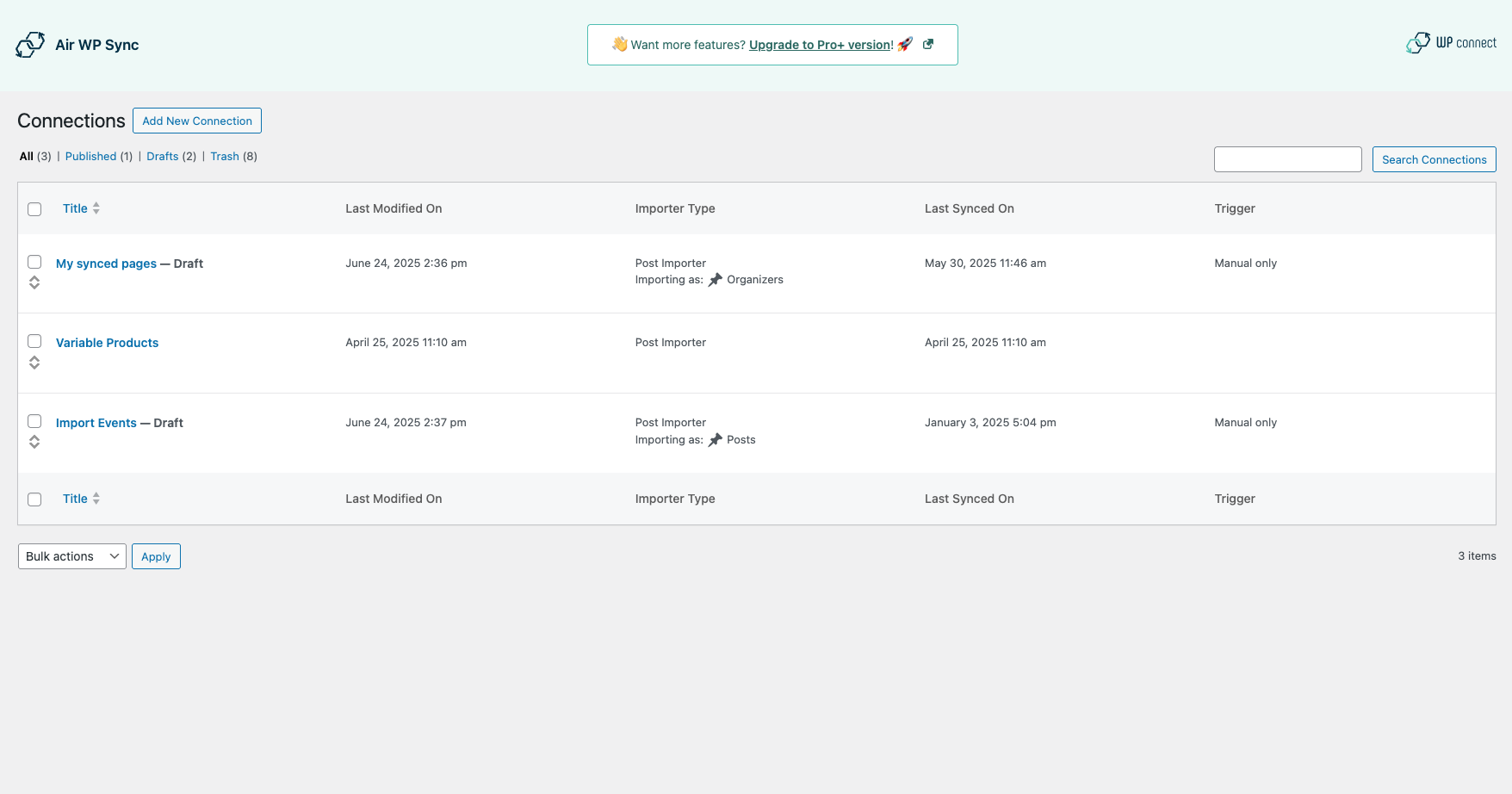
All Connections
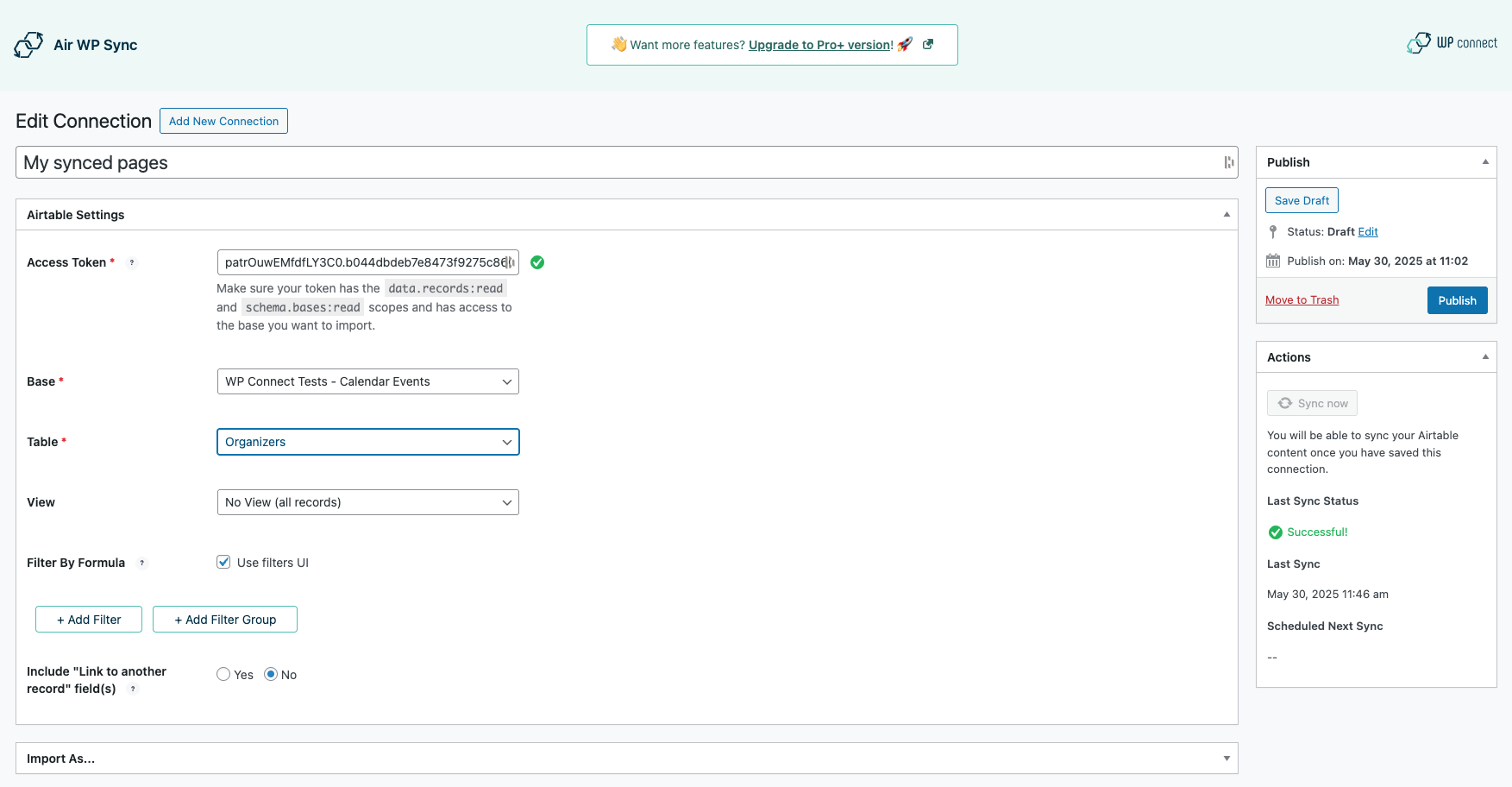
Airtable Settings
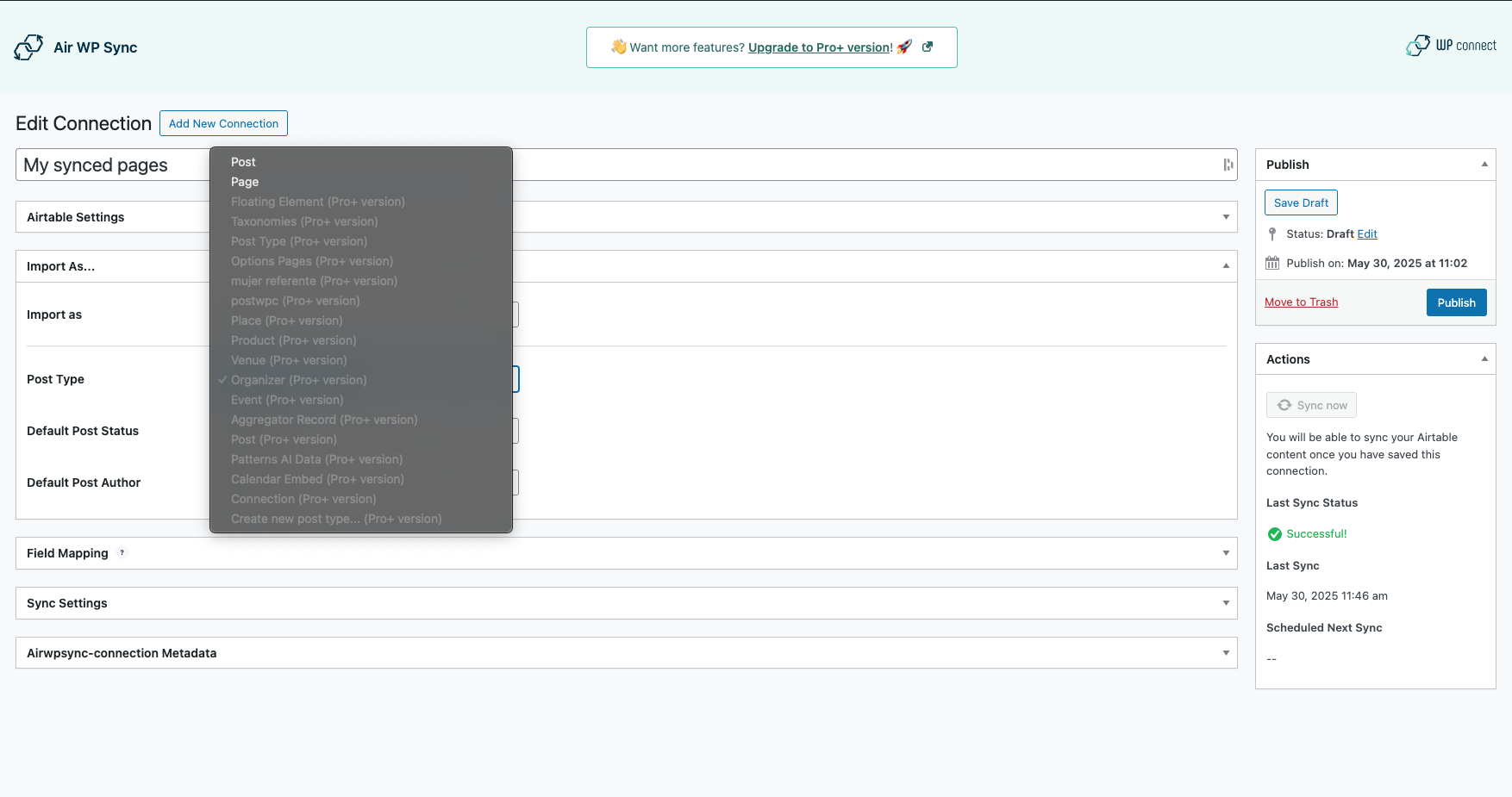
Import Settings
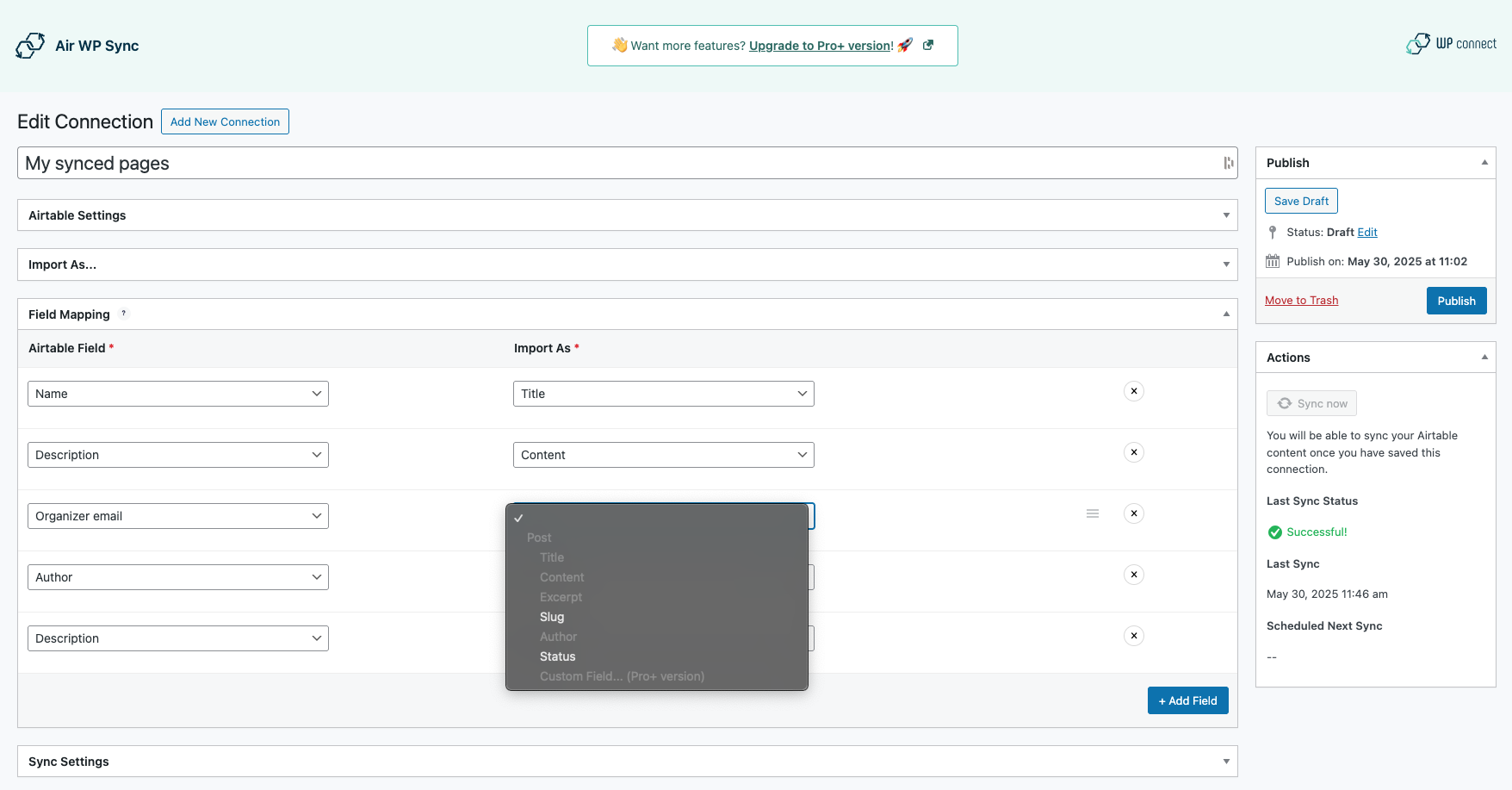
Field Mapping
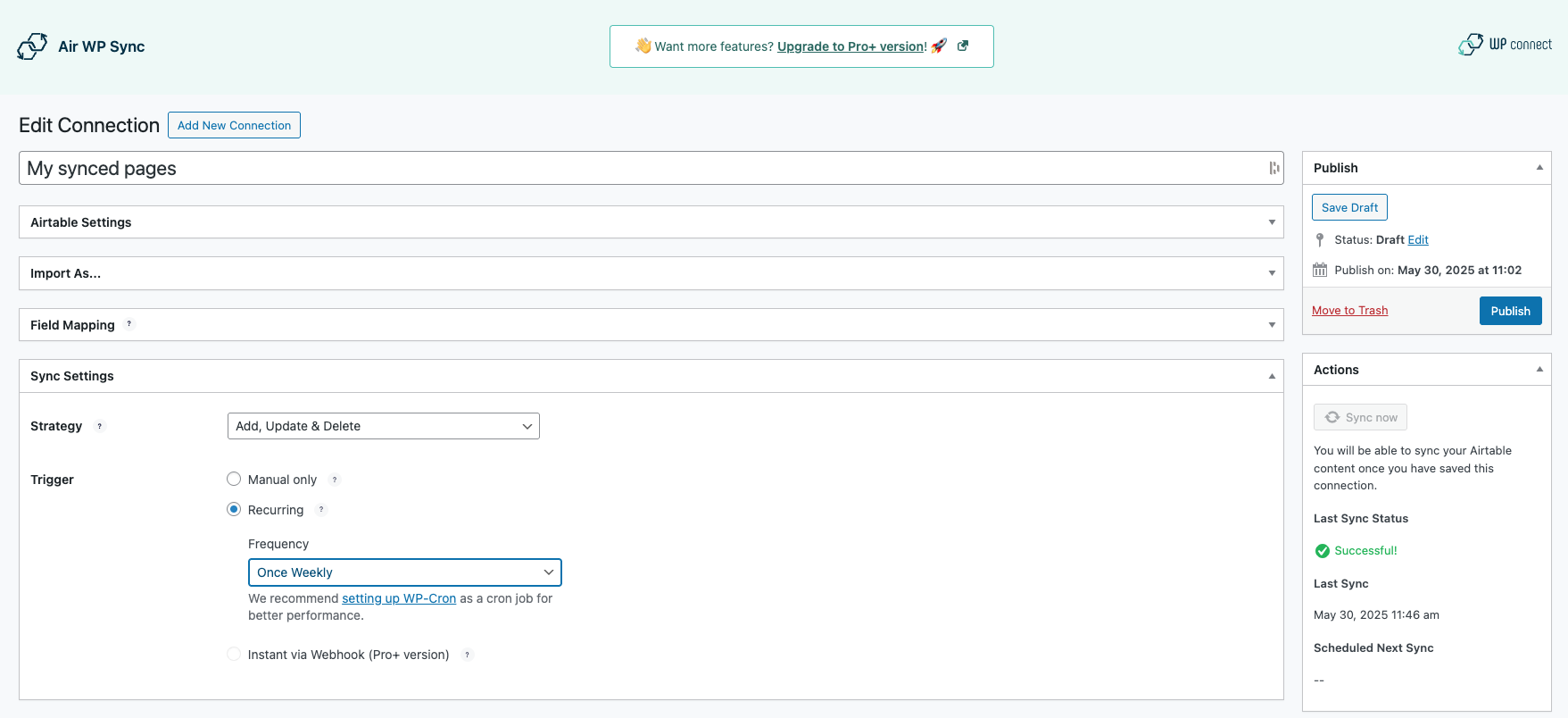
Sync Settings