

Plugin info
Maintenance & Compatibility
Maintenance score
Possibly abandoned • Last updated 2386 days ago • 1 reviews
Is Ajax Comment Form CST abandoned?
Possibly abandoned (last update 2386 days ago).
Compatibility
Similar & Alternatives
Explore plugins with similar tags, and compare key metrics like downloads, ratings, updates, support, and WP/PHP compatibility.
Description
Convert your default wordpress comment form into ajax submit.
Features
Ajax Comment Form CST allows you to convert your default comment form into ajax submit.
It will also add GDPR field for comment form that can be removed from setting option.
File (JS / CSS / PHP) will be added only to the selected pages, which will good for your website PLT (Page load time).
- Ajax request for Post and Page comment form.
- Messages can be cutomised.
- Captcha on / off settings.
- GDPR field can be enabled that will automically add a field in comment form and new column on comments list on backend.
- You can write your own CSS.
Installation
- Install and activate the plugin as usual from the ‘Plugins’ menu in WordPress.
- Go to the settings page > ACForm CST and make your own settings if you want.
- Make sure your page / post have comment_form() function.
Frequently Asked Questions
What i need on my wordpress theme to get this plugin works?
comment_form() function should be present for commenting process.
Do you like Ajax Comment Form CST?
Don’t hesitate to give your feedback.
Review feed
Easy to use
Screenshots
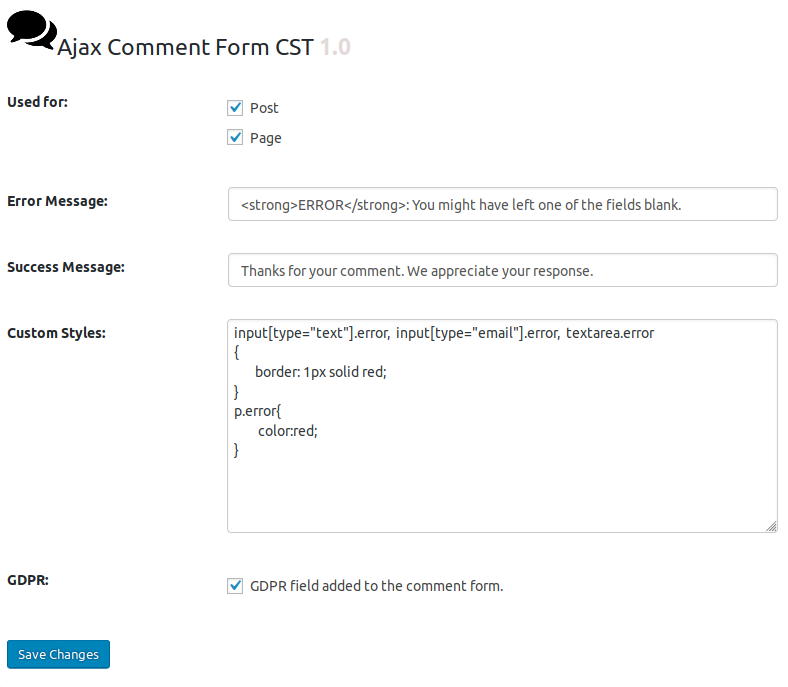
Backend Settings.
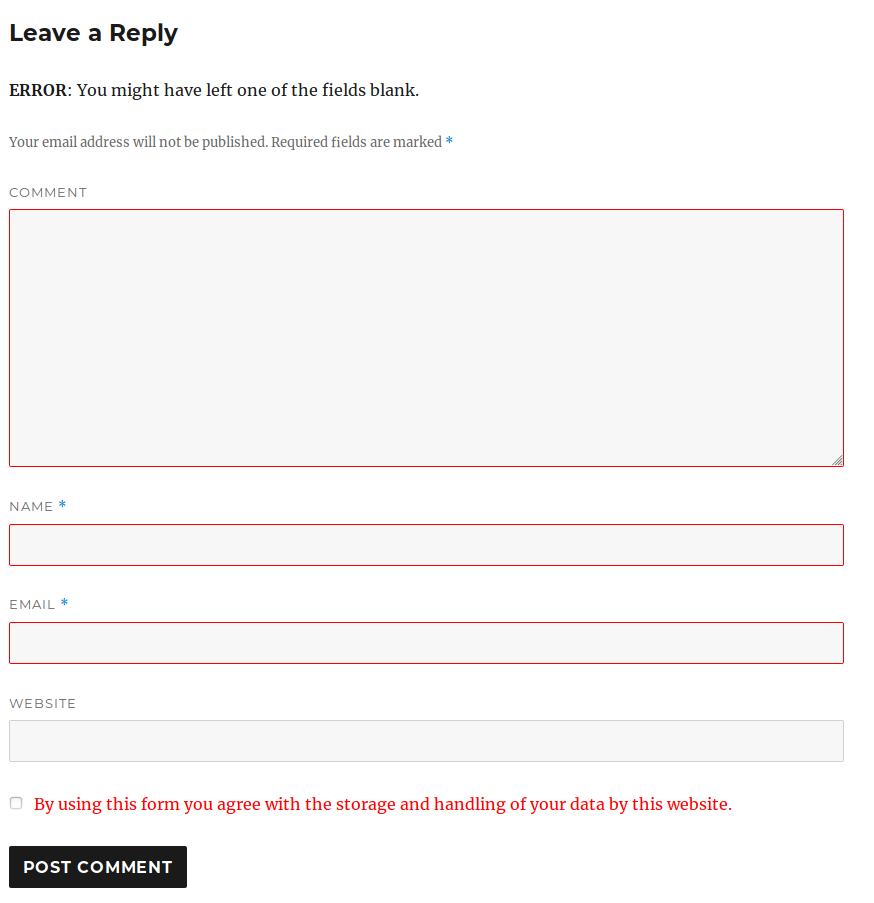
Front Look while throwing error.

Front Look with GDPR and Captcha.
Changelog
1.2
Release date: September 7th, 2019
1. Captcha Added to comment form with backend on / off setting.
2. GDPR shown only to guest users.
1.1
Release date: July 11th, 2019
1. Commented block added to the comment list / page on successfull submit.
2. Mutual scroll Added / on successfull commenting, scroll to the commented block.
3. Mutual scroll control on backend.
4. plugin settings will be deleted on deactivation.
1.0
Release date: July 2nd, 2019
* Initial release.