
Albatross Audio
Playlist functionality coupled with a stylish, responsive audio player. Empowering effortless creation and management of songs and playlists.
Plugin info
Maintenance & Compatibility
Maintenance score
Possibly abandoned • Last updated 382 days ago
Is Albatross Audio abandoned?
Possibly abandoned (last update 382 days ago).
Compatibility
Similar & Alternatives
Explore plugins with similar tags, and compare key metrics like downloads, ratings, updates, support, and WP/PHP compatibility.
Description
Albatross Audio is a high-performance WordPress plugin engineered to empower you to create, manage, and display audio playlists with ease. Featuring an intuitive administrative interface and a sleek, responsive front-end audio player powered by jPlayer, this plugin transforms your site into a dynamic audio hub. Ideal for musicians, podcasters, and audio enthusiasts alike, Albatross Audio integrates seamlessly with your WordPress theme while offering extensive customization options.
Key Features:
– Custom Post Type: Manage audio playlists using a dedicated post type “albatross-audio”.
– Taxonomy Integration: Organize playlists with hierarchical categories.
– Intuitive Admin Interface: Add and manage multiple songs per playlist using custom meta boxes.
– Media Uploader Integration: Easily select images and audio files via the built-in WordPress media uploader.
– Automated Duration Calculation: Dynamically computes the total playtime of playlists based on embedded song metadata.
– Responsive Audio Player: Deliver a modern, interactive audio player that adapts to any device.
– Shortcode Support: Embed the audio player anywhere on your site with a simple, customizable shortcode.
Installation
-
Upload Plugin Files:
Upload the plugin files to the/wp-content/plugins/albatross-audiodirectory via FTP or the WordPress Plugin Uploader. -
Activate the Plugin:
Activate Albatross Audio from the Plugins screen in your WordPress admin dashboard. -
Configure Your Playlists:
Navigate to the new “Albatross Audio” menu in your dashboard to begin creating and managing audio playlists.
Frequently Asked Questions
After installation, go to the “Albatross Audio” section in your WordPress dashboard, click “Add New,” and fill in the playlist details, including songs, artists, and audio file URLs.
Simply insert the shortcode [albatross-audio id="123" playlist="show"] into your post or page content, replacing 123 with the actual playlist post ID. The playlist parameter toggles the visibility of the playlist panel.
Review feed
Screenshots
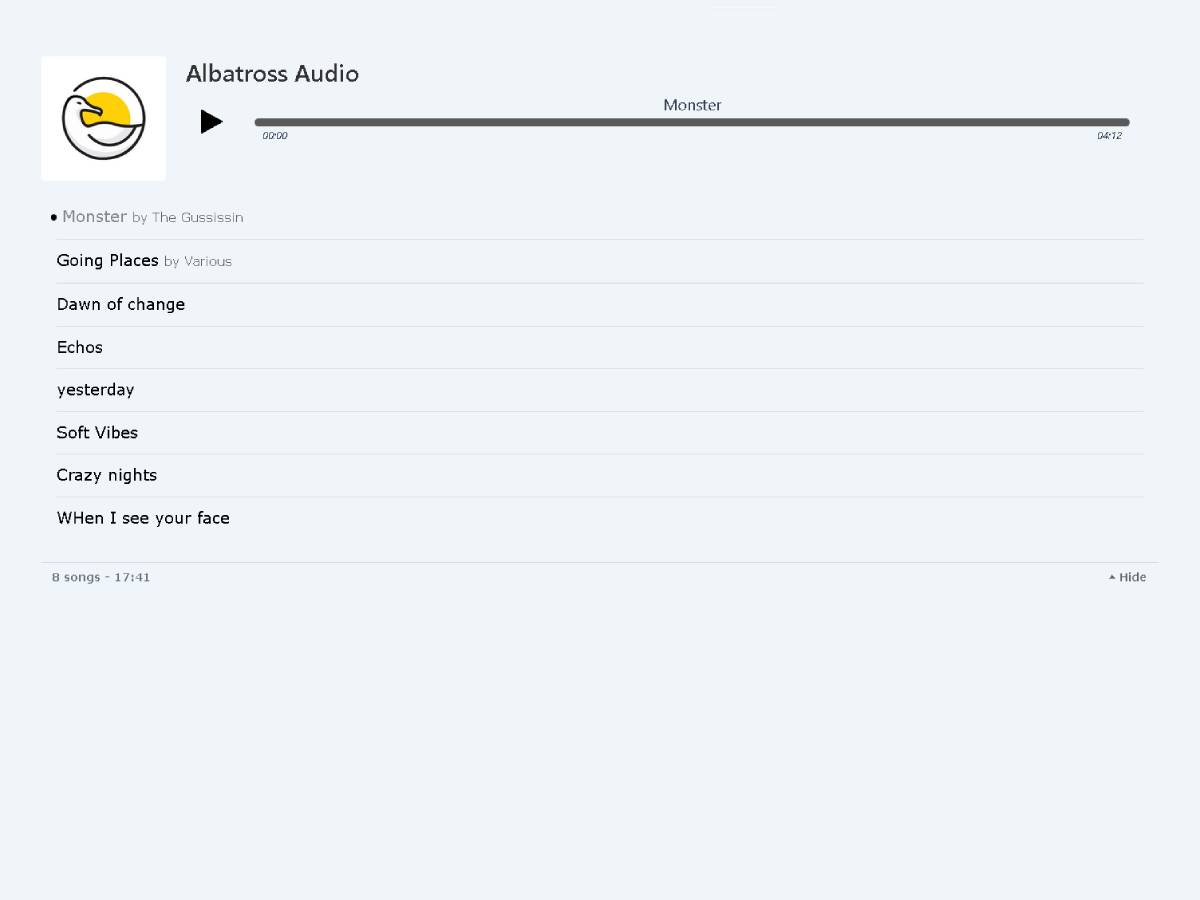
Audio Player: Front-end display of the responsive audio player.
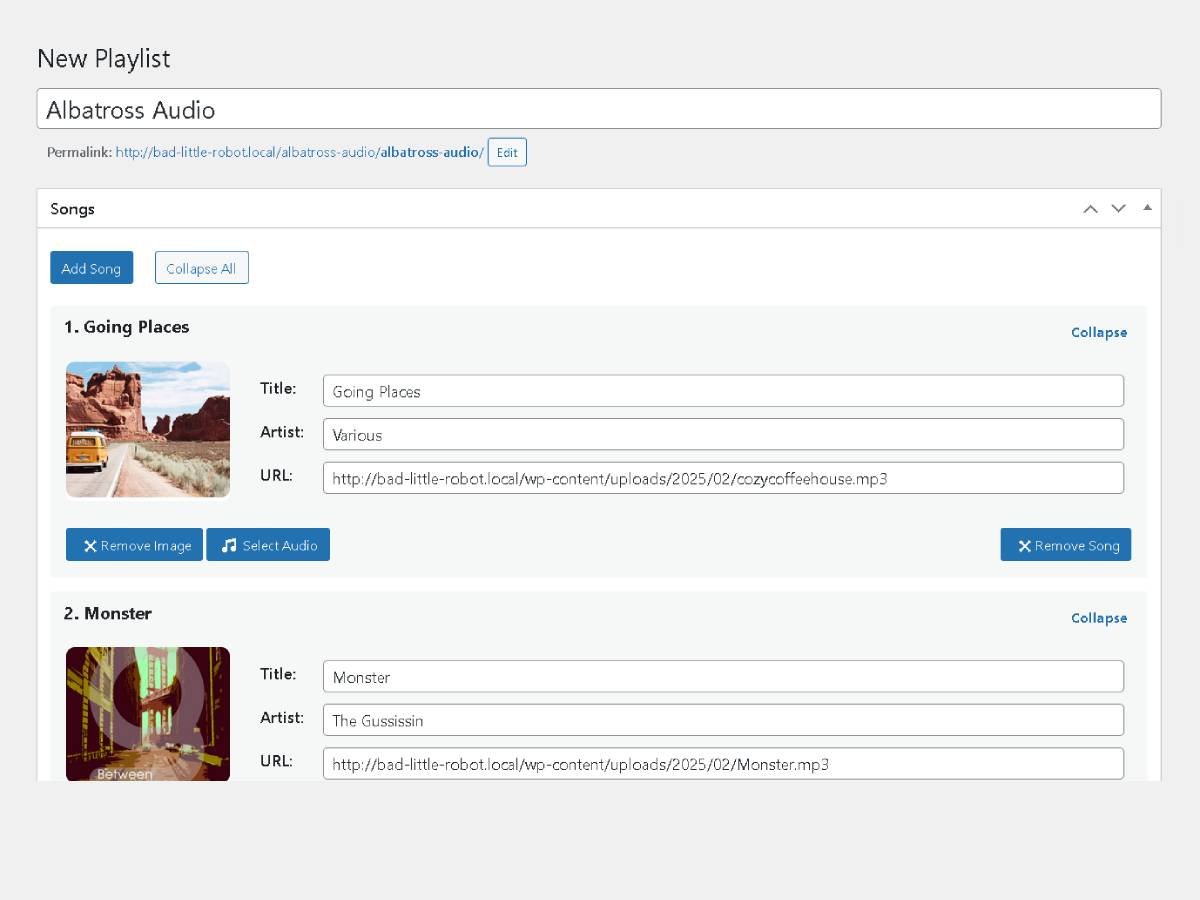
Playlist Edit: Detailed interface for editing and managing individual playlists.
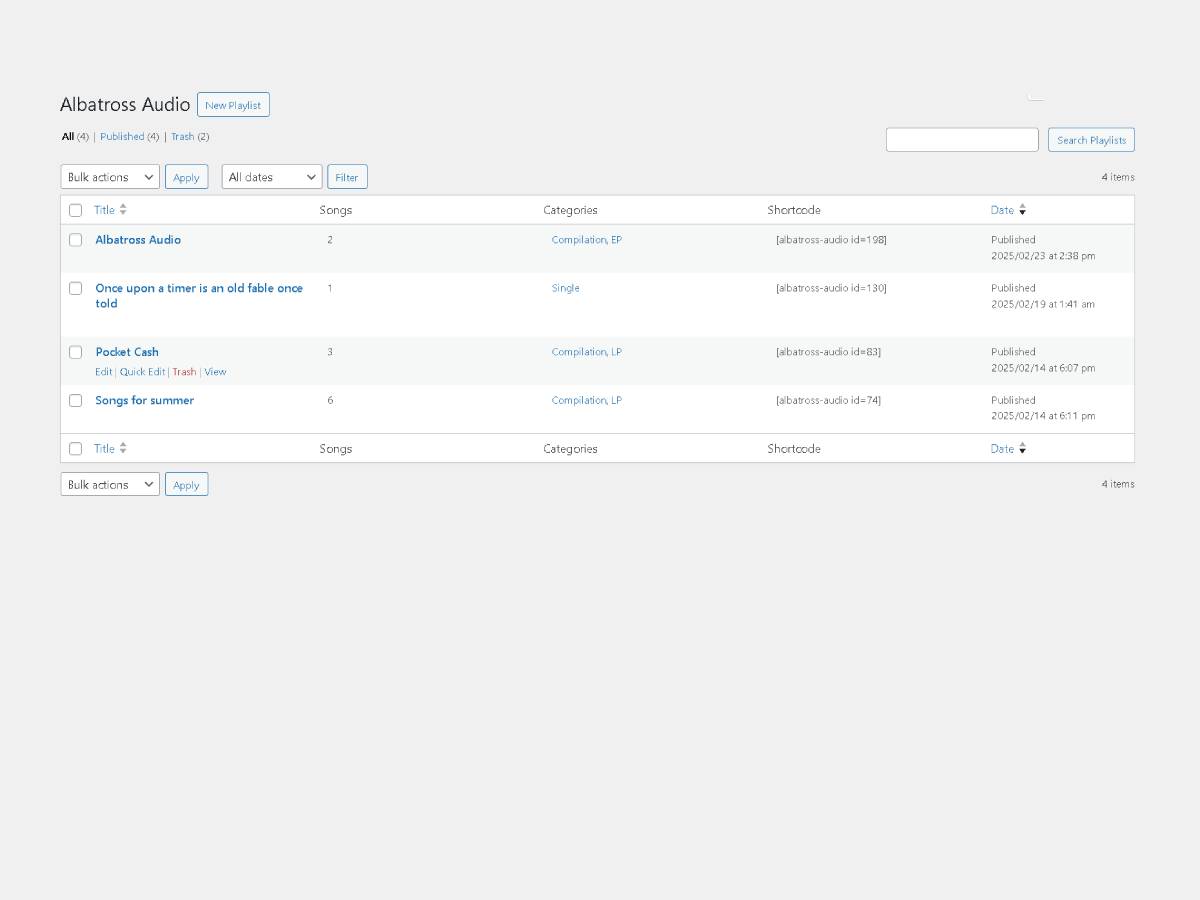
Admin Archive: Overview of playlists within the WordPress admin area.
Changelog
1.0.4
- Initial release.
1.0.5
- Minor Tweak.
- UPDATE: readme
1.0.6
- FIX: Select image button.
1.1.0
- FIX: Error handeling.
- FIX: Security vulnerability
- UPDATE: Icons and placeholder image