

Alert Box Block – Display Custom Alerts and Messages
Display notices/alerts on the page.
Plugin info
Maintenance & Compatibility
Maintenance score
Maintained • Last updated 158 days ago • 1 reviews
Is Alert Box Block – Display Custom Alerts and Messages abandoned?
Likely maintained (last update 158 days ago).
Compatibility
Languages
Similar & Alternatives
Explore plugins with similar tags, and compare key metrics like downloads, ratings, updates, support, and WP/PHP compatibility.
Description
Create and display notices/alerts on the page using the Gutenberg block. it comes up with a few customizable options to design the alert box as you want. Improve the user experience of your website using this block plugin.
Features
- Fully Customizable: Lots of options available to make the alert box as you want!
- Different Types: Alert box block comes with different types, you can easily switch the type of alert box.
- Standard Preset: Some preset alerts/notices are ready to use without any modification.
How to use
- First, install the Alert Box Block plugin
- Add the Alert Box Block from the block category called “Widgets” in the Gutenberg editor.
- You can change block settings from the right-side settings sidebar.
-
Enjoy!
-
For installation help click on Installation Tab
Feedback
- Did you like this plugin? Dislike it? Do you have a feature request? Please share your feedback with us
Check out the Parent Plugin of this plugin-
B Blocks – A blocks collection and page building tool for Gutenberg.
Check out our other WordPress Plugins-
Html5 Video Player – Display videos as single and playlist in multiple skins.
PDF Poster – Display/Embed PDF files with different styles.
Html5 Audio Player – Listen audios with awesome visuals.
StreamCast – Customizable radio player with different skins.
3D Viewer – Embed 3D models and 3D products with interaction.
Advanced Post Block – Show posts and custom posts in different layouts.
Installation
From Gutenberg Editor:
- Go to the WordPress Block/Gutenberg Editor
- Search For Alert Box Block
- Click on the Alert Box Block to add the block
Download & Upload:
- Download the Alert Box Block plugin (.zip file)
- In your admin area, go to the Plugins menu and click on Add New
- Click on Upload Plugin and choose the
alert-box-block.zipfile and click on Install Now - Activate the plugin and Enjoy!
Manually:
- Download and upload the Alert Box Block plugin to the
/wp-content/plugins/directory - Activate the plugin through the Plugins menu in WordPress
Frequently Asked Questions
Yes, Alert Box Block is a free Gutenberg block plugin.
Yes, it will work with any standard WordPress theme.
Yes, you can change block settings from the Gutenberg block editor’s right sidebar.
You can use unlimited times as you want.
You can post your questions on the support forum here
Review feed
Very useful
Screenshots
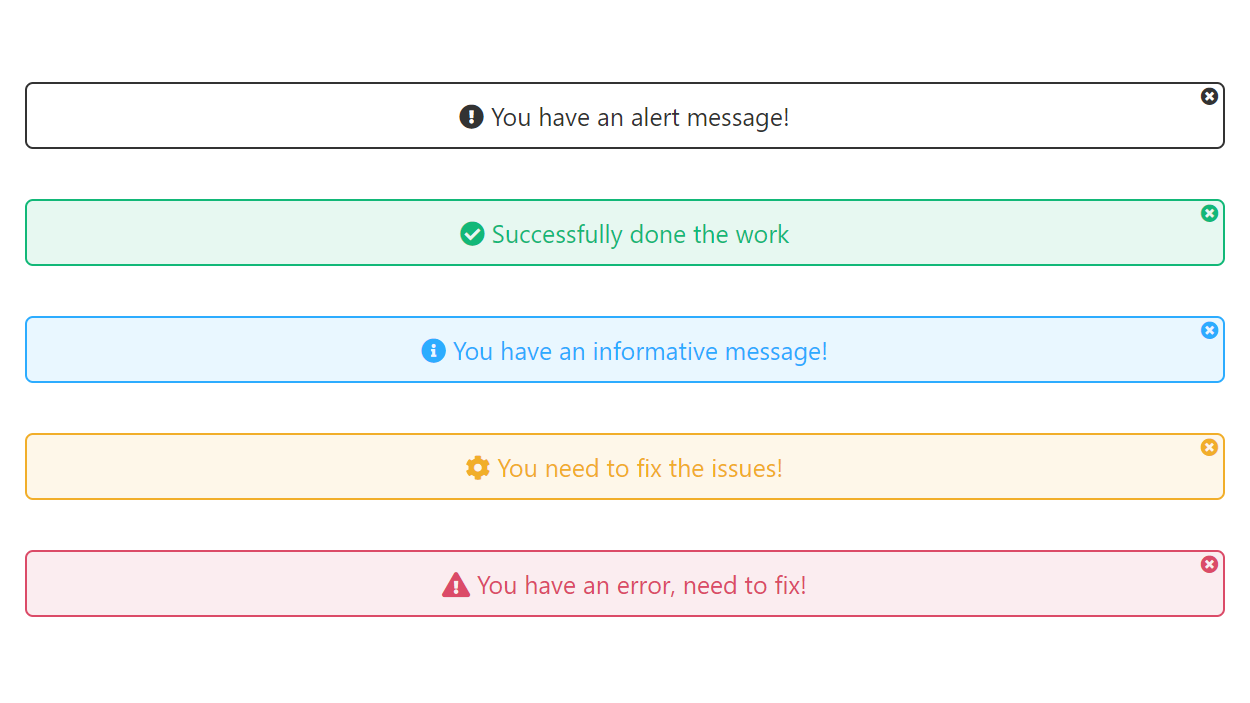
All Alerts
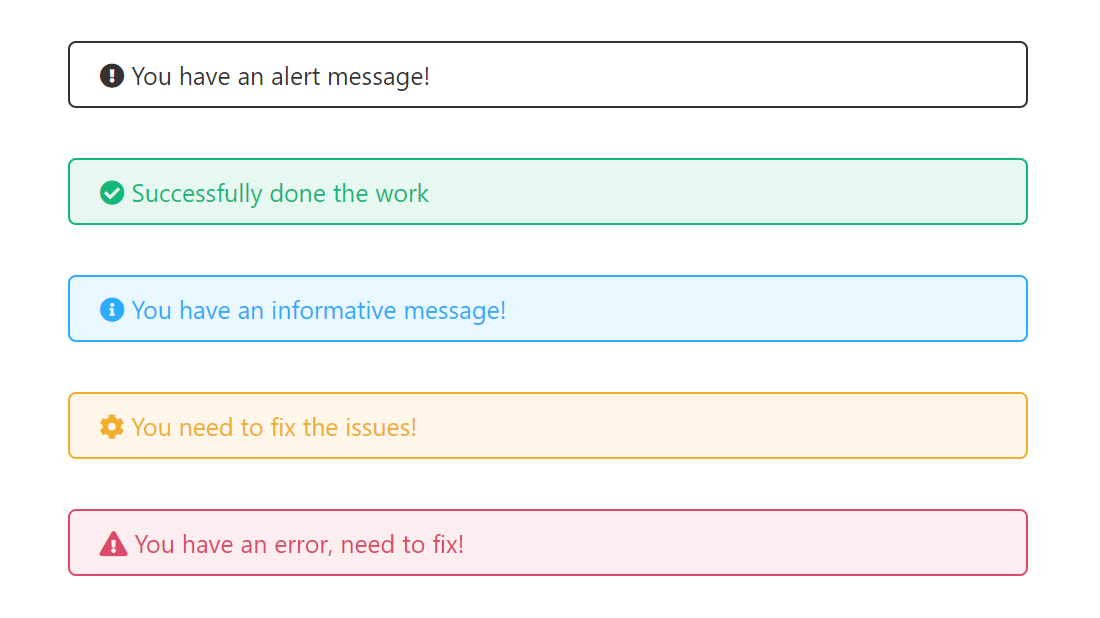
Without dismissible & Text center
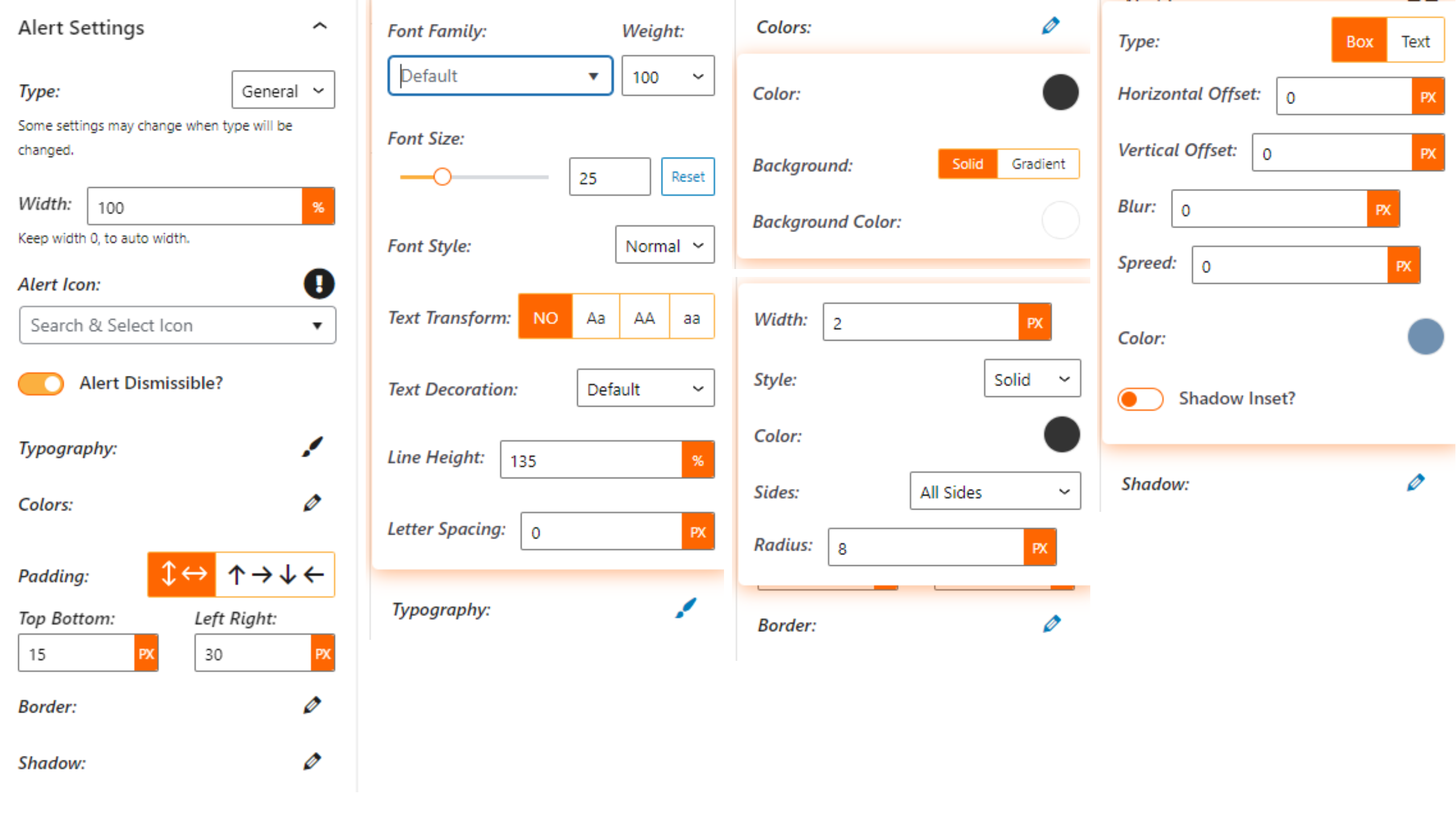
Alert Settings
Changelog
1.2.0 – 28 October 25
- Icon library updated to include additional icons.
1.1.4 – 16 Apr 25
- Improve input text content.
1.1.3 – 22 Mar 25
- Fix anchor link issue.
1.1.2
- Fix
tag not loading.
1.1.1
- Fix issue.
1.1.0
- Update Icon Library.
1.0.9
- Performance improvements
1.0.8
- Add minimal type
1.0.7
- Add translate feature
1.0.6
- Fix HTML Render
1.0.5
- Reduce PHP Code
- Performance Improvement
1.0.4
- Reduce PHP Code
1.0.3
- Performance upgrade
1.0.2
- Performance upgrade
1.0.1
- Update theme
1.0.0
- Initial Release.