

All 404 Pages Redirect to Homepage
By using this smart plugin, you can fix all 404 errors by redirecting them to the home page or any custom page using the SEO 301 redirection.
Plugin info
Maintenance & Compatibility
Maintenance score
Possibly abandoned • Last updated 820 days ago • 6 reviews
Is All 404 Pages Redirect to Homepage abandoned?
Possibly abandoned (last update 820 days ago).
Compatibility
Similar & Alternatives
Explore plugins with similar tags, and compare key metrics like downloads, ratings, updates, support, and WP/PHP compatibility.
Description
This plugin is for redirecting all 404 pages to the home page or any custom page, 404 URLs which can negatively affect search engine indexing. This plugin solves these errors in an SEO way by redirecting them using SEO 301 redirection.
You can see a list of all 404 redirections with the details like IP address, Date, URL, etc.
How to use the plugin?
Our Plugin will try to redirect all 404 pages to the home page or any custom page base on 301 redirections
After installing the plugin, enabled the status from the control panel above, if you want to disable the plugin functions, just set the status to disabled.
Installation
Automatic Installation
This is the easiest way to install the plugin on your WordPress website. For installing our plugin you need to login to your WordPress dashboard. Now go to the Plugins menu then click on the Add New option.
After this, you will get a new window, here in the search box enter our plugin name All 404 Pages Redirect to Homepage. Now from the list, you can find our plugin and simply click on the Install button.
Admin Dashboard > Plugins > Add New > Search for All 404 Pages Redirect to Homepage plugin.
Manual Installation
For manual installation, the first step is you need to download the plugin. Extract the .zip file and just drop the contents in the wp-content/plugins/ directory of your WordPress installation and then activate the plugin from the Plugins page.
After activating the plugin, go to Setting > All 404 Redirect to Homepage and enable status for redirection.
Frequently Asked Questions
Review feed
Simple great plugin
Screenshots

General setting page.
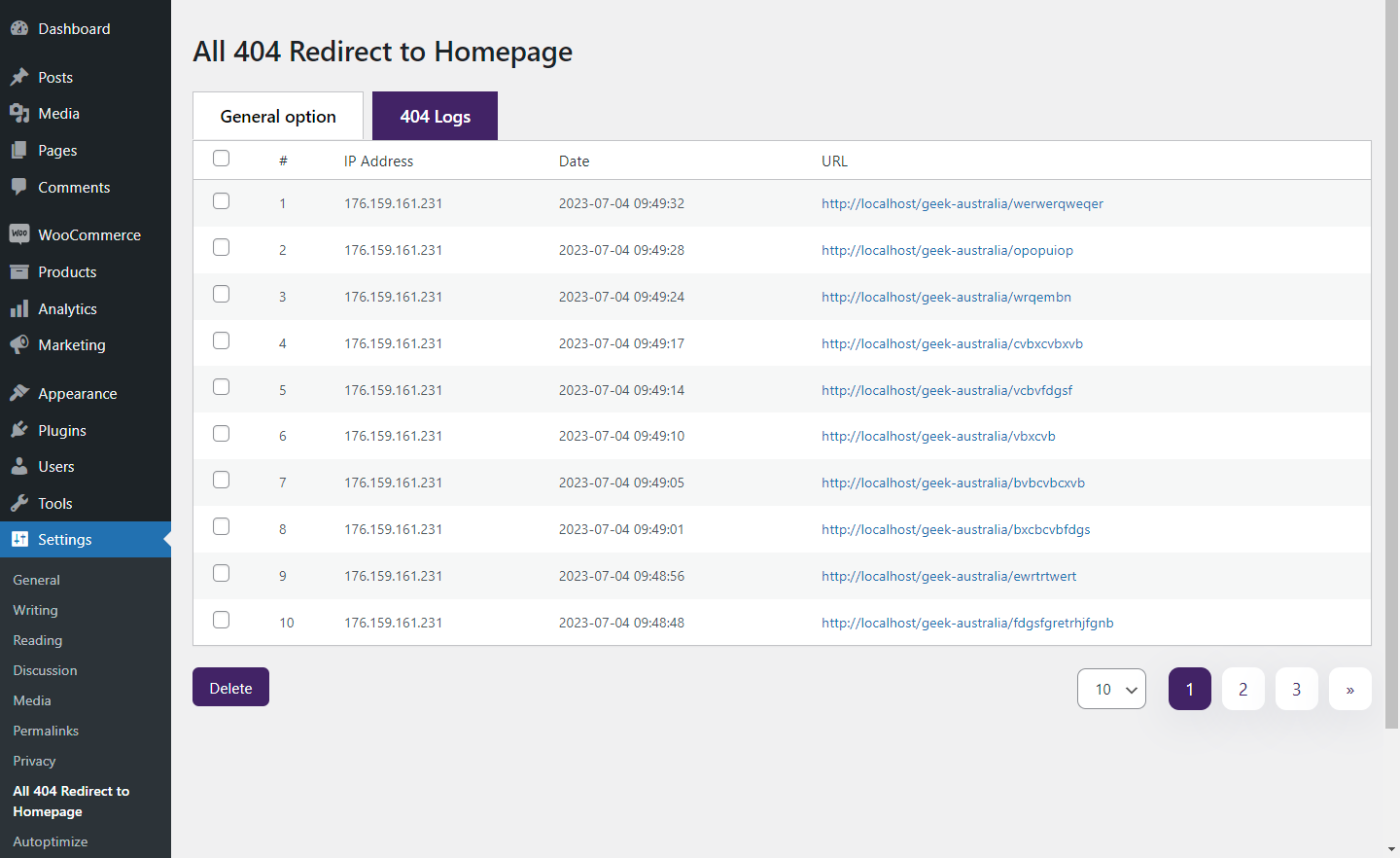
404 Logs

Improve Google Indexing.
Changelog
1.0
Initial release
1.1
Fix bug
1.2
Added setting menu link and support link.
1.3
Tested up to wp version 5.8.3
1.4
Tested up to wp version 5.9.0
1.5
Added feature for the listing of 404 logs
1.6
fixed issue.
1.7
Tested up to wp version 6.0.1
1.8
Tested up to wp version 6.2.2
1.9
Added Bulk Delete feature for the listing of 404 logs
2.0
Fix Bug
Tested up to wp version 6.4.2