

Binge Reading Archive Page
A plugin to create an "all posts since this site started by month" listing. Works on all themes with a shortcode.
Plugin info
Maintenance & Compatibility
Maintenance score
Stale • Last updated 229 days ago • 1 reviews
Is Binge Reading Archive Page abandoned?
Likely maintained (last update 229 days ago).
Compatibility
Similar & Alternatives
Explore plugins with similar tags, and compare key metrics like downloads, ratings, updates, support, and WP/PHP compatibility.
Description
This plugin displays all posts by month in a chronological format for easy binge reading. You can simply add the shortcode [binge_archive] anywhere on your site to create a month-by-month archive of every post. It’s a great way for new readers to dive into your entire blog history!
For more details, visit the official plugin page here:
https://ericrosenberg.com/binge-reading-archive-page-template-for-wordpress/
Installation
From the WordPress Plugin Repository:
1. Search for “Binge Reading Archive Page”
2. Click “Install,” then “Activate”
Manually Using The WordPress Dashboard:
1. Download all-posts-archive-page.zip to your computer
2. Navigate to the ‘Add New’ Plugin screen in WordPress
3. Choose the upload option, and select all-posts-archive-page.zip
4. Activate the plugin on the WordPress “Plugins” screen
Using FTP:
1. Download all-posts-archive-page.zip to your computer
2. Extract all-posts-archive-page.zip to your computer
3. Upload the all-posts-archive-page directory to your wp-content/plugins directory
4. Activate the plugin on the WordPress “Plugins” screen
Frequently Asked Questions
Just insert [binge_archive] into any page or post using the block editor or classic editor. That’s it! The plugin automatically creates a listing of all posts by month.
Yes, there is a settings page under “Settings” “Binge Reading Archive” where you can:
– Toggle year headings on/off and choose the heading size (H1–H6)
– Toggle month headings on/off and choose the heading size (H1–H6)
– Pick how months and years are formatted (e.g., Jan 2023 or 01 23)
– Decide whether to remove the plugin’s database table when uninstalling
Review feed
I Made It, So Of Course I Love It!
Screenshots
Shortcode in the block editor.

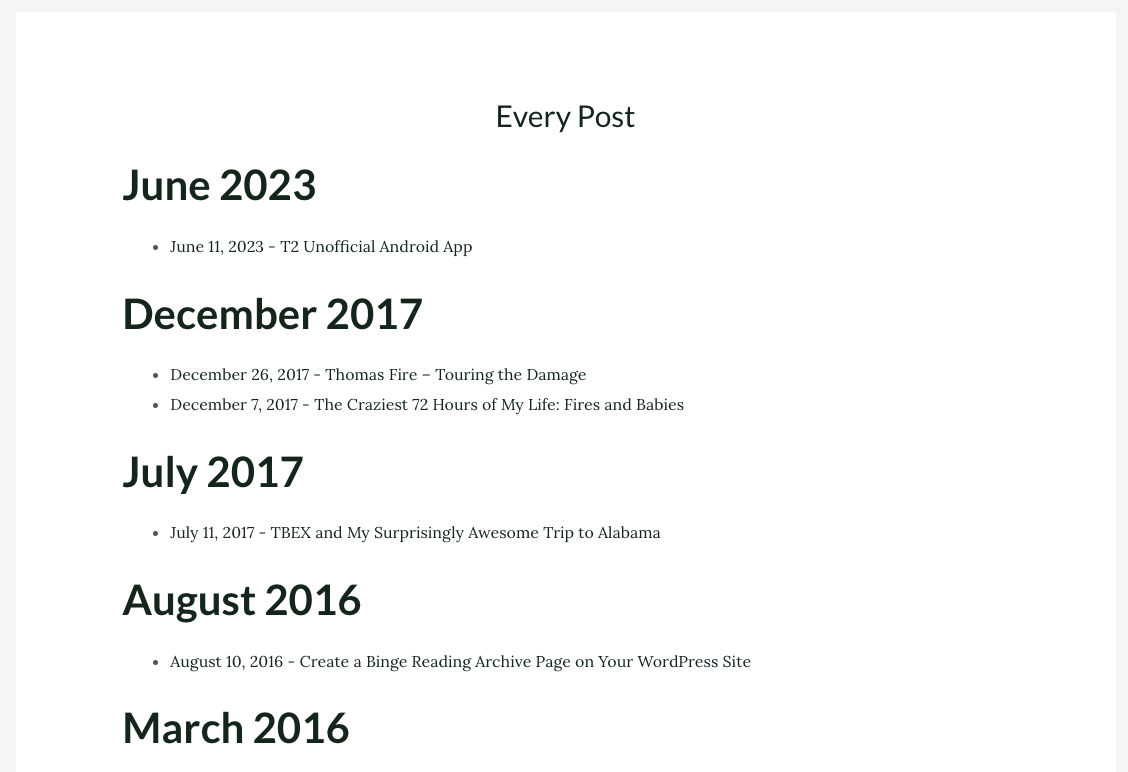
Example front-end output using your theme's default styling.
Changelog
0.55
- Added option to filter by category using a shortcode or plugin settings
- Added month text formatting options for M and MMMM
0.50
- Added optional year headings (with selectable H1–H6 size)
- Added optional month headings (with selectable H1–H6 size)
- Added date formatting options for months (MM or MMM) and years (YY or YYYY)
- Created a new database table for plugin settings
- Option to remove or retain the plugin settings table on uninstall
- Ensured compatibility with WordPress 6.2
0.4
- Rebuilt to use a shortcode instead of a theme-specific page template
- Removed Genesis framework requirements
- Verified compatibility with WordPress 6.2
- Ensures headings, lists, and text follow your active theme’s styling
0.3
- 10/23/2016
- Remove extra blank lines from code
- Add WordPress administration menu
- Remove unneeded breaks “\” from readme.txt
- Remove unused development file ‘binge-reading-category.html’
0.2
- 10/21/2016
- Add Genesis theme check and warning message
- Added new name for “PageTemplater” function to avoid conflicts
0.1
- 10/17/2016
- Initial version