

Maintenance 22/1003887d since update
Active installs
1,000
Downloads
21,748
Reviews
9
Age
10.7y
Plugin info
Total downloads: 21,748
Active installs: 1,000
Total reviews: 9
Average rating: 4.9
Support threads opened: 0
Support threads resolved: 0 (0%)
Available in: 1 language(s)
Contributors: 1
Last updated: 8/14/2015 (3887 days ago)
Added to WordPress: 8/14/2015 (10 years old)
Minimum WordPress version: 3.6
Tested up to WordPress version: 4.2.38
Minimum PHP version: f
Maintenance & Compatibility
Maintenance score
Possibly abandoned • Last updated 3887 days ago • 9 reviews
22/100
Is Allow PHP Execute abandoned?
Possibly abandoned (last update 3887 days ago).
Compatibility
Requires WordPress: 3.6
Tested up to: 4.2.38
Requires PHP: f
Similar & Alternatives
Explore plugins with similar tags, and compare key metrics like downloads, ratings, updates, support, and WP/PHP compatibility.
Advanced Text Widget
Rating 4.7/5 (6 reviews) • Active installs 5,000
All In One Php
Rating 5.0/5 (1 reviews) • Active installs 20
Related post widget
Rating 0.0/5 (0 reviews) • Active installs 10
Snippet Shortcodes
Rating 4.7/5 (25 reviews) • Active installs 5,000
Category Post Shortcode
Rating 5.0/5 (2 reviews) • Active installs 200
PHP-Widgetify
Rating 0.0/5 (0 reviews) • Active installs 40
Description
Allow PHP Execute Run PHP code inserted into WordPress posts and pages and Text Widget
also you can add php code in your post or page title section.
The PHP code runs as the page is sent to the browser. Output of the PHP code is published
directly onto the post , page or widget section where the PHP code is located.
you can be activated without any fear.
Examples of use:
- Use the php code on your page, post ,default text widget ,page title or post title
Installation
- Put the Allow PHP Execute to plugin folder “/wp-content/plugins/”
- Go into the WordPress admin pannel and activate the plugin
- Go into Setting section “Allow PHP Execute” Options ( Choose to execute/run PHP )
- Enjoy
Frequently Asked Questions
See the plugin offical page.
Review feed
No reviews available
Screenshots

screenshot-1.png

screenshot-2.png

screenshot-3.png
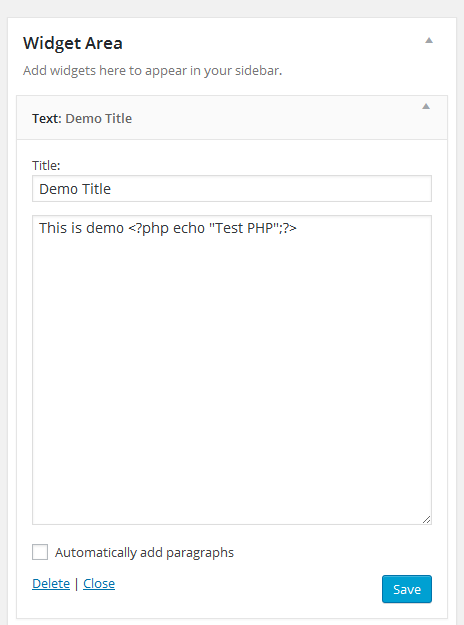
screenshot-4.png

screenshot-5.png
Changelog
1.0
Initial release