

Altomatic
AI-powered image optimization and alt text generation. Improve site speed, SEO, and accessibility—all automatically.
Plugin info
Maintenance & Compatibility
Maintenance score
Stale • Last updated 319 days ago • 1 reviews
Is Altomatic abandoned?
Likely maintained (last update 319 days ago).
Compatibility
Similar & Alternatives
Explore plugins with similar tags, and compare key metrics like downloads, ratings, updates, support, and WP/PHP compatibility.
Description
Altomatic is a 2-in-1 solution that combines image compression and automatic alt text generation to help you optimize your site with zero effort.
Using AI, Altomatic processes every new image you upload—compressing it into WebP/AVIF for better page speed and SEO—and automatically writes accurate, descriptive alt text to boost accessibility and search rankings.
This is the tool busy site owners and web developers have been waiting for. Whether you’re managing one large site or many client projects, Altomatic helps you streamline image management, save hours of manual work, and ensure your images are doing their job.
Key Features
Automatic Alt Text Generation
– Uses AI to generate relevant, descriptive alt text on image upload
– Helps improve accessibility and on-page SEO
– Supports multiple languages
Advanced Image Optimization
– Compress images automatically with smart algorithms
– Convert images to next-gen formats like WebP and AVIF
– Optimize responsive image variants (srcset)
Built for Speed and Simplicity
– Automatically processes new uploads in the background
– Bulk optimization tools for existing media
– Maintains original image quality while boosting performance
Customizable Settings
– Choose which image sizes to optimize
– Set preferred output formats
– Enable or disable features per your workflow
– Simple, intuitive settings panel in the WordPress admin
Configuration
- Sign up for a free account and get your API key at altomatic.ai
- Go to
Settings > Altomatic - Paste your API key and customize settings:
- Select image sizes to optimize
- Choose output formats (WebP/AVIF/original)
- Enable automatic alt text generation
- Configure responsive image settings
External Services
This plugin connects to the Altomatic API (https://api.altomatic.ai) to perform image optimization and alt text generation. Your images are uploaded only during processing and are never made public or shared.
See terms of use and privacy policy for more details.
Support & Contact
- Website: https://altomatic.ai
- Support Email: [email protected]
Installation
- In your WordPress dashboard, go to
Plugins > Add New - Search for “Altomatic”
- Click “Install Now” and then “Activate”
Or install manually:
1. Download the latest release from altomatic.ai/download
2. Upload the ZIP via WordPress or extract to /wp-content/plugins/
3. Activate the plugin through the ‘Plugins’ menu
Frequently Asked Questions
Altomatic uses AI to analyze each image and generate descriptive, SEO-friendly alt text automatically. This saves you time and ensures accessibility compliance.
No. The plugin preserves your original images and only creates optimized versions as needed.
Altomatic supports JPEG, PNG, and GIF, and converts them into WebP or AVIF formats with automatic browser fallback.
Credits are used per image processed and can be monitored in the Altomatic settings panel. Manage your account at altomatic.ai/profile.
Yes. Images are transferred securely and temporarily stored only during the processing step. We do not store or share your media beyond what’s needed for delivery.
Review feed
Screenshots
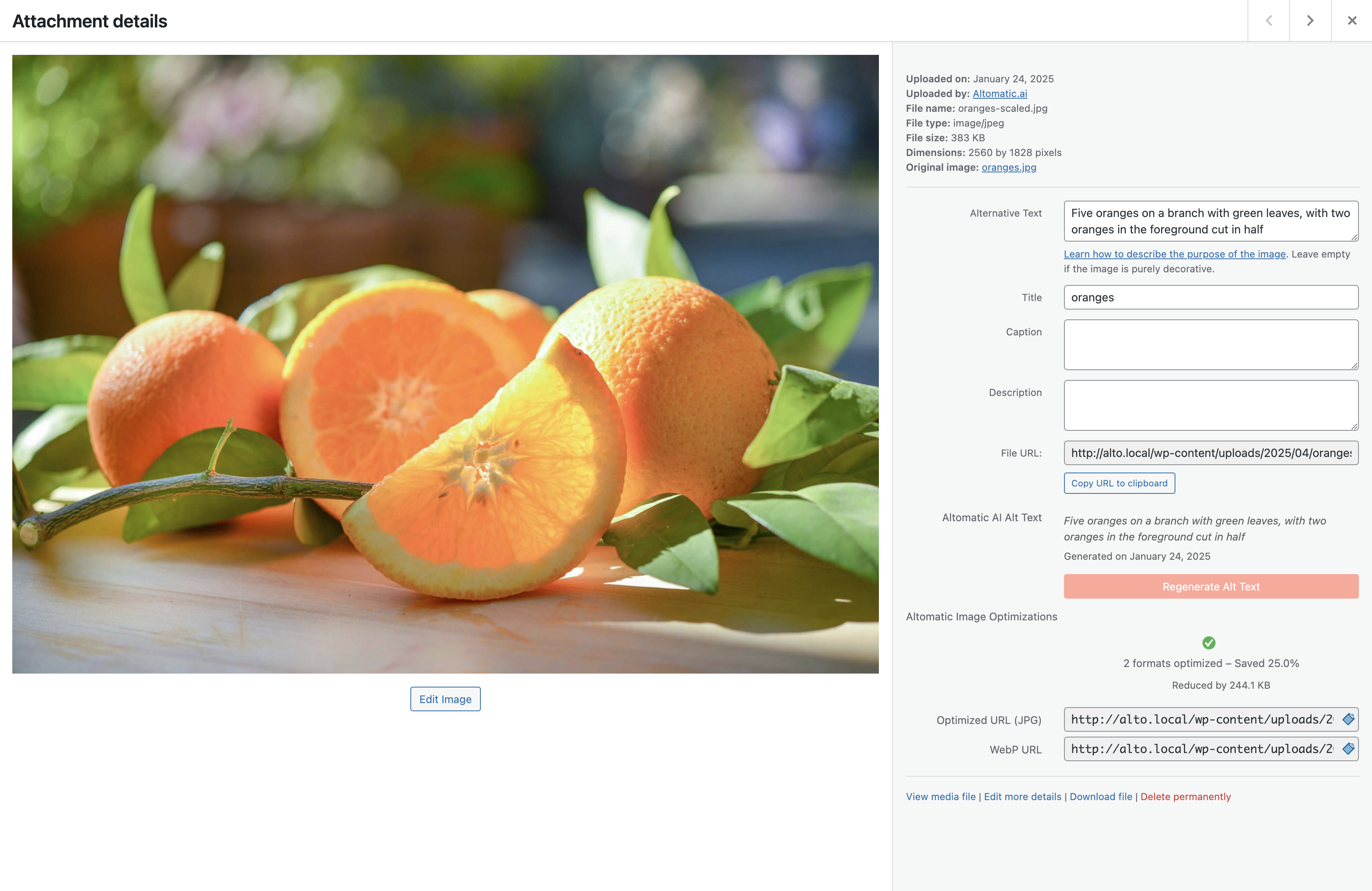
Plugin dashboard showing optimization stats
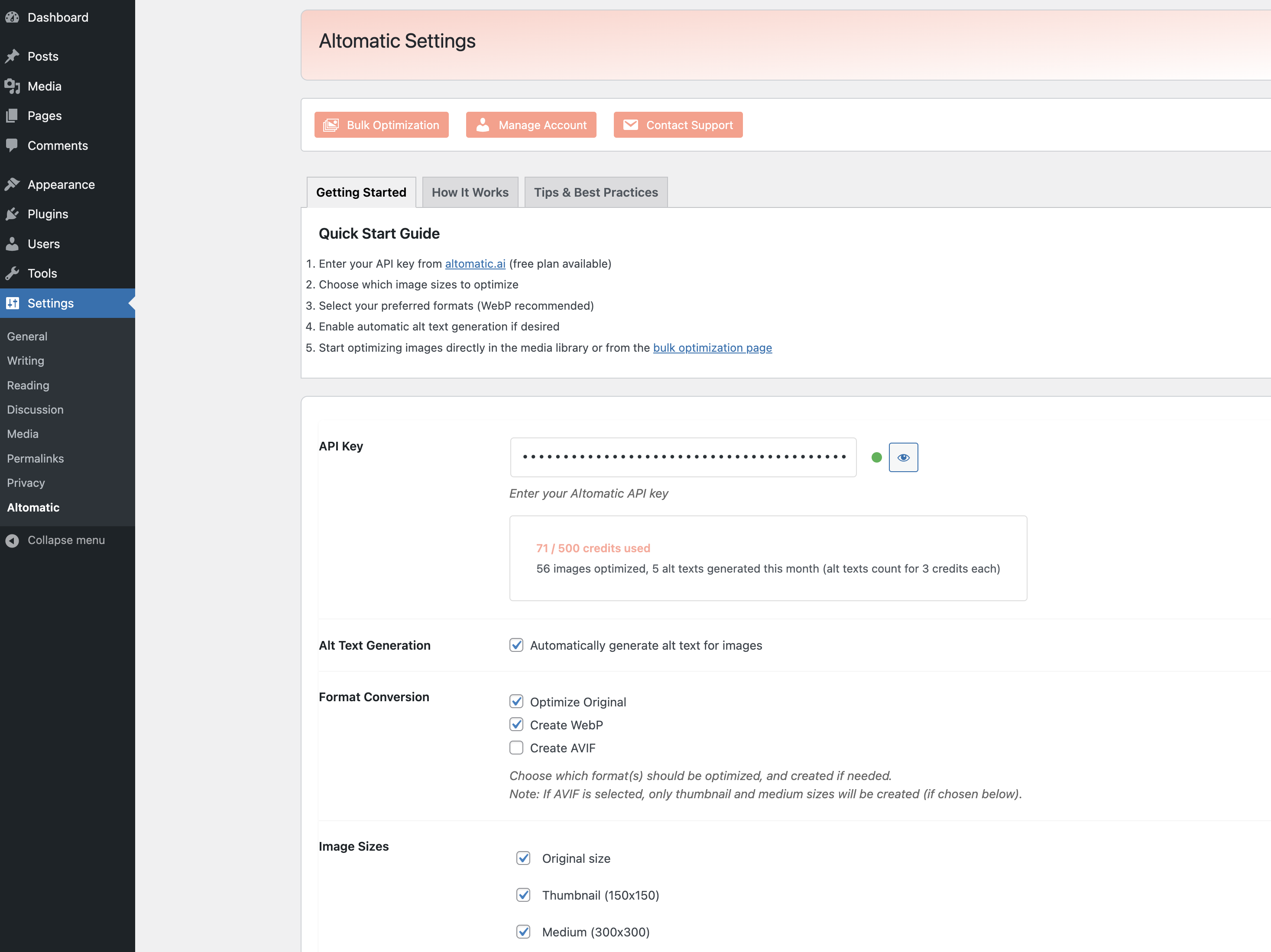
Settings panel with configuration options
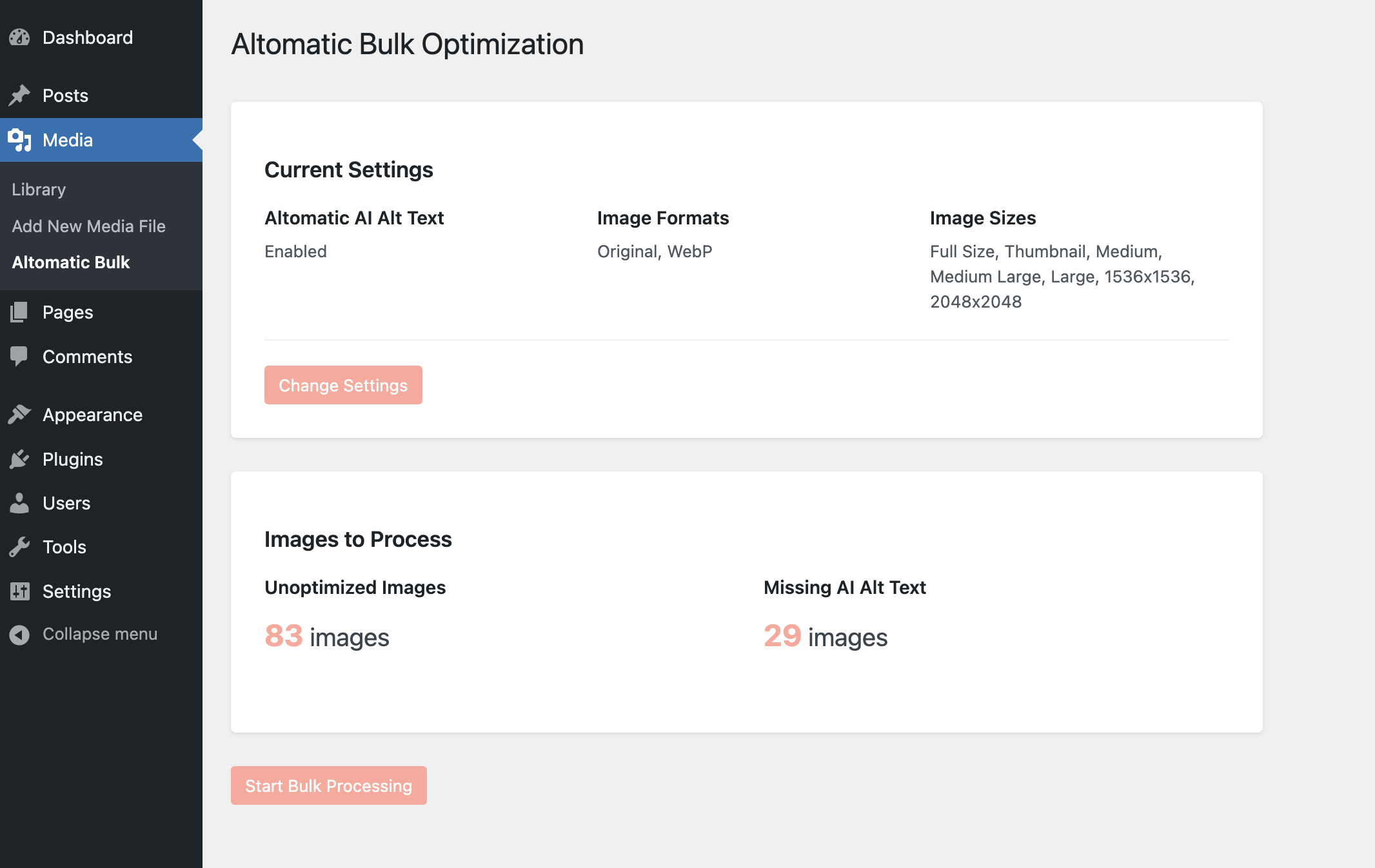
Bulk optimization interface
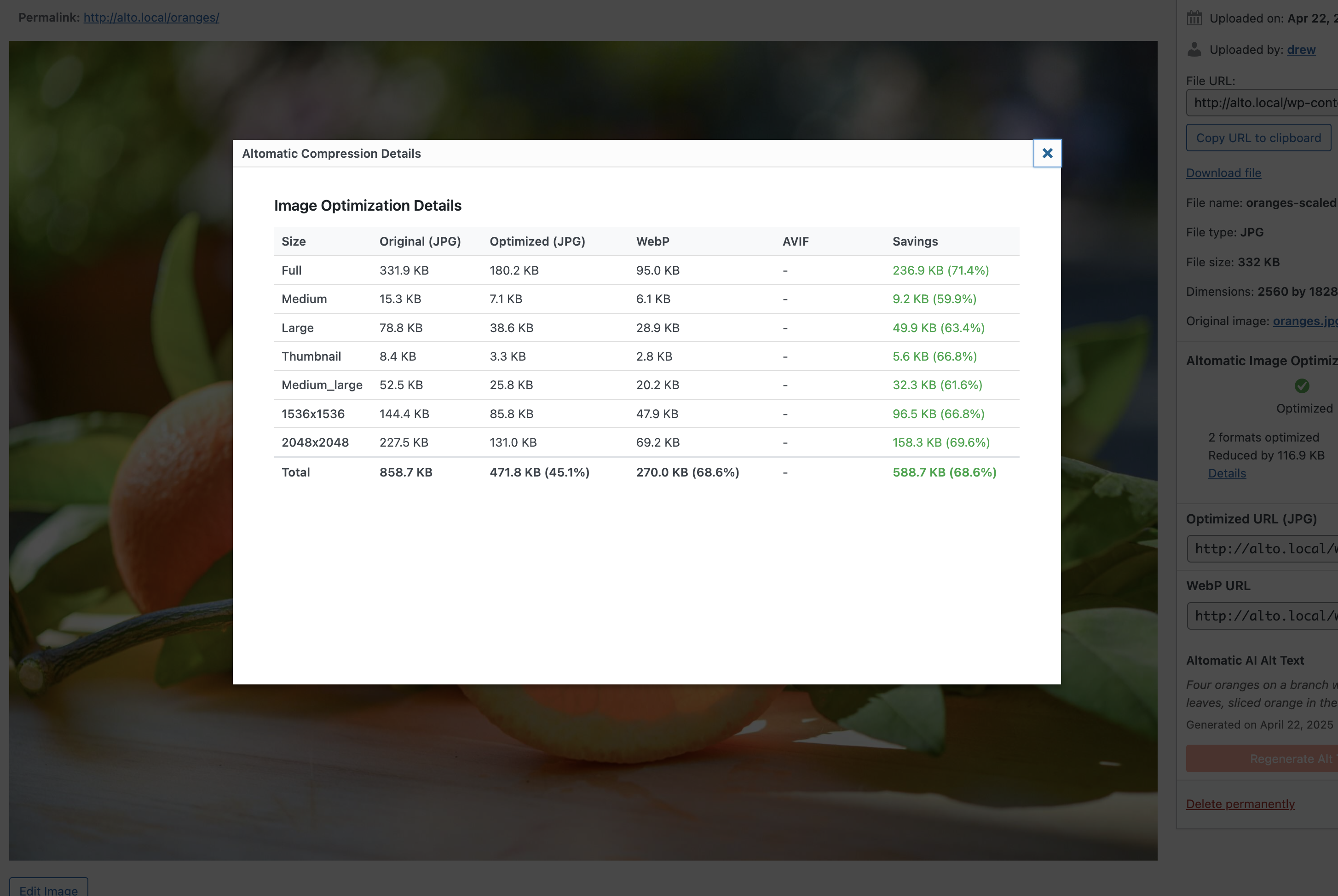
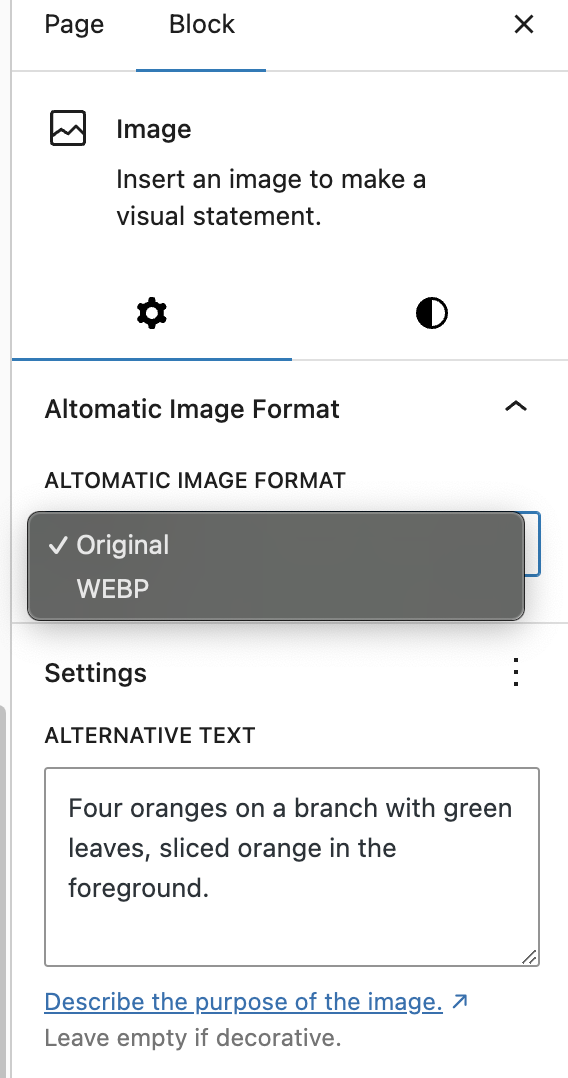
Media Library image optimization controls
Changelog
1.0.5
- Fix release
1.0.4
- Added ability to set SEO keywords for ALT Text generation
- Updated original format to be JPEG to match webapp functionalty
- Improved error handling for image optimization
1.0.3
- Moved inline scripts/styles to enqueued files
- Replaced cURL dependency with wp_remote_get
- Fixed media library format selection and API key validation bugs
- Minor naming and code cleanup
1.0.2
- Fixed uninstall process issue
1.0.1
- WordPress best practices update: code cleanup, function prefixes
1.0.0
- Initial release
- AI alt text generation
- Image compression (WebP, AVIF)
- Bulk optimization
- Responsive image support
- Multi-language support