

Alt Text AI – Automatically generate image alt text for SEO and accessibility
Automatically sets the descriptive alt text of your images. Boosts your SEO and accessibility.
Plugin info
Maintenance & Compatibility
Maintenance score
Maintained • Last updated 127 days ago • Support resolved 50% • 35 reviews
Is Alt Text AI – Automatically generate image alt text for SEO and accessibility abandoned?
Likely maintained (last update 127 days ago).
Compatibility
Similar & Alternatives
Explore plugins with similar tags, and compare key metrics like downloads, ratings, updates, support, and WP/PHP compatibility.
Description
AltText.ai automatically generates alt text for your images.
Automatic: Every uploaded image is analyzed and alt text is automatically added to the image properties.
Supports Multiple Formats: Handles JPG, PNG, WebP, SVG, and AVIF images for comprehensive coverage across modern image formats.
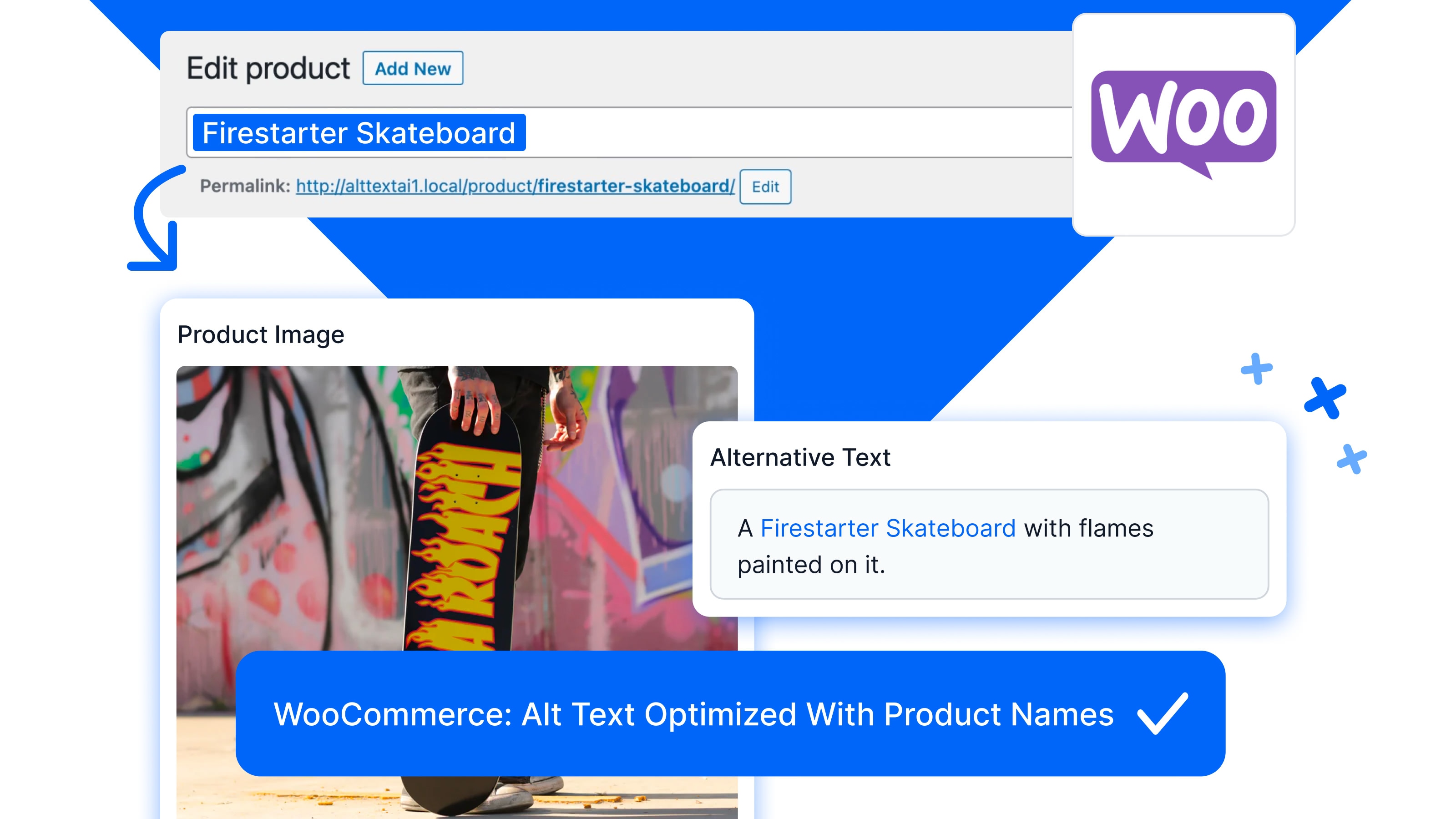
Optimized SEO for WooCommerce: Our Ecommerce Vision system intelligently includes your product name in the generated alt text.
Keyword-rich alt text: Seamlessly integrates focus keyphrases from popular SEO plugins, including Yoast SEO, Rank Math, All in One SEO, SEOPress, The SEO Framework, SmartCrawl, and Squirrly SEO, ensuring natural language optimization.
Chat GPT: Use your own custom ChatGPT prompt to automatically modify the generated alt text.
Multiple Languages: Over 130 languages for alternative text. Support for WPML and Polylang translations.
Bulk Actions: Use our Bulk Generate tool or bulk action dropdown to add alt text to existing images in your library.
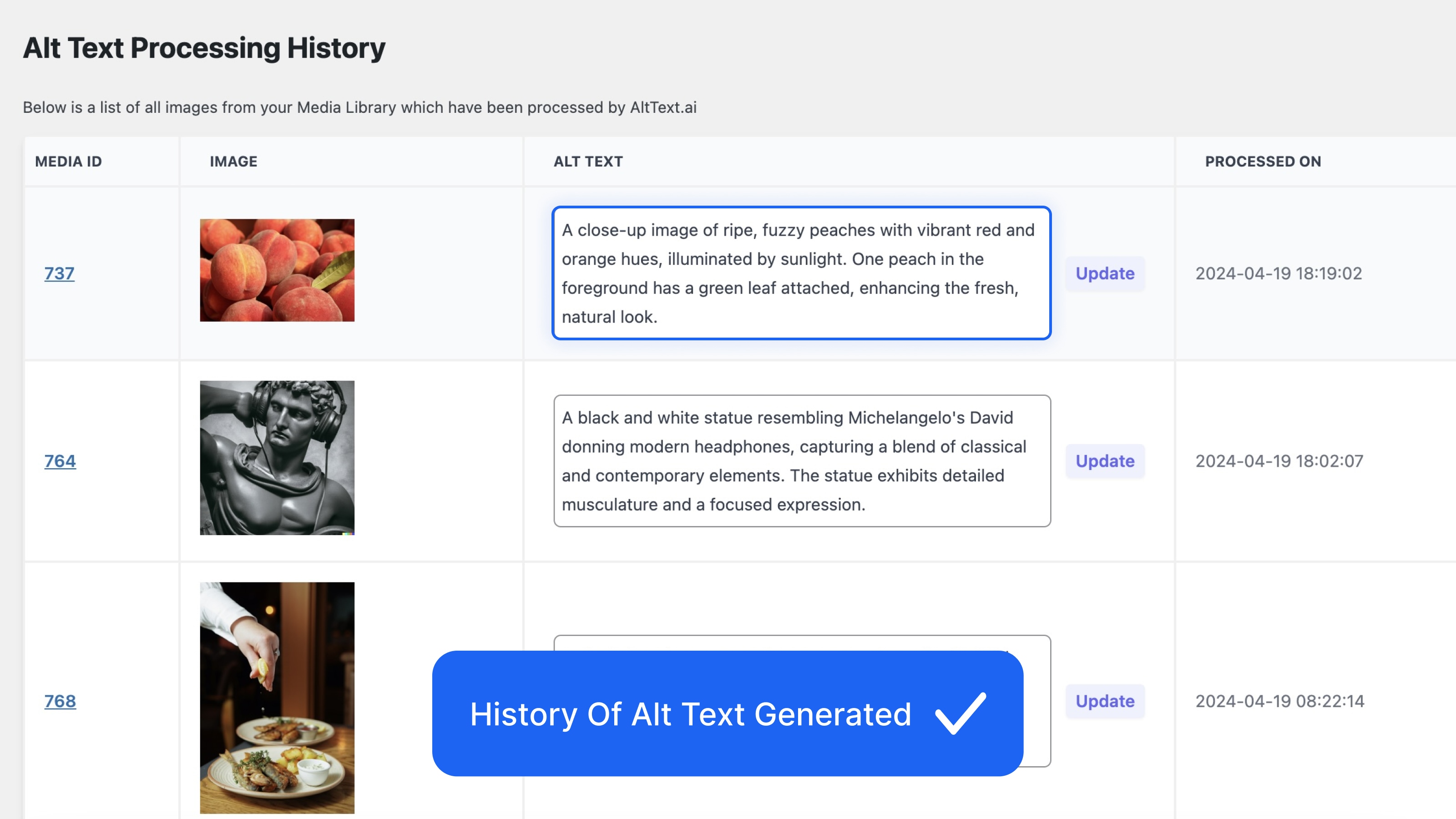
Review and Edit: See what was processed and manually edit the generated alt text if desired.
Try for FREE: No credit card needed to start on a trial plan.
Demo Video
Installation
- Visit Plugins > Add New
- Search for “Alt Text AI”
- Install and Activate Alt Text AI from your Plugins page
- Visit https://alttext.ai to sign up for a free trial or paid plan.
- Link your account by copying your API key into the Alt Text AI plugin settings page.
- Upload an image to have alt text generated automatically!
Frequently Asked Questions
See our FAQ for answers to our most common questions.
Review feed
Keeping SEO automated is now easier than ever
A Web Development Agency Must Have
Screenshots
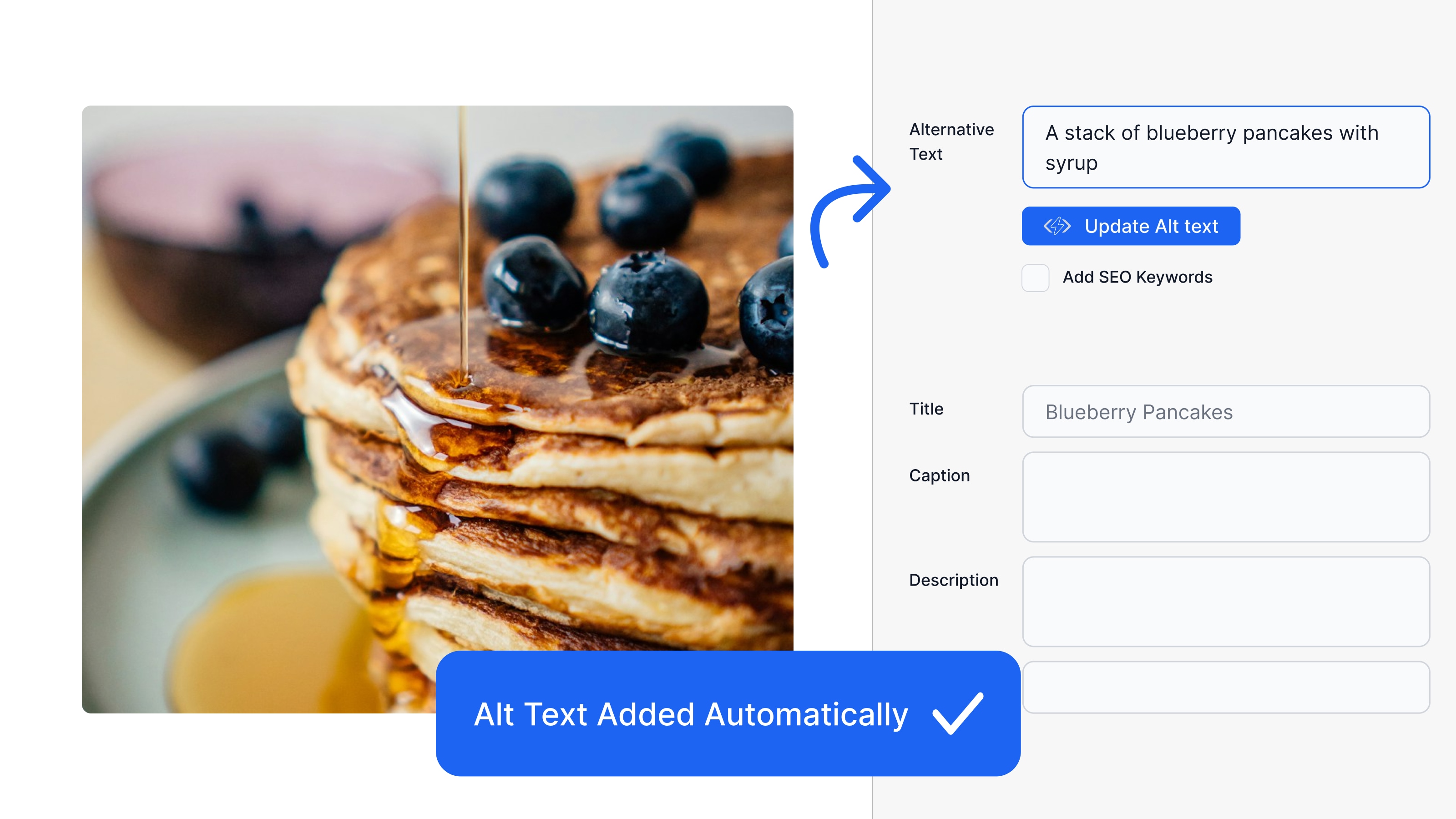
Alt Text is automatically added when you upload an image.
WooCommerce product images have alt text optimized with the product name.
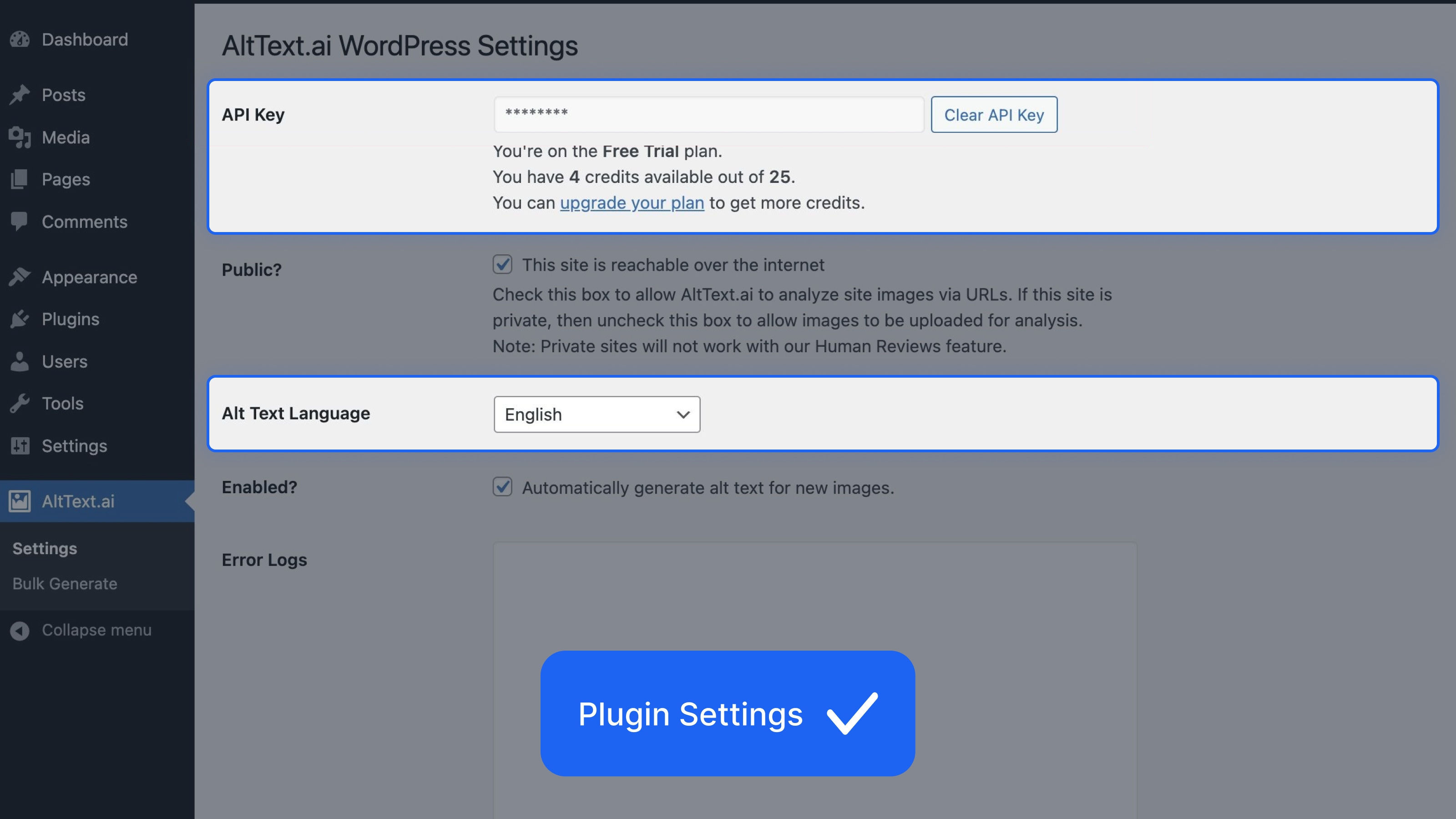
Add your API key on the settings page. You will see your current plan and usage.
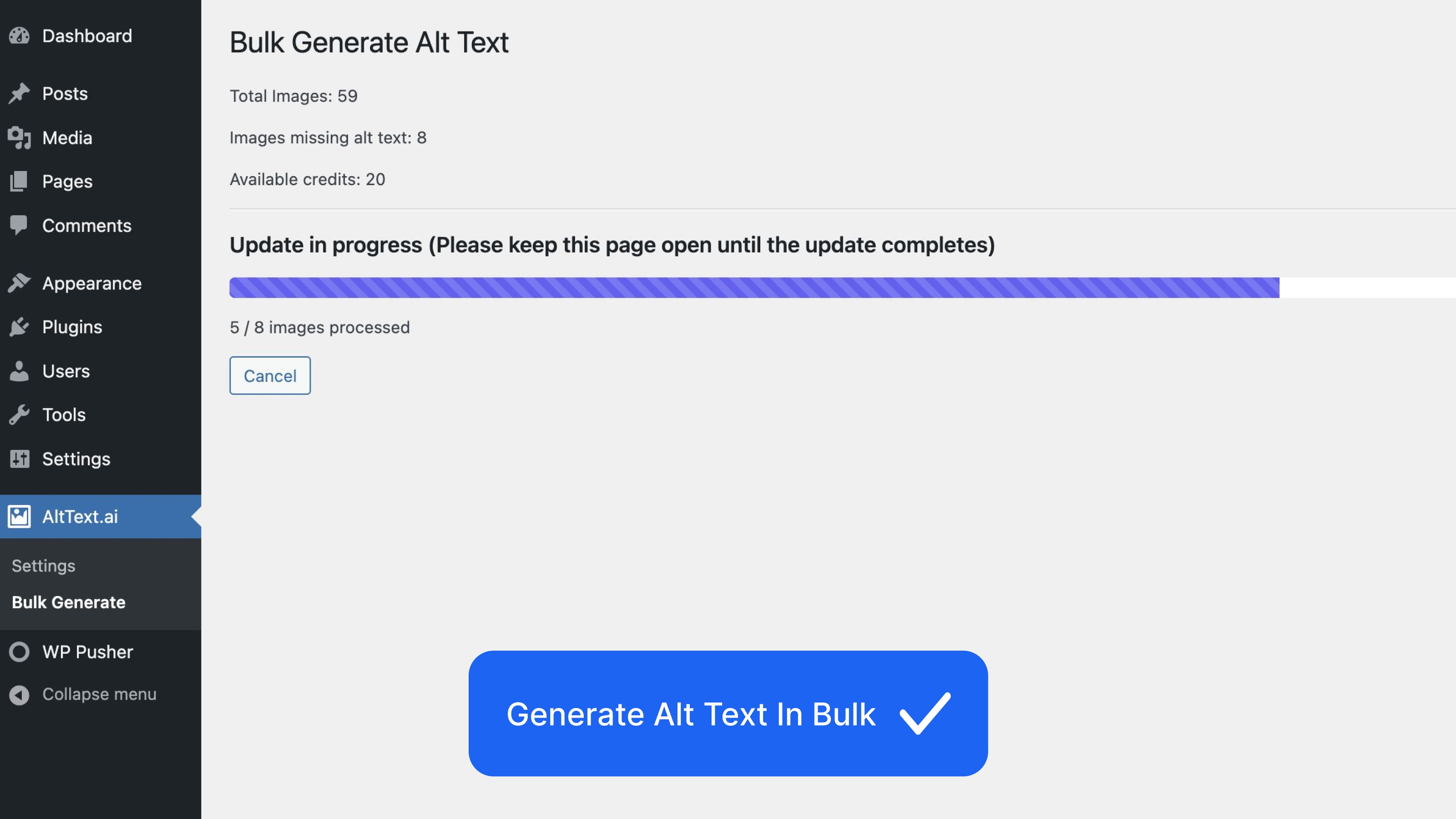
The Bulk Update tool can be used to generate alt text for images already in your library.
Use the History page to review the generated alt text.
Changelog
1.10.15 – 2025-11-25
- Improved: WPML translations now process automatically when generating alt text for primary images
- Improved: Bulk generation prevents double-processing of WPML translated images
- Improved: Better error handling and tracking for multilingual alt text generation
1.10.13 – 2025-10-06
- Fixed: Non-administrator users can now save settings when given permission to access the plugin
1.10.12 – 2025-10-02
- Improved: Better language detection for multilingual sites using WPML and Polylang
- Improved: More reliable alt text generation with automatic retry on temporary errors
- Fixed: Alt text now generates correctly in the right language for translated images
- Fixed: Plugin no longer processes trashed or deleted images
1.10.11 – 2025-09-18
- Fixed: Alt text generated in media modal now more reliably persists
1.10.10 – 2025-09-11
- Fixed: Media Library bulk action now displays current progress
1.10.9 – 2025-09-10
- Improved: Bulk processing now runs up to 10x faster for sites with large media libraries
- Improved: Better handling of SVG images – they’ll now process correctly without size restrictions
- Improved: If bulk generation gets interrupted, you can seamlessly continue right where you left off
- Improved: Memory usage optimized for shared hosting – plays nicer with resource limits
1.10.5 – 2025-08-01
- Improved: Enhanced bulk generation reliability with automatic progress saving and recovery
- Improved: Smarter error detection and handling during bulk operations
- Improved: Better user interface with cleaner notifications and consistent styling
- Fixed: Security improvements following WordPress best practices
1.10.4 – 2025-07-17
- Added: You can now choose regional variants for English (American/British) and Portuguese (Brazil/Portugal). Visit Settings AltText.ai to select your preferred variant.
1.10.3 – 2025-07-02
- Added: Post type exclusion feature – Exclude images attached to specific post types from alt text generation
- Added: Bulk operation support for post type exclusions
- Fixed: Plugin conflict with Phoenix Media Rename causing fatal errors during bulk generation
- Tested: WordPress 6.8 compatibility
1.10.1 – 2025-06-24
- Fix potential bulk generation lockups on small images
1.10.0 – 2025-06-06
- Added: Configurable admin menu capability – Site admins can now control which user roles can access the AltText.ai admin menu
1.9.95 – 2025-04-23
- Introducing SVG & AVIF support! AltText.Ai is the only platform to support these new formats. Advanced image formats cost 2 credits per image; you can manage this feature in your account settings.
1.9.94 – 2025-04-16
- Security fix (thanks @truonghuuphuc)
- Improved compatibility with custom themes
- Performance optimization for Media Library
older versions
- see changelog.txt for details