
AM NMI Gateway for WooCommerce
The AM NMI Gateway for WooCommerce enables secure and efficient credit card payments via the NMI gateway.
Plugin info
Maintenance & Compatibility
Maintenance score
Possibly abandoned • Last updated 488 days ago
Is AM NMI Gateway for WooCommerce abandoned?
Possibly abandoned (last update 488 days ago).
Compatibility
Similar & Alternatives
Explore plugins with similar tags, and compare key metrics like downloads, ratings, updates, support, and WP/PHP compatibility.
Description
AM NMI Gateway for WooCommerce is the ultimate solution for WooCommerce stores looking to provide secure, reliable, and fast credit card payment processing. The plugin integrates seamlessly with the NMI (Network Merchants, Inc.) payment gateway, offering merchants a powerful solution for handling online transactions. Whether you run a small store or a large e-commerce site, this plugin ensures your customers enjoy a smooth and secure checkout experience.
Use of 3rd Party Service
This plugin relies on the NMI (Network Merchants, Inc.) payment gateway to process credit card transactions. When you use this plugin, your store’s payment data is securely transmitted to NMI via a POST request to the NMI API endpoint, and a response indicating the success or failure of the transaction is returned.
Details:
- The plugin sends payment data (such as credit card information and billing details) to the NMI API at
https://secure.nmi.com/api/transact.php. - The API processes the data and returns a response indicating whether the transaction was successful or not.
Please ensure that your use of this plugin complies with any applicable legal requirements in your region for transmitting data to a third party.
For more information, review NMI’s policies:
Requirements
- Active NMI account.
- WooCommerce version 3.3 or later.
- A valid SSL certificate is required to ensure your customer credit card details are safe and make your site PCI DSS compliant. This plugin does not store the customer credit card numbers or sensitive information on your website.
Why NMI?
NMI is a leading payment gateway provider known for its robust and secure payment solutions. With this plugin, you can optimize your payment processing with PCI-compliant security features, fraud prevention tools, and a reliable infrastructure that enhances customer trust.
Key Features:
- Secure Payment Processing: Fully PCI-compliant integration ensures that all transactions are secure and meet the highest security standards.
- NMI Platform Integration: Leverage the powerful NMI payment gateway for seamless credit card processing and real-time transaction management.
- Efficient Transaction Handling: Provides fast and reliable processing for Visa, MasterCard, American Express, and other credit card types.
- Multiple Currency Support: Process payments in different currencies to cater to global customers.
- Test and Live Mode: Easily switch between test and live environments to ensure your gateway is properly configured.
- PCI-Compliant Credit Card Payments: Emphasize PCI compliance for enhanced visibility in security-related searches.
Installation
This section describes how to install the plugin and get it working.
- Upload the ‘am-nmi-gateway-woocommerce’ folder to the ‘/wp-content/plugins/’ directory.
- Activate the plugin through the Plugins menu in WordPress.
- Navigate to WooCommerce > Settings > Payments and select AM NMI Gateway.
- Configure the required parameters, including your NMI Account credentials.
- Enable Test Mode to test transactions, and switch to Live Mode when you’re ready for production.
Frequently Asked Questions
Network Merchants Inc is a leading payment processor that offers secure, fast, and reliable credit card transactions for online businesses.
Once the plugin is installed, enter your NMI account credentials and configure settings in the WooCommerce payment gateway section. You can toggle between test and live modes for easy setup.
Yes, a valid SSL certificate is required to ensure secure transactions and PCI DSS compliance.
Review feed
Screenshots
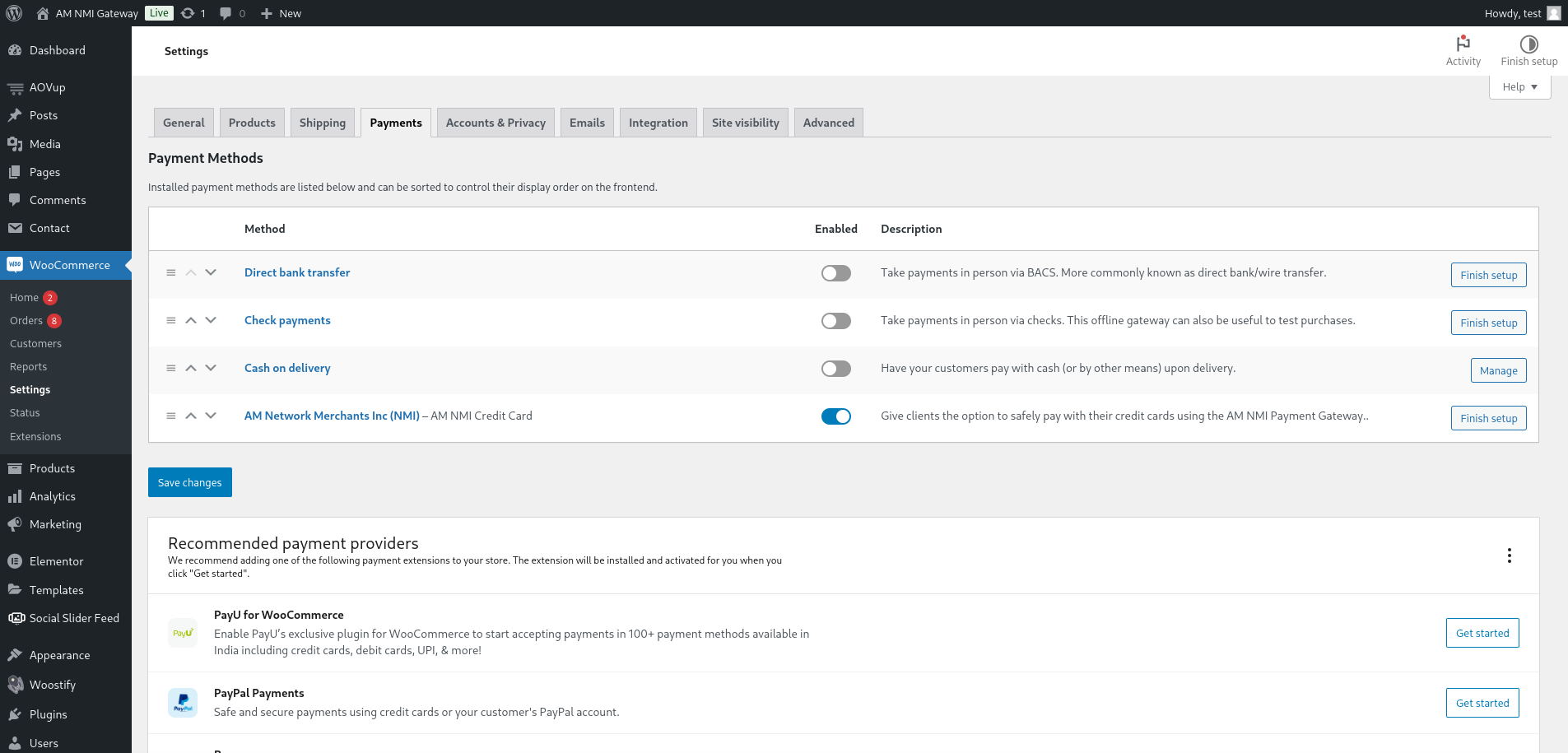
Enable the AM NMI Gateway option in WooCommerce payments settings.
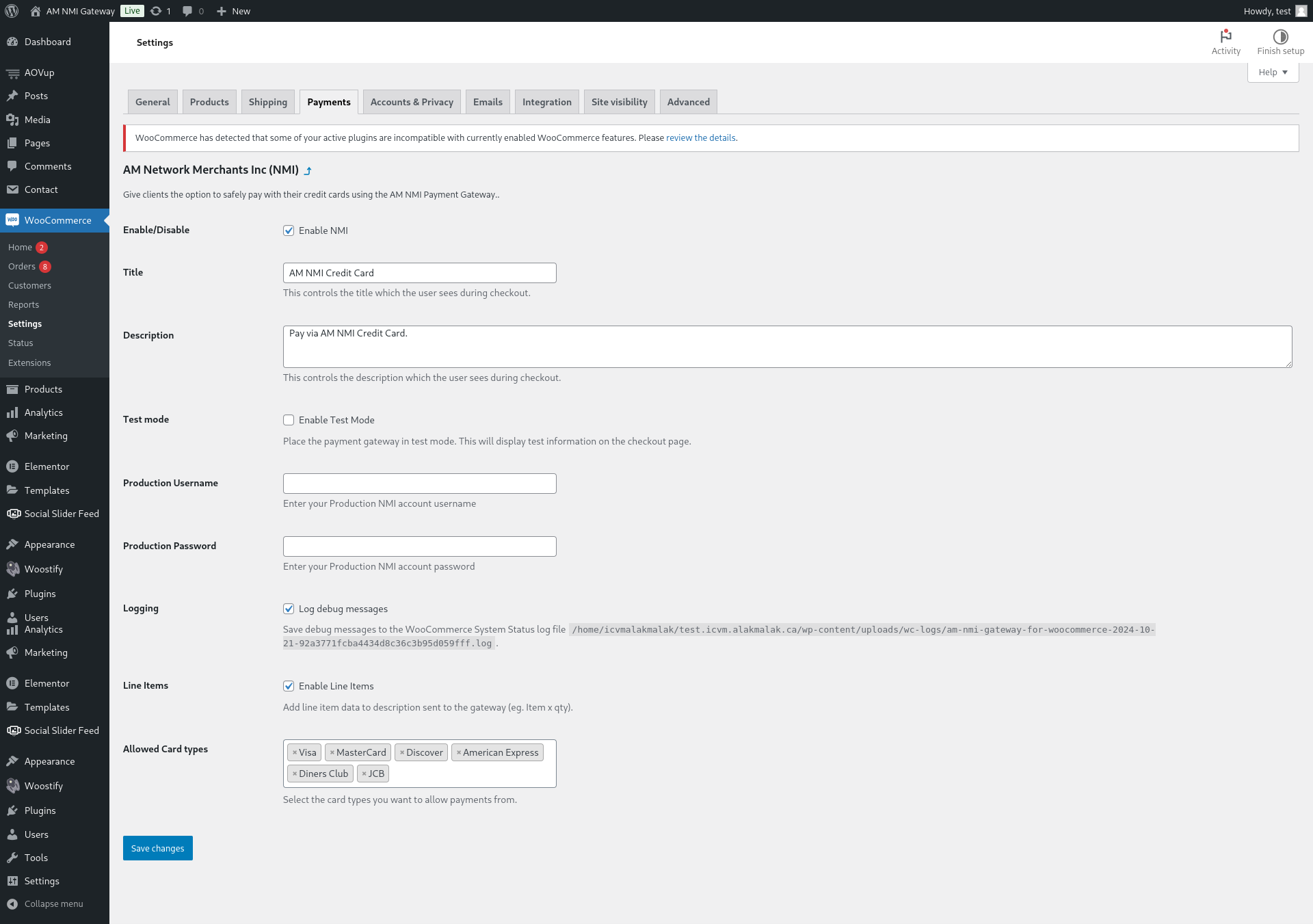
Configure your NMI Account Credentials.
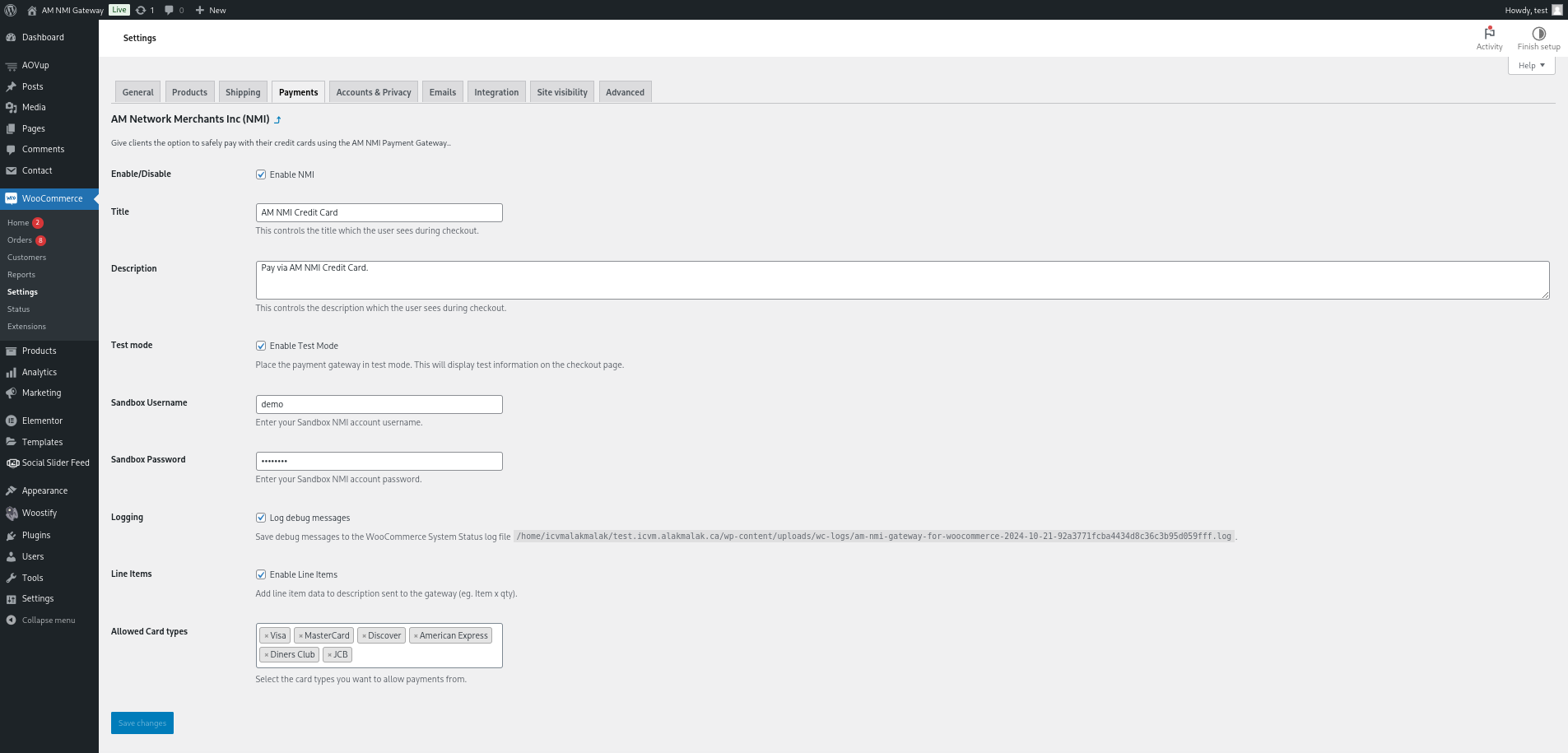
Test your integration in Test Mode before going live.
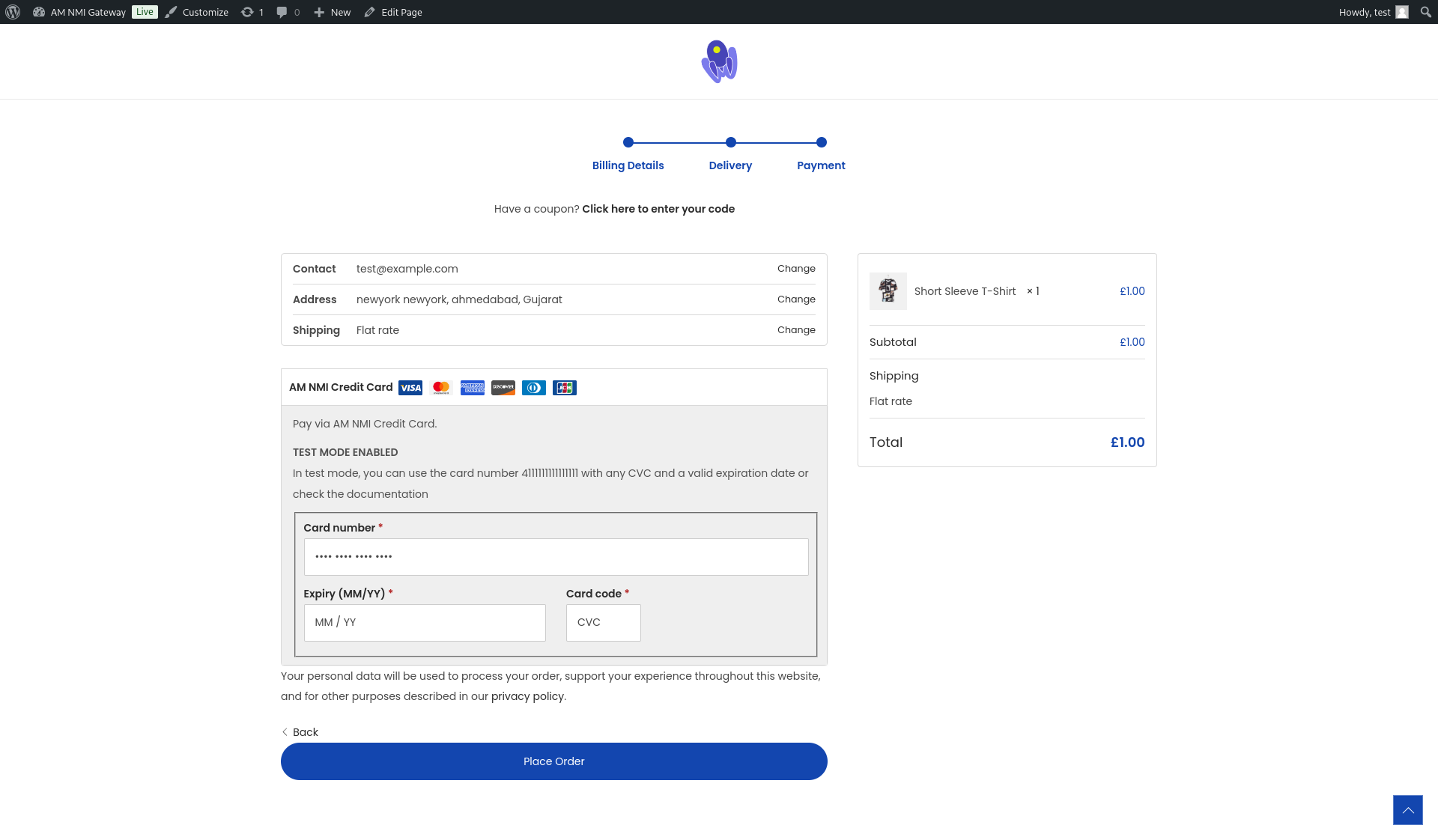
Now Make The Payment Using the AM NMI Credit Card Checkout.
Changelog
1.0.0
- Initial release of the AM NMI Gateway for WooCommerce plugin.
- NMI gateway integration with support for credit card transactions.