

Anti Fake Orders & IP Blocker
Protect your WooCommerce store from fake orders by blocking suspicious IPs, emails, and detecting bot checkout activity.
Plugin info
Maintenance & Compatibility
Maintenance score
Actively maintained • Last updated 67 days ago • 2 reviews
Is Anti Fake Orders & IP Blocker abandoned?
Likely maintained (last update 67 days ago).
Compatibility
Similar & Alternatives
Explore plugins with similar tags, and compare key metrics like downloads, ratings, updates, support, and WP/PHP compatibility.
Description
Anti Fake Orders & IP Blocker helps WooCommerce store owners prevent fraudulent orders by monitoring checkout behaviour patterns and automatically blocking suspicious activities.
Fake orders can waste your time, increase processing costs, and damage your business reputation. This plugin provides powerful tools to identify and block these threats before they impact your business.
Key Features
- Smart IP Blocking System: Block specific IP addresses manually or let the system automatically detect and block suspicious ones based on behaviour patterns
- Email Domain Filtering: Block orders from disposable email services and known suspicious domains
- User Account Security: Block problematic users who repeatedly place fake orders
- Bot Detection Technology: Identify automated checkout attempts using timing analysis to detect inhuman checkout speeds
- Intelligent Auto-Blocking: Configure rules to automatically block IPs after multiple suspicious attempts
- Comprehensive Logging System: Track all blocked attempts with detailed information for security analysis
- Flexible Blocking Duration: Set temporary blocks that automatically expire after your specified timeframe
Real-World Applications
- Prevent Card Testing Fraud: Stop criminals from testing stolen credit cards on your store
- Reduce Chargeback Rates: Block known fraudulent behaviour patterns before orders are placed
- Save Processing Time: Eliminate hours wasted verifying and processing fake orders
- Protect Inventory Management: Prevent inventory allocation to orders that will never complete
- Secure Checkout Process: Maintain a smooth checkout for legitimate customers while blocking suspicious ones
Technical Implementation
The plugin works behind the scenes during the WooCommerce checkout process:
- behaviour Analysis: Monitors user interaction patterns during checkout
- Time-Based Detection: Measures checkout completion time to identify automated bots
- Database Verification: Checks IPs and emails against your custom blocklists and known suspicious patterns
- Configurable Actions: Choose between blocking, flagging for review, or logging suspicious activity
Developer-Friendly
- Clean, well-documented code
- Hooks and filters for customization
- Performance-optimized with minimal impact on checkout speed
- Compatible with major WooCommerce extensions
Usage Instructions
Basic Configuration
-
Set Detection Sensitivity: Adjust the “Minimum Checkout Time” setting to determine how quickly a checkout can be completed before being flagged as suspicious.
-
Configure Blocking Rules: Define how many suspicious attempts should trigger an automatic block.
-
Customize Block Message: Set a custom message to display when a checkout is blocked.
Advanced Features
IP Whitelist: Add trusted IP addresses that should never be blocked, useful for testing or for known legitimate customers who might trigger false positives.
Email Domain Filtering: Block entire email domains known for fraudulent activity.
Temporary Blocking: Set block durations to automatically expire after a set number of hours.
Manual Review System: Flag suspicious orders for review instead of blocking them outright.
Integration with Other Security Measures
This plugin works well alongside other security plugins like Wordfence or Sucuri to provide comprehensive store protection.
Installation
- Upload the
anti-fake-orders-ip-blockerfolder to the/wp-content/plugins/directory - Activate the plugin through the ‘Plugins’ menu in WordPress
- You will find Anti Fake Orders tab on the admin panel
- Configure the blocking settings according to your store’s needs:
- Set minimum checkout time thresholds
- Configure auto-blocking rules
- Add known suspicious IPs or email domains
- Set block duration periods
Frequently Asked Questions
The plugin uses multiple detection methods:
– Analysing checkout completion time (bots typically complete forms unnaturally fast)
– Checking IP addresses against known suspicious sources
– Verifying email domains against disposable email services
– Monitoring pattern of orders from specific users or IPs
The default settings are carefully calibrated to target only clearly suspicious behaviour. You can adjust sensitivity levels in the settings to find the right balance for your store. Normal human checkout behaviour will not trigger blocking.
When a suspicious checkout is detected, the plugin displays a customizable error message and prevents order completion. You can customize this message in the plugin settings.
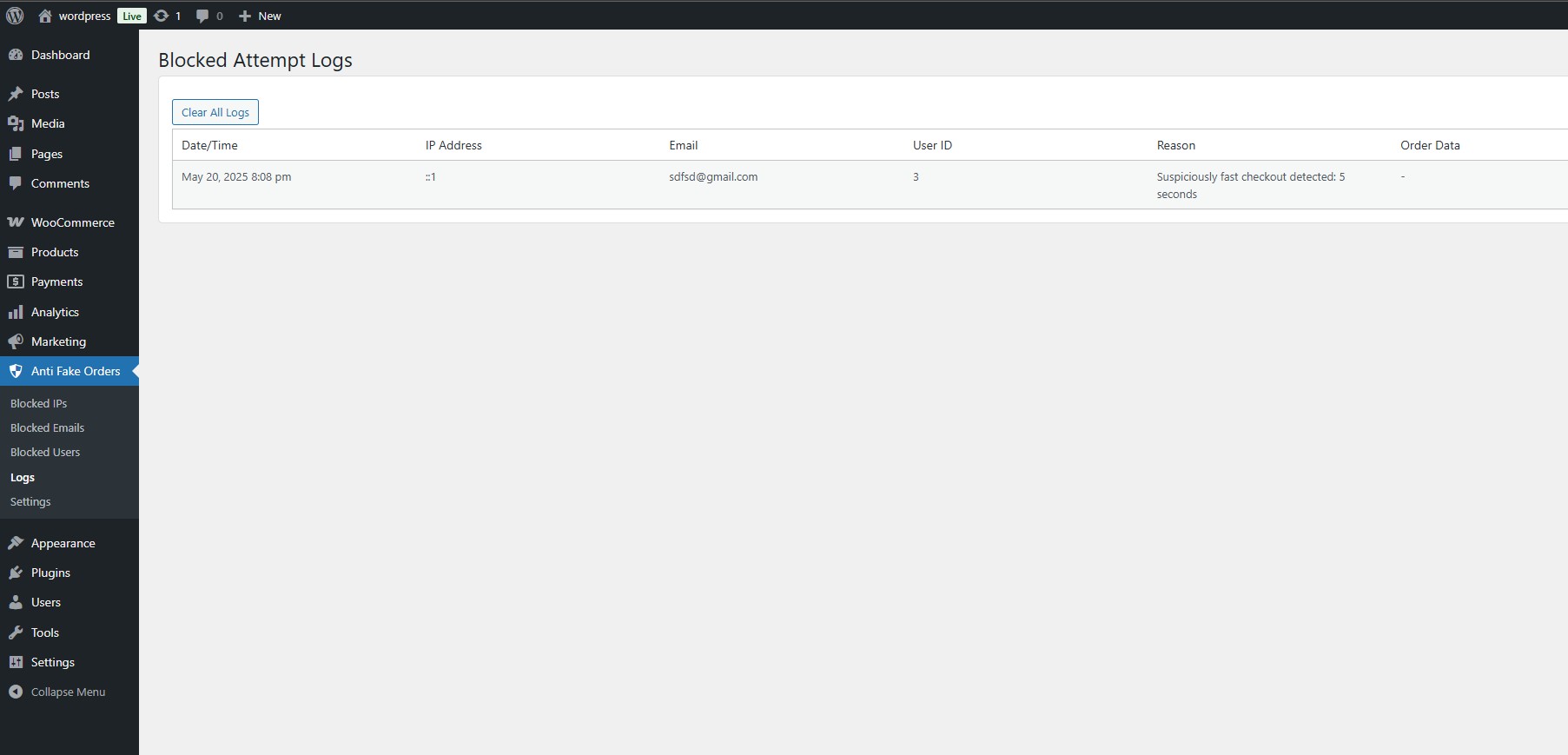
Yes, the plugin includes a comprehensive logging system that records all blocked attempts with details including:
– IP address
– Email address (if provided)
– User ID (if logged in)
– Timestamp
– Reason for blocking
– Cart contents at time of attempted checkout
In the WooCommerce > Anti Fake Orders > Blocked List section, you can view all currently blocked IPs, emails, and users. Simply select the entry and click “Remove Block” to instantly unblock them.
Yes, the plugin functions at the PHP level during the checkout process and is fully compatible with page caching solutions like WP Rocket, W3 Total Cache, and others.
The plugin hooks into WooCommerce’s core checkout process, so it works with most custom checkout implementations that use the standard WooCommerce checkout hooks.
Review feed
Screenshots
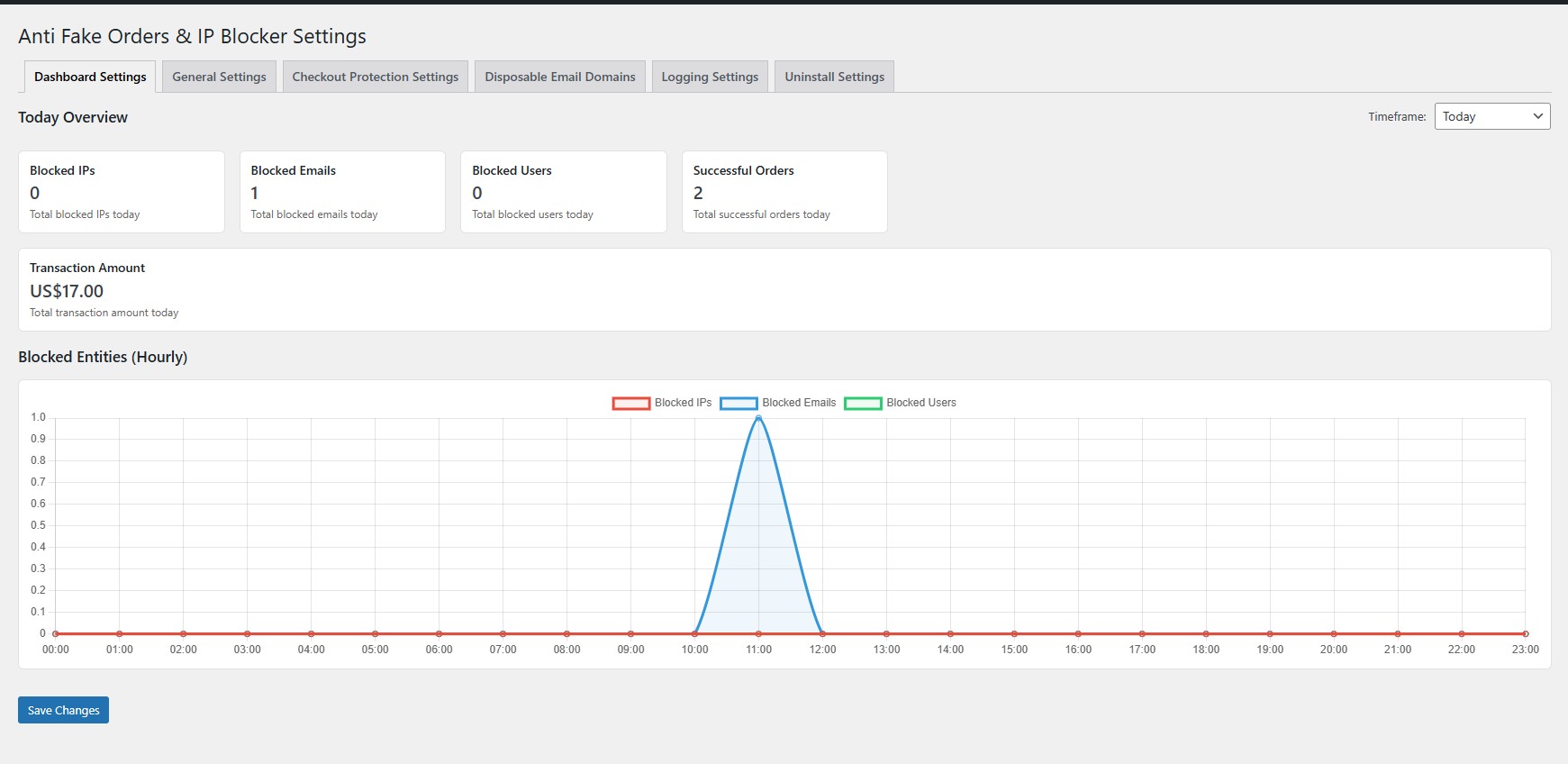
Statistics dashboard showing blocking effectiveness
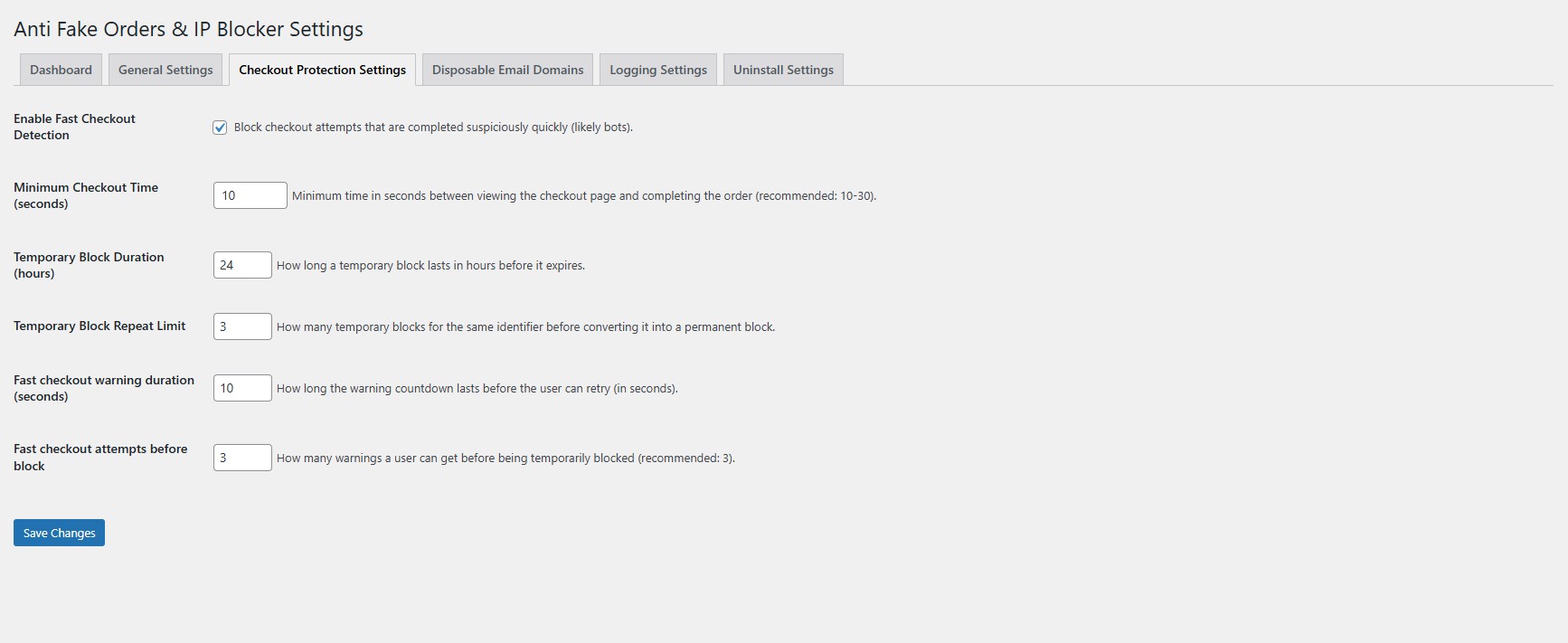
Checkout Protection Settings
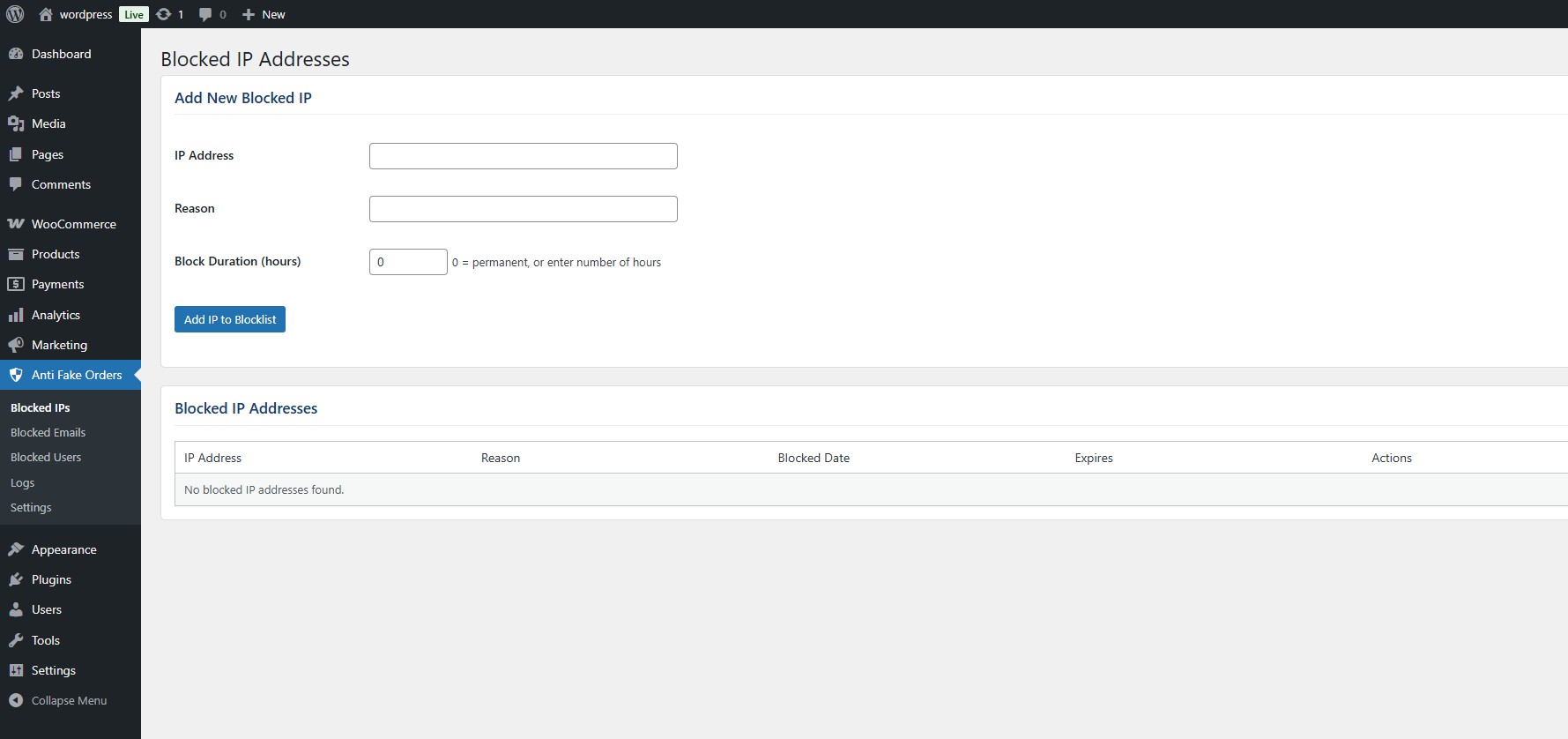
IP blocking management interface showing blocked addresses
Email domain blocking configuration panel
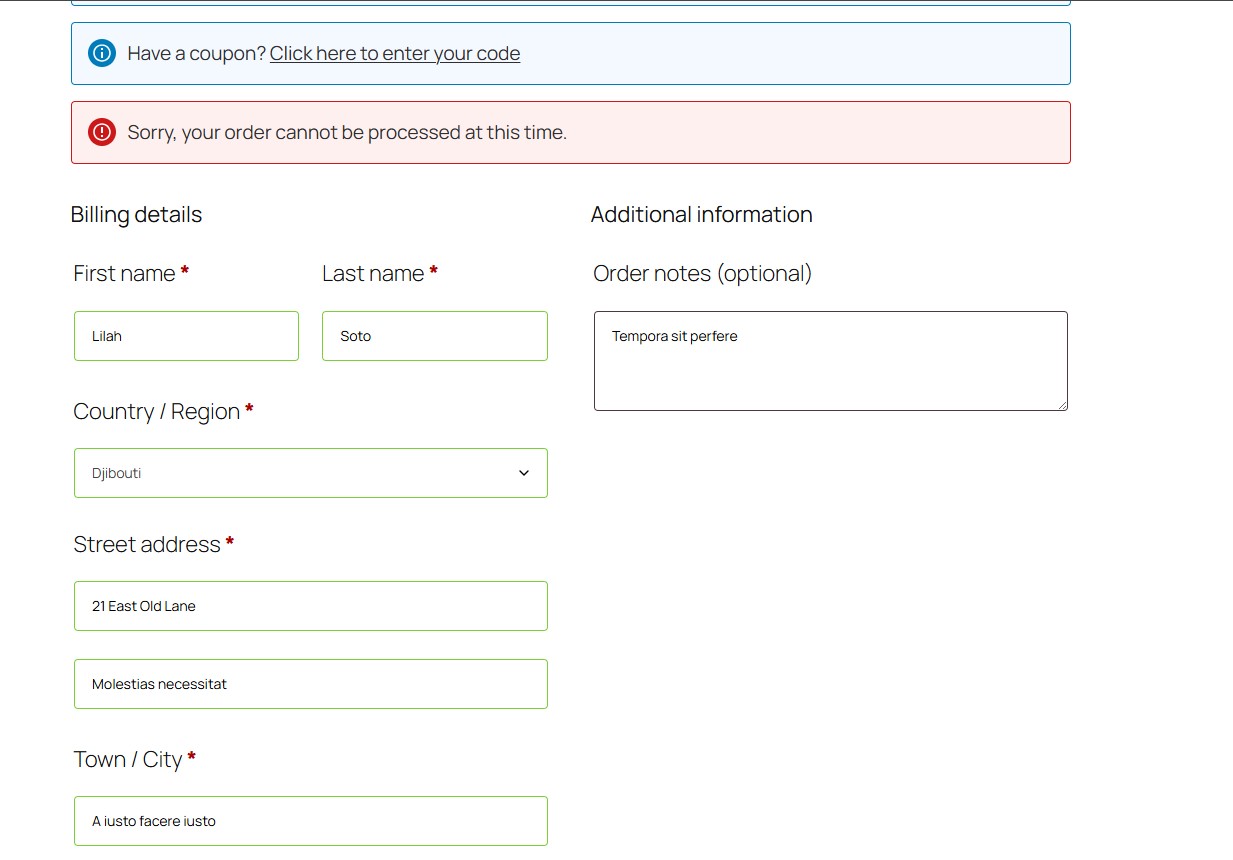
Blocked and Warning Notifications
Changelog
1.0.1
- New OOP-based architecture for improved maintainability and scalability
- Added upgrade system with versioned migrations to preserve settings and blocked data
- Improved checkout protection logic and admin UI structure
- Gutenberg checkout widgets support
1.0.0
- Initial public release
- IP address blocking system
- Email and domain filtering
- User account blocking
- Bot checkout detection using timing analysis
- Comprehensive logging system
- Auto-blocking with configurable thresholds
- Temporary blocking with automatic expiration