

AnyTrack Affiliate Link Manager
AnyTrack is a conversion data platform for performance marketers to track affiliate conversions with Google Analytics, Facebook Conversion API, and mo …
Plugin info
Maintenance & Compatibility
Maintenance score
Stale • Last updated 291 days ago • Support resolved 0% • 1 reviews
Is AnyTrack Affiliate Link Manager abandoned?
Likely maintained (last update 291 days ago).
Compatibility
Similar & Alternatives
Explore plugins with similar tags, and compare key metrics like downloads, ratings, updates, support, and WP/PHP compatibility.
Description
The AnyTrack Affiliate Link Manager
The AnyTrack Affiliate Link Manager plugin helps you create, track, manage and share any affiliate links on and off your site, using your own domain name, link structure and path.
When you use the Affiliate Link Plugin alongside the AnyTrack Tracking TAG, your links will be automatically tagged with subid parameters and tracking data which will enable you to instantly track and sync your affiliate conversions and sales with Google Analytics, Facebook Conversion API, Bing, Taboola, Outbrain and your favorite marketing tools.
Note: As opposed to traditional link tracking plugins or URL shortners, the AnyTrack link Manager Plugin allows you to fully track and sync conversions and sales with your Google Analytics, and other pixels.
The Challenge:
As a blogger or PPC marketer monetizing your site with affiliate offers, your ultimate goal should be to understand how your audience engages with your content, and eventually which content triggers revenues. And since, you can’t place your Google Analytics code on your affiliate networks or merchant offers, you can never get the full picture.
Using AnyTrack, you can now easily close the loop between your Google Analytics, website and the affiliate networks you promote, and finally see the true value of your content.
Popular use cases:
- Comparison websites
- Coupon websites
- Ecommerce Websites
- Lead Generation websites
- Bloggers, review sites, niche websites.
Features
- Create redirect URLs that redirect to any link.
- Create links according to the link structure of your choice.
- Automatically pass query string parameters to destination URLs.
- Set and Load the Tracking TAG in the
of your site. - AutoTag affiliate links with
subidparameters - AutoTrack outbound link clicks to analytics and pixels.
Affiliate Networks integrations
- Partnerize
- CJ Affiliates
- Rakuten
- TradeDoubler
- Maxbounty
- ClickBank
- TimeOne
- AWIN
- FlexOffers
- Impact (Formerly known as Impact Radius)
- And more
Affiliate Software Integrations
- Tune (formerly known as Hasoffers)
- Cake
- Affise
- Hitpath
- CellXpert
- EverFlow
Analytics Integrations
AnyTrack AutoTrack onsite events such as outbound clicks and form submissions to your analytics accounts, and sends Affiliate Conversions through serer side API integration to your analytics. (no code required).
- Google Analytics
- Facebook Pixel
Ad Networks integrations
AnyTrack is integrated with ad networks pixels and API so that all engagements events and conversions from affiliate networks can be fully synced and in real-time with your ad campaigns, providing you a complete and accurate return on ad spent.
- Google Ads (formerly known as AdWords)
- Facebook Ads
- Taboola
- Outbrain
- Microsoft Advertising (formerly known as Bing Ads)
The AnyTrack Affiliate Links Manager enables you to easily create, and manage your affiliate links in a central interface.
Installation
Frequently Asked Questions
No. You can use the the plugin even without an active AnyTrack account, but feel welcome to
sign-up.
It’s free!
All query parameters will pass automatically to your links. If you links already have some
existing parameters, it will append those on the end of your link.
Yes! Just add {click_id} to both links and any parameter within the placeholder will pass on to the
target link as well. For example, to support Partnerize links use the following:
Source URL:
/my-offer/{click_id}
Target URL:
https://prf.hn/click/camref:123/pubref:{click_id}
Then, use links like /my-offer/test1 to pass the click id to Partnerize.
Review feed
Screenshots
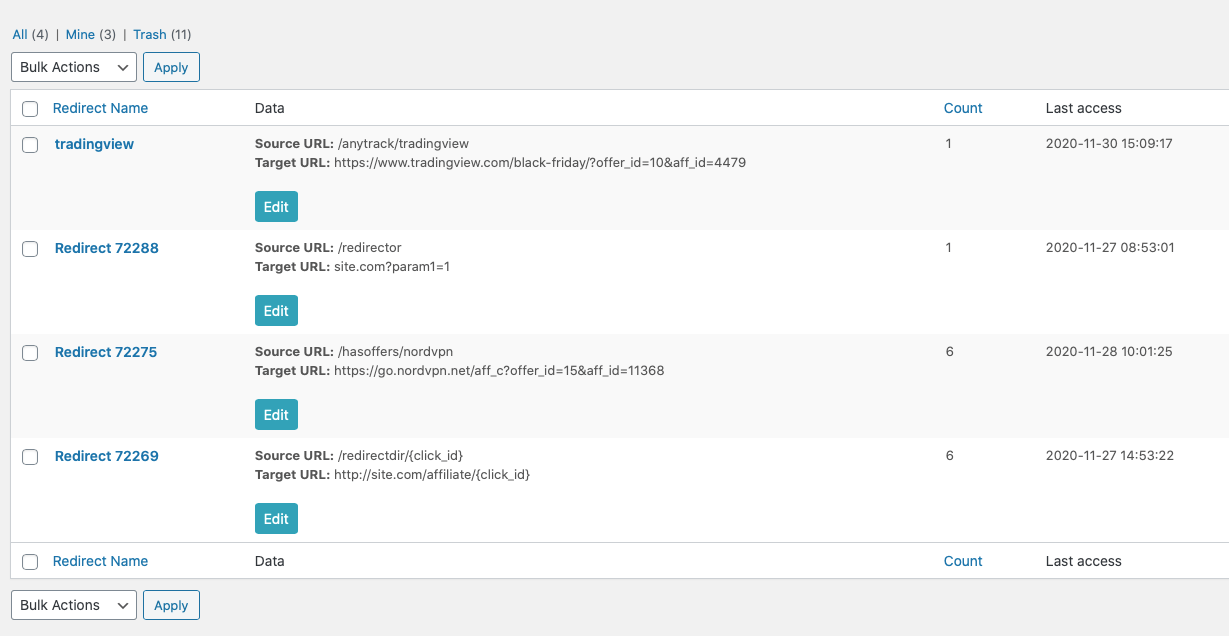
Create and edit your affiliate links
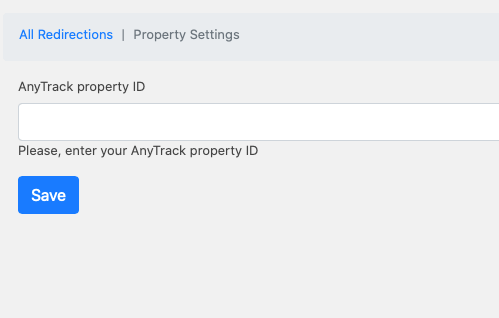
Quickly add AnyTrack TAG to your website
Changelog
1.5.5
- Security fixes
- Compatibility update
- Version match
1.0.3
- Added notifications fix
1.0.2
- Added uninstall issue fix
1.0.1
- Added fixes to support 6.2 WordPress version
1.0.0
- Initial version.