

HyperPress: Modern Hypermedia for WordPress
Supercharge WordPress with Hypermedia. Build interactive blocks & pages with Datastar, HTMX or Alpine Ajax—all using simple PHP. No JS required.
Plugin info
Maintenance & Compatibility
Maintenance score
Maintained • Last updated 117 days ago • 2 reviews
Is HyperPress: Modern Hypermedia for WordPress abandoned?
Likely maintained (last update 117 days ago).
Compatibility
Similar & Alternatives
Explore plugins with similar tags, and compare key metrics like downloads, ratings, updates, support, and WP/PHP compatibility.
Description
Supercharge WordPress with the power of hypermedia. Use Datastar, HTMX or Alpine Ajax to create rich, interactive blocks and pages—all with the simplicity of PHP. No JavaScript required.
Hypermedia is a concept that extends the idea of hypertext by allowing for more complex interactions and data representations. It enables the use of AJAX, WebSockets, and Server-Sent Events directly in HTML using attributes, without writing any JavaScript. It reuses an “old” concept, Hypermedia, to handle the modern web in a more HTML-like and natural way.
Check the full feature set at here.
This plugin include several Hypermedia libraries by default, locally from the plugin folder. Currently, it includes:
- HTMX with Hyperscript.
- Alpine Ajax with Alpine.js.
- Datastar.
The plugin has an opt-in option, not enforced, to include these third-party libraries from a CDN (using the unpkg.com service). You must explicitly enable this option for privacy and security reasons.
Installation
- Install HyperPress from WordPress repository. Plugins > Add New > Search for: HyperPress (or Hypermedia). Activate it.
- Configure HyperPress at Settings > HyperPress.
- Enjoy.
Frequently Asked Questions
You can read the full FAQ at GitHub.
Please, open a discussion.
Please, open an issue.
Review feed
Screenshots
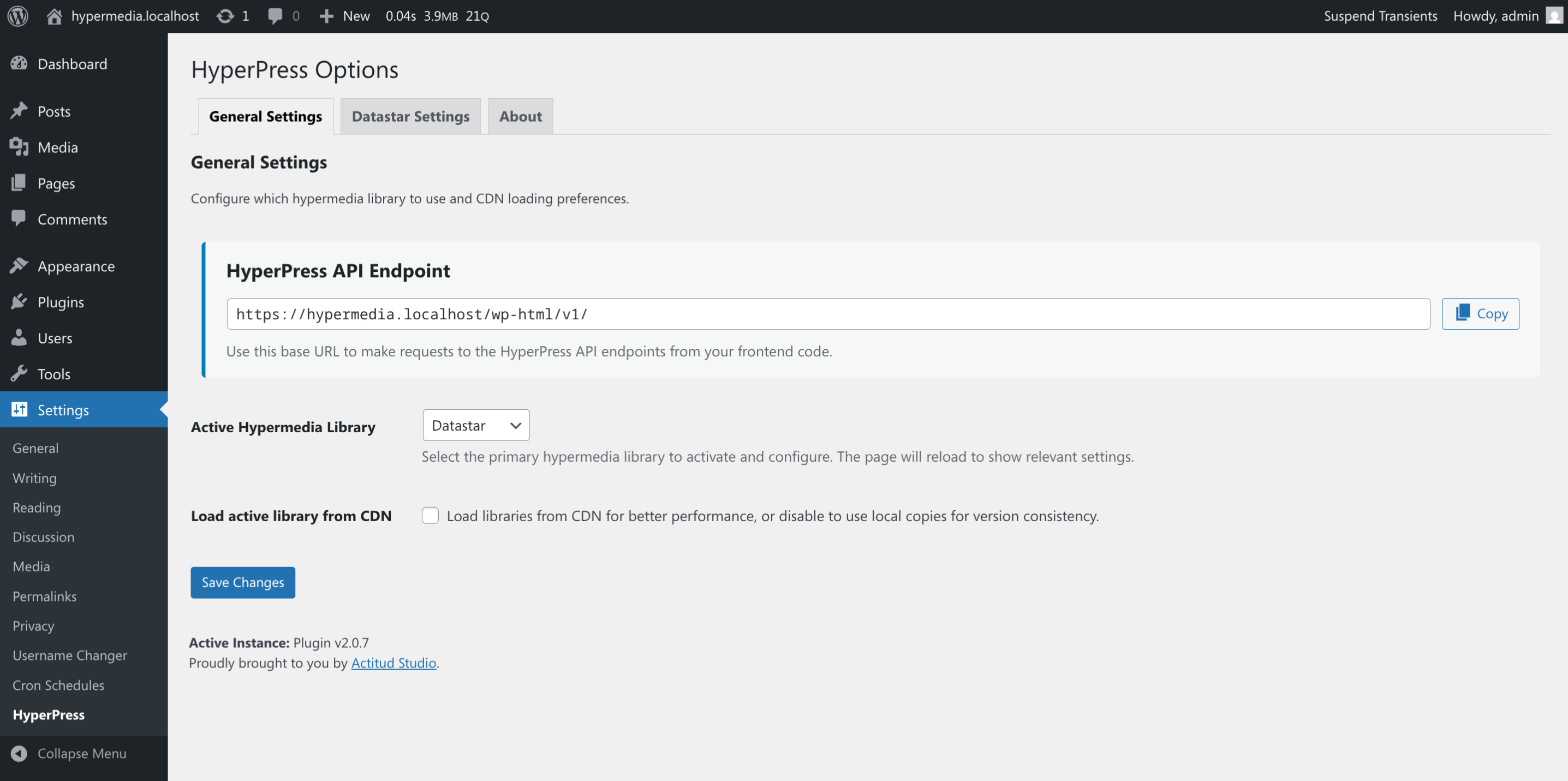
Main options page.

About