

API Press – Plugin for WordPress API Integration
WordPress API integration made easy. Create endpoints, send API data, preview API responses & display results with shortcode or template tag.
Plugin info
Maintenance & Compatibility
Maintenance score
Maintained • Last updated 175 days ago • Support resolved 100%
Is API Press – Plugin for WordPress API Integration abandoned?
Likely maintained (last update 175 days ago).
Compatibility
Developers
Similar & Alternatives
Explore plugins with similar tags, and compare key metrics like downloads, ratings, updates, support, and WP/PHP compatibility.
Description
API Press is a free WordPress API integration plugin that lets you easily connect external APIs to WordPress — no coding required.
Setup and manage unlimited API integrations, right from your WordPress admin. You can define the endpoint and add query paramaters, headers, body data and authentication settings. Click Send to see the API response and then use the shortcode or template tag to display the data anywhere on your site.
Simple and flexible API integration in WordPress.
API Press Features
- Unlimited API integrations
- Works with any REST API
- GET, POST, PUT, PATCH & DELETE HTTP methods
- Query parameters, headers and body data
- Cache API calls
- Logging of all requests
- Send raw JSON, form-data and x-www-form-urlencoded body types
- Preview API responses directly in the admin
- Use shortcode or template tag to output API data anywhere on your site
- Authentication options: API Key, Bearer token, Basic Auth, no auth (OAuth 2.0 in PRO)
- No code
API Press PRO Features
- Templates – Output API data with pre-built templates – Gallery, Table, Carousel etc.
- Triggers – call API on WordPress actions (e.g., when a user registers or a form is submitted)
- Variables – dynamically send user data, post data or site data to your API
- OAuth 2.0 Authorization
- Auto HTML formatting for displaying API responses
- Email alerts on failed responses
- One-click cloning of APIs
- Preview API request before sending
View the API Press PRO plugin.
API Press is an easy to use WordPress API integration plugin that is ideal for developers, site builders and businesses that need a flexible, no-code way to connect APIs and manage API integrations inside WordPress.
WordPress API Integration Plugin
Using API Press is simple: To connect your API to your WordPress site, simply install this plugin and then visit API Press in your admin to add a new API. Fill in the details of your API including URL and any headers, query strings, body parameters or authentication and click Send.
Installation
Install API Press via WordPress Dashboard
- Navigate to “Plugins > Add New” in your dashboard
- Search for “API Press”
- Click “Install Now” and then “Activate”
- A new menu item API Press will appear in the dashboard
Uploading API Press in WordPress Dashboard
- Download the API Press ZIP file from wordpress.org
- In your WordPress dashboard, go to “Plugins > Add New > Upload Plugin”
- Select the ZIP file and click “Install Now”
- Activate the plugin after installation
Using FTP to install API Press
- Download and extract the API Press ZIP file
- Upload the
api-pressfolder to/wp-content/plugins/ - Go to “Plugins” in the WordPress dashboard and activate API Press
How to Integrate API in WordPress
To integrate an API using WordPress, follow the install instructions above and then visit API Press in your admin to add a new API. Fill in the details of your API including URL and any headers, query strings, body parameters or authentication and click Send.
Once activated, API Press makes WordPress API integration quick and code-free.
Frequently Asked Questions
No. API Press is built as a no-code tool. You can build and manage API requests directly in your WordPress admin without writing any code. It is very easy to use.
API Press works with any REST API that accepts standard HTTP requests (GET, POST, PUT, PATCH, DELETE). You can send parameters, headers and authentication details to most APIs.
You can display API responses using a shortcode inside posts or pages, or by adding a template tag inside your theme, allowing you to complete a full WordPress API integration without code. Both options are provided when you create an API in the admin and you can simply copy these and paste wherever you need.
Yes. The free version supports API Key, Bearer token, Basic Auth and no authentication. OAuth 2.0 authorization is available in the PRO version.
Yes. Logging of all requests and caching of API calls are included in the free plugin. This helps with performance and debugging.
The PRO plugin adds powerful features such as triggers (send API requests on WordPress actions), variables (send dynamic user or site data), OAuth 2.0, email alerts on failed requests, automatic HTML formatting of responses and one-click cloning of APIs.
Yes. From the WordPress admin you can test and preview any API request before outputting it on your site.
API Press is designed for developers, site builders and businesses that want a flexible way to integrate external APIs inside WordPress – without needing to write custom code. API Press is a fully-featured WordPress API plugin designed for easy use.
Review feed
Screenshots
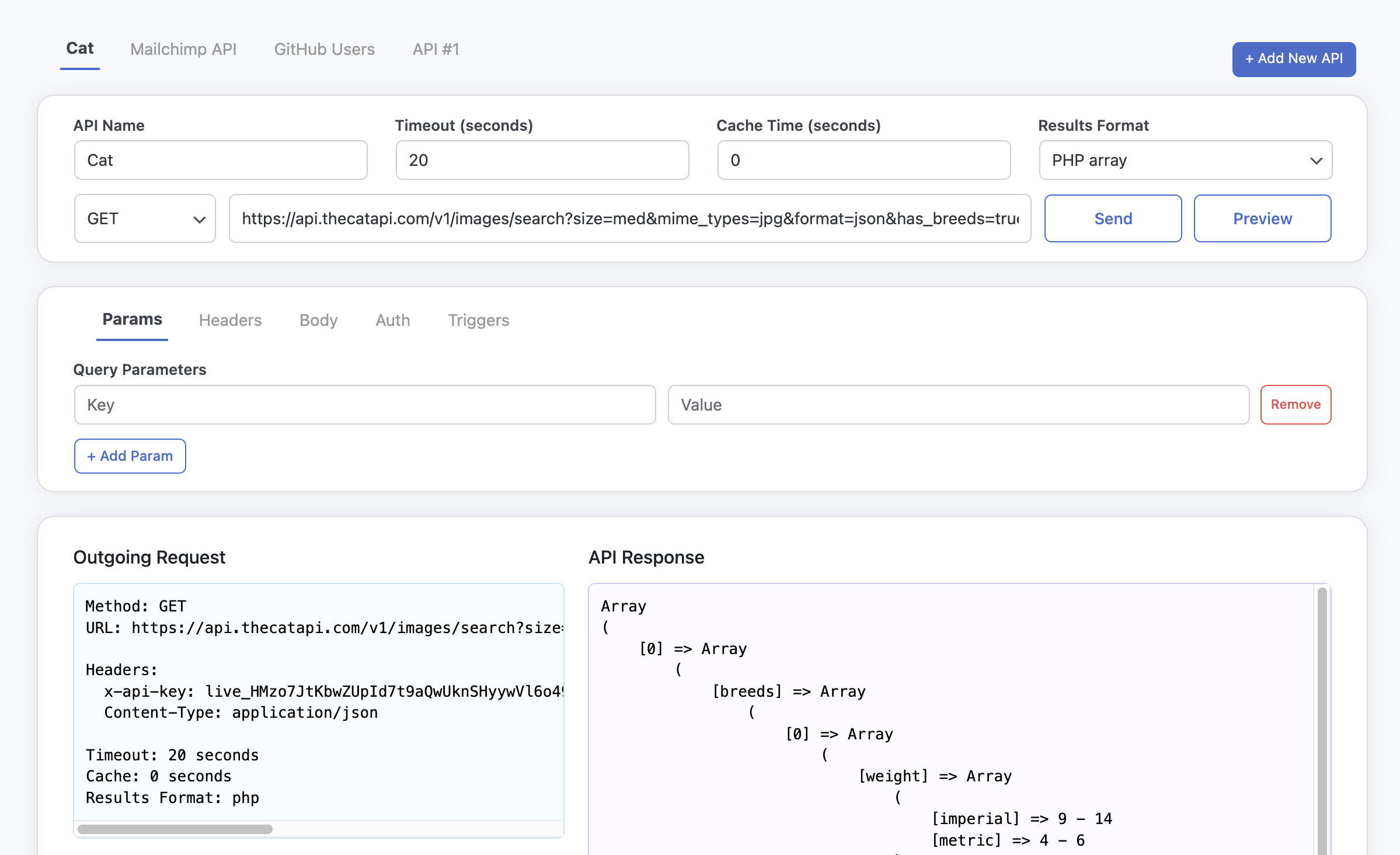
Integrate API in WordPress admin
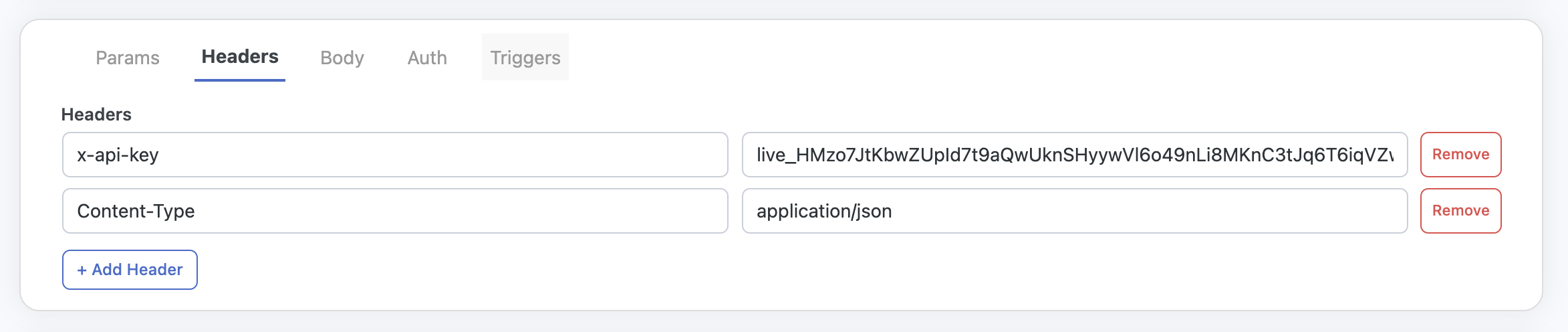
Headers that can be sent with API requests
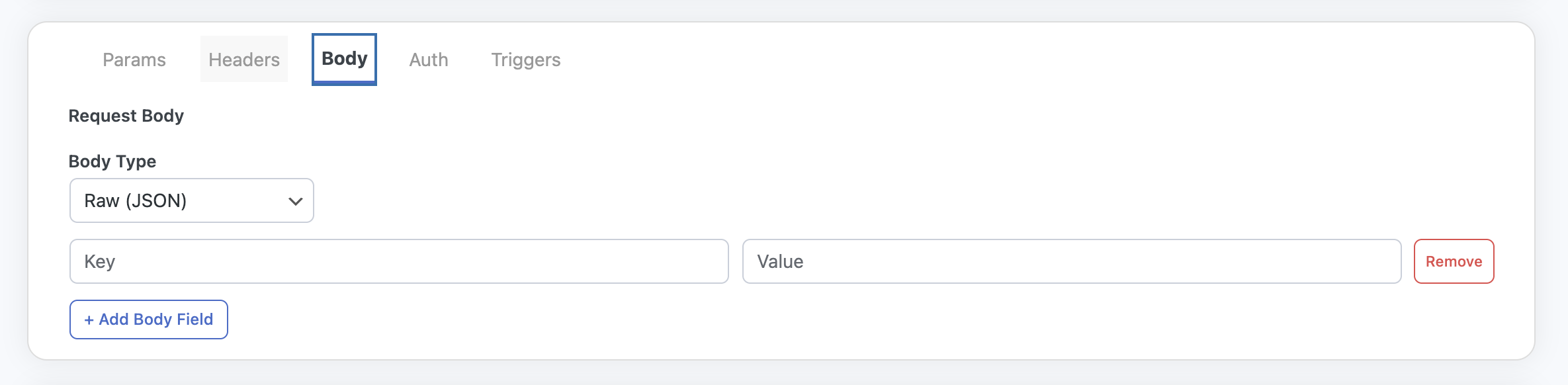
Body parameters that can be sent with API requests
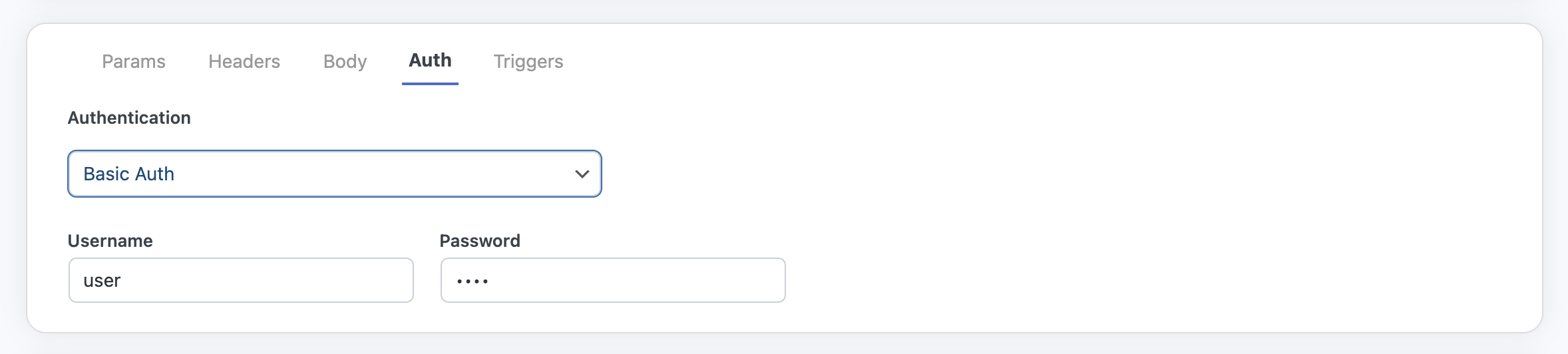
Authentication that can be used with API requests
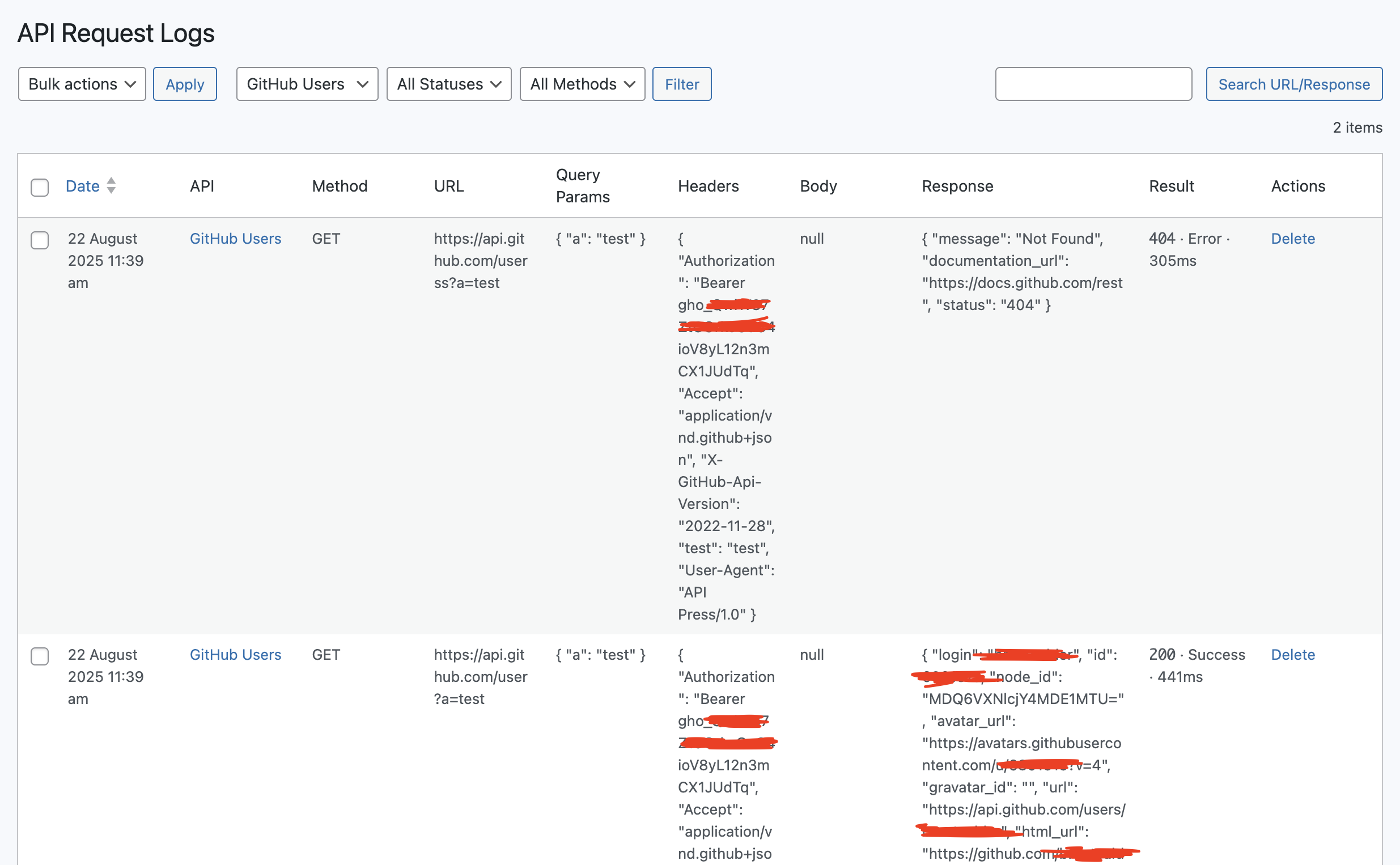
Log of all API calls
Changelog
1.2.2 (2025-10-10)
- Add toggle for bypassing SSL verification. to be used for testing only.
1.2.1 (2025-09-24)
- Make plugin translatable
1.2.0 (2025-09-24)
- Add detailed Display and Trigger info
1.1.5 (2025-09-15)
- Add wrapping div for h1 to allow full-width admin notices
1.1.4 (2025-09-10)
- Update correct link to settings page
1.1.3 (2025-09-10)
- Add display tab
- Minor styling updates
- Add logo to admin page
- Update block.json text
1.1.2 (2025-09-04)
- Add block.json
- Add contact link to admin
1.1.1 (2025-09-03)
- Add API Press block
1.1.0 (2025-09-02)
- Add filters to allow PRO plugin enhancements
- Add Settings page
- Add Logs page
1.0.1 (2025-09-02)
- Add nonce checks to navigation betwen APIs
1.0.0 (2025-08-14)
- Initial Release